

-
-7%
 In Stock
Apple iTunes Gift Card 50£ UK
Original price was: ₨14,999.00.₨13,999.00Current price is: ₨13,999.00. -
- Scratch off the silver coating on the back of your Gift Card to reveal a 16-digit code.
-
- In iTunes, click iTunes Store in the Source list to go to the iTunes Store homepage (if you’re not there already).
-
- Click Redeem under QUICK LINKS in the right column.
-
- In the resulting screen, enter the entire code in the field.
-
- Click Redeem. If you aren’t already signed in to the iTunes Store, you’ll be asked to sign in. Refer to How To Set Up an iTunes Store Account if you need to create an Tunes Store account ID.
-
- In iTunes, click iTunes Store in the Source list.
-
- Find a song, album, audiobook, video, app, or iPod click wheel game that you want to give to someone.
-
- Click the arrow to the right of the Buy button; in the resulting menu, choose the Gift option.
-
- To gift an iPod click wheel game, choose Gift This Game below the Add Game or Buy Game button.
-
- Once you’ve clicked Gift, you’ll either be asked to sign in with your account name and password, or you’ll see a “Give a Gift” page. You’ll need to fill in your recipient’s (and your) details, such as names, email addresses, and a personal message. It doesn’t matter which screen you get first, you will get both.
-
- Once you’ve successfully signed in and completed the gift form, you’ll be brought to a page to review your purchase and confirm it.
-
-17%
 In Stock
Apple Mac Mini MXNF2
Original price was: ₨119,999.00.₨99,999.00Current price is: ₨99,999.00. -
-11%
In Stock
Apple Mac Mini MXNG2
Original price was: ₨174,999.00.₨154,999.00Current price is: ₨154,999.00. - Home office
- Gaming
- Music creation
- Digital art and signage
- Ethernet
- Thunderbolt / USB 4
- HDMI 2.0
- USB-A
- 3.5 mm headphone jack
- 8-core CPU with 4 performance cores and 4 efficiency cores
- 8-core GPU
- 16-core Neural Engine
- 8GB unified memory
- 16GB
- 256GB SSD
- 512GB, 1TB,or 2TB
- 512GB SSD
- 1TB or 2TB
- One display with up to 6K resolution at 60Hz connected via Thunderbolt and one display with up to 4K resolution at 60Hz connected via HDMI 2.0
- Native DisplayPort output over USB‑C
- Thunderbolt 2, DVI, and VGA output supported using adapters (sold separately)
- Support for one display with up to 4K resolution at 60Hz
- DVI output using HDMI to DVI Adapter (sold separately)
- Built-in speaker
- 3.5 mm headphone jack
- HDMI 2.0 port supports multichannel audio output
- DisplayPort
- Thunderbolt 3 (up to 40Gb/s)
- USB 3.1 Gen 2 (up to 10Gb/s)
- Thunderbolt 2, HDMI, DVI, and VGA supported using adapters (sold separately)
- Two USB-A ports (up to 5Gb/s)
- HDMI 2.0 port
- Gigabit Ethernet port
- 3.5 mm headphone jack
- 802.11ax Wi-Fi 6 wireless networking
- IEEE 802.11a/b/g/n/ac compatible
- Bluetooth 5.0 wireless technology
- 10/100/1000BASE-T Gigabit Ethernet (RJ-45 connector)
- Mac mini
- Power cord
- Voice Control
- VoiceOver
- Zoom
- Increase Contrast
- Reduce Motion
- Siri and Dictation
- Switch Control
- Closed Captions
- Text to Speech
- 16GB unified memory
- 512GB, 1TB, or 2TB SSD
- 100% recycled aluminum in the enclosure
- 100% recycled tin in the solder of the main logic board
- 35% or more recycled plastic in multiple components
- ENERGY STAR® certified
- Mercury-free
- BFR-, PVC-, and beryllium-free
- Apple’s Zero Waste Program helps suppliers eliminate waste sent to landfill
- All final assembly supplier sites are transitioning to 100% renewable energy for Apple production
- 100% of virgin wood fiber comes from responsibly managed forests
- Recyclable, majority-fibre packeting.
-
-12%
 In Stock
Apple Mac mini M1 2020 512GB SSD Silver MGNT3
Original price was: ₨179,999.00.₨158,999.00Current price is: ₨158,999.00. - Home office
- Gaming
- Music creation
- Digital art and signage
- Ethernet
- Thunderbolt / USB 4
- HDMI 2.0
- USB-A
- 3.5 mm headphone jack
- 8-core CPU with 4 performance cores and 4 efficiency cores
- 8-core GPU
- 16-core Neural Engine
- 8GB unified memory
- 16GB
- 256GB SSD
- 512GB, 1TB,or 2TB
- 512GB SSD
- 1TB or 2TB
- One display with up to 6K resolution at 60Hz connected via Thunderbolt and one display with up to 4K resolution at 60Hz connected via HDMI 2.0
- Native DisplayPort output over USB‑C
- Thunderbolt 2, DVI, and VGA output supported using adapters (sold separately)
- Support for one display with up to 4K resolution at 60Hz
- DVI output using HDMI to DVI Adapter (sold separately)
- Built-in speaker
- 3.5 mm headphone jack
- HDMI 2.0 port supports multichannel audio output
- DisplayPort
- Thunderbolt 3 (up to 40Gb/s)
- USB 3.1 Gen 2 (up to 10Gb/s)
- Thunderbolt 2, HDMI, DVI, and VGA supported using adapters (sold separately)
- Two USB-A ports (up to 5Gb/s)
- HDMI 2.0 port
- Gigabit Ethernet port
- 3.5 mm headphone jack
- 802.11ax Wi-Fi 6 wireless networking
- IEEE 802.11a/b/g/n/ac compatible
- Bluetooth 5.0 wireless technology
- 10/100/1000BASE-T Gigabit Ethernet (RJ-45 connector)
- Mac mini
- Power cord
- Voice Control
- VoiceOver
- Zoom
- Increase Contrast
- Reduce Motion
- Siri and Dictation
- Switch Control
- Closed Captions
- Text to Speech
- 16GB unified memory
- 512GB, 1TB, or 2TB SSD
- 100% recycled aluminum in the enclosure
- 100% recycled tin in the solder of the main logic board
- 35% or more recycled plastic in multiple components
- ENERGY STAR® certified
- Mercury-free
- BFR-, PVC-, and beryllium-free
- Apple’s Zero Waste Program helps suppliers eliminate waste sent to landfill
- All final assembly supplier sites are transitioning to 100% renewable energy for Apple production
- 100% of virgin wood fiber comes from responsibly managed forests
- Recyclable, majority-fibre packeting.
The iTunes Store makes it easy to give songs, albums, playlists, audiobooks, music videos, movies, and TV shows to anyone. Or give iTunes Gift Cards and let them choose for themselves.
Set up an iTunes allowance.
Give your kids a legal way to download their favorite songs with a monthly allowance. Allowance accounts give your kids a set amount of store credit to spend on the iTunes Store every month. That way they can access the store without a credit card, and you can set a limit on how much they spend. Set up an allowance
Gift music and videos.
Send a song, an album, a TV episode, an entire TV show, or a movie even give a custom mix of songs to anyone. Buy a gift and iTunes immediately sends an email to your recipient, who just clicks a link. Your gift starts downloading to your recipient’s iTunes library, ready to play or sync to iPod, iPhone, iPad, or Apple TV. Want to deliver your gift personally? buy now only from shophive
Recieve and Scratch
We will deliver you iTunes Gift Card at your door step, Just scratch the number and enter in iTunes purchasing
To redeem an iTunes Gift Card…

To reveal the 16-digit code, use your fingernail or a coin to scratch off the coating on the back of the card.
Once you redeem your iTunes Gift Card, the full amount appears next to your account ID name in the upper-right part of the window as a credit. Any time you buy an item, the purchase price (+ tax) will be deducted from the balance.
Send Music, Videos, Audiobooks, and Apps as Gifts
If you want to put more thought into giving an iTunes Store gift than sending iTunes Gift Card, give a specific iTunes Gift. This allows you to personally pick a song (or create a playlist of songs), album, video, audiobook, or app to send to someone.

You can gift any song, album, video, audiobook, or app to anyone with a valid email address.
To send an iTunes Gift:

You can send along a personal message with your gift in the “Give a Gift” page-be sure that you enter a valid email address too.
Disclaimer: In case of complaints email directly to apple support, shophive will not be responsible of any misuse of the card and takes no liability once the card is scratched.


The Smart Keyboard combines advanced technologies to create a keyboard like no other. It’s a full-size keyboard that’s fully portable, and it connects to iPad Pro with the Smart Connector. Just attach the Smart Keyboard and start typing. And when you’re done, it folds to create a slim, lightweight cover.


Smart Keyboard FolioFull-sized keyboard.
The new Smart Keyboard Folio is designed to deliver a great typing experience on a full-sized keyboard whenever you need it. Its durable, lightweight cover protects both the front and back of your new 11-inch or 12.9-inch iPad Pro. Simply attach it to your new iPad Pro and type away.Available starting 7.11

Designed for easy typing wherever you are.
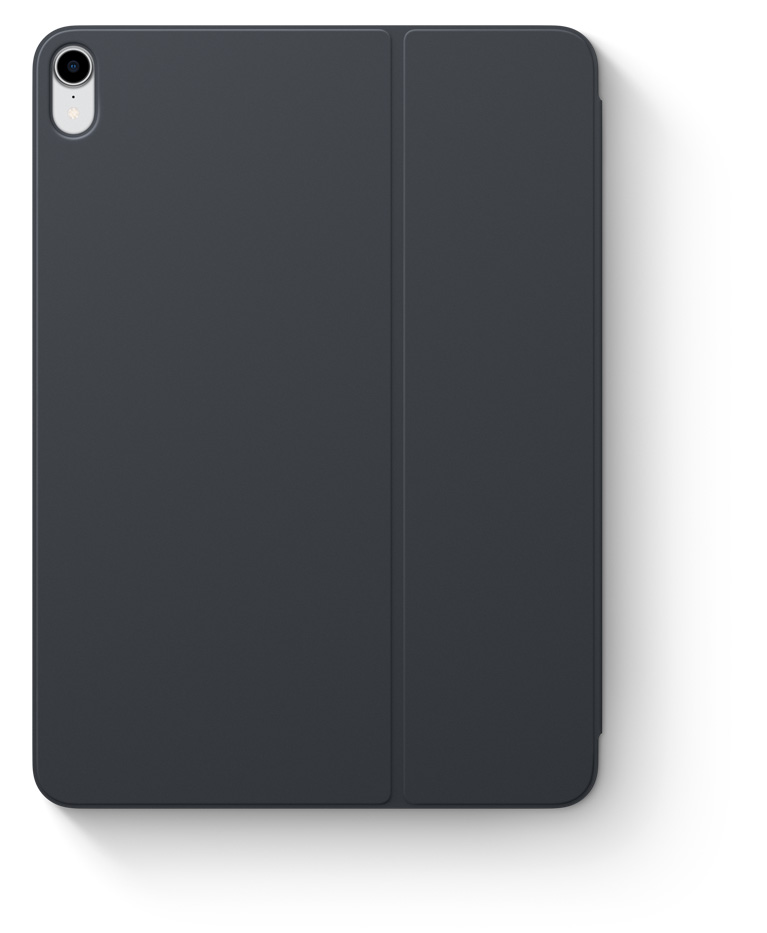
two viewing angles
Just the right angles for typing and watching. Open and move your iPad Pro to one of two viewing angles ideal for whatever you’re doing.
Use the Onscreen Shortcut Bar to bold, italicise or underline — even copy and paste — with just a few taps. Or use keyboard shortcuts to switch between apps, bring up search and more. You can also interact with apps using their own built-in shortcuts. Press and hold the Command key to see shortcuts in any app that supports them.

Connecting to iPad Pro is a snap.The Smart Keyboard Folio features innovative technologies that free you from switches, plugs and pairing. Just attach the keyboard and start typing. When you remove it, the onscreen keyboard automatically appears.
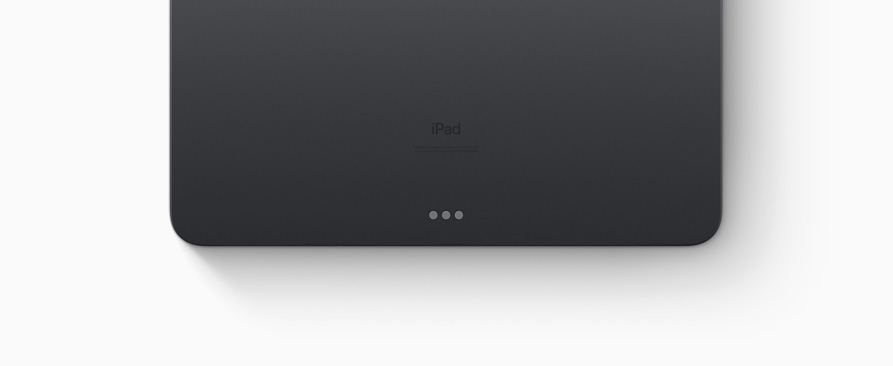

for your iPad Pro.


Product Information
Overview
The all‑new Magic Keyboard is an amazing companion for iPad Pro. It features the best typing experience ever on iPad, a trackpad that opens up new ways to work with iPadOS, a USB‑C port for passthrough charging, and front and back protection. The Magic Keyboard features a floating cantilever design, allowing you to attach iPad Pro magnetically and to smoothly adjust it to the perfect viewing angle for you.
Highlights
Full‑size, backlit keys and a scissor mechanism with 1 mm travel for quiet, responsive typing.
Designed for Multi‑Touch gestures and the cursor in iPadOS.
Smooth angle adjustability delivers the perfect viewing angle.
USB-C port for charging iPad Pro, freeing up the port on iPad Pro for other accessories.
Folds into a case to provide front and back protection for traveling with iPad Pro.
System Requirements
iPad Pro 12.9-inch (3rd or 4th generation) or iPad Pro 11-inch (1st or 2nd generation) running iPadOS 13.4 or later
Compatibility
iPad Models
iPad Pro 12.9-inch (3rd generation)

The Smart Keyboard Folio for 12.9-inch iPad Pro is a full-size keyboard when you need it to be, provides elegant front and back protection when you don’t, and allows for convenient viewing angles. And with no charging or pairing required, just attach the keyboard and start typing.

The Smart Keyboard Folio for iPad Pro and iPad Air is a full-size keyboard when you need one, and provides elegant front and back protection when you don’t. With two convenient viewing angles and no charging or pairing required, it’s simple to just attach the keyboard and start typing.


Keyboards that have you covered.
iPad keyboards provide a great typing experience and lightweight, durable protection for your iPad. And they attach to iPad magnetically — no need for switches, plugs, and pairing. The Magic Keyboard delivers even more with a floating design, backlit keys, and a built‑in trackpad.
Find the right keyboard for you.
NewMagic Keyboard
The Magic Keyboard is an amazing companion for iPad Pro and iPad Air. It features a great typing experience, a trackpad that opens up new ways to work with iPadOS, a USB‑C port for pass‑through charging, and front and back protection. The Magic Keyboard features a floating cantilever design, allowing you to attach it magnetically and smoothly adjust it to the perfect viewing angle for you.
Compatible with
iPad Pro 12.9‑inch
(3rd, 4th, and 5th generation)
iPad Pro 11‑inch
(1st, 2nd, and 3rd generation)
iPad Air
(4th generation)
Comfortable typing
Backlit keys and a scissor mechanism with 1 mm travel for quiet, responsive typing.
Built‑in trackpad
Designed for Multi‑Touch gestures and the cursor in iPadOS.
Floating cantilever design
Smooth angle adjustability delivers the perfect viewing angle.
Front and back protection
Folds into a case to provide front and back protection for traveling.
Smart Keyboard Folio
The Smart Keyboard Folio is a comfortable keyboard when you need one, and it provides front and back protection when you don’t. Simply attach it and start typing.
Compatible with
iPad Pro 12.9‑inch
(3rd, 4th, and 5th generation)
iPad Pro 11‑inch
(1st, 2nd, and 3rd generation)
iPad Air
(4th generation)
Two viewing angles
Switch between two viewing angles ideal for whatever you’re doing.
Front and back protection
Provides lightweight, front and back protection.
Smart Keyboard
The Smart Keyboard delivers a comfortable typing experience wherever you are and converts into a slim, durable front cover when you’re on the go.
Compatible with
iPad
(7th and 8th generation)
iPad Air
(3rd generation)
iPad Pro 10.5‑inch
Type or watch
Keyboards that have you covered.
iPad keyboards provide a great typing experience and lightweight, durable protection for your iPad. And they attach to iPad magnetically — no need for switches, plugs, and pairing. The Magic Keyboard delivers even more with a floating design, backlit keys, and a built‑in trackpad.
Find the right keyboard for you.
NewMagic Keyboard
The Magic Keyboard is an amazing companion for iPad Pro and iPad Air. It features a great typing experience, a trackpad that opens up new ways to work with iPadOS, a USB‑C port for pass‑through charging, and front and back protection. The Magic Keyboard features a floating cantilever design, allowing you to attach it magnetically and smoothly adjust it to the perfect viewing angle for you.
Compatible with
iPad Pro 12.9‑inch
(3rd, 4th, and 5th generation)
iPad Pro 11‑inch
(1st, 2nd, and 3rd generation)
iPad Air
(4th generation)
Comfortable typing
Backlit keys and a scissor mechanism with 1 mm travel for quiet, responsive typing.
Built‑in trackpad
Designed for Multi‑Touch gestures and the cursor in iPadOS.
Floating cantilever design
Smooth angle adjustability delivers the perfect viewing angle.
Front and back protection
Folds into a case to provide front and back protection for traveling.
Smart Keyboard Folio
The Smart Keyboard Folio is a comfortable keyboard when you need one, and it provides front and back protection when you don’t. Simply attach it and start typing.
Compatible with
iPad Pro 12.9‑inch
(3rd, 4th, and 5th generation)
iPad Pro 11‑inch
(1st, 2nd, and 3rd generation)
iPad Air
(4th generation)
Two viewing angles
Switch between two viewing angles ideal for whatever you’re doing.
Front and back protection
Provides lightweight, front and back protection.
Smart Keyboard
The Smart Keyboard delivers a comfortable typing experience wherever you are and converts into a slim, durable front cover when you’re on the go.
Compatible with
iPad
(7th and 8th generation)
iPad Air
(3rd generation)
iPad Pro 10.5‑inch
Type or watch
Folding design enables different configurations for typing email messages or watching videos.
Lightweight cover
Provides slim, durable front protection.
SPECIFICATIONS
REVIEWS
Folding design enables different configurations for typing email messages or watching videos.
Lightweight cover
Provides slim, durable front protection.
SPECIFICATIONS
REVIEWS


Find the right keyboard for you.
NewMagic Keyboard
The Magic Keyboard is an amazing companion for iPad Pro and iPad Air. It features a great typing experience, a trackpad that opens up new ways to work with iPadOS, a USB‑C port for pass‑through charging, and front and back protection. The Magic Keyboard features a floating cantilever design, allowing you to attach it magnetically and smoothly adjust it to the perfect viewing angle for you.
Compatible with
iPad Pro 12.9‑inch
(3rd, 4th, and 5th generation)
iPad Pro 11‑inch
(1st, 2nd, and 3rd generation)
iPad Air
(4th generation)
Comfortable typing
Backlit keys and a scissor mechanism with 1 mm travel for quiet, responsive typing.
Built‑in trackpad
Designed for Multi‑Touch gestures and the cursor in iPadOS.
Floating cantilever design
Smooth angle adjustability delivers the perfect viewing angle.
Front and back protection
Folds into a case to provide front and back protection for traveling.
Smart Keyboard Folio
The Smart Keyboard Folio is a comfortable keyboard when you need one, and it provides front and back protection when you don’t. Simply attach it and start typing.
Compatible with
iPad Pro 12.9‑inch
(3rd, 4th, and 5th generation)
iPad Pro 11‑inch
(1st, 2nd, and 3rd generation)
iPad Air
(4th generation)
Two viewing angles
Switch between two viewing angles ideal for whatever you’re doing.
Front and back protection
Provides lightweight, front and back protection.
Smart Keyboard
The Smart Keyboard delivers a comfortable typing experience wherever you are and converts into a slim, durable front cover when you’re on the go.
Compatible with
iPad
(7th and 8th generation)
iPad Air
(3rd generation)
iPad Pro 10.5‑inch
Type or watch
Folding design enables different configurations for typing email messages or watching videos.
Lightweight cover
Provides slim, durable front protection.

Magic Keyboard is now available with Touch ID, providing fast, easy, and secure authentication for logins and purchases.
Magic Keyboard with Touch ID delivers a remarkably comfortable and precise typing experience. It’s also wireless and rechargeable, with an incredibly long-lasting internal battery that will power your keyboard for about a month or more between charges.¹ It pairs automatically with your Mac, so you can get to work right away. And it includes a woven USB-C to Lightning Cable that lets you pair and charge by connecting to a USB-C port on your Mac.


The Smart Keyboard Folio for iPad Pro and iPad Air is a comfortable keyboard when you need one, and provides elegant front and back protection when you don’t. With two convenient viewing angles and no charging or pairing required, it’s simple to just attach the keyboard and start typing.
iPad Models
iPad Pro 11-inch (3rd generation)
iPad Pro 11-inch (2nd generation)
iPad Pro 11-inch (1st generation)
iPad Air (4th generation)


Overview
The Magic Keyboard is an amazing companion for iPad Pro 12.9-inch. It features an incredible typing experience, a trackpad that opens up new ways to work with iPadOS, a USB‑C port for passthrough charging, and front and back protection. The Magic Keyboard has a floating cantilever design, allowing you to attach iPad Pro magnetically and to smoothly adjust it to the perfect viewing angle for you.
Highlights
Comfortable backlit keys and a scissor mechanism with 1 mm travel for quiet, responsive typing.
Designed for Multi‑Touch gestures and the cursor in iPadOS.
Smooth angle adjustability delivers the perfect viewing angle.
USB-C port for charging iPad Pro, freeing up the port on the iPad for other accessories.
Folds into a case to provide front and back protection for traveling with iPad Pro.
System Requirements
iPad Pro 12.9-inch (3rd, 4th, or 5th generation) running iPadOS 14.5 or later.
iPad Models
iPad Pro 12.9-inch (5th generation)
iPad Pro 12.9-inch (4th generation)
iPad Pro 12.9-inch (3rd generation)


Overview
The Magic Keyboard is an amazing companion for iPad Pro 12.9-inch. It features an incredible typing experience, a trackpad that opens up new ways to work with iPadOS, a USB‑C port for passthrough charging, and front and back protection. The Magic Keyboard has a floating cantilever design, allowing you to attach iPad Pro magnetically and to smoothly adjust it to the perfect viewing angle for you.
Highlights
Comfortable backlit keys and a scissor mechanism with 1 mm travel for quiet, responsive typing.
Designed for Multi‑Touch gestures and the cursor in iPadOS.
Smooth angle adjustability delivers the perfect viewing angle.
USB-C port for charging iPad Pro, freeing up the port on the iPad for other accessories.
Folds into a case to provide front and back protection for traveling with iPad Pro.
System Requirements
iPad Pro 12.9-inch (3rd, 4th, or 5th generation) running iPadOS 14.5 or later.
iPad Models
iPad Pro 12.9-inch (5th generation)
iPad Pro 12.9-inch (4th generation)
iPad Pro 12.9-inch (3rd generation)
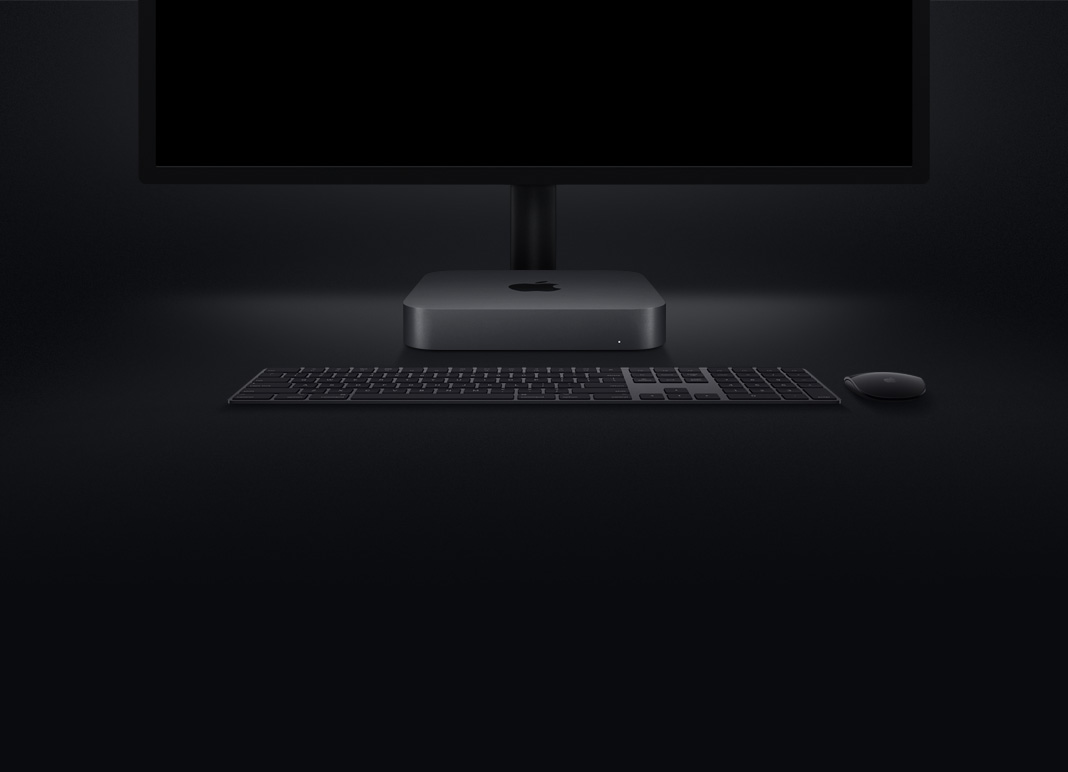
Mac mini
Re-engineered in no small way.
New eighth-generation 6‑core and quad‑core processors
Faster 2666MHz DDR4 memory up to 64GB
Thunderbolt 3 (USB-C), HDMI 2.0, and available 10Gb Ethernet
Blazing-fast all-flash storage with up to 2TB SSD
Processors
Part racehorse. All workhorse.
In addition to being a great desktop computer, Mac mini powers everything from home automation to giant render farms. And now with eighth-generation Intel quad-core and 6-core processors and Intel UHD Graphics 630, Mac mini has even more compute power for industrial-grade tasks. So whether you’re running a live concert sound engine or testing your latest iOS or iPadOS app, Mac mini is the shortest distance between a great idea and a great result.
Up to5Xfaster system performance1
Up to6-coreIntel Core i5 or i7 processor
Up to60%faster Intel integrated graphics2
Up to4.6GHzTurbo Boost

Cool story.
Packing this much power into the same enclosure required an all-new thermal architecture — including all-flash storage, a bigger fan, expanded vents, and redesigned power supply.
70%more MSP (maximum sustained power
2Xincreased airflow
Memory
Climb in. Geek out.
Mac mini features high-performance 2666MHz DDR4 SO-DIMM memory for faster rendering, working with massive files, or running multiple virtual machines. And now you can configure even more memory — up to 64GB — to run even heavier workloads.
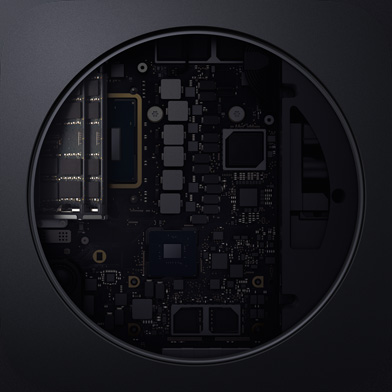
Up to7.8Xfaster than 16GB3
Up to64GB2666MHz
DDR4 memory
Storage
Haul apps.
Mac mini now includes all-flash PCIe-based storage, with up to four times the read speeds of previous flash options. So you can load giant files and launch apps faster than ever — and with the available 2TB SSD, you’ll have twice the space for all of them.
Up to2TBSSD storage
Up to4Xfaster read speed4
Up to3.4GB/ssequential read speed
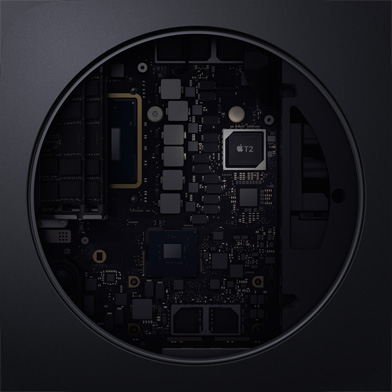
Apple T2 Security Chip
Next-generation security.
Mac mini features the Apple T2 Security Chip — second-generation custom Mac silicon designed by Apple to make Mac mini even more secure. The T2 Security Chip consolidates several controllers into one, and includes a Secure Enclave coprocessor that provides the foundation for encrypted storage and secure boot capabilities.
Consolidated controllers
Secure boot capability
Secure Enclave coprocessor
Encrypted storage capability
Strength in numbers.
Mac mini is optimized for performance across the board. Here’s how it compares to the previous generation.
Xcode
WebKit Compile
Adobe Photoshop CC
Pixelmator Pro
Luxion KeyShot
Autodesk Maya
Compressor
Final Cut Pro X
Logic Pro X
MainStage
Rise of the Tomb Raider
2.2X faster build time5
with6-core Mac mini
compared toDual-core Mac mini (Baseline)
3.4X faster build time
using Xcode6
with6-core Mac mini
compared toDual-core Mac mini (Baseline)
3.2X faster processing of
well-threaded filters7
with6-core Mac mini
compared toDual-core Mac mini (Baseline)
3.3X faster ML-based
image repair8
with6-core Mac mini
compared toDual-core Mac mini (Baseline)
3.7X faster image render9
with6-core Mac mini
compared toDual-core Mac mini (Baseline)
5.3X faster Arnold render1
with6-core Mac mini
compared toDual-core Mac mini (Baseline)
30X faster 8-bit
HEVC export10
with6-core Mac mini
compared toDual-core Mac mini (Baseline)
3.6X faster REDCODE RAW
3:1 export to ProRes 42211
with6-core Mac mini
compared toDual-core Mac mini (Baseline)
5.4X higher Alchemy
track count12
with6-core Mac mini
compared toDual-core Mac mini (Baseline)
4.6X higher Amp Designer
track count13
with6-core Mac mini
compared toDual-core Mac mini (Baseline)
6.6X higher Kontakt 8Dio
channel strip count14
with6-core Mac mini
compared toDual-core Mac mini (Baseline)
3.9X higher Sculpture
channel strip count15
with6-core Mac mini
compared toDual-core Mac mini (Baseline)
60% faster game
performance2
with6-core Mac mini
compared toDual-core Mac mini (Baseline)
6X faster game
performance16
with6-core Mac mini with Blackmagic eGPU Pro
compared to6-core Mac mini with Intel UHD Graphics 630 (Baseline)
Connections and Expansion
I/O, I/O, it’s off to work you go.
With a variety of ports, Mac mini is ready for a variety of workflow configurations. Thunderbolt 3 is our most powerful and versatile port ever — and Mac mini has four of them. The new HDMI 2.0 port delivers more bandwidth than its predecessor, so you can enjoy faster frame rates. And now Mac mini can be configured with 10Gb Ethernet so it’s ready to move mountainous files and monstrous data up to 10 times faster.
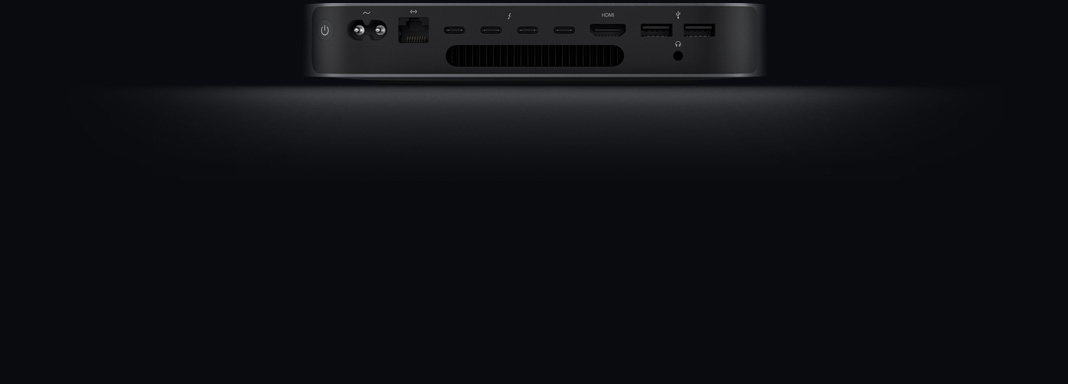
Thunderbolt 3
Transfer data
up to 40Gb/s
Charge and provide power from any port
Connect
with eGPU
Run up to two
4K displays
Versatility
To the desktop. And beyond.
Because of its size, performance, and wide array of ports, Mac mini goes where no Mac has gone before. And now with even more cores packed into its 7.7-inch-square frame, you never know where you’ll find a Mac mini — or dozens of them — hard at work.
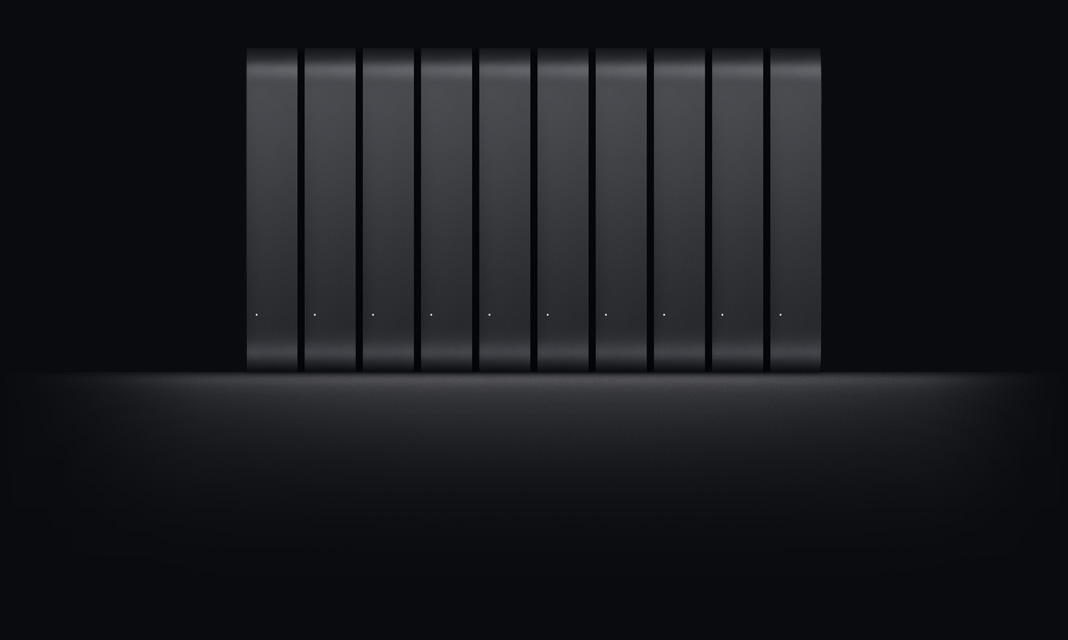
Build and Render Farms
Xcode Server
Live Performance
Digital Art and Signage
With up to 6-core processors and faster 2666MHz memory, Mac mini is ideal for batching out massive Xcode builds or rendering and encoding video,

macOS Catalina
The power of Mac.
Taken further.
Featuring all-new, dedicated apps for music, TV, and podcasts, smart new features in the apps you use every day, and Sidecar, which lets you use iPad as a second Mac display.
Learn more
Upgrade now
Specification
Processor
4-Core
3.6GHz quad-core Intel Core i3
6MB shared L3 cache
6-Core
3.0GHz 6-core Intel Core i5
Turbo Boost up to 4.1GHz
9MB shared L3 cache
Configurable to:
6-Core
3.2GHz 6-core Intel Core i7
Turbo Boost up to 4.6GHz
12MB shared L3 cache
Configurable to:
6-Core
3.2GHz 6-core Intel Core i7
Turbo Boost up to 4.6GHz
12MB shared L3 cache
Memory
8GB
of 2666MHz DDR4 SO-DIMM memory
Configurable to:
16GB, 32GB, or 64GB
Storage1
256GB
PCIe-based SSD
Configurable to:
512GB, 1TB, or 2TB SSD
512GB
PCIe-based SSD
Configurable to:
1TB or 2TB SSD
Graphics
Intel UHD Graphics 630
Video Support
Support for the following combination of maximum concurrent display setups:
Up to three displays:
Two displays with 4096-by-2304 resolution at 60Hz connected via Thunderbolt 3 plus one display with 4096-by-2160 resolution at 60Hz connected via HDMI 2.0
or
Up to two displays:
One display with 5120-by-2880 resolution at 60Hz connected via Thunderbolt 3 plus one display with 4096-by-2160 resolution at 60Hz connected via HDMI 2.0
Thunderbolt 3 digital video output supports
Native DisplayPort output over USB‑C
Thunderbolt 2, DVI, and VGA output supported using adapters (sold separately)
HDMI 2.0 display video output
Support for one display with 4096-by-2160 resolution at 60Hz
DVI output using HDMI to DVI Adapter (sold separately)
Audio
Built-in speaker
3.5 mm headphone jack
HDMI 2.0 port supports multichannel audio output
Connections and Expansion
Ethernet
Thunderbolt 3
(USB-C)
HDMI 2.0
USB 3
Four Thunderbolt 3 (USB-C) ports with support for:
DisplayPort
Thunderbolt (up to 40 Gbps)
USB 3.1 Gen 2 (up to 10 Gbps)
Thunderbolt 2, HDMI, DVI, and VGA supported using adapters (sold separately)
Two USB 3 ports (up to 5 Gbps)
HDMI 2.0 port
Gigabit Ethernet port (configurable to 10Gb Ethernet)
3.5 mm headphone jack
Communications
Wi-Fi
802.11ac Wi-Fi wireless networking
IEEE 802.11a/b/g/n compatible
Bluetooth
Bluetooth 5.0 wireless technology
Ethernet
10/100/1000BASE-T Gigabit Ethernet (RJ-45 connector)
Configurable to 10Gb Ethernet (Nbase-T Ethernet with support for 1Gb, 2.5Gb, 5Gb, and 10Gb Ethernet using RJ-45 connector)
Size
7.7 inches (19.7 cm)1.4 inches (3.6 cm)7.7 inches (19.7 cm)
Weight2
2.9 pounds (1.3 kg)
Electrical and Operating Requirements
Line voltage: 100–240V AC
Frequency: 50Hz to 60Hz, single phase
Maximum continuous power: 150W
Operating temperature: 50° to 95° F (10° to 35° C)
Storage temperature: –40° to 116° F (–40° to 47° C)
Relative humidity: 5% to 90% noncondensing
Operating altitude: tested up to 16,400 feet (5000 meters)
Typical acoustical performance: Sound pressure level (operator position): 5 dBA at idle3
Limited Warranty and Service
Your Mac mini comes with 90 days of complimentary technical support and a one-year limited warranty. Purchase AppleCare+ for Mac to extend your coverage to three years from your AppleCare+ purchase date and add up to two incidents of accidental damage coverage, each subject to a service fee of $99 for external enclosure damage, or $299 for other repairable damage, plus applicable tax.
AppleCare+ for Mac
Learn more
In the Box
Mac mini
Power cord
Operating System
macOS
macOS is the operating system that powers every Mac. macOS Catalina gives you more of everything you love about Mac. So you can take everything you do above and beyond.
Learn more
Accessibility
Accessibility features help people with disabilities get the most out of their new Mac mini. With built-in support for vision, hearing, mobility, and learning, you can create and do amazing things.
Learn more
Features include:
Voice Control
VoiceOver
Zoom
Increase Contrast
Reduce Motion
Siri and Dictation
Switch Control
Closed Captions
Text to Speech
Configure to Order
3.2GHz 6-core Intel Core i7 processor
16GB, 32GB, or 64GB 2666MHz DDR4 memory
512GB, 1TB, or 2TB SSD
10Gb Ethernet
Mac mini and the Environment
Apple takes a complete product life cycle approach to determining our environmental impact. Learn more
Mac mini is designed with the following features to reduce its environmental impact:
BFR-free
PVC-free5
Beryllium-free
100% recycled aluminum enclosure6
Eco-friendly packaging
Meets ENERGY STAR requirements
Rated EPEAT Gold7
Apple and the Environment
Read our Product Environmental Reports for detailed information on the environmental performance of every Apple product.
Product Environmental Reports
Apple Trade In
Letting go of your old Mac is easy. If it’s in good shape, you can trade it in for Apple Store credit. If it’s not eligible for credit, we’ll recycle it responsibly at no cost to you. Good for you. Good for the planet.
Learn moreabout apple trade in
Accessories
Mac Software
Logic Pro X
Final Cut Pro X
Displays and Adapters
LG UltraFine 4K Display
LG UltraFine 5K Display
USB-C to USB Adapter
USB-C to SD Card Reader
USB-C Digital AV Multiport Adapter
USB-C VGA Multiport Adapter
USB-C to Gigabit Ethernet Adapter
Thunderbolt 3 (USB-C) to Thunderbolt 2 Adapter
Other Accessories
Space Gray Magic Keyboard with Numeric Keypad
Space Gray Magic Mouse 2
Space Gray Magic Trackpad 2
USB-C to Lightning Cable
Thunderbolt 3 (USB-C) Cable (0.8 m)
Blackmagic eGPU
Blackmagic eGPU Pro
AppleCare+ for Ma
Mac mini
Re-engineered in no small way.
New eighth-generation 6‑core and quad‑core processors
Faster 2666MHz DDR4 memory up to 64GB
Thunderbolt 3 (USB-C), HDMI 2.0, and available 10Gb Ethernet
Blazing-fast all-flash storage with up to 2TB SSD
Processors
Part racehorse. All workhorse.
In addition to being a great desktop computer, Mac mini powers everything from home automation to giant render farms. And now with eighth-generation Intel quad-core and 6-core processors and Intel UHD Graphics 630, Mac mini has even more compute power for industrial-grade tasks. So whether you’re running a live concert sound engine or testing your latest iOS or iPadOS app, Mac mini is the shortest distance between a great idea and a great result.
Up to5Xfaster system performance1
Up to6-coreIntel Core i5 or i7 processor
Up to60%faster Intel integrated graphics2
Up to4.6GHzTurbo Boost
Cool story.
Packing this much power into the same enclosure required an all-new thermal architecture — including all-flash storage, a bigger fan, expanded vents, and redesigned power supply.
70%more MSP (maximum sustained power
2Xincreased airflow
Memory
Climb in. Geek out.
Mac mini features high-performance 2666MHz DDR4 SO-DIMM memory for faster rendering, working with massive files, or running multiple virtual machines. And now you can configure even more memory — up to 64GB — to run even heavier workloads.
Up to7.8Xfaster than 16GB3
Up to64GB2666MHz
DDR4 memory
Storage
Haul apps.
Mac mini now includes all-flash PCIe-based storage, with up to four times the read speeds of previous flash options. So you can load giant files and launch apps faster than ever — and with the available 2TB SSD, you’ll have twice the space for all of them.
Up to2TBSSD storage
Up to4Xfaster read speed4
Up to3.4GB/ssequential read speed
Apple T2 Security Chip
Next-generation security.
Mac mini features the Apple T2 Security Chip — second-generation custom Mac silicon designed by Apple to make Mac mini even more secure. The T2 Security Chip consolidates several controllers into one, and includes a Secure Enclave coprocessor that provides the foundation for encrypted storage and secure boot capabilities.
Consolidated controllers
Secure boot capability
Secure Enclave coprocessor
Encrypted storage capability
Strength in numbers.
Mac mini is optimized for performance across the board. Here’s how it compares to the previous generation.
Xcode
WebKit Compile
Adobe Photoshop CC
Pixelmator Pro
Luxion KeyShot
Autodesk Maya
Compressor
Final Cut Pro X
Logic Pro X
MainStage
Rise of the Tomb Raider
2.2X faster build time5
with6-core Mac mini
compared toDual-core Mac mini (Baseline)
3.4X faster build time
using Xcode6
with6-core Mac mini
compared toDual-core Mac mini (Baseline)
3.2X faster processing of
well-threaded filters7
with6-core Mac mini
compared toDual-core Mac mini (Baseline)
3.3X faster ML-based
image repair8
with6-core Mac mini
compared toDual-core Mac mini (Baseline)
3.7X faster image render9
with6-core Mac mini
compared toDual-core Mac mini (Baseline)
5.3X faster Arnold render1
with6-core Mac mini
compared toDual-core Mac mini (Baseline)
30X faster 8-bit
HEVC export10
with6-core Mac mini
compared toDual-core Mac mini (Baseline)
3.6X faster REDCODE RAW
3:1 export to ProRes 42211
with6-core Mac mini
compared toDual-core Mac mini (Baseline)
5.4X higher Alchemy
track count12
with6-core Mac mini
compared toDual-core Mac mini (Baseline)
4.6X higher Amp Designer
track count13
with6-core Mac mini
compared toDual-core Mac mini (Baseline)
6.6X higher Kontakt 8Dio
channel strip count14
with6-core Mac mini
compared toDual-core Mac mini (Baseline)
3.9X higher Sculpture
channel strip count15
with6-core Mac mini
compared toDual-core Mac mini (Baseline)
60% faster game
performance2
with6-core Mac mini
compared toDual-core Mac mini (Baseline)
6X faster game
performance16
with6-core Mac mini with Blackmagic eGPU Pro
compared to6-core Mac mini with Intel UHD Graphics 630 (Baseline)
Connections and Expansion
I/O, I/O, it’s off to work you go.
With a variety of ports, Mac mini is ready for a variety of workflow configurations. Thunderbolt 3 is our most powerful and versatile port ever — and Mac mini has four of them. The new HDMI 2.0 port delivers more bandwidth than its predecessor, so you can enjoy faster frame rates. And now Mac mini can be configured with 10Gb Ethernet so it’s ready to move mountainous files and monstrous data up to 10 times faster.
Thunderbolt 3
Transfer data
up to 40Gb/s
Charge and provide power from any port
Connect
with eGPU
Run up to two
4K displays
Versatility
To the desktop. And beyond.
Because of its size, performance, and wide array of ports, Mac mini goes where no Mac has gone before. And now with even more cores packed into its 7.7-inch-square frame, you never know where you’ll find a Mac mini — or dozens of them — hard at work.
Build and Render Farms
Xcode Server
Live Performance
Digital Art and Signage
With up to 6-core processors and faster 2666MHz memory, Mac mini is ideal for batching out massive Xcode builds or rendering and encoding video,
macOS Catalina
The power of Mac.
Taken further.
Featuring all-new, dedicated apps for music, TV, and podcasts, smart new features in the apps you use every day, and Sidecar, which lets you use iPad as a second Mac display.
Learn more
Upgrade now
Specification
Processor
4-Core
3.6GHz quad-core Intel Core i3
6MB shared L3 cache
6-Core
3.0GHz 6-core Intel Core i5
Turbo Boost up to 4.1GHz
9MB shared L3 cache
Configurable to:
6-Core
3.2GHz 6-core Intel Core i7
Turbo Boost up to 4.6GHz
12MB shared L3 cache
Configurable to:
6-Core
3.2GHz 6-core Intel Core i7
Turbo Boost up to 4.6GHz
12MB shared L3 cache
Memory
8GB
of 2666MHz DDR4 SO-DIMM memory
Configurable to:
16GB, 32GB, or 64GB
Storage1
256GB
PCIe-based SSD
Configurable to:
512GB, 1TB, or 2TB SSD
512GB
PCIe-based SSD
Configurable to:
1TB or 2TB SSD
Graphics
Intel UHD Graphics 630
Video Support
Support for the following combination of maximum concurrent display setups:
Up to three displays:
Two displays with 4096-by-2304 resolution at 60Hz connected via Thunderbolt 3 plus one display with 4096-by-2160 resolution at 60Hz connected via HDMI 2.0
or
Up to two displays:
One display with 5120-by-2880 resolution at 60Hz connected via Thunderbolt 3 plus one display with 4096-by-2160 resolution at 60Hz connected via HDMI 2.0
Thunderbolt 3 digital video output supports
Native DisplayPort output over USB‑C
Thunderbolt 2, DVI, and VGA output supported using adapters (sold separately)
HDMI 2.0 display video output
Support for one display with 4096-by-2160 resolution at 60Hz
DVI output using HDMI to DVI Adapter (sold separately)
Audio
Built-in speaker
3.5 mm headphone jack
HDMI 2.0 port supports multichannel audio output
Connections and Expansion
Ethernet
Thunderbolt 3
(USB-C)
HDMI 2.0
USB 3
Four Thunderbolt 3 (USB-C) ports with support for:
DisplayPort
Thunderbolt (up to 40 Gbps)
USB 3.1 Gen 2 (up to 10 Gbps)
Thunderbolt 2, HDMI, DVI, and VGA supported using adapters (sold separately)
Two USB 3 ports (up to 5 Gbps)
HDMI 2.0 port
Gigabit Ethernet port (configurable to 10Gb Ethernet)
3.5 mm headphone jack
Communications
Wi-Fi
802.11ac Wi-Fi wireless networking
IEEE 802.11a/b/g/n compatible
Bluetooth
Bluetooth 5.0 wireless technology
Ethernet
10/100/1000BASE-T Gigabit Ethernet (RJ-45 connector)
Configurable to 10Gb Ethernet (Nbase-T Ethernet with support for 1Gb, 2.5Gb, 5Gb, and 10Gb Ethernet using RJ-45 connector)
Size
7.7 inches (19.7 cm)1.4 inches (3.6 cm)7.7 inches (19.7 cm)
Weight2
2.9 pounds (1.3 kg)
Electrical and Operating Requirements
Line voltage: 100–240V AC
Frequency: 50Hz to 60Hz, single phase
Maximum continuous power: 150W
Operating temperature: 50° to 95° F (10° to 35° C)
Storage temperature: –40° to 116° F (–40° to 47° C)
Relative humidity: 5% to 90% noncondensing
Operating altitude: tested up to 16,400 feet (5000 meters)
Typical acoustical performance: Sound pressure level (operator position): 5 dBA at idle3
Limited Warranty and Service
Your Mac mini comes with 90 days of complimentary technical support and a one-year limited warranty. Purchase AppleCare+ for Mac to extend your coverage to three years from your AppleCare+ purchase date and add up to two incidents of accidental damage coverage, each subject to a service fee of $99 for external enclosure damage, or $299 for other repairable damage, plus applicable tax.
AppleCare+ for Mac
Learn more
In the Box
Mac mini
Power cord
Operating System
macOS
macOS is the operating system that powers every Mac. macOS Catalina gives you more of everything you love about Mac. So you can take everything you do above and beyond.
Learn more
Accessibility
Accessibility features help people with disabilities get the most out of their new Mac mini. With built-in support for vision, hearing, mobility, and learning, you can create and do amazing things.
Learn more
Features include:
Voice Control
VoiceOver
Zoom
Increase Contrast
Reduce Motion
Siri and Dictation
Switch Control
Closed Captions
Text to Speech
Configure to Order
3.2GHz 6-core Intel Core i7 processor
16GB, 32GB, or 64GB 2666MHz DDR4 memory
512GB, 1TB, or 2TB SSD
10Gb Ethernet
Mac mini and the Environment
Apple takes a complete product life cycle approach to determining our environmental impact. Learn more
Mac mini is designed with the following features to reduce its environmental impact:
BFR-free
PVC-free5
Beryllium-free
100% recycled aluminum enclosure6
Eco-friendly packaging
Meets ENERGY STAR requirements
Rated EPEAT Gold7
Apple and the Environment
Read our Product Environmental Reports for detailed information on the environmental performance of every Apple product.
Product Environmental Reports
Apple Trade In
Letting go of your old Mac is easy. If it’s in good shape, you can trade it in for Apple Store credit. If it’s not eligible for credit, we’ll recycle it responsibly at no cost to you. Good for you. Good for the planet.
Learn moreabout apple trade in
Accessories
Mac Software
Logic Pro X
Final Cut Pro X
Displays and Adapters
LG UltraFine 4K Display
LG UltraFine 5K Display
USB-C to USB Adapter
USB-C to SD Card Reader
USB-C Digital AV Multiport Adapter
USB-C VGA Multiport Adapter
USB-C to Gigabit Ethernet Adapter
Thunderbolt 3 (USB-C) to Thunderbolt 2 Adapter
Other Accessories
Space Gray Magic Keyboard with Numeric Keypad
Space Gray Magic Mouse 2
Space Gray Magic Trackpad 2
USB-C to Lightning Cable
Thunderbolt 3 (USB-C) Cable (0.8 m)
Blackmagic eGPU
Blackmagic eGPU Pro
AppleCare+ for Ma

Mac mini 2020
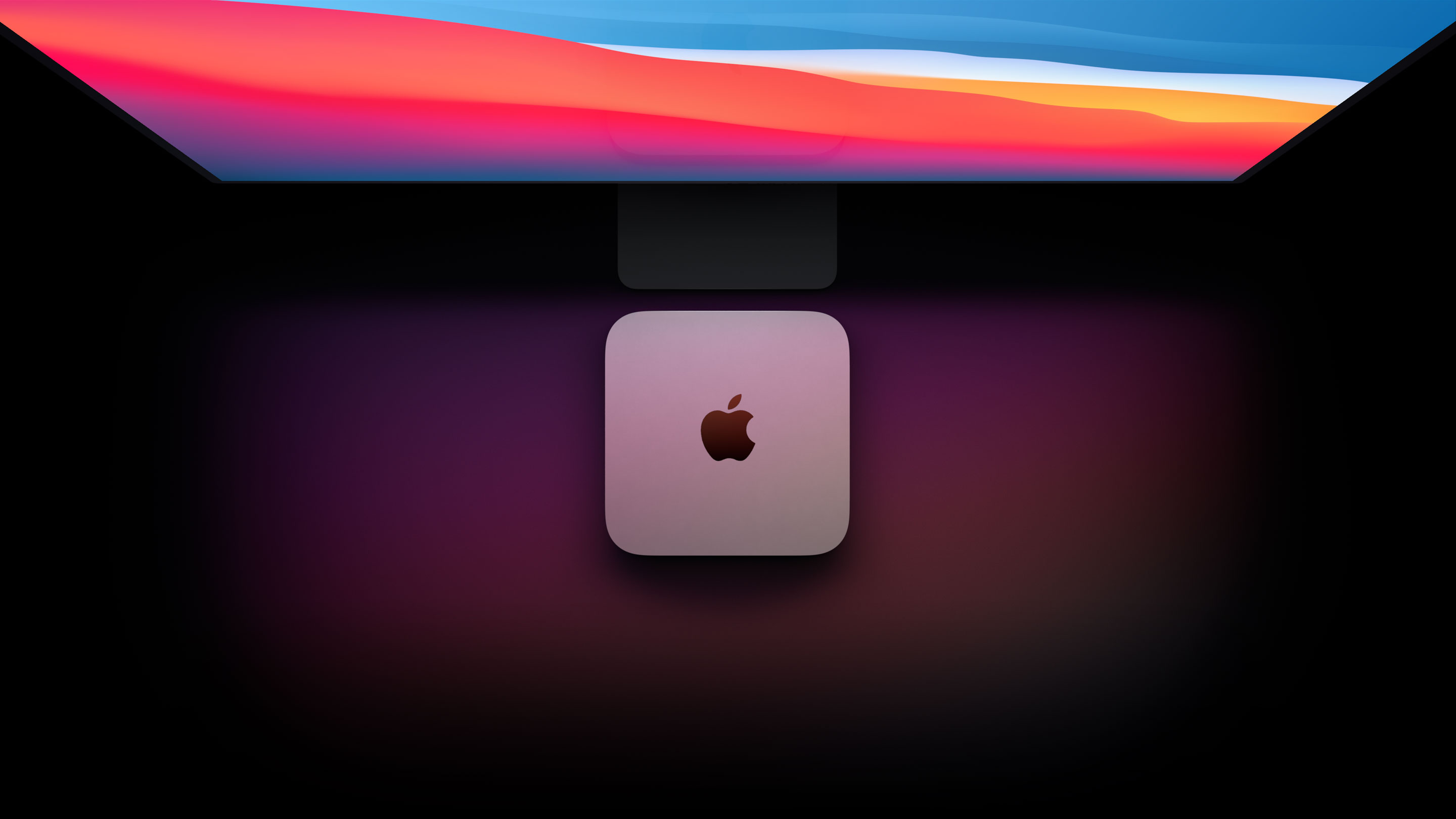
New guts. More glory.
The Apple M1 chip takes our most versatile, do-it-all desktop into another dimension. With up to 3x faster CPU performance. Up to 6x faster graphics. And our most advanced Neural Engine for up to 15x faster machine learning. Get ready to work, play, and create on Mac mini with speed and power beyond anything you ever imagined.
Supercharged by the Apple M1 chip

Small chip. Giant leap.
It’s here. Our first chip designed specifically for Mac. Packed with an astonishing 16 billion transistors, the Apple M1 system on a chip (SoC) integrates the CPU, GPU, Neural Engine, I/O, and so much more onto a single tiny chip. With incredible performance, custom technologies, and industry-leading power efficiency, M1 is not a next step for Mac — it’s another level entirely.

CPU
8-core CPU Max power, mini footprint.
M1 packs astonishing speed and power into Mac mini. The 8-core CPU delivers up to 3x faster processing performance than the previous generation — all while keeping its iconic 7.7-inch-square design.
See how M1 redefines speed
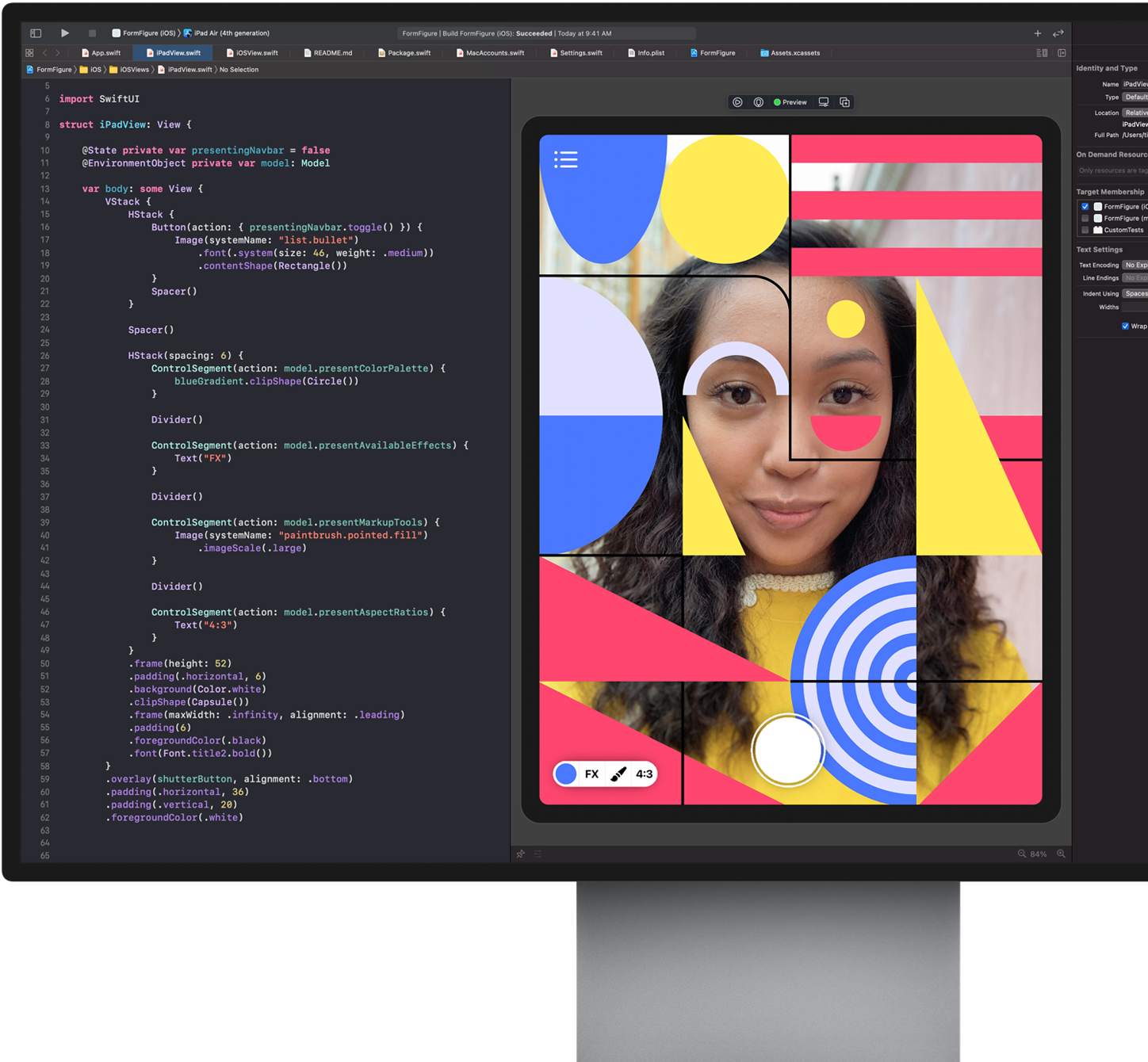
GPU
Incredible chip in. Unbelievable graphics out.
The 8-core GPU in the M1 chip is the most advanced graphics processor we’ve ever built, full stop. And it brings the world’s fastest integrated graphics in a personal computer to Mac mini, with a gigantic 6x increase in graphics performance. That’s an insane amount of power — all in an incredibly compact enclosure.
8-coreGPU
Up to6xfaster graphics performance
See how M1 revs up graphics



Machine learning
16-core Neural Engine. It‘s the brains of the operation. Machine learning (ML) brings task-smashing speed and automation to video analysis, voice recognition, image processing, and more. And the M1 chip brings a 16-core Neural Engine and full stack of ML technologies, transforming Mac mini into an ML powerhouse.
16-coreNeural Engine
Up to15xfaster ML performance
See how M1 unleashes ML

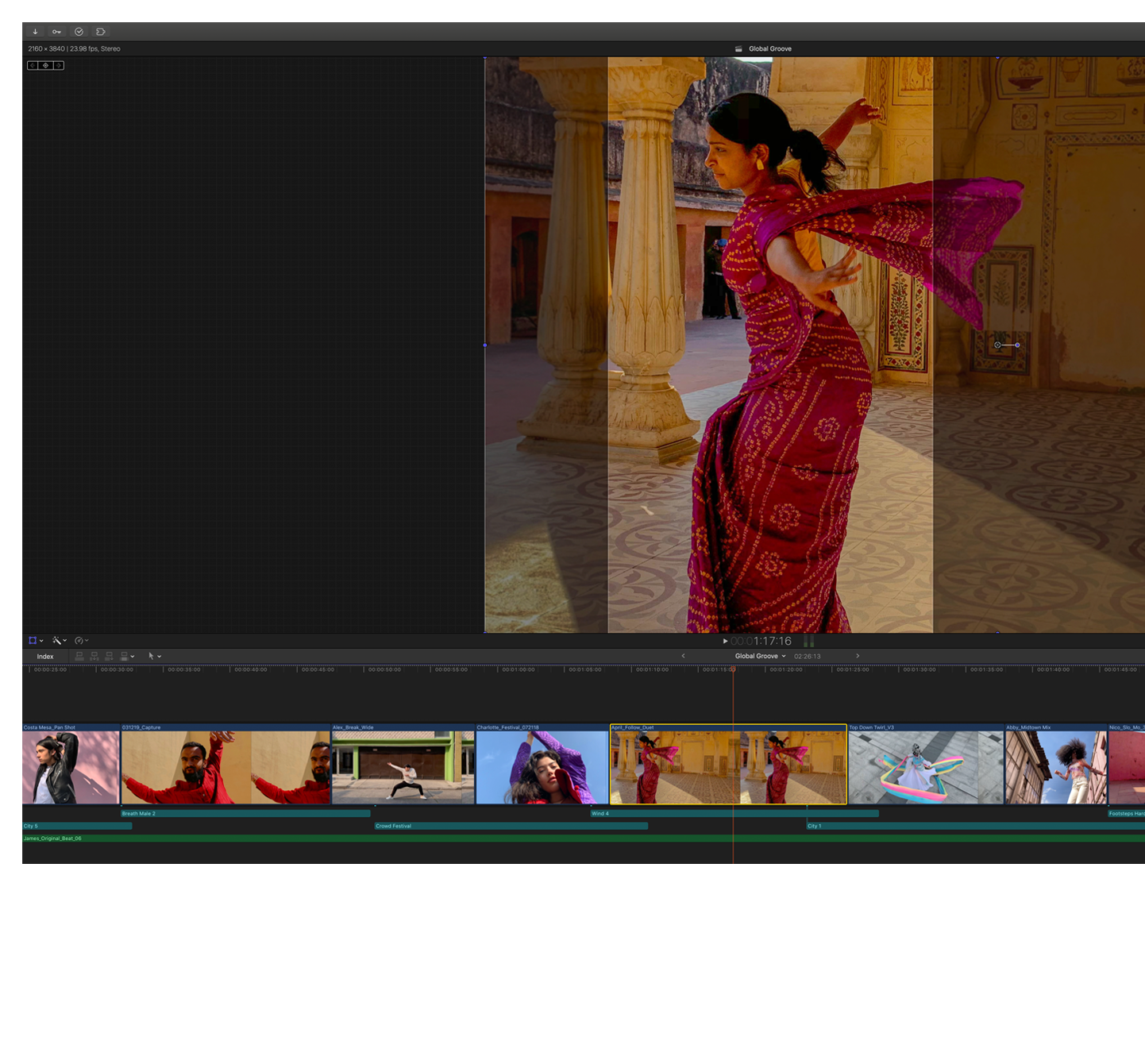
macOS Big Sur
The power of macOS Big Sur on M1.
Developed to unlock the potential of the M1 chip, macOS Big Sur transforms Mac with major performance benefits and so much more. Powerful updates for apps. A beautiful new design. Industry-leading privacy features and best-in-class security. It‘s our most powerful software ever — running on our most advanced hardware yet.
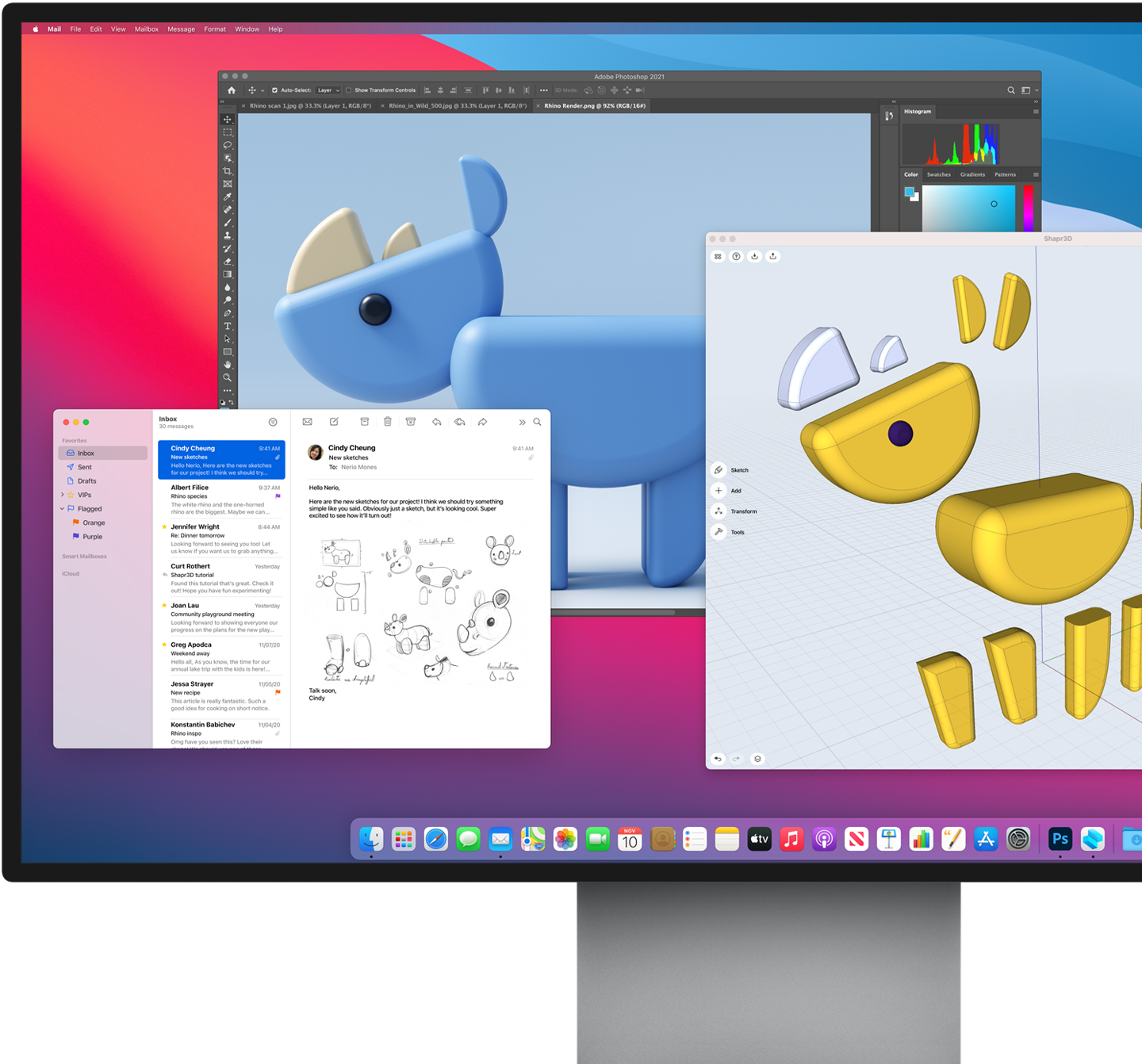
Speed and responsiveness
The M1 chip and macOS Big Sur work together to make the entire system snappier. Mac mini wakes almost instantly from sleep. Everyday things like flipping through photos and browsing Safari are faster. And your hardest-working apps all have access to the power they need.
More power. Wakes faster.
Biggest collection of apps ever
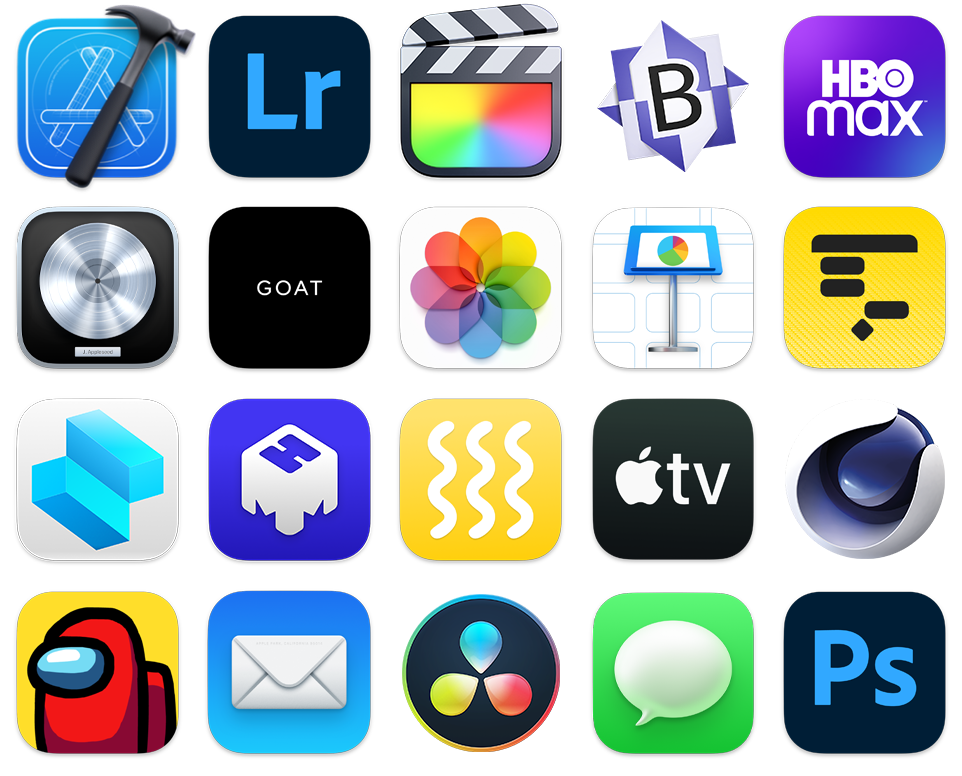
Run powerful apps built for M1. All your existing apps work thanks to Rosetta 2. And for the first time, you can use your favorite iPhone and iPad apps directly on macOS Big Sur. Altogether you’ll have access to the biggest collection of apps ever for Mac.

Compact design
The integration of technologies on the M1 chip allows Mac mini to blow away computers many times its size — taking on intensive tasks while consuming up to 60 percent less energy than the previous generation.
Towering performance. Minus the tower.


Unified memory

One RAM to rule them all. The M1 chip brings up to 16GB of superfast unified memory. This single pool of high-bandwidth, low-latency memory allows apps to share data between the CPU, GPU, and Neural Engine efficiently — so everything you do is fast and fluid.

SSD storage
Mac mini comes with all-flash storage — up to a whopping 2TB SSD for all your photo and video libraries, files, and apps. And with speeds up to 3.4GB/s, apps and files launch and load in an instant.
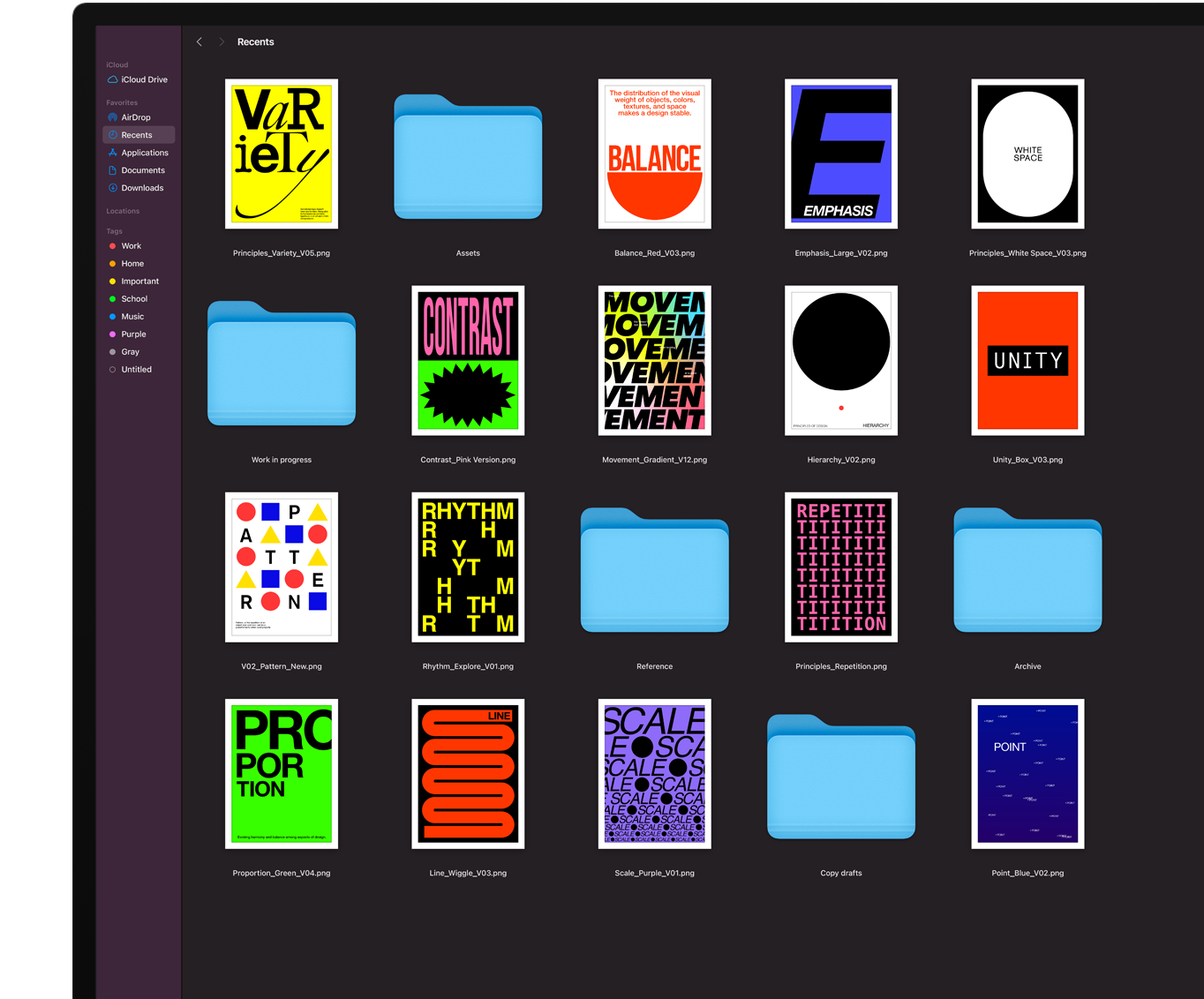
Security
Keep it secure. Keep it safe.
Keep it ••••••. Keep it ••••.
See how M1 protects your data
Versatility
Fits in. Rocks out.
With its compact size, incredible performance, and wide array of ports, Mac mini is perfect for a surprising range of uses. And with the powerful M1 chip unleashed within its 7.7-inch-square frame, you never know where you’ll find a Mac mini hard at work.
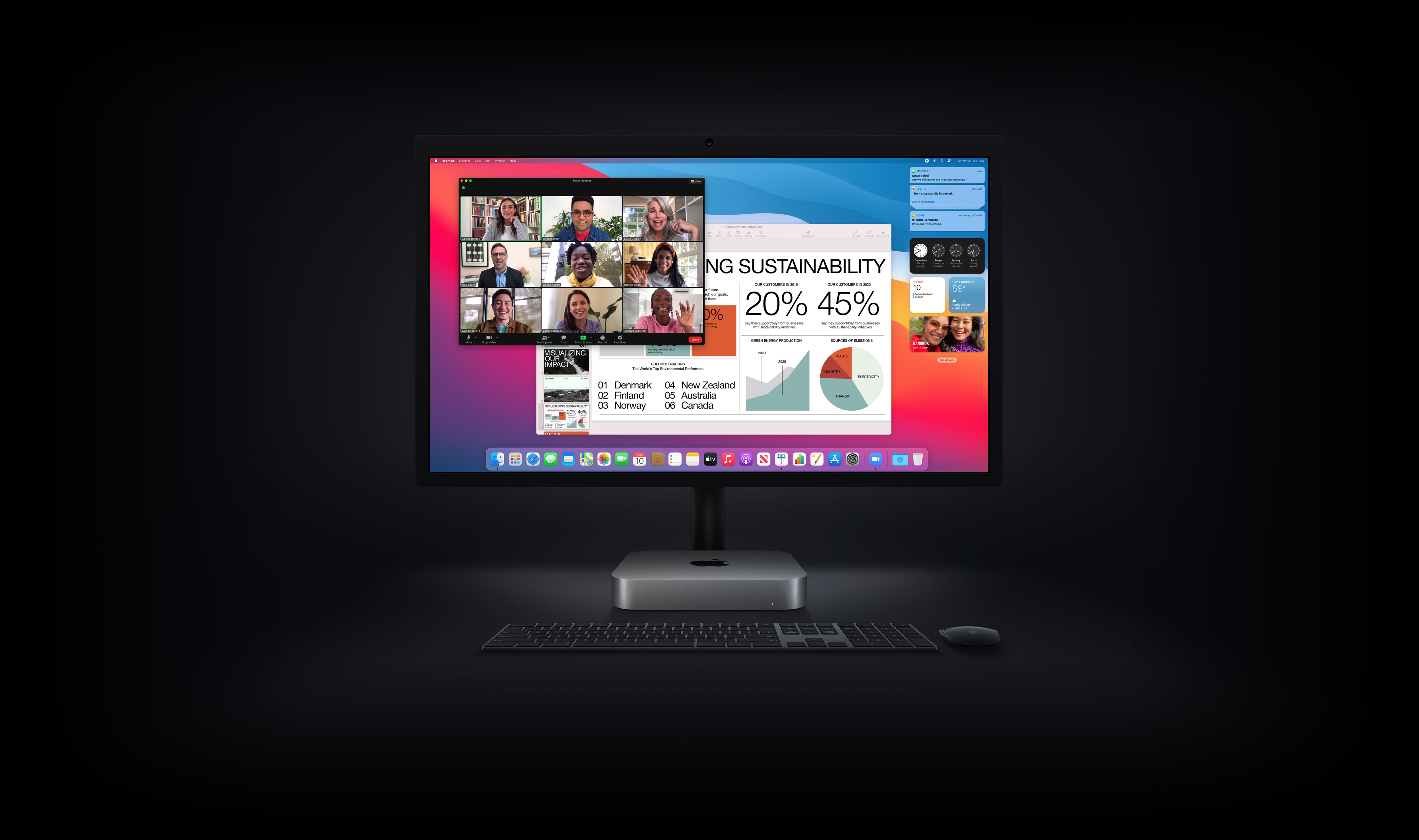
Mac mini turns any desk into a powerful workstation. Just add a keyboard, mouse or trackpad, and up to two displays.
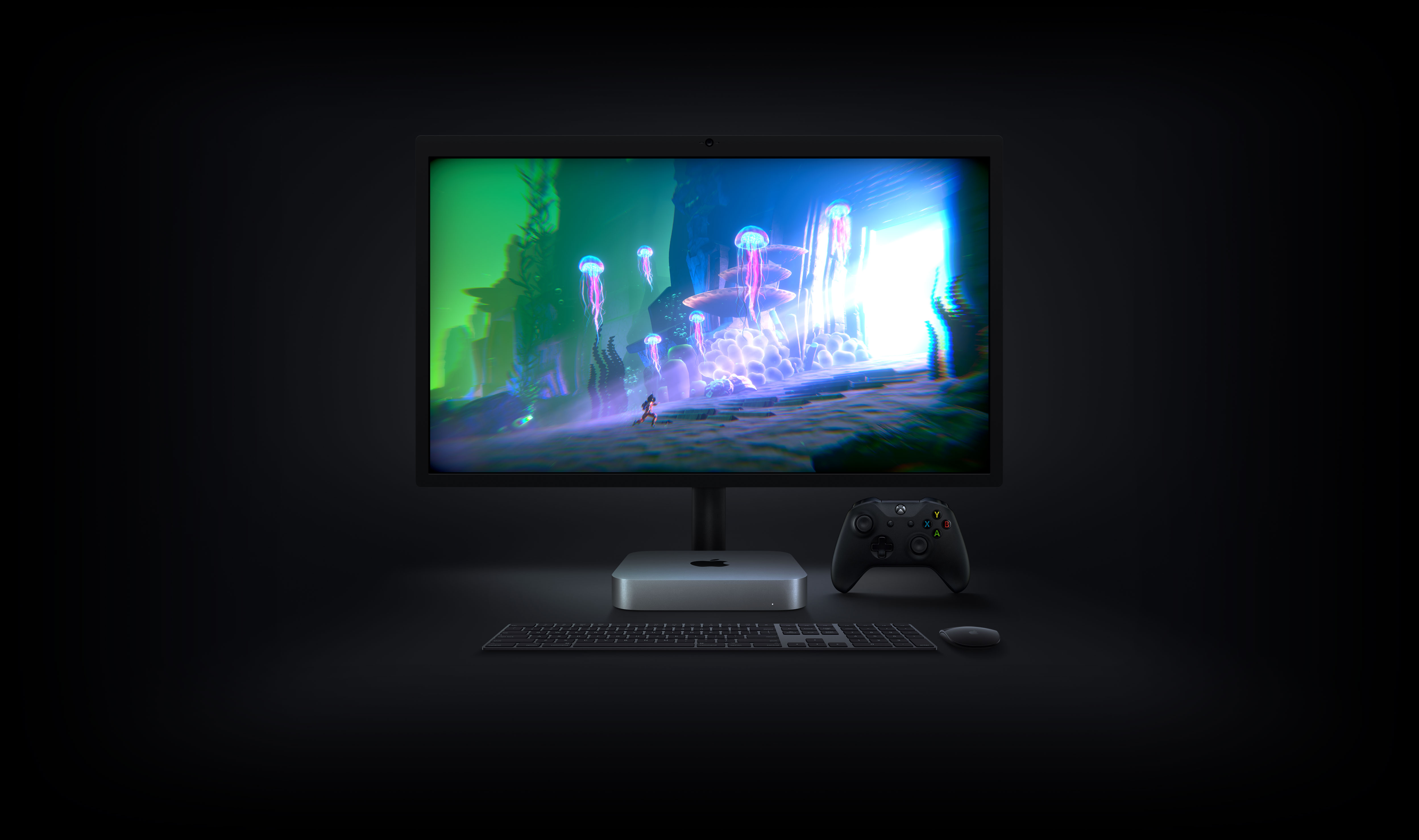
The discrete-class GPU performance of the M1 chip lets you play graphics-intensive games with fluid frame rates and higher fidelity.
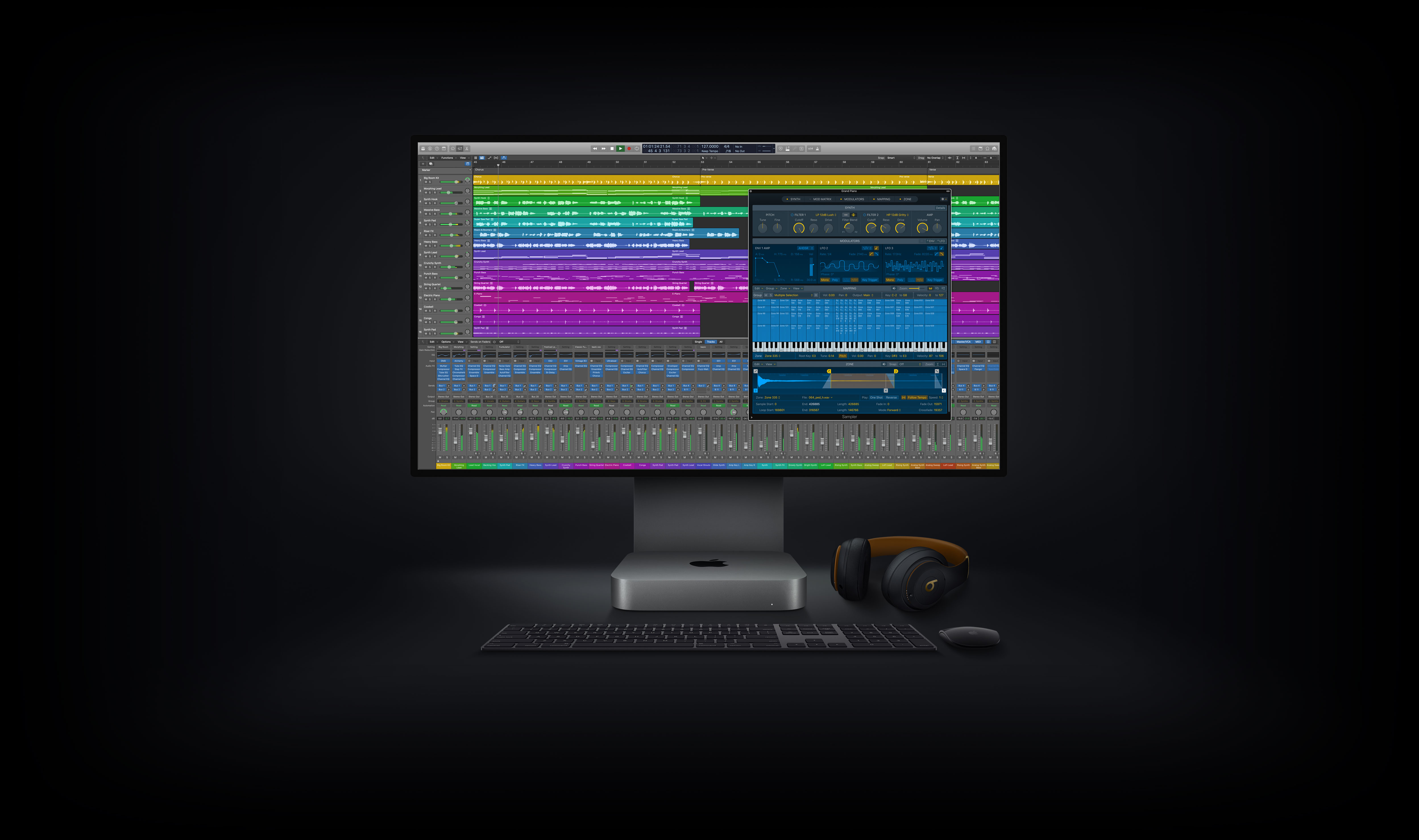
The 8-core CPU, superfast unified memory, and ML accelerators in the M1 chip let you run more tracks, plug-ins, and filters in Logic Pro than ever before on Mac mini.
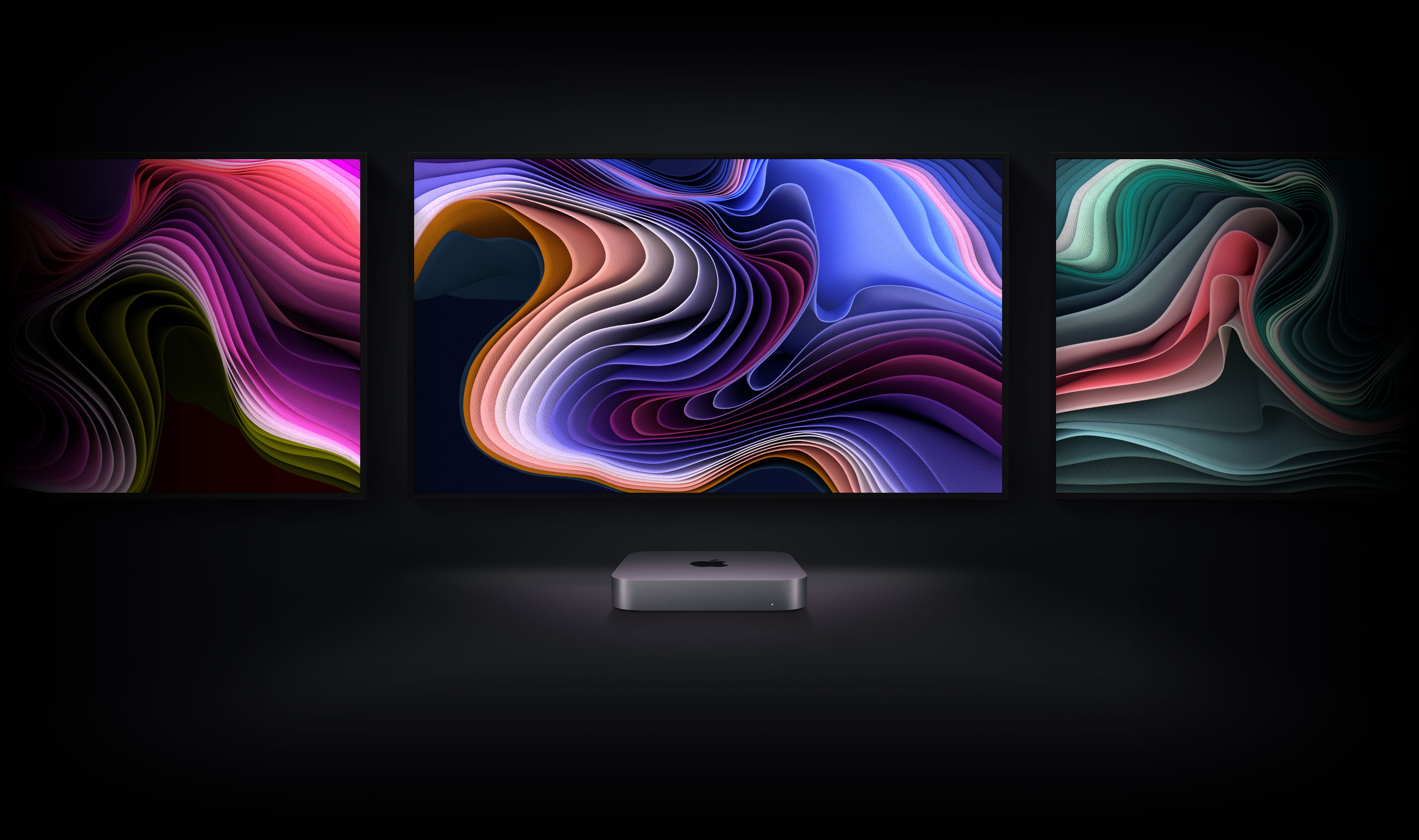
From jaw-dropping performance art to giant, immersive digital billboards, Mac mini can drive some of the biggest and brightest digital displays with its incredible performance, versatile I/O, and unrivaled power efficiency — all in an ultracompact design.
Connections and expansion
Connect and conquer.
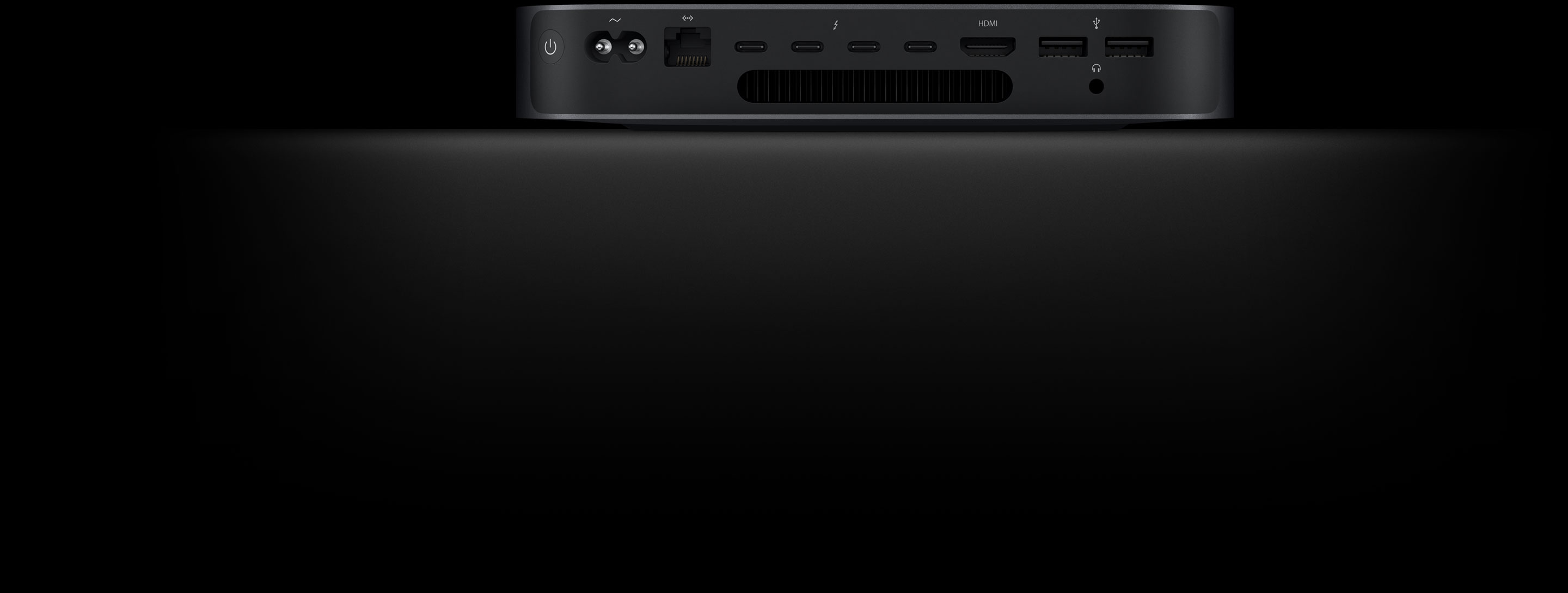
With two screaming-fast Thunderbolt / USB 4 ports, two USB-A ports, HDMI 2.0, Wi-Fi 6, and Gigabit Ethernet, Mac mini is up for anything and everything.
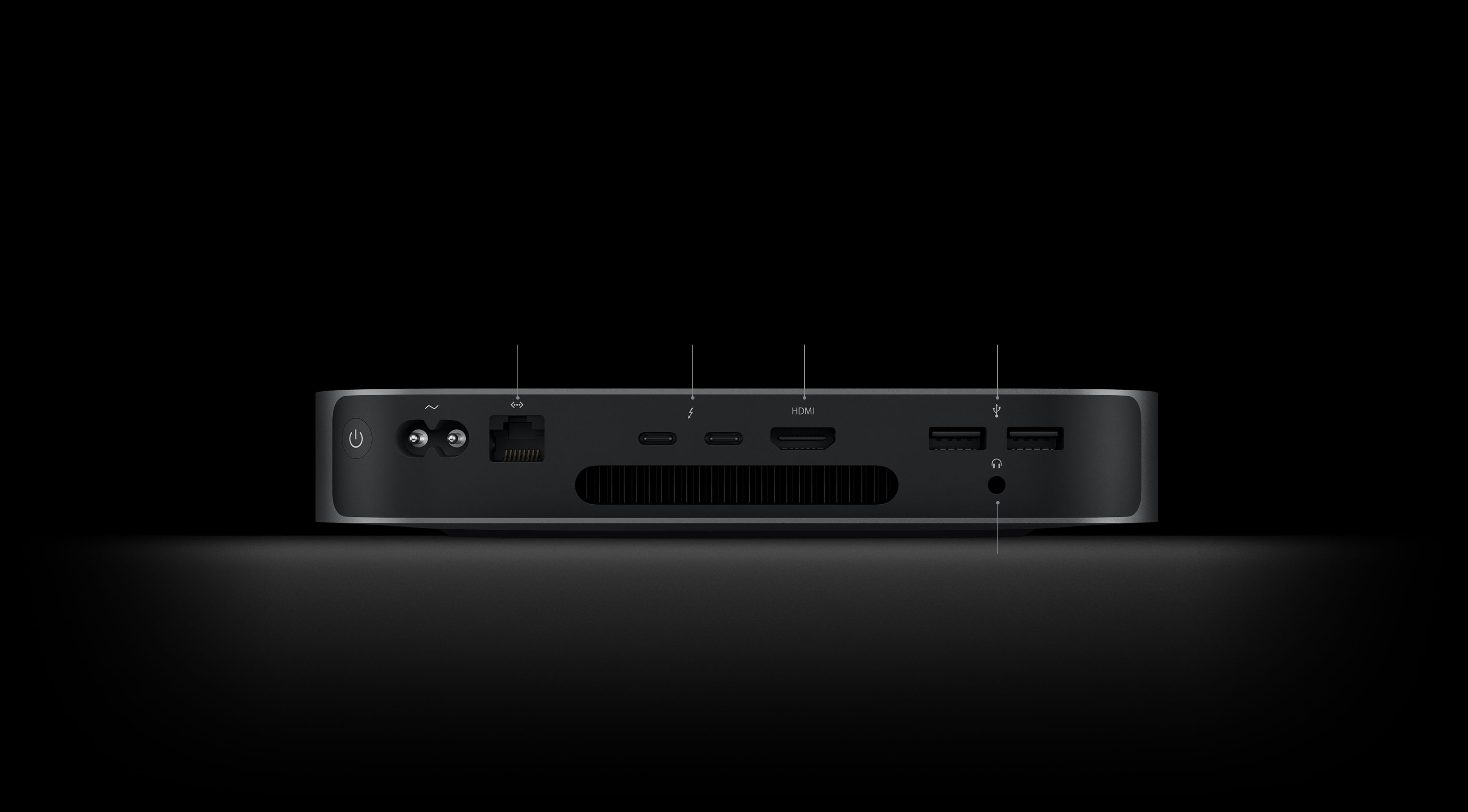
Thunderbolt / USB 4
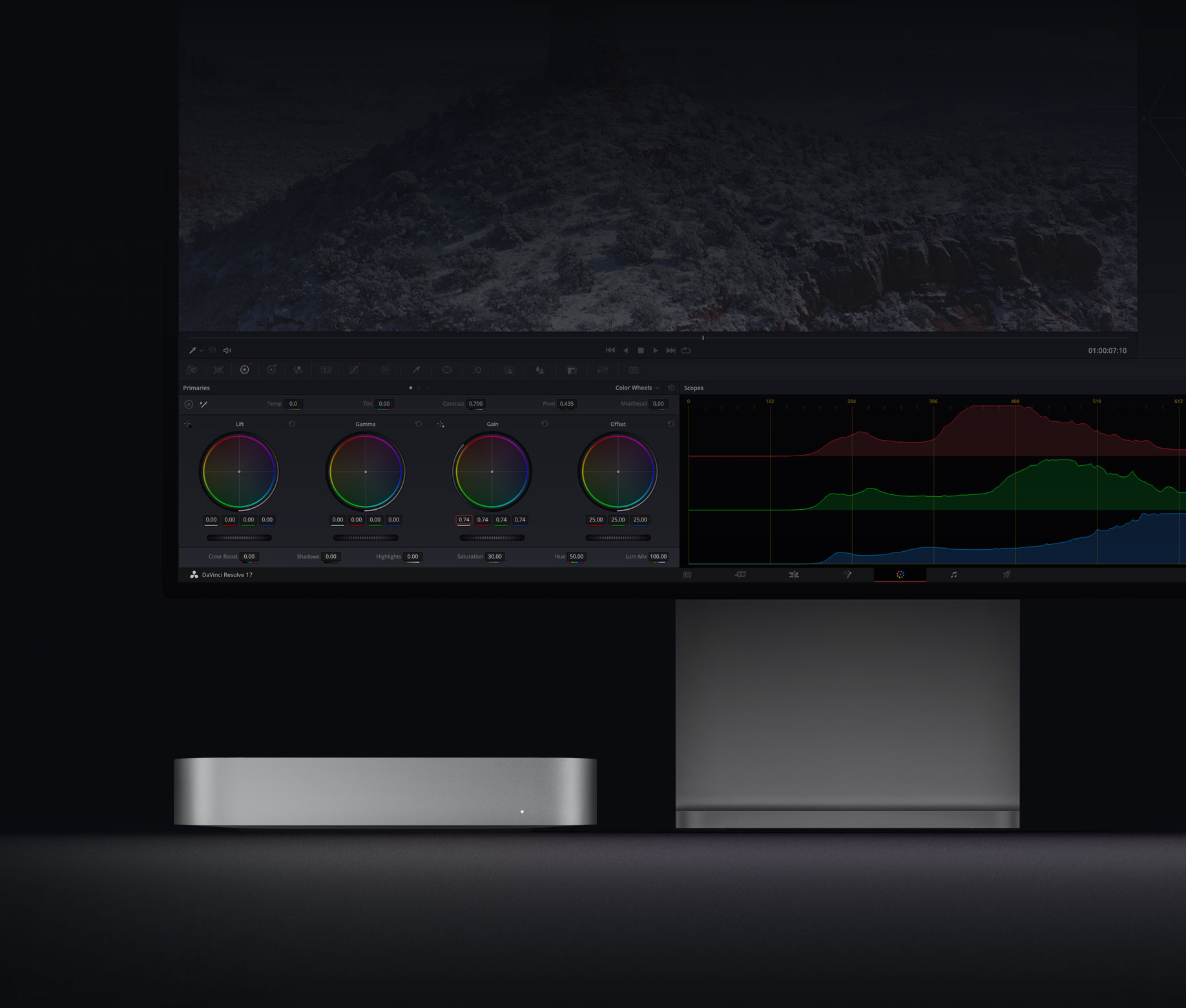
Transfer data at up to 40Gb/s. Charge and power external devices. Connect one external display up to 6K and a second with HDMI 2.0 up to 4K.
Wi-Fi 6
Another first for Mac mini, Wi-Fi 6 delivers better all-around performance and up to 1.2Gb/s of throughput — for lightning-fast file transfers or backing up to Time Machine.

Wi-Fi 6
up to 1.2Gb/s throughput
SPECIFICATIONS
Finish
Silver
Chip
Apple M1 chip
Memory
8GB
Configurable to:
Storage
256GB
Configurable to:
512GB
Configurable to:
Video Support
Simultaneously supports up to two displays:
Thunderbolt 3 digital video output supports
HDMI 2.0 display video output
Audio
Connections and Expansion
Ethernet
Thunderbolt / USB 4
HDMI 2.0
USB-A
3.5 mm headphone jack
Two Thunderbolt / USB 4 ports with support for:
Communications
Wi-Fi
Bluetooth
Ethernet
Size and Weight
Height: 1.4 inches (3.6 cm)
Width: 7.7 inches (19.7 cm)
Depth: 7.7 inches (19.7 cm)
Weight: 2.6 pounds (1.2 kg)

1.4 inches (3.6 cm)7.7 inches (19.7 cm)7.7 inches (19.7 cm)
Electrical and Operating Requirements
Line voltage: 100–240V AC
Frequency: 50Hz to 60Hz, single phase
Maximum continuous power: 150W
Operating temperature: 50° to 95° F (10° to 35° C)
Storage temperature: –40° to 116° F (–40° to 47° C)
Relative humidity: 5% to 90% noncondensing
Operating altitude: tested up to 16,400 feet (5000 meters)
Typical acoustical performance: Sound pressure level (operator position): 5 dBA at idle
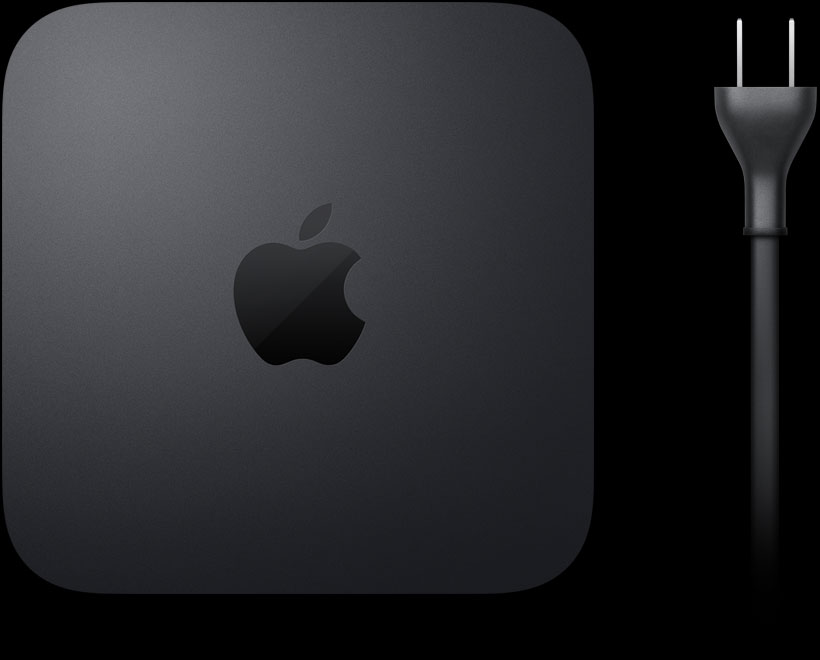
In the Box
Operating System
macOS
macOS is the most advanced desktop operating system in the world. macOS Big Sur introduces a bold new design and major updates to apps — taking macOS to a new level of power and beauty.
Accessibility
Accessibility features help people with disabilities get the most out of their new Mac mini. With built-in support for vision, hearing, mobility, and learning, you can create and do amazing things.
Features include:
Built-in Apps
Photos iMovie GarageBand Pages Numbers Keynote Siri Safari Mail FaceTime Messages Maps News Stocks Home Voice Memos Notes Calendar Contacts Reminders Photo Booth Preview Books App Store Time Machine TV Music Podcasts Find My QuickTime Player
Configure to Order
Configure your Mac mini with these options, at AforApple

Mac mini and the Environment
Mac mini is designed with the following features to reduce its environmental impact:
Made with better materials
Energy efficient
Smarter chemistry
Green manufacturing
Responsible packaging
Mac mini 2020
New guts. More glory.
The Apple M1 chip takes our most versatile, do-it-all desktop into another dimension. With up to 3x faster CPU performance. Up to 6x faster graphics. And our most advanced Neural Engine for up to 15x faster machine learning. Get ready to work, play, and create on Mac mini with speed and power beyond anything you ever imagined.
Supercharged by the Apple M1 chip
Small chip. Giant leap.
It’s here. Our first chip designed specifically for Mac. Packed with an astonishing 16 billion transistors, the Apple M1 system on a chip (SoC) integrates the CPU, GPU, Neural Engine, I/O, and so much more onto a single tiny chip. With incredible performance, custom technologies, and industry-leading power efficiency, M1 is not a next step for Mac — it’s another level entirely.
CPU
8-core CPU Max power, mini footprint.
M1 packs astonishing speed and power into Mac mini. The 8-core CPU delivers up to 3x faster processing performance than the previous generation — all while keeping its iconic 7.7-inch-square design.
See how M1 redefines speed
GPU
Incredible chip in. Unbelievable graphics out.
The 8-core GPU in the M1 chip is the most advanced graphics processor we’ve ever built, full stop. And it brings the world’s fastest integrated graphics in a personal computer to Mac mini, with a gigantic 6x increase in graphics performance. That’s an insane amount of power — all in an incredibly compact enclosure.
8-coreGPU
Up to6xfaster graphics performance
See how M1 revs up graphics
Machine learning
16-core Neural Engine. It‘s the brains of the operation. Machine learning (ML) brings task-smashing speed and automation to video analysis, voice recognition, image processing, and more. And the M1 chip brings a 16-core Neural Engine and full stack of ML technologies, transforming Mac mini into an ML powerhouse.
16-coreNeural Engine
Up to15xfaster ML performance
See how M1 unleashes ML
macOS Big Sur
The power of macOS Big Sur on M1.
Developed to unlock the potential of the M1 chip, macOS Big Sur transforms Mac with major performance benefits and so much more. Powerful updates for apps. A beautiful new design. Industry-leading privacy features and best-in-class security. It‘s our most powerful software ever — running on our most advanced hardware yet.
Speed and responsiveness
The M1 chip and macOS Big Sur work together to make the entire system snappier. Mac mini wakes almost instantly from sleep. Everyday things like flipping through photos and browsing Safari are faster. And your hardest-working apps all have access to the power they need.
More power. Wakes faster.
Biggest collection of apps ever
Run powerful apps built for M1. All your existing apps work thanks to Rosetta 2. And for the first time, you can use your favorite iPhone and iPad apps directly on macOS Big Sur. Altogether you’ll have access to the biggest collection of apps ever for Mac.
Compact design
The integration of technologies on the M1 chip allows Mac mini to blow away computers many times its size — taking on intensive tasks while consuming up to 60 percent less energy than the previous generation.
Towering performance. Minus the tower.
Unified memory
One RAM to rule them all. The M1 chip brings up to 16GB of superfast unified memory. This single pool of high-bandwidth, low-latency memory allows apps to share data between the CPU, GPU, and Neural Engine efficiently — so everything you do is fast and fluid.
SSD storage
Mac mini comes with all-flash storage — up to a whopping 2TB SSD for all your photo and video libraries, files, and apps. And with speeds up to 3.4GB/s, apps and files launch and load in an instant.
Security
Keep it secure. Keep it safe.
Keep it ••••••. Keep it ••••.
See how M1 protects your data
Versatility
Fits in. Rocks out.
With its compact size, incredible performance, and wide array of ports, Mac mini is perfect for a surprising range of uses. And with the powerful M1 chip unleashed within its 7.7-inch-square frame, you never know where you’ll find a Mac mini hard at work.
Mac mini turns any desk into a powerful workstation. Just add a keyboard, mouse or trackpad, and up to two displays.
The discrete-class GPU performance of the M1 chip lets you play graphics-intensive games with fluid frame rates and higher fidelity.
The 8-core CPU, superfast unified memory, and ML accelerators in the M1 chip let you run more tracks, plug-ins, and filters in Logic Pro than ever before on Mac mini.
From jaw-dropping performance art to giant, immersive digital billboards, Mac mini can drive some of the biggest and brightest digital displays with its incredible performance, versatile I/O, and unrivaled power efficiency — all in an ultracompact design.
Connections and expansion
Connect and conquer.
With two screaming-fast Thunderbolt / USB 4 ports, two USB-A ports, HDMI 2.0, Wi-Fi 6, and Gigabit Ethernet, Mac mini is up for anything and everything.
Thunderbolt / USB 4
Transfer data at up to 40Gb/s. Charge and power external devices. Connect one external display up to 6K and a second with HDMI 2.0 up to 4K.
Wi-Fi 6
Another first for Mac mini, Wi-Fi 6 delivers better all-around performance and up to 1.2Gb/s of throughput — for lightning-fast file transfers or backing up to Time Machine.
Wi-Fi 6
up to 1.2Gb/s throughput
SPECIFICATIONS
Finish
Silver
Chip
Apple M1 chip
Memory
8GB
Configurable to:
Storage
256GB
Configurable to:
512GB
Configurable to:
Video Support
Simultaneously supports up to two displays:
Thunderbolt 3 digital video output supports
HDMI 2.0 display video output
Audio
Connections and Expansion
Ethernet
Thunderbolt / USB 4
HDMI 2.0
USB-A
3.5 mm headphone jack
Two Thunderbolt / USB 4 ports with support for:
Communications
Wi-Fi
Bluetooth
Ethernet
Size and Weight
Height: 1.4 inches (3.6 cm)
Width: 7.7 inches (19.7 cm)
Depth: 7.7 inches (19.7 cm)
Weight: 2.6 pounds (1.2 kg)
1.4 inches (3.6 cm)7.7 inches (19.7 cm)7.7 inches (19.7 cm)
Electrical and Operating Requirements
Line voltage: 100–240V AC
Frequency: 50Hz to 60Hz, single phase
Maximum continuous power: 150W
Operating temperature: 50° to 95° F (10° to 35° C)
Storage temperature: –40° to 116° F (–40° to 47° C)
Relative humidity: 5% to 90% noncondensing
Operating altitude: tested up to 16,400 feet (5000 meters)
Typical acoustical performance: Sound pressure level (operator position): 5 dBA at idle
In the Box
Operating System
macOS
macOS is the most advanced desktop operating system in the world. macOS Big Sur introduces a bold new design and major updates to apps — taking macOS to a new level of power and beauty.
Accessibility
Accessibility features help people with disabilities get the most out of their new Mac mini. With built-in support for vision, hearing, mobility, and learning, you can create and do amazing things.
Features include:
Built-in Apps
Photos iMovie GarageBand Pages Numbers Keynote Siri Safari Mail FaceTime Messages Maps News Stocks Home Voice Memos Notes Calendar Contacts Reminders Photo Booth Preview Books App Store Time Machine TV Music Podcasts Find My QuickTime Player
Configure to Order
Configure your Mac mini with these options, at AforApple