All the prices are affected due to rapid change in exchange rates. Please re-confirm the prices while placing order. Thank you. Call – WhatsApp: 03 111 611 199 or email us: info@aforapple.pk.
₨259,999.00Original price was: ₨259,999.00.₨249,999.00Current price is: ₨249,999.00.
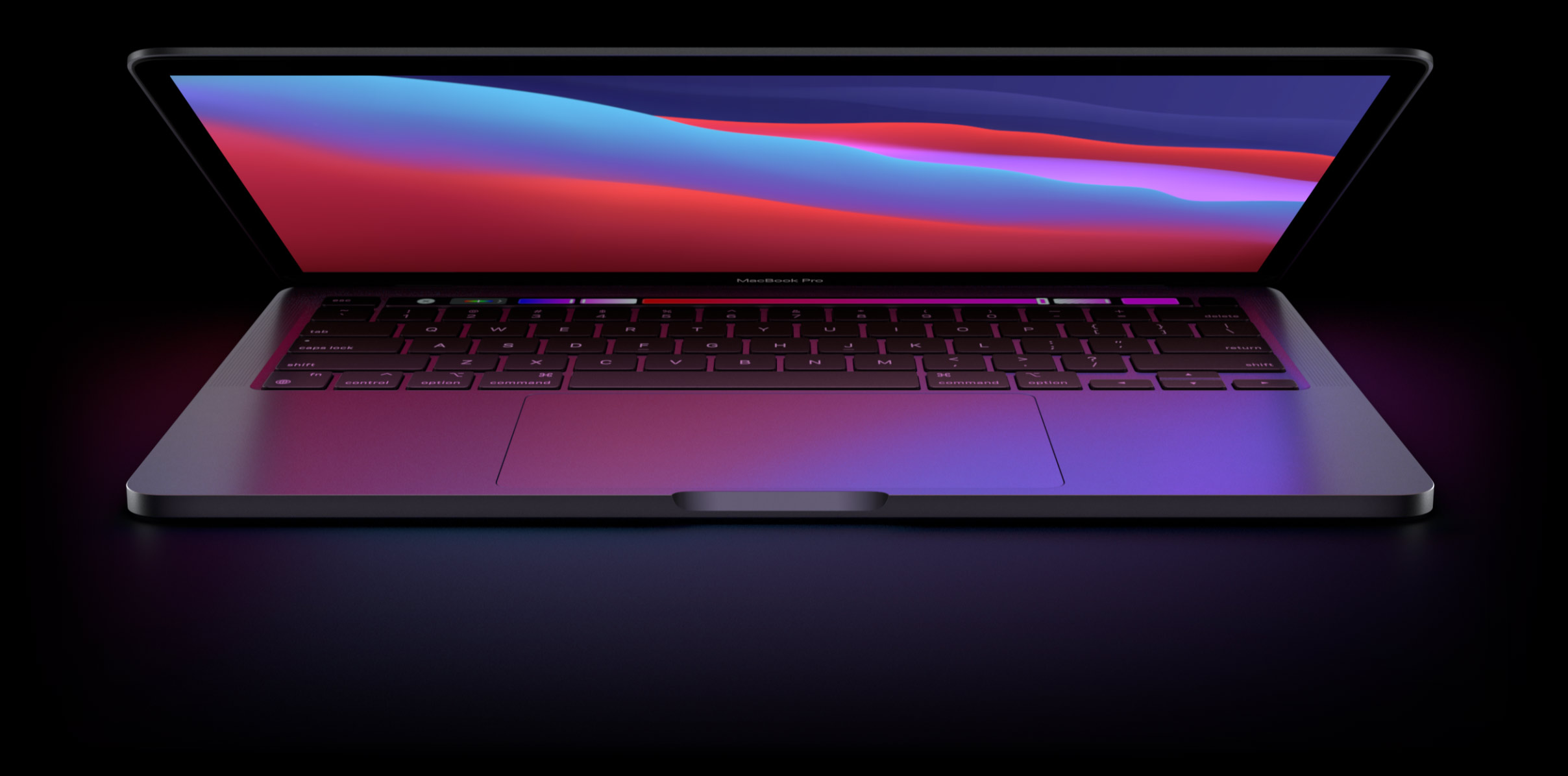
MacBook Air
Power. It’s in the Air.
Our thinnest, lightest notebook, completely transformed by the Apple M1 chip. CPU speeds up to 3.5x faster. GPU speeds up to 5x faster. Our most advanced Neural Engine for up to 9x faster machine learning. The longest battery life ever in a MacBook Air. And a silent, fanless design. This much power has never been this ready to go.
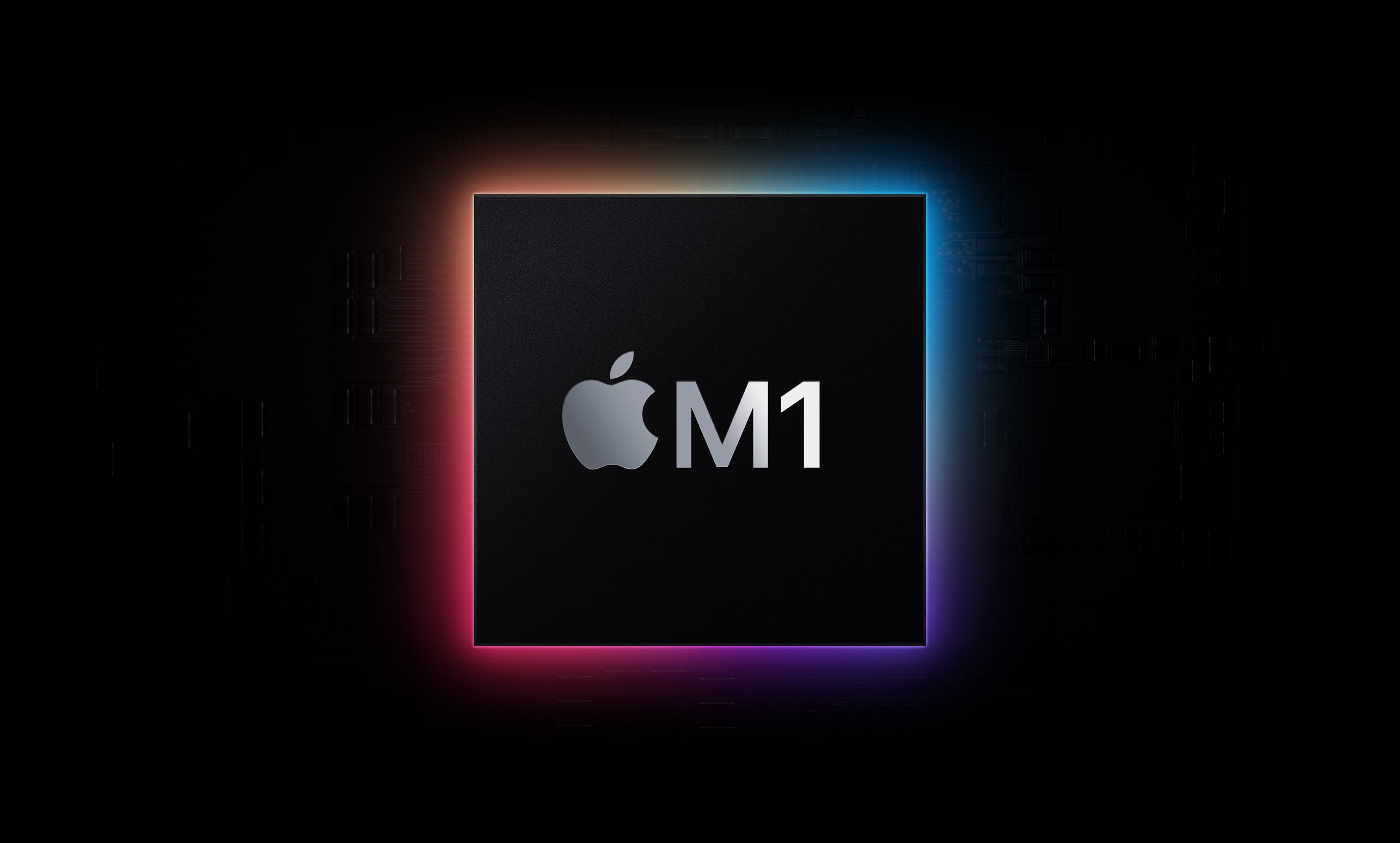
Supercharged by the Apple M1 chip
Small chip. Giant leap.
It’s here. Our first chip designed specifically for Mac. Packed with an astonishing 16 billion transistors, the Apple M1 system on a chip (SoC) integrates the CPU, GPU, Neural Engine, I/O, and so much more onto a single tiny chip. With incredible performance, custom technologies, and industry-leading power efficiency,1 M1 is not just a next step for Mac — it’s another level entirely.
CPU
8-core CPU Devours tasks. Sips battery.
M1 has the fastest CPU we’ve ever made. With that kind of processing speed, MacBook Air can take on new extraordinarily intensive tasks like professional-quality editing and action-packed gaming. But the 8‑core CPU on M1 isn‘t just up to 3.5x faster than the previous generation — it balances high-performance cores with efficiency cores that can still crush everyday jobs while using just a tenth of the power.
See how M1 redefines speed
GPU
8-core GPU Plays hard. Works wonders.
Up to5Xfaster graphics
See how M1 revs up graphics
All-day battery life
Up to 18 hours of battery life. That’s 6 more hours, free of charge.
Thermal efficiency
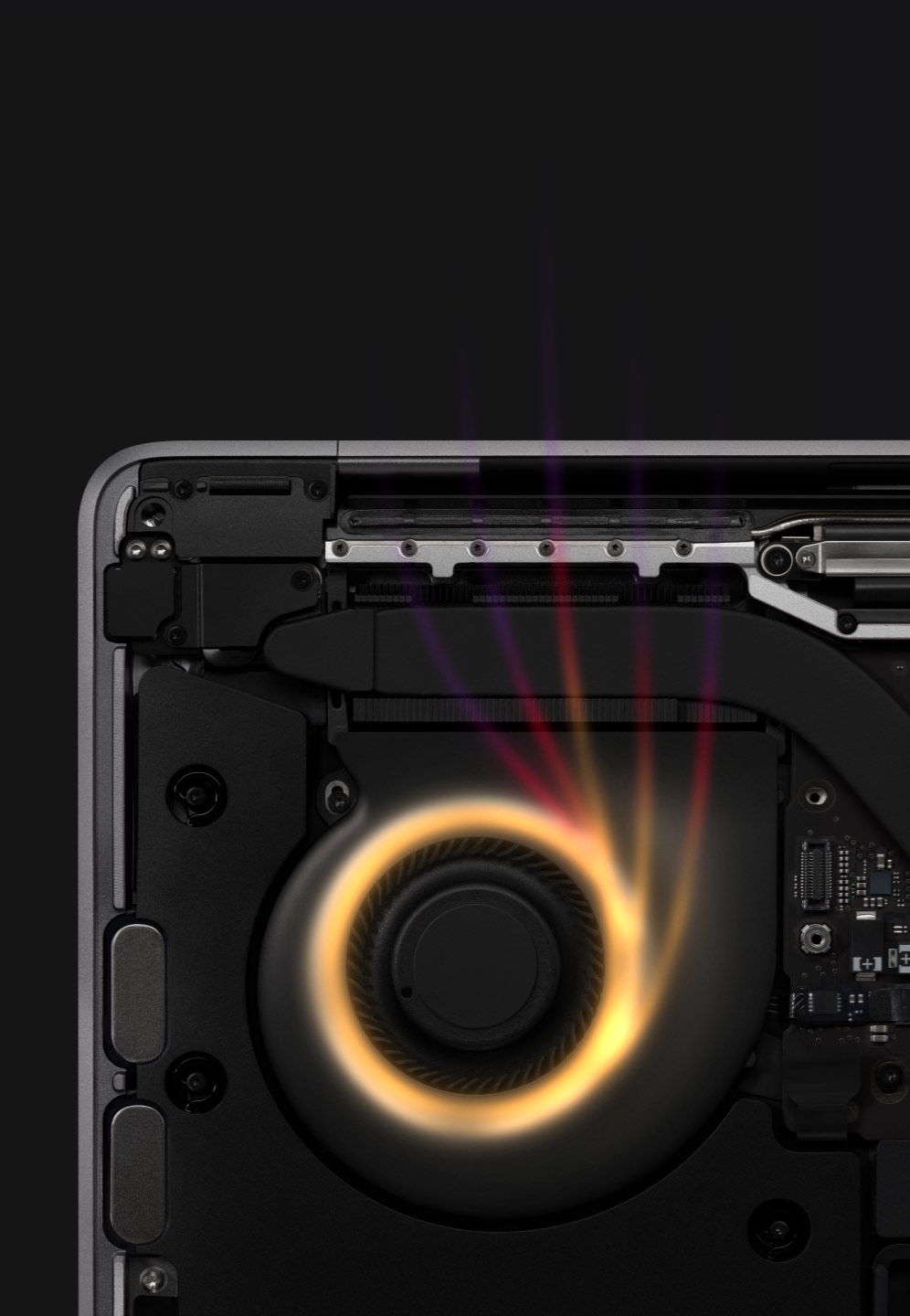
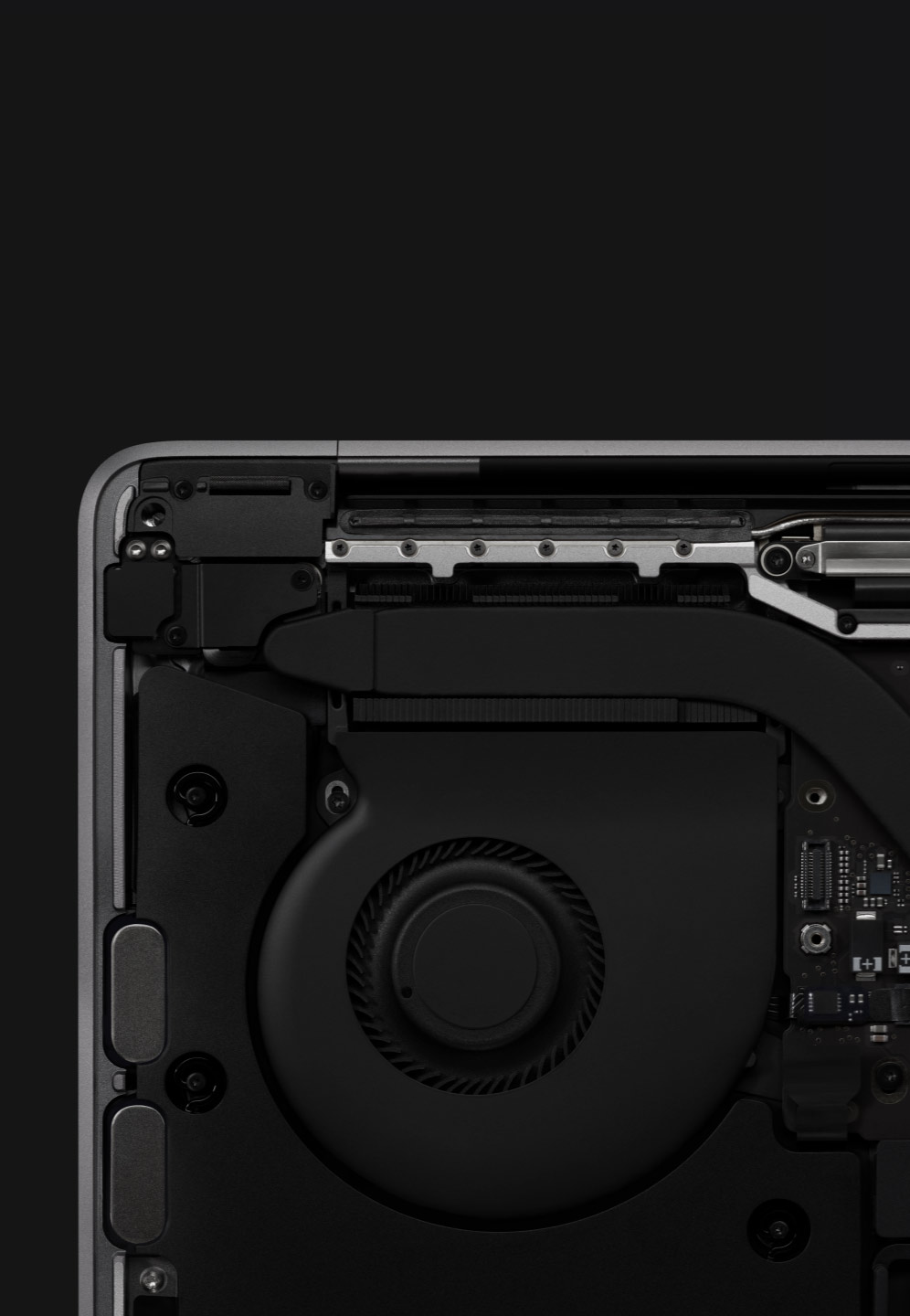
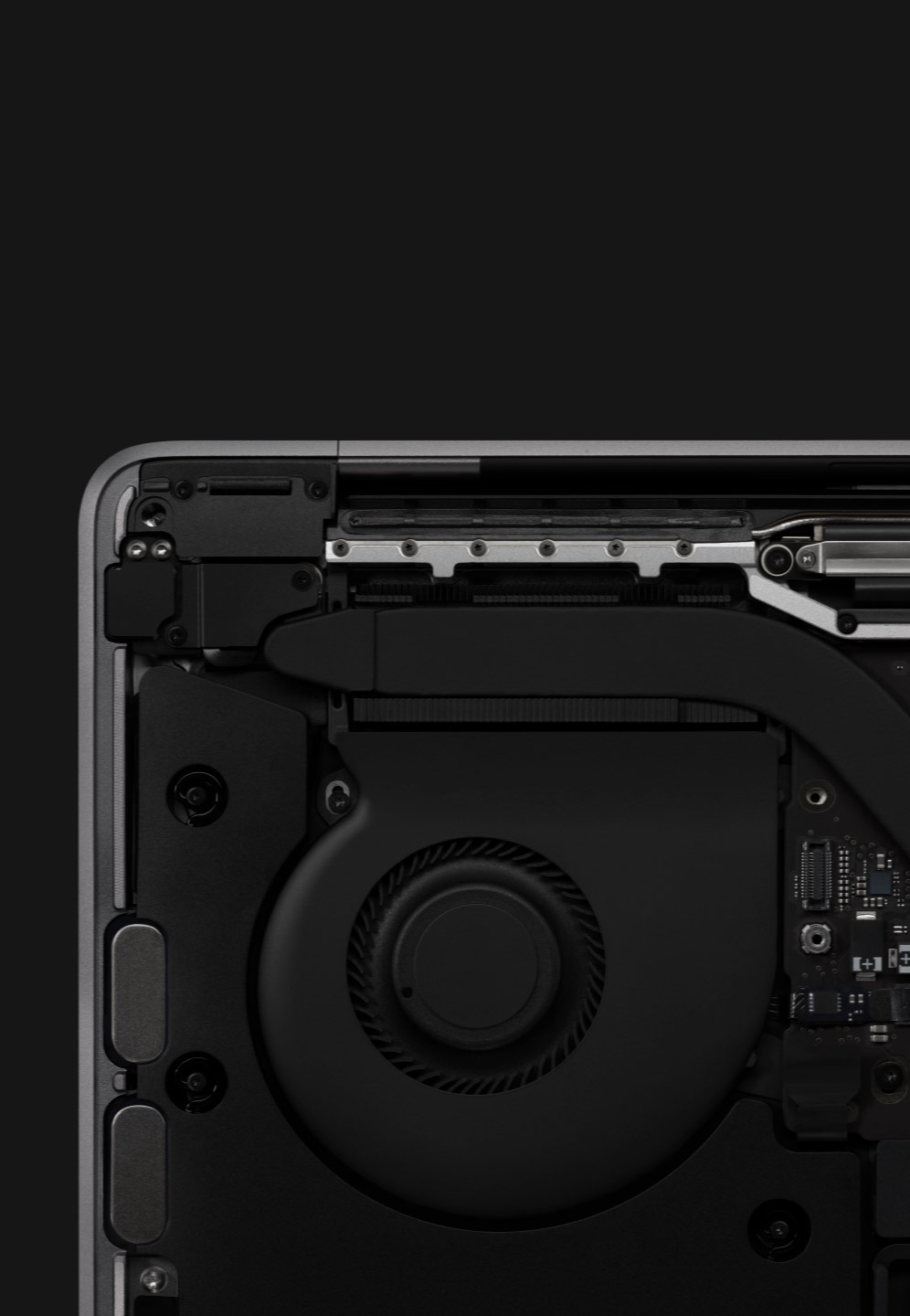
No fan. No noise. Just Air.
Get the M1 thermal story
Machine learning
Up to 9x faster. Even for a 16‑core Neural Engine, that’s a lot to process. Apps on MacBook Air can use machine learning (ML) to automatically retouch photos like a pro, make smart tools such as magic wands and audio filters more accurate at auto‑detection, and so much more. That’s not just brain power — that’s the power of a full stack of ML technologies.
See how M1 unleashes ML
macOS Big Sur
The power of macOS Big Sur on M1.
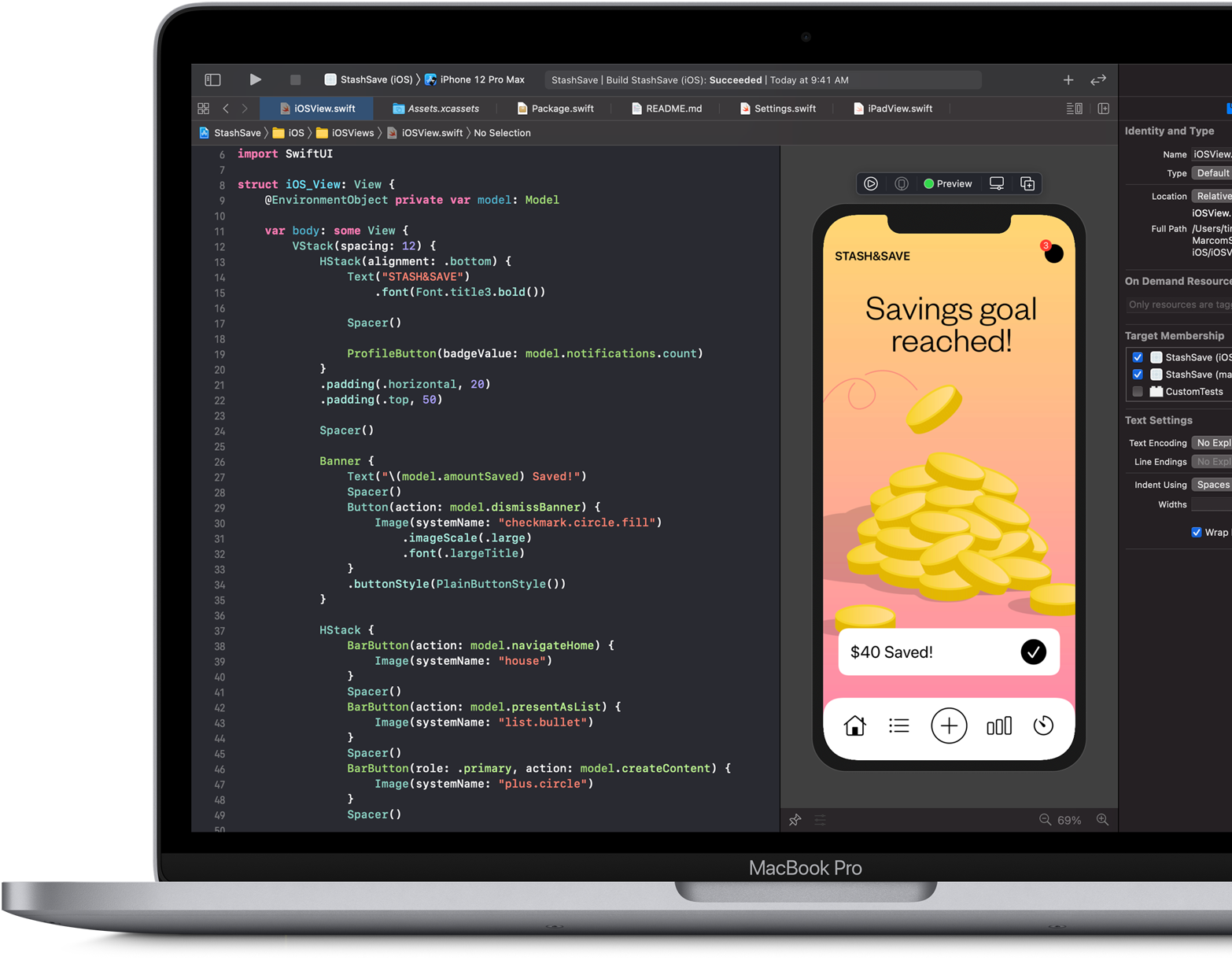
Developed to unlock the potential of the M1 chip, macOS Big Sur transforms Mac with major performance benefits and so much more. Powerful updates for apps. A beautiful new design. Industry-leading privacy features and best‑in‑class security. It‘s our most powerful software ever — running on our most advanced hardware yet.
Speed and responsiveness
The M1 chip and macOS Big Sur work together to make the entire system snappier. MacBook Air wakes instantly from sleep. Everyday tasks from flipping through photos to browsing Safari are faster. And your hardest‑working apps all have access to the power they need.
More power.Wakes instantly.
Biggest collection of apps ever
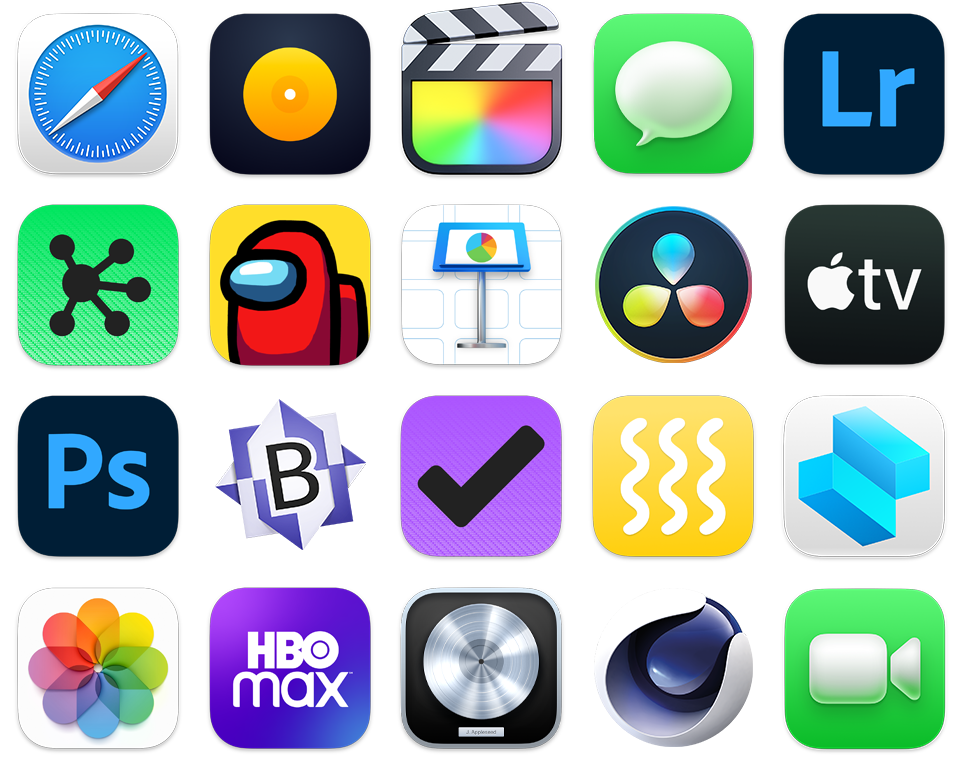
Run powerful apps built for M1. All your existing apps work thanks to Rosetta 2. And for the first time, you can use your favorite iPhone and iPad apps directly on macOS Big Sur. Altogether you’ll have access to the biggest collection of apps ever for Mac.
Unified memory
The do‑it‑all notebook gets do‑the‑unbelievable memory. The M1 chip brings up to 16GB of superfast unified memory. This single pool of high‑bandwidth, low‑latency memory allows apps to share data between the CPU, GPU, and Neural Engine efficiently — so everything you do is fast and fluid.
SSD storage
Up to 2TB SSD storage
Up to 2X faster SSD
Security
MacBook Air can keep a secret.
MacBook Air can •••••• ••••••.
See how M1 protects your data
Retina display
Lifelike colors for unreal beauty.
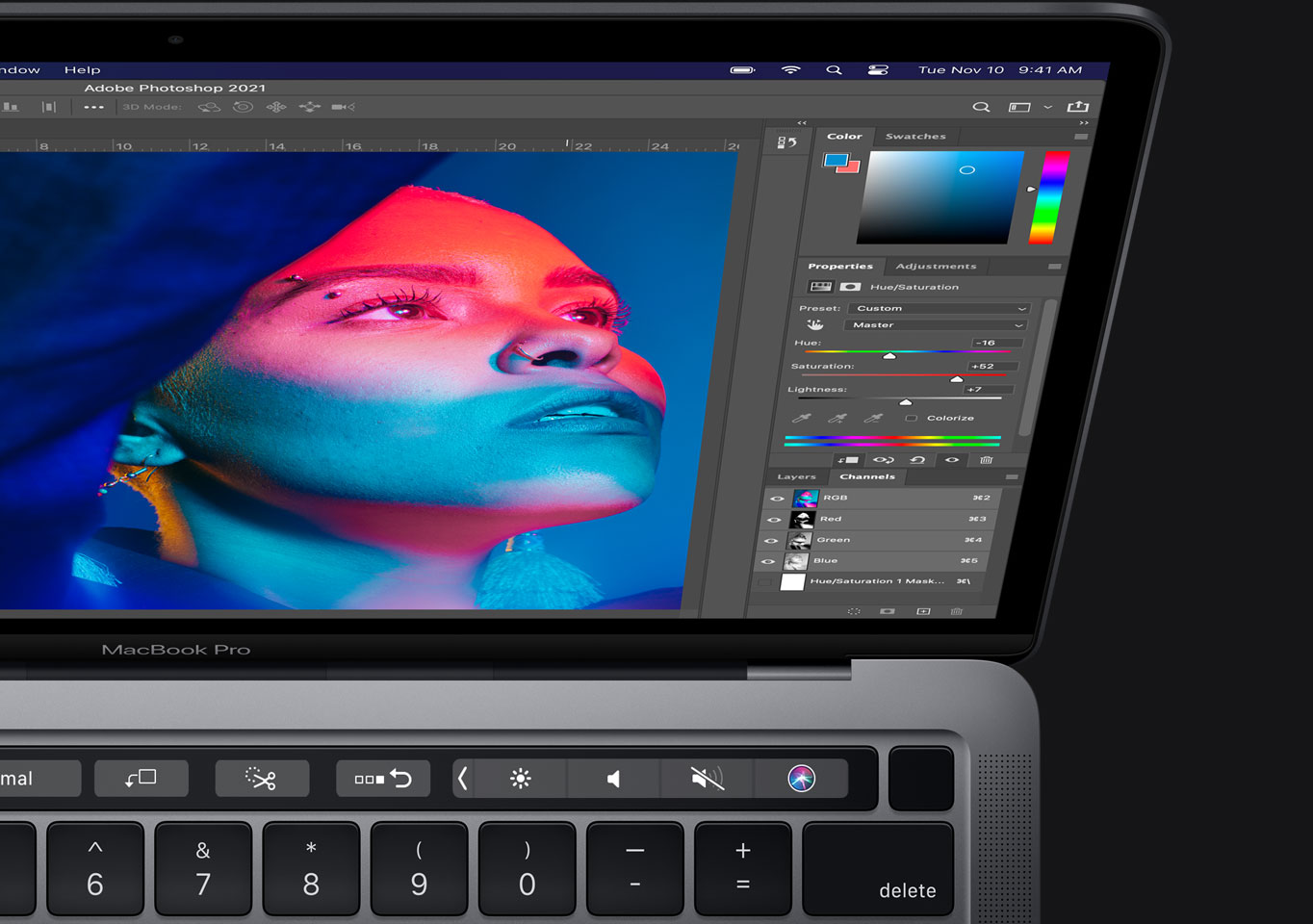
Images take on new levels of detail and realism on the brilliant 13.3‑inch, 2560‑by‑1600-resolution Retina display. Text is sharp and clear. Colors are more vibrant than ever. And the glass goes right to the edge of the enclosure, so nothing takes away from your gorgeous view.
P3 wide color gamut
A wider palette of colors on display.
25%more colors than sRGB
Pixel density
clarity.
True Tone technology
Good looking. And easy on the eyes. MacBook Air automatically adjusts the white point of your display to the color temperature of your environment for a more natural viewing experience.
Camera and mics
You’re live on the Air.
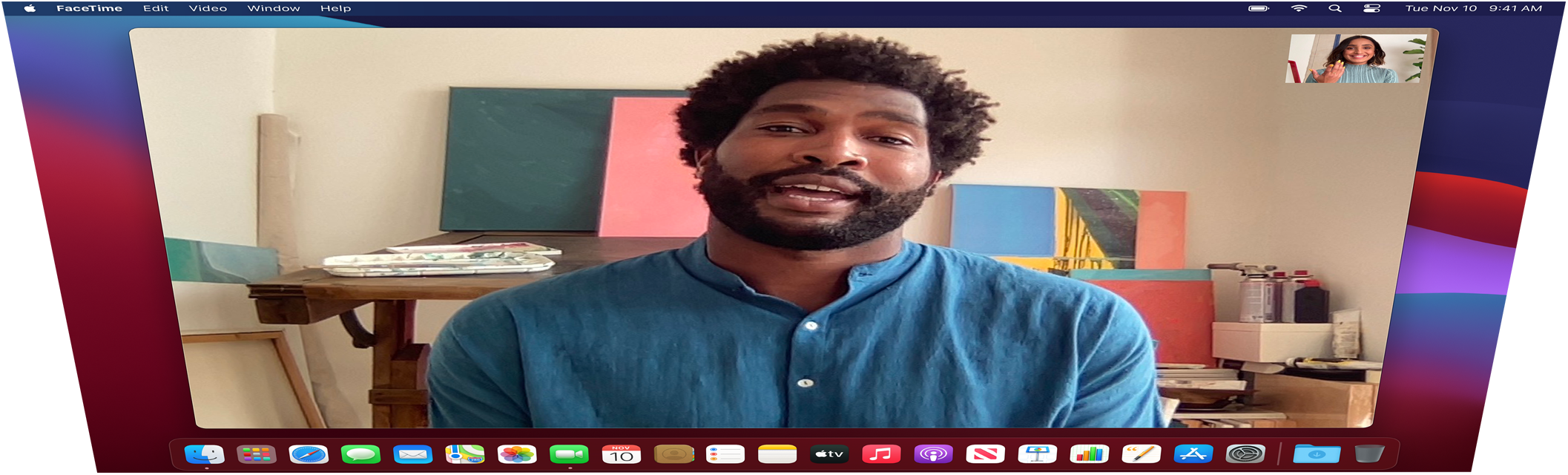
The image signal processor in the M1 chip helps you look your best for every FaceTime call and video conference. Three built‑in microphones make sure what you say gets heard whether you’re on a call, dictating a note, or asking Siri about the weather.
FaceTime HD camera
Get clearer, sharper images. See more detail in shadows and highlights. And face detection uses the Neural Engine to adjust white balance and exposure for even more natural‑looking skin tones.
Three-microphone array
Say “Hello” to mics that focus on your voice instead of what’s going on around you.
Magic Keyboard
Go ahead. Take the keys.
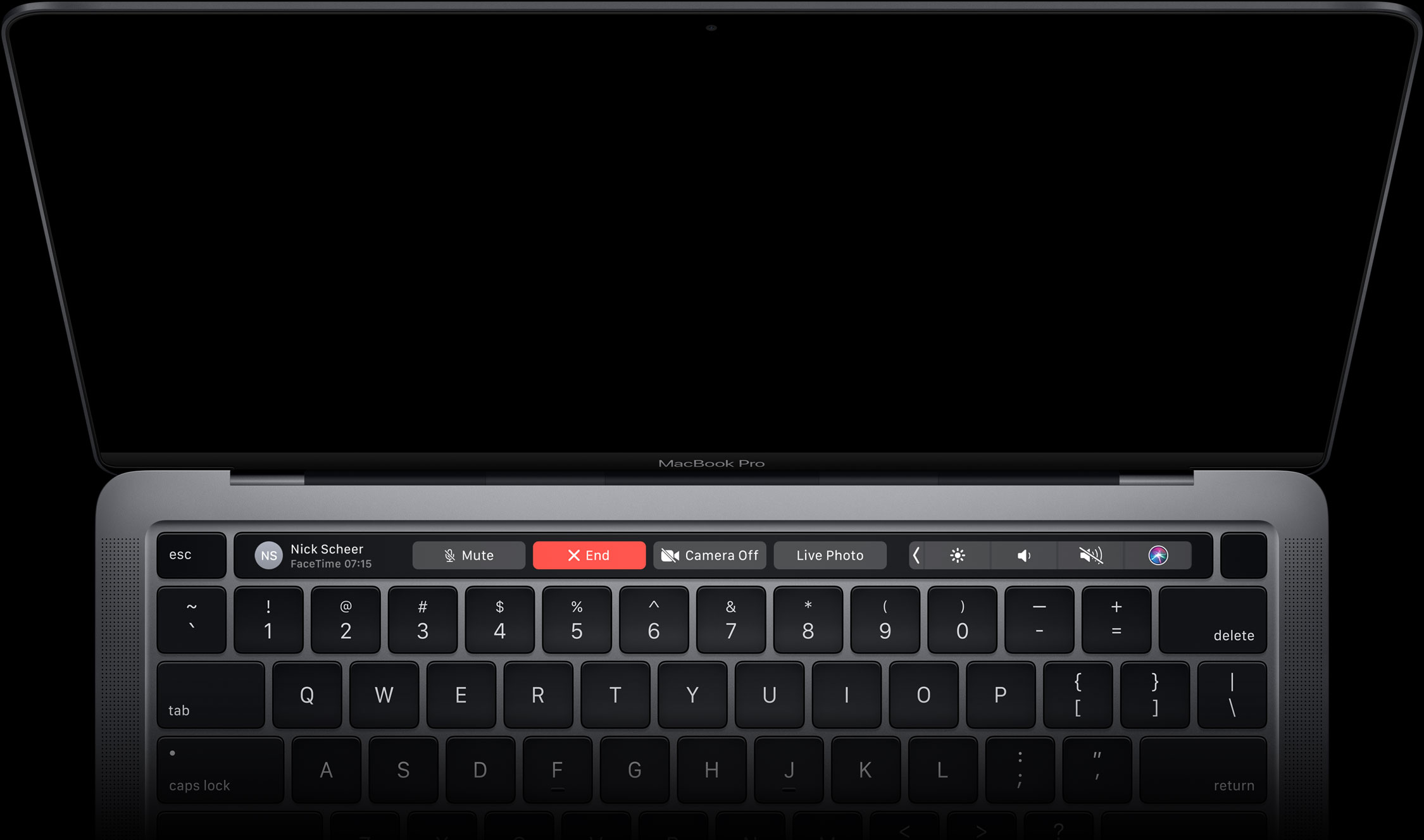
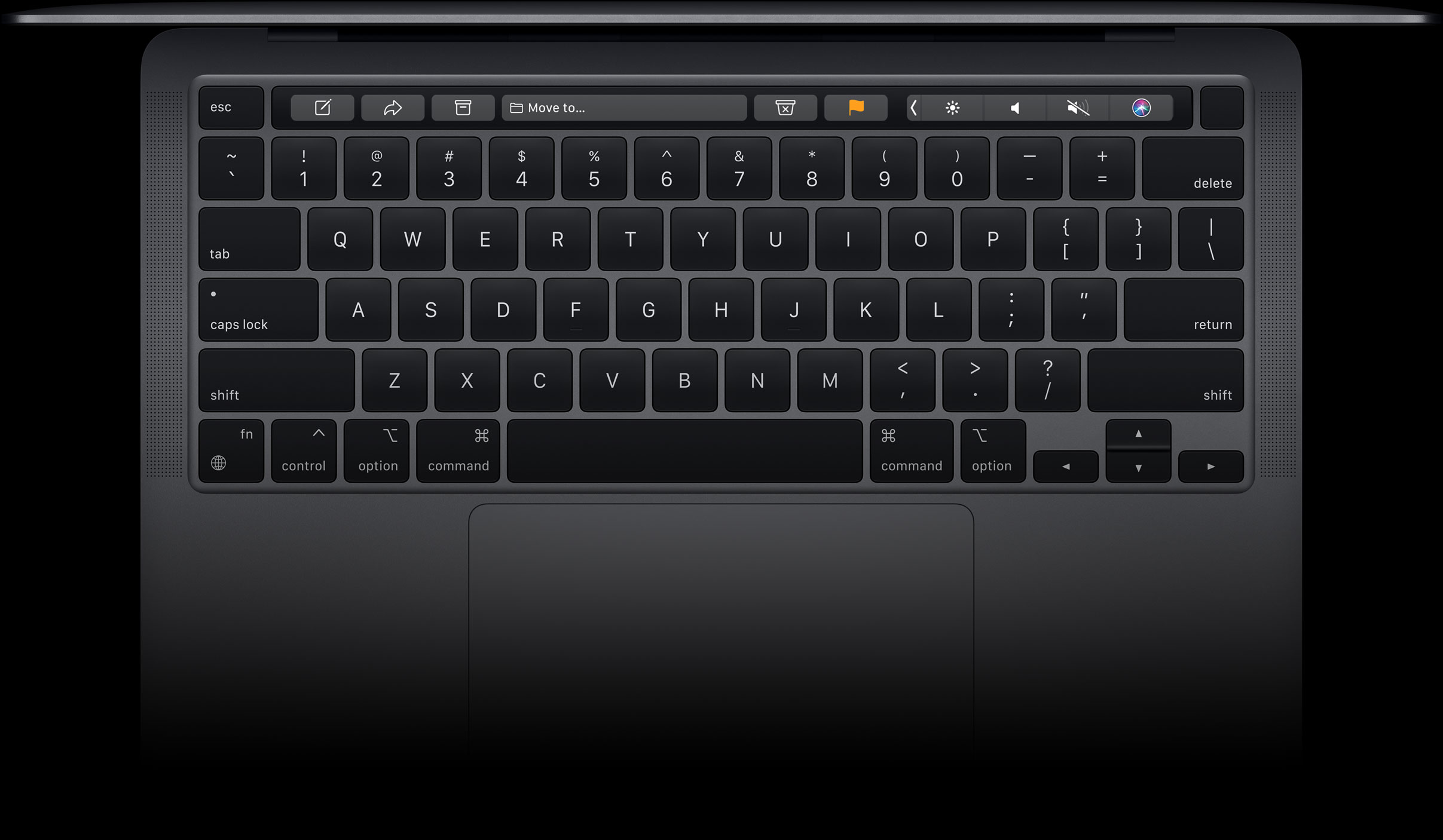
When a keyboard types like a dream and still does a whole lot more: that’s magic. With new preprogrammed shortcuts, useful features are even easier to access. Get help from Siri, switch keyboard languages, respond with the perfect emoji, find documents with Spotlight — there’s so much you can do with just a tap. And the backlit keys with ambient light sensor help you type in low‑light settings.
Scissor mechanism
The refined scissor mechanism delivers the best typing experience ever on a Mac notebook.
Force Touch trackpad
Precise control with plenty of room to swipe, pinch, or zoom.
Touch ID
One touch is all it takes to lock or unlock MacBook Air. Use your fingerprint to rent a movie, buy an app, or access things like secure documents or system settings without having to reenter your password. And when you shop online with Apple Pay, Touch ID fills in your shipping and billing information without sharing your card details.
Unlock your Mac
Use Apple Pay
Open password-protected documents
Make purchases on the Apple TV app
Connectivity
Charges, chats, streams, works, and plays well with others.
Wi-Fi 6
The next generation of Wi‑Fi isn’t just faster — it keeps MacBook Air going strong even as more and more devices joi
the network.
Wi-Fi 6
up to 1.2Gb/s throughput
Thunderbolt / USB 4
Ultra‑high bandwidth meets ultra‑versatility. Thunderbolt enables data transfer, charging, and video output all through a single port — and MacBook Air has two of them.
₨242,999.00Original price was: ₨242,999.00.₨240,999.00Current price is: ₨240,999.00.
MacBook Air
Power. It’s in the Air.
Our thinnest, lightest notebook, completely transformed by the Apple M1 chip. CPU speeds up to 3.5x faster. GPU speeds up to 5x faster. Our most advanced Neural Engine for up to 9x faster machine learning. The longest battery life ever in a MacBook Air. And a silent, fanless design. This much power has never been this ready to go.
Supercharged by the Apple M1 chip
Small chip. Giant leap.
It’s here. Our first chip designed specifically for Mac. Packed with an astonishing 16 billion transistors, the Apple M1 system on a chip (SoC) integrates the CPU, GPU, Neural Engine, I/O, and so much more onto a single tiny chip. With incredible performance, custom technologies, and industry-leading power efficiency,1 M1 is not just a next step for Mac — it’s another level entirely.
CPU
8-core CPU Devours tasks. Sips battery.
M1 has the fastest CPU we’ve ever made. With that kind of processing speed, MacBook Air can take on new extraordinarily intensive tasks like professional-quality editing and action-packed gaming. But the 8‑core CPU on M1 isn‘t just up to 3.5x faster than the previous generation — it balances high-performance cores with efficiency cores that can still crush everyday jobs while using just a tenth of the power.
See how M1 redefines speed
GPU
8-core GPU Plays hard. Works wonders.
Up to5Xfaster graphics
See how M1 revs up graphics
All-day battery life
Up to 18 hours of battery life. That’s 6 more hours, free of charge.
Thermal efficiency
No fan. No noise. Just Air.
Get the M1 thermal story
Machine learning
Up to 9x faster. Even for a 16‑core Neural Engine, that’s a lot to process. Apps on MacBook Air can use machine learning (ML) to automatically retouch photos like a pro, make smart tools such as magic wands and audio filters more accurate at auto‑detection, and so much more. That’s not just brain power — that’s the power of a full stack of ML technologies.
See how M1 unleashes ML
macOS Big Sur
The power of macOS Big Sur on M1.
Developed to unlock the potential of the M1 chip, macOS Big Sur transforms Mac with major performance benefits and so much more. Powerful updates for apps. A beautiful new design. Industry-leading privacy features and best‑in‑class security. It‘s our most powerful software ever — running on our most advanced hardware yet.
Speed and responsiveness
The M1 chip and macOS Big Sur work together to make the entire system snappier. MacBook Air wakes instantly from sleep. Everyday tasks from flipping through photos to browsing Safari are faster. And your hardest‑working apps all have access to the power they need.
More power.Wakes instantly.
Biggest collection of apps ever
Run powerful apps built for M1. All your existing apps work thanks to Rosetta 2. And for the first time, you can use your favorite iPhone and iPad apps directly on macOS Big Sur. Altogether you’ll have access to the biggest collection of apps ever for Mac.
Unified memory
The do‑it‑all notebook gets do‑the‑unbelievable memory. The M1 chip brings up to 16GB of superfast unified memory. This single pool of high‑bandwidth, low‑latency memory allows apps to share data between the CPU, GPU, and Neural Engine efficiently — so everything you do is fast and fluid.
SSD storage
Up to 2TB SSD storage
Up to 2X faster SSD
Security
MacBook Air can keep a secret.
MacBook Air can •••••• ••••••.
See how M1 protects your data
Retina display
Lifelike colors for unreal beauty.
Images take on new levels of detail and realism on the brilliant 13.3‑inch, 2560‑by‑1600-resolution Retina display. Text is sharp and clear. Colors are more vibrant than ever. And the glass goes right to the edge of the enclosure, so nothing takes away from your gorgeous view.
P3 wide color gamut
A wider palette of colors on display.
25%more colors than sRGB
Pixel density
clarity.
True Tone technology
Good looking. And easy on the eyes. MacBook Air automatically adjusts the white point of your display to the color temperature of your environment for a more natural viewing experience.
Camera and mics
You’re live on the Air.
The image signal processor in the M1 chip helps you look your best for every FaceTime call and video conference. Three built‑in microphones make sure what you say gets heard whether you’re on a call, dictating a note, or asking Siri about the weather.
FaceTime HD camera
Get clearer, sharper images. See more detail in shadows and highlights. And face detection uses the Neural Engine to adjust white balance and exposure for even more natural‑looking skin tones.
Three-microphone array
Say “Hello” to mics that focus on your voice instead of what’s going on around you.
Magic Keyboard
Go ahead. Take the keys.
When a keyboard types like a dream and still does a whole lot more: that’s magic. With new preprogrammed shortcuts, useful features are even easier to access. Get help from Siri, switch keyboard languages, respond with the perfect emoji, find documents with Spotlight — there’s so much you can do with just a tap. And the backlit keys with ambient light sensor help you type in low‑light settings.
Scissor mechanism
The refined scissor mechanism delivers the best typing experience ever on a Mac notebook.
Force Touch trackpad
Precise control with plenty of room to swipe, pinch, or zoom.
Touch ID
One touch is all it takes to lock or unlock MacBook Air. Use your fingerprint to rent a movie, buy an app, or access things like secure documents or system settings without having to reenter your password. And when you shop online with Apple Pay, Touch ID fills in your shipping and billing information without sharing your card details.
Open password-protected documents
Make purchases on the Apple TV app
Connectivity
Charges, chats, streams, works, and plays well with others.
Wi-Fi 6
The next generation of Wi‑Fi isn’t just faster — it keeps MacBook Air going strong even as more and more devices join the network.
Wi-Fi 6
up to 1.2Gb/s throughput
Thunderbolt / USB 4
Ultra‑high bandwidth meets ultra‑versatility. Thunderbolt enables data transfer, charging, and video output all through a single port — and MacBook Air has two of them.
₨242,999.00Original price was: ₨242,999.00.₨240,999.00Current price is: ₨240,999.00.
MacBook Air
Power. It’s in the Air.
Our thinnest, lightest notebook, completely transformed by the Apple M1 chip. CPU speeds up to 3.5x faster. GPU speeds up to 5x faster. Our most advanced Neural Engine for up to 9x faster machine learning. The longest battery life ever in a MacBook Air. And a silent, fanless design. This much power has never been this ready to go.
Supercharged by the Apple M1 chip
Small chip. Giant leap.
It’s here. Our first chip designed specifically for Mac. Packed with an astonishing 16 billion transistors, the Apple M1 system on a chip (SoC) integrates the CPU, GPU, Neural Engine, I/O, and so much more onto a single tiny chip. With incredible performance, custom technologies, and industry-leading power efficiency,1 M1 is not just a next step for Mac — it’s another level entirely.
CPU
8-core CPU Devours tasks. Sips battery.
M1 has the fastest CPU we’ve ever made. With that kind of processing speed, MacBook Air can take on new extraordinarily intensive tasks like professional-quality editing and action-packed gaming. But the 8‑core CPU on M1 isn‘t just up to 3.5x faster than the previous generation — it balances high-performance cores with efficiency cores that can still crush everyday jobs while using just a tenth of the power.
See how M1 redefines speed
GPU
8-core GPU Plays hard. Works wonders.
Up to5Xfaster graphics
See how M1 revs up graphics
All-day battery life
Up to 18 hours of battery life. That’s 6 more hours, free of charge.
Thermal efficiency
No fan. No noise. Just Air.
Get the M1 thermal story
Machine learning
Up to 9x faster. Even for a 16‑core Neural Engine, that’s a lot to process. Apps on MacBook Air can use machine learning (ML) to automatically retouch photos like a pro, make smart tools such as magic wands and audio filters more accurate at auto‑detection, and so much more. That’s not just brain power — that’s the power of a full stack of ML technologies.
See how M1 unleashes ML
macOS Big Sur
The power of macOS Big Sur on M1.
Developed to unlock the potential of the M1 chip, macOS Big Sur transforms Mac with major performance benefits and so much more. Powerful updates for apps. A beautiful new design. Industry-leading privacy features and best‑in‑class security. It‘s our most powerful software ever — running on our most advanced hardware yet.
Speed and responsiveness
The M1 chip and macOS Big Sur work together to make the entire system snappier. MacBook Air wakes instantly from sleep. Everyday tasks from flipping through photos to browsing Safari are faster. And your hardest‑working apps all have access to the power they need.
More power.Wakes instantly.
Biggest collection of apps ever
Run powerful apps built for M1. All your existing apps work thanks to Rosetta 2. And for the first time, you can use your favorite iPhone and iPad apps directly on macOS Big Sur. Altogether you’ll have access to the biggest collection of apps ever for Mac.
Unified memory
The do‑it‑all notebook gets do‑the‑unbelievable memory. The M1 chip brings up to 16GB of superfast unified memory. This single pool of high‑bandwidth, low‑latency memory allows apps to share data between the CPU, GPU, and Neural Engine efficiently — so everything you do is fast and fluid.
SSD storage
Up to 2TB SSD storage
Up to 2X faster SSD
Security
MacBook Air can keep a secret.
MacBook Air can •••••• ••••••.
See how M1 protects your data
Retina display
Lifelike colors for unreal beauty.
Images take on new levels of detail and realism on the brilliant 13.3‑inch, 2560‑by‑1600-resolution Retina display. Text is sharp and clear. Colors are more vibrant than ever. And the glass goes right to the edge of the enclosure, so nothing takes away from your gorgeous view.
P3 wide color gamut
A wider palette of colors on display.
25%more colors than sRGB
Pixel density
clarity.
True Tone technology
Good looking. And easy on the eyes. MacBook Air automatically adjusts the white point of your display to the color temperature of your environment for a more natural viewing experience.
Camera and mics
You’re live on the Air.
The image signal processor in the M1 chip helps you look your best for every FaceTime call and video conference. Three built‑in microphones make sure what you say gets heard whether you’re on a call, dictating a note, or asking Siri about the weather.
FaceTime HD camera
Get clearer, sharper images. See more detail in shadows and highlights. And face detection uses the Neural Engine to adjust white balance and exposure for even more natural‑looking skin tones.
Three-microphone array
Say “Hello” to mics that focus on your voice instead of what’s going on around you.
Magic Keyboard
Go ahead. Take the keys.
When a keyboard types like a dream and still does a whole lot more: that’s magic. With new preprogrammed shortcuts, useful features are even easier to access. Get help from Siri, switch keyboard languages, respond with the perfect emoji, find documents with Spotlight — there’s so much you can do with just a tap. And the backlit keys with ambient light sensor help you type in low‑light settings.
Scissor mechanism
The refined scissor mechanism delivers the best typing experience ever on a Mac notebook.
Force Touch trackpad
Precise control with plenty of room to swipe, pinch, or zoom.
Touch ID
One touch is all it takes to lock or unlock MacBook Air. Use your fingerprint to rent a movie, buy an app, or access things like secure documents or system settings without having to reenter your password. And when you shop online with Apple Pay, Touch ID fills in your shipping and billing information without sharing your card details.
Open password-protected documents
Make purchases on the Apple TV app
Connectivity
Charges, chats, streams, works, and plays well with others.
Wi-Fi 6
The next generation of Wi‑Fi isn’t just faster — it keeps MacBook Air going strong even as more and more devices join the network.
Wi-Fi 6
up to 1.2Gb/s throughput
Thunderbolt / USB 4
Ultra‑high bandwidth meets ultra‑versatility. Thunderbolt enables data transfer, charging, and video output all through a single port — and MacBook Air has two of them.
₨240,999.00Original price was: ₨240,999.00.₨238,999.00Current price is: ₨238,999.00.
MacBook Air
Power. It’s in the Air.
Our thinnest, lightest notebook, completely transformed by the Apple M1 chip. CPU speeds up to 3.5x faster. GPU speeds up to 5x faster. Our most advanced Neural Engine for up to 9x faster machine learning. The longest battery life ever in a MacBook Air. And a silent, fanless design. This much power has never been this ready to go.
Supercharged by the Apple M1 chip
Small chip. Giant leap.
It’s here. Our first chip designed specifically for Mac. Packed with an astonishing 16 billion transistors, the Apple M1 system on a chip (SoC) integrates the CPU, GPU, Neural Engine, I/O, and so much more onto a single tiny chip. With incredible performance, custom technologies, and industry-leading power efficiency,1 M1 is not just a next step for Mac — it’s another level entirely.
CPU
8-core CPU Devours tasks. Sips battery.
M1 has the fastest CPU we’ve ever made. With that kind of processing speed, MacBook Air can take on new extraordinarily intensive tasks like professional-quality editing and action-packed gaming. But the 8‑core CPU on M1 isn‘t just up to 3.5x faster than the previous generation — it balances high-performance cores with efficiency cores that can still crush everyday jobs while using just a tenth of the power.
See how M1 redefines speed
GPU
8-core GPU Plays hard. Works wonders.
Up to5Xfaster graphics
See how M1 revs up graphics
All-day battery life
Up to 18 hours of battery life. That’s 6 more hours, free of charge.
Thermal efficiency
No fan. No noise. Just Air.
Get the M1 thermal story
Machine learning
Up to 9x faster. Even for a 16‑core Neural Engine, that’s a lot to process. Apps on MacBook Air can use machine learning (ML) to automatically retouch photos like a pro, make smart tools such as magic wands and audio filters more accurate at auto‑detection, and so much more. That’s not just brain power — that’s the power of a full stack of ML technologies.
See how M1 unleashes ML
macOS Big Sur
The power of macOS Big Sur on M1.
Developed to unlock the potential of the M1 chip, macOS Big Sur transforms Mac with major performance benefits and so much more. Powerful updates for apps. A beautiful new design. Industry-leading privacy features and best‑in‑class security. It‘s our most powerful software ever — running on our most advanced hardware yet.
Speed and responsiveness
The M1 chip and macOS Big Sur work together to make the entire system snappier. MacBook Air wakes instantly from sleep. Everyday tasks from flipping through photos to browsing Safari are faster. And your hardest‑working apps all have access to the power they need.
More power.Wakes instantly.
Biggest collection of apps ever
Run powerful apps built for M1. All your existing apps work thanks to Rosetta 2. And for the first time, you can use your favorite iPhone and iPad apps directly on macOS Big Sur. Altogether you’ll have access to the biggest collection of apps ever for Mac.
Unified memory
The do‑it‑all notebook gets do‑the‑unbelievable memory. The M1 chip brings up to 16GB of superfast unified memory. This single pool of high‑bandwidth, low‑latency memory allows apps to share data between the CPU, GPU, and Neural Engine efficiently — so everything you do is fast and fluid.
SSD storage
Up to 2TB SSD storage
Up to 2X faster SSD
Security
MacBook Air can keep a secret.
MacBook Air can •••••• ••••••.
See how M1 protects your data
Retina display
Lifelike colors for unreal beauty.
Images take on new levels of detail and realism on the brilliant 13.3‑inch, 2560‑by‑1600-resolution Retina display. Text is sharp and clear. Colors are more vibrant than ever. And the glass goes right to the edge of the enclosure, so nothing takes away from your gorgeous view.
P3 wide color gamut
A wider palette of colors on display.
25%more colors than sRGB
Pixel density
clarity.
True Tone technology
Good looking. And easy on the eyes. MacBook Air automatically adjusts the white point of your display to the color temperature of your environment for a more natural viewing experience.
Camera and mics
You’re live on the Air.
The image signal processor in the M1 chip helps you look your best for every FaceTime call and video conference. Three built‑in microphones make sure what you say gets heard whether you’re on a call, dictating a note, or asking Siri about the weather.
FaceTime HD camera
Get clearer, sharper images. See more detail in shadows and highlights. And face detection uses the Neural Engine to adjust white balance and exposure for even more natural‑looking skin tones.
Three-microphone array
Say “Hello” to mics that focus on your voice instead of what’s going on around you.
Magic Keyboard
Go ahead. Take the keys.
When a keyboard types like a dream and still does a whole lot more: that’s magic. With new preprogrammed shortcuts, useful features are even easier to access. Get help from Siri, switch keyboard languages, respond with the perfect emoji, find documents with Spotlight — there’s so much you can do with just a tap. And the backlit keys with ambient light sensor help you type in low‑light settings.
Scissor mechanism
The refined scissor mechanism delivers the best typing experience ever on a Mac notebook.
Force Touch trackpad
Precise control with plenty of room to swipe, pinch, or zoom.
Touch ID
One touch is all it takes to lock or unlock MacBook Air. Use your fingerprint to rent a movie, buy an app, or access things like secure documents or system settings without having to reenter your password. And when you shop online with Apple Pay, Touch ID fills in your shipping and billing information without sharing your card details.
Open password-protected documents
Make purchases on the Apple TV app
Connectivity
Charges, chats, streams, works, and plays well with others.
Wi-Fi 6
The next generation of Wi‑Fi isn’t just faster — it keeps MacBook Air going strong even as more and more devices join the network.
Wi-Fi 6
up to 1.2Gb/s throughput
Thunderbolt / USB 4
Ultra‑high bandwidth meets ultra‑versatility. Thunderbolt enables data transfer, charging, and video output all through a single port — and MacBook Air has two of them.
Mac Studio is an entirely new Mac desktop. It packs outrageous performance, extensive connectivity, and new capabilities into an unbelievably compact form, putting everything you need within easy reach and transforming any space into a studio. And it all starts with your choice of the ferociously fast M1 Max or the all-new M1 Ultra — the most powerful chip ever in a personal computer.
M1 Max
M1 Max brings power to tackle challenges of almost any size. Whether you’re running multiple apps, sorting and editing thousands of photos, recording and mixing professional-quality music, or discovering a new exoplanet, the screaming-fast M1 Max has your back.
Up to2.5xfaster CPU performance
Up to3.4xfaster GPU performance
Up to2.2xfaster machine learning
Up to 9 streams of 8K ProRes video playback
57 billion transistors
Up to 11 trillion operations per second
Support for up to 5 displays
H.264, HEVC, and ProRes encode and decode
Up to 8TB SSD with up to 7.4GB/s read speeds
M1 Ultra
Built from two M1 Max chips, M1 Ultra lets you power through workflows on an unprecedented scale. So you can run complex particle simulations or work with massive 3D environments that were previously impossible to render. And with twice the media engine resources, M1 Ultra can support up to 18 streams of 8K ProRes 422 video playback — something no other personal computer can do.
Up to3.8xfaster CPU performance
Up to4.5xfaster GPU performance
Up to3.0xfaster machine learning
Up to 18 streams of 8K ProRes video playback
114 billion transistors
Up to 22 trillion operations per second
Support for up to 5 displays
H.264, HEVC, and ProRes encode and decode
Up to 8TB SSD with up to 7.4GB/s read speeds
Out of this world. For whatever you’re into.
CPU Performance
NASA TetrUSS
Houdini FX
Adobe Photoshop
Vectorworks
Affinity Photo
Faster computational fluid dynamics performance
Mac Studio with M1 Ultra
5.3x
Mac Studio with M1 Max
2.7x
Mac Pro with 16-core Intel Xeon
2.2x
27-inch iMac with 10‑core Intel Core i9
Faster simulation performance
Mac Studio with M1 Ultra
3.8x
Mac Studio with M1 Max
2.5x
Mac Pro with 16-core Intel Xeon
2.5x
27-inch iMac with 10‑core Intel Core i9
Faster processing of well-threaded filters
Mac Studio with M1 Ultra
2.5x
Mac Studio with M1 Max
2.2x
Mac Pro with 16-core Intel Xeon
0.9x
27-inch iMac with 10‑core Intel Core i9
Faster publish performance
Mac Studio with M1 Ultra
1.6x
Mac Studio with M1 Max
1.3x
Mac Pro with 16-core Intel Xeon
0.9x
27-inch iMac with 10‑core Intel Core i9
Faster multicore vector performance
Mac Studio with M1 Ultra
1.5x
Mac Studio with M1 Max
1.4x
Mac Pro with 16-core Intel Xeon
0.9x
27-inch iMac with 10‑core Intel Core i9
GPU Performance
Final Cut Pro
Compressor
Affinity Photo
Boris FX Sapphire 2022
Maxon Cinema 4D
Blackmagic DaVinci Resolve Studio
Faster 8K render speed
Mac Studio with M1 Ultra
5.0x
Mac Studio with M1 Max
3.5x
Mac Pro with Radeon Pro W5700X
1.4x
27-inch iMac with Radeon Pro 5700 XT
Faster ProRes transcode
Mac Studio with M1 Ultra
12.6x
Mac Studio with M1 Max
7.5x
Mac Pro with Radeon Pro W5700X
2.0x
27-inch iMac with Radeon Pro 5700 XT
Faster combined vector and raster GPU performance4
Mac Studio with M1 Ultra
4.5x
Mac Studio with M1 Max
3.4x
Mac Pro with Radeon Pro W5700X
0.9x
27-inch iMac with Radeon Pro 5700 XT
Faster effects performance in Adobe After Effects
Mac Studio with M1 Ultra
2.6x
Mac Studio with M1 Max
2.0x
Mac Pro with Radeon Pro W5700X
1.8x
27-inch iMac with Radeon Pro 5700 XT
Faster render with Redshift
Mac Studio with M1 Ultra
2.6x
Mac Studio with M1 Max
2.2x
Mac Pro with Radeon Pro W5700X
1.1x
27-inch iMac with Radeon Pro 5700 XT
Faster effect render
Mac Studio with M1 Ultra
2.3x
Mac Studio with M1 Max
1.3x
Mac Pro with Radeon Pro W5700X
1.2x
27-inch iMac with Radeon Pro 5700 XT
Outsized performance.
Width:7.7”
Height:3.7”
Fits right in.
The incredible power and efficiency of Apple silicon has allowed us to completely reimagine the high-performance desktop. The design inspiration for Mac Studio was simple: to let M1 Max or M1 Ultra — and your creativity — run completely unrestrained, within the smallest possible footprint. It fits perfectly under most displays, putting prodigious power and connectivity at arm’s reach, right on your desk.
Plays it cool.
Within the 7.7-inch-square Mac Studio enclosure lies a groundbreaking thermal system designed to let M1 Max or M1 Ultra fly through heavy workloads at screaming-fast speeds — and stay whisper quiet.
Powerful connections.
Mac Studio lets you create the studio of your dreams with an array of 12 high-performance ports, located front and back for convenient access. Easily connect — and disconnect — your camera, external storage, and other devices from the front. See the bigger picture by plugging in up to four Pro Display XDRs and one 4K TV. There’s also a headphone jack with advanced support for high-impedance headphones or line out for amplified speakers.
Front
2x USB-C or Thunderbolt 4
1x SDXC
Back
4x Thunderbolt 4
1x 10Gb Ethernet
2x USB-A
1x HDMI
1x 3.5 mm headphone jack
Studio Display and Mac Studio.
Dream team.
We designed Mac Studio together with the new Studio Display for the ultimate studio setup. With its breathtaking 27-inch 5K Retina display, 12MP Ultra Wide camera with Center Stage, studio-quality three-mic array, and six-speaker sound system with Spatial Audio, Studio Display completes the full Mac experience.
Content creator editing video.
Graphic designer at standing desk creating 3D typography.
Architectural designer in shared workspace.
City planner looking at advanced data visualization.
Artist working on a 3D animation.
Transform your studio.
With its strikingly compact form factor and abundance of ports, Mac Studio lets you reimagine your workspace and unleash your creativity.
Connect up to four Pro Display XDRs and one 4K TV.
Need more magic?
Magic accessories are wireless, rechargeable, precise, comfortable — and now come in a silver-and-black option to complete your setup.
Touch ID
Magic Trackpad
macOS and pro apps. Optimized for Apple silicon.
macOS Monterey was designed to scale with Apple silicon, so the system automatically benefits from the increased graphics, massive memory, and powerful machine learning of M1 Max or M1 Ultra. With over 10,000 optimized apps and plug-ins — and great new macOS features like Universal Control, Shortcuts, and Focus — you can work, play, and create in ways you never imagined.
Use AR to see Mac Studio in your workspace.
Open this page using Safari on your iPhone or iPad.
Mac Studio is an entirely new Mac desktop. It packs outrageous performance, extensive connectivity, and new capabilities into an unbelievably compact form, putting everything you need within easy reach and transforming any space into a studio. And it all starts with your choice of the ferociously fast M1 Max or the all-new M1 Ultra — the most powerful chip ever in a personal computer.
M1 Max
M1 Max brings power to tackle challenges of almost any size. Whether you’re running multiple apps, sorting and editing thousands of photos, recording and mixing professional-quality music, or discovering a new exoplanet, the screaming-fast M1 Max has your back.
Up to2.5xfaster CPU performance
Up to3.4xfaster GPU performance
Up to2.2xfaster machine learning
Up to 9 streams of 8K ProRes video playback
57 billion transistors
Up to 11 trillion operations per second
Support for up to 5 displays
H.264, HEVC, and ProRes encode and decode
Up to 8TB SSD with up to 7.4GB/s read speeds
M1 Ultra
Built from two M1 Max chips, M1 Ultra lets you power through workflows on an unprecedented scale. So you can run complex particle simulations or work with massive 3D environments that were previously impossible to render. And with twice the media engine resources, M1 Ultra can support up to 18 streams of 8K ProRes 422 video playback — something no other personal computer can do.
Up to3.8xfaster CPU performance
Up to4.5xfaster GPU performance
Up to3.0xfaster machine learning
Up to 18 streams of 8K ProRes video playback
114 billion transistors
Up to 22 trillion operations per second
Support for up to 5 displays
H.264, HEVC, and ProRes encode and decode
Up to 8TB SSD with up to 7.4GB/s read speeds
Out of this world. For whatever you’re into.
CPU Performance
NASA TetrUSS
Houdini FX
Adobe Photoshop
Vectorworks
Affinity Photo
Faster computational fluid dynamics performance
Mac Studio with M1 Ultra
5.3x
Mac Studio with M1 Max
2.7x
Mac Pro with 16-core Intel Xeon
2.2x
27-inch iMac with 10‑core Intel Core i9
Faster simulation performance
Mac Studio with M1 Ultra
3.8x
Mac Studio with M1 Max
2.5x
Mac Pro with 16-core Intel Xeon
2.5x
27-inch iMac with 10‑core Intel Core i9
Faster processing of well-threaded filters
Mac Studio with M1 Ultra
2.5x
Mac Studio with M1 Max
2.2x
Mac Pro with 16-core Intel Xeon
0.9x
27-inch iMac with 10‑core Intel Core i9
Faster publish performance
Mac Studio with M1 Ultra
1.6x
Mac Studio with M1 Max
1.3x
Mac Pro with 16-core Intel Xeon
0.9x
27-inch iMac with 10‑core Intel Core i9
Faster multicore vector performance
Mac Studio with M1 Ultra
1.5x
Mac Studio with M1 Max
1.4x
Mac Pro with 16-core Intel Xeon
0.9x
27-inch iMac with 10‑core Intel Core i9
GPU Performance
Final Cut Pro
Compressor
Affinity Photo
Boris FX Sapphire 2022
Maxon Cinema 4D
Blackmagic DaVinci Resolve Studio
Faster 8K render speed
Mac Studio with M1 Ultra
5.0x
Mac Studio with M1 Max
3.5x
Mac Pro with Radeon Pro W5700X
1.4x
27-inch iMac with Radeon Pro 5700 XT
Faster ProRes transcode
Mac Studio with M1 Ultra
12.6x
Mac Studio with M1 Max
7.5x
Mac Pro with Radeon Pro W5700X
2.0x
27-inch iMac with Radeon Pro 5700 XT
Faster combined vector and raster GPU performance4
Mac Studio with M1 Ultra
4.5x
Mac Studio with M1 Max
3.4x
Mac Pro with Radeon Pro W5700X
0.9x
27-inch iMac with Radeon Pro 5700 XT
Faster effects performance in Adobe After Effects
Mac Studio with M1 Ultra
2.6x
Mac Studio with M1 Max
2.0x
Mac Pro with Radeon Pro W5700X
1.8x
27-inch iMac with Radeon Pro 5700 XT
Faster render with Redshift
Mac Studio with M1 Ultra
2.6x
Mac Studio with M1 Max
2.2x
Mac Pro with Radeon Pro W5700X
1.1x
27-inch iMac with Radeon Pro 5700 XT
Faster effect render
Mac Studio with M1 Ultra
2.3x
Mac Studio with M1 Max
1.3x
Mac Pro with Radeon Pro W5700X
1.2x
27-inch iMac with Radeon Pro 5700 XT
Outsized performance.
Width:7.7”
Height:3.7”
Fits right in.
The incredible power and efficiency of Apple silicon has allowed us to completely reimagine the high-performance desktop. The design inspiration for Mac Studio was simple: to let M1 Max or M1 Ultra — and your creativity — run completely unrestrained, within the smallest possible footprint. It fits perfectly under most displays, putting prodigious power and connectivity at arm’s reach, right on your desk.
Plays it cool.
Within the 7.7-inch-square Mac Studio enclosure lies a groundbreaking thermal system designed to let M1 Max or M1 Ultra fly through heavy workloads at screaming-fast speeds — and stay whisper quiet.
Powerful connections.
Mac Studio lets you create the studio of your dreams with an array of 12 high-performance ports, located front and back for convenient access. Easily connect — and disconnect — your camera, external storage, and other devices from the front. See the bigger picture by plugging in up to four Pro Display XDRs and one 4K TV. There’s also a headphone jack with advanced support for high-impedance headphones or line out for amplified speakers.
Front
2x USB-C or Thunderbolt 4
1x SDXC
Back
4x Thunderbolt 4
1x 10Gb Ethernet
2x USB-A
1x HDMI
1x 3.5 mm headphone jack
Studio Display and Mac Studio.
Dream team.
We designed Mac Studio together with the new Studio Display for the ultimate studio setup. With its breathtaking 27-inch 5K Retina display, 12MP Ultra Wide camera with Center Stage, studio-quality three-mic array, and six-speaker sound system with Spatial Audio, Studio Display completes the full Mac experience.
Content creator editing video.
Graphic designer at standing desk creating 3D typography.
Architectural designer in shared workspace.
City planner looking at advanced data visualization.
Artist working on a 3D animation.
Transform your studio.
With its strikingly compact form factor and abundance of ports, Mac Studio lets you reimagine your workspace and unleash your creativity.
Connect up to four Pro Display XDRs and one 4K TV.
Need more magic?
Magic accessories are wireless, rechargeable, precise, comfortable — and now come in a silver-and-black option to complete your setup.
Touch ID
Magic Trackpad
macOS and pro apps. Optimized for Apple silicon.
macOS Monterey was designed to scale with Apple silicon, so the system automatically benefits from the increased graphics, massive memory, and powerful machine learning of M1 Max or M1 Ultra. With over 10,000 optimized apps and plug-ins — and great new macOS features like Universal Control, Shortcuts, and Focus — you can work, play, and create in ways you never imagined.
Use AR to see Mac Studio in your workspace.
Open this page using Safari on your iPhone or iPad.
Say hello to a Mac that is extreme in every way. With the greatest performance, expansion, and configurability yet, it is a system created to let a wide range of professionals push the limits of what is possible.
All-New Design
Function defines form.
Every aspect of Mac Pro is designed in pursuit of performance. Built around a stainless steel space frame, an aluminum housing lifts off, allowing 360‑degree access to every component and vast configuration. From there anything is possible.
Processor and Memory
Up to 28 cores of power. Create without constraint.
Mac Pro is designed for pros who need the ultimate in CPU performance. From production rendering to playing hundreds of virtual instruments to simulating an iOS app on multiple devices at once, it’s exceedingly capable. At the heart of the system is an Intel Xeon processor with up to 28 cores — the most ever in a Mac. In addition, large L2 and shared L3 caches and 64 PCI Express lanes provide massive bandwidth in and out of the processor.
Engineered to go all out. All the time.
Squeezing every possible ounce of performance out of the processor means giving it a lot of power. In this case, over 300 watts. A massive heat sink keeps the system cool, enabling it to run fully unconstrained. Heat pipes move heat away from the chip, dispersing it along aluminum fin stacks. While three axial fans move air through the system.
Forget everything you know about memory.
A multicore workstation processor needs lots of memory to feed it. Featuring six channels of superfast ECC memory and 12 physical DIMM slots, Mac Pro allows for up to 1.5TB of memory. So pros working with large projects, analyzing huge data sets, or running multiple pro applications can make fast work out of all kinds of work. And while typical towers cram memory into hard-to-reach places, Mac Pro utilizes a two-sided logic board, making it easy to access.
Up to 2933MHz DDR4 ECC memory
Up to 140GB/s memory bandwidth
Six-channel memory system
28-core
24-core
16-core
12-core
8-core
56threads
2.5GHzbase
4.4GHzturbo boost
66.5MBcache
48threads
2.7GHzbase
4.4GHzturbo boost
57MBcache
32threads
3.2GHzbase
4.4GHzturbo boost
38MBcache
24threads
3.3GHzbase
4.4GHzturbo boost
31.25MBcache
16threads
3.5GHzbase
4.0GHzturbo boost
24.5MBcache
Logic Pro X
MATLAB
Adobe Photoshop 2020
Autodesk Maya
Wolfram Mathematica
Build Time
Final Cut Pro X
28-core Mac Pro
6.5xmore Amp Designer plug-ins
3.7x
18-core iMac Pro
12-core previous-generation Mac Pro (Baseline)
28-core Mac Pro
5.3xfaster simulation of dynamical systems
3.4x
18-core iMac Pro
12-core previous-generation Mac Pro (Baseline)
28-core Mac Pro
4.7xfaster processing of well-threaded filters
4.3x
18-core iMac Pro
12-core previous-generation Mac Pro (Baseline)
28-core Mac Pro
3.9xfaster Arnold render
2.7x
18-core iMac Pro
12-core previous-generation Mac Pro (Baseline)
28-core Mac Pro
3.4xfaster CPU benchmark performance
2.1x
18-core iMac Pro
12-core previous-generation Mac Pro (Baseline)
28-core Mac Pro
3.0xfaster build time: Clang, LLVM, and compiler-rt using Ninja
2.2x
18-core iMac Pro
12-core previous-generation Mac Pro (Baseline)
28-core Mac Pro
3.0xfaster ProRes transcode
1.4x
18-core iMac Pro
12-core previous-generation Mac Pro (Baseline)
Expansion
Eight PCI Express expansion slots. Go configure.
Mac Pro is designed for pros who need to build high‑bandwidth capabilities into their systems. With four double‑wide slots, three single‑wide slots, and one half‑length slot preconfigured with the Apple I/O card, it has twice as many slots as the previous Mac tower. Now you can customize and expand in ways never before possible in a single workstation.
half-length slot
single-wide slots
double-wide slots
Graphics
Extreme performance. By design.
For many pros, a high-performance graphics architecture is critical to their workflows. Especially for tasks like animating 3D film assets, compositing 8K scenes, and building lifelike gaming environments. To give them the highest possible performance and take graphics capabilities to a new level, something groundbreaking was required. Introducing the Mac Pro Expansion Module, or MPX Module.
A second connector. An industry first.
The MPX Module starts with an industry-standard PCI Express connector. Then, for the first time in a graphics card, more PCIe lanes integrate Thunderbolt and additional power provided to increase capability. With up to 500 watts, the MPX Module has power capacity equivalent to that of the entire previous-generation Mac Pro.
MPX connectorUp to 475 watts power
Standard PCI Express x16Up to 75 watts power
Thunderbolt 3Up to 40Gb/s data transfer
Infinity Fabric LinkUp to 5x faster data transfer
Radeon Pro Vega II Up to 14 teraflops compute performance
Radeon Pro Vega II Duo. Power plus power.
With up to 14 teraflops of compute performance, 32GB of memory, and 1TB/s of memory bandwidth, the MPX Module with Radeon Pro Vega II is a powerhouse. For more power, two Radeon Pro Vega II GPUs combine to create the Vega II Duo. With double the graphics performance, memory, and memory bandwidth, it’s the world’s most powerful graphics card. The two GPUs are connected through the Infinity Fabric Link, which allows data transfer up to 5x faster between the GPUs. It’s huge for apps that are optimized for multiple GPUs.
The world’s most powerful graphics card. Times two.
Taking power one huge step further, Mac Pro supports configuration of two Radeon Pro Vega II Duo MPX Modules. The four GPUs combine to add up to 56 teraflops and 128GB of high-bandwidth memory. It’s a massive amount of performance built to tackle everything from GPU rendering to machine learning to particle simulations.
Cool. Quiet. Capable.
Most GPUs aren’t conceived as part of an overall system, so they require their own cooling. The MPX Module is designed as an integrated component of Mac Pro. Its form factor enables a larger heat sink, which works in concert with the machine’s internal airflow to quietly dissipate heat. Without a noisy bolted-on fan, heat and decibel levels are kept remarkably low.
Radeon Pro Vega II Duo
Radeon Pro Vega II
Radeon Pro W5700X
Radeon Pro W5500X
Radeon Pro 580X
The world’s most powerful graphics card, optimal for demanding multi-GPU pro applications.
Two MPX Modules – four GPUs
56.6teraflops single precision
113.3teraflops half precision
128GBof HBM2 memory
1TB/smemory bandwidth each
One MPX Module – two GPUs
28.3teraflops single precision
56.6teraflops half precision
64GBof HBM2 memory
1TB/smemory bandwidth each
Workstation-class graphics ideal for demanding pro applications like video editing, 3D content creation, and photo retouching.
Two MPX Modules – two GPUs
28.3teraflops single precision
56.6teraflops half precision
64GBof HBM2 memory
1TB/smemory bandwidth each
One MPX Module – one GPU
14.1teraflops single precision
28.3teraflops half precision
32GBof HBM2 memory
1TB/smemory bandwidth
Next-generation graphics with 16GB of GDDR6 memory for great all-around performance with photos, videos and other content.
Two MPX Modules – two GPUs
18.9teraflops single precision
38.8teraflops half precision
32GBof GDDR6 memory
448GB/smemory bandwidth each
One MPX Module – one GPU
9.4teraflops single precision
18.9teraflops half precision
16GBof GDDR6 memory
448GB/smemory bandwidth
A next-generation graphics card that pairs performance with power efficiency.
Two MPX Modules – two GPUs
11.2teraflops single precision
22.4teraflops half precision
16GBof GDDR6 memory
224GB/smemory bandwidth each
One MPX Module – one GPU
5.6teraflops single precision
11.2teraflops half precision
8GBof GDDR6 memory
224GB/smemory bandwidth
Great all-around performance for non-GPU-intensive applications.
One MPX Module – one GPU
5.6teraflops single precision
8GBof GDDR5 memory
256GB/smemory bandwidth
Maxon Cinema 4D Pro Render
DaVinci Resolve Studio
Maxon Cinema 4D 3D Performance
Final Cut Pro X
Mac Pro Dual Radeon Pro Vega II Duo
6.8xfaster render
1.3x
iMac Pro Radeon Pro Vega 64X
Previous-generation Mac Pro Dual FirePro D700 (Baseline)
Mac Pro Dual Radeon Pro Vega II Duo
5.8xfaster effects render
1.3x
iMac Pro Radeon Pro Vega 64X
Previous-generation Mac Pro Dual FirePro D700 (Baseline)
Mac Pro Dual Radeon Pro Vega II with Infinity Fabric Link
3.4xfaster real-time 3D performance
2.9x
iMac Pro Radeon Pro Vega 64X
Previous-generation Mac Pro Dual FirePro D700 (Baseline)
Mac Pro Dual Radeon Pro Vega II with Infinity Fabric Link
2.7xfaster render speed
1.4x
iMac Pro Radeon Pro Vega 64X
Previous-generation Mac Pro Dual FirePro D700 (Baseline)
Video Editing
Apple Afterburner. Blaze through 8K video.
Created to transform the workflow for film and video professionals, Afterburner allows you to go straight from camera to timeline and work natively with 4K and even 8K files from the start. No more time-consuming transcoding, storage overhead, or errors during output. Proxy workflows, RIP.
Cut to even more creativity.
Afterburner is a hardware accelerator card built with an FPGA, or programmable ASIC. With over a million logic cells, it can process up to 6.3 billion pixels per second. And when installed in Mac Pro, the system is capable of handling up to 6 streams of 8K ProRes RAW or 23 streams of 4K ProRes RAW. This means you can free up your cores to enable even more creative effects and processing.
Up to 6 streams of 8K ProRes RAW video at 30 fps
Up to 23 streams of 4K ProRes RAW video at 30 fps
Up to 16 streams of 4K ProRes 422 video at 30 fps
Security and Storage
Security taken to new heights.
Mac Pro is the most secure tower we’ve ever built. A Secure Enclave coprocessor provides the foundation for encrypted storage and secure boot capabilities. So you can worry less about protecting your work, code, and intellectual property. And focus more on doing your best thinking.
Apple T2 Security Chip.
Data on Mac Pro is protected by the Apple T2 Security Chip. It integrates a Secure Enclave coprocessor and discrete controllers into a single chip. It also ensures that the lowest levels of software aren’t tampered with and that only operating system software trusted by Apple loads at startup.
Up to 8TB storage.
To deliver the fastest possible performance, Mac Pro is built on an all-flash storage architecture. It starts with a 256GB SSD and is configurable to a 1TB, 2TB, 4TB, or 8TB SSD — all encrypted by the T2 chip.
High-Speed Connections
Powerful I/O at hand.
Mac Pro has extremely high‑performance I/O, and lots of it. It begins with four Thunderbolt 3 ports, two USB-A ports, and two 10Gb Ethernet ports. And with every MPX Module you add you get more capability. Connect up to 12 4K displays or up to six Pro Display XDRs from Apple and see your work with over 120 million pixels. It’s now easy to expand at will.
Rear expansion.
With up to 12 Thunderbolt 3 ports, Mac Pro doesn’t just have room for more ports than any Mac, it integrates them elegantly with each new module added.
Top case.
Two convenient ports on the top allow quick and easy connections to your Thunderbolt 3–compatible devices.
Rack mount
Different form. Same powerful factors.
Mac Pro is also available in a rack mount — with all the same performance features and configuration options as the tower — for spaces better suited to a rack design. The rack mount features the airflow‑maximizing 3D lattice and stainless steel handles on the front and tool‑less stainless steel slide rails in place of feet or optional wheels.
Say hello to a Mac that is extreme in every way. With the greatest performance, expansion, and configurability yet, it is a system created to let a wide range of professionals push the limits of what is possible.
All-New Design
Function defines form.
Every aspect of Mac Pro is designed in pursuit of performance. Built around a stainless steel space frame, an aluminum housing lifts off, allowing 360‑degree access to every component and vast configuration. From there anything is possible.
Processor and Memory
Up to 28 cores of power. Create without constraint.
Mac Pro is designed for pros who need the ultimate in CPU performance. From production rendering to playing hundreds of virtual instruments to simulating an iOS app on multiple devices at once, it’s exceedingly capable. At the heart of the system is an Intel Xeon processor with up to 28 cores — the most ever in a Mac. In addition, large L2 and shared L3 caches and 64 PCI Express lanes provide massive bandwidth in and out of the processor.
Engineered to go all out. All the time.
Squeezing every possible ounce of performance out of the processor means giving it a lot of power. In this case, over 300 watts. A massive heat sink keeps the system cool, enabling it to run fully unconstrained. Heat pipes move heat away from the chip, dispersing it along aluminum fin stacks. While three axial fans move air through the system.
Forget everything you know about memory.
A multicore workstation processor needs lots of memory to feed it. Featuring six channels of superfast ECC memory and 12 physical DIMM slots, Mac Pro allows for up to 1.5TB of memory. So pros working with large projects, analyzing huge data sets, or running multiple pro applications can make fast work out of all kinds of work. And while typical towers cram memory into hard-to-reach places, Mac Pro utilizes a two-sided logic board, making it easy to access.
Up to 2933MHz DDR4 ECC memory
Up to 140GB/s memory bandwidth
Six-channel memory system
28-core
24-core
16-core
12-core
8-core
56threads
2.5GHzbase
4.4GHzturbo boost
66.5MBcache
48threads
2.7GHzbase
4.4GHzturbo boost
57MBcache
32threads
3.2GHzbase
4.4GHzturbo boost
38MBcache
24threads
3.3GHzbase
4.4GHzturbo boost
31.25MBcache
16threads
3.5GHzbase
4.0GHzturbo boost
24.5MBcache
Logic Pro X
MATLAB
Adobe Photoshop 2020
Autodesk Maya
Wolfram Mathematica
Build Time
Final Cut Pro X
28-core Mac Pro
6.5xmore Amp Designer plug-ins
3.7x
18-core iMac Pro
12-core previous-generation Mac Pro (Baseline)
28-core Mac Pro
5.3xfaster simulation of dynamical systems
3.4x
18-core iMac Pro
12-core previous-generation Mac Pro (Baseline)
28-core Mac Pro
4.7xfaster processing of well-threaded filters
4.3x
18-core iMac Pro
12-core previous-generation Mac Pro (Baseline)
28-core Mac Pro
3.9xfaster Arnold render
2.7x
18-core iMac Pro
12-core previous-generation Mac Pro (Baseline)
28-core Mac Pro
3.4xfaster CPU benchmark performance
2.1x
18-core iMac Pro
12-core previous-generation Mac Pro (Baseline)
28-core Mac Pro
3.0xfaster build time: Clang, LLVM, and compiler-rt using Ninja
2.2x
18-core iMac Pro
12-core previous-generation Mac Pro (Baseline)
28-core Mac Pro
3.0xfaster ProRes transcode
1.4x
18-core iMac Pro
12-core previous-generation Mac Pro (Baseline)
Expansion
Eight PCI Express expansion slots. Go configure.
Mac Pro is designed for pros who need to build high‑bandwidth capabilities into their systems. With four double‑wide slots, three single‑wide slots, and one half‑length slot preconfigured with the Apple I/O card, it has twice as many slots as the previous Mac tower. Now you can customize and expand in ways never before possible in a single workstation.
half-length slot
single-wide slots
double-wide slots
Graphics
Extreme performance. By design.
For many pros, a high-performance graphics architecture is critical to their workflows. Especially for tasks like animating 3D film assets, compositing 8K scenes, and building lifelike gaming environments. To give them the highest possible performance and take graphics capabilities to a new level, something groundbreaking was required. Introducing the Mac Pro Expansion Module, or MPX Module.
A second connector. An industry first.
The MPX Module starts with an industry-standard PCI Express connector. Then, for the first time in a graphics card, more PCIe lanes integrate Thunderbolt and additional power provided to increase capability. With up to 500 watts, the MPX Module has power capacity equivalent to that of the entire previous-generation Mac Pro.
MPX connectorUp to 475 watts power
Standard PCI Express x16Up to 75 watts power
Thunderbolt 3Up to 40Gb/s data transfer
Infinity Fabric LinkUp to 5x faster data transfer
Radeon Pro Vega II Up to 14 teraflops compute performance
Radeon Pro Vega II Duo. Power plus power.
With up to 14 teraflops of compute performance, 32GB of memory, and 1TB/s of memory bandwidth, the MPX Module with Radeon Pro Vega II is a powerhouse. For more power, two Radeon Pro Vega II GPUs combine to create the Vega II Duo. With double the graphics performance, memory, and memory bandwidth, it’s the world’s most powerful graphics card. The two GPUs are connected through the Infinity Fabric Link, which allows data transfer up to 5x faster between the GPUs. It’s huge for apps that are optimized for multiple GPUs.
The world’s most powerful graphics card. Times two.
Taking power one huge step further, Mac Pro supports configuration of two Radeon Pro Vega II Duo MPX Modules. The four GPUs combine to add up to 56 teraflops and 128GB of high-bandwidth memory. It’s a massive amount of performance built to tackle everything from GPU rendering to machine learning to particle simulations.
Cool. Quiet. Capable.
Most GPUs aren’t conceived as part of an overall system, so they require their own cooling. The MPX Module is designed as an integrated component of Mac Pro. Its form factor enables a larger heat sink, which works in concert with the machine’s internal airflow to quietly dissipate heat. Without a noisy bolted-on fan, heat and decibel levels are kept remarkably low.
Radeon Pro Vega II Duo
Radeon Pro Vega II
Radeon Pro W5700X
Radeon Pro W5500X
Radeon Pro 580X
The world’s most powerful graphics card, optimal for demanding multi-GPU pro applications.
Two MPX Modules – four GPUs
56.6teraflops single precision
113.3teraflops half precision
128GBof HBM2 memory
1TB/smemory bandwidth each
One MPX Module – two GPUs
28.3teraflops single precision
56.6teraflops half precision
64GBof HBM2 memory
1TB/smemory bandwidth each
Workstation-class graphics ideal for demanding pro applications like video editing, 3D content creation, and photo retouching.
Two MPX Modules – two GPUs
28.3teraflops single precision
56.6teraflops half precision
64GBof HBM2 memory
1TB/smemory bandwidth each
One MPX Module – one GPU
14.1teraflops single precision
28.3teraflops half precision
32GBof HBM2 memory
1TB/smemory bandwidth
Next-generation graphics with 16GB of GDDR6 memory for great all-around performance with photos, videos and other content.
Two MPX Modules – two GPUs
18.9teraflops single precision
38.8teraflops half precision
32GBof GDDR6 memory
448GB/smemory bandwidth each
One MPX Module – one GPU
9.4teraflops single precision
18.9teraflops half precision
16GBof GDDR6 memory
448GB/smemory bandwidth
A next-generation graphics card that pairs performance with power efficiency.
Two MPX Modules – two GPUs
11.2teraflops single precision
22.4teraflops half precision
16GBof GDDR6 memory
224GB/smemory bandwidth each
One MPX Module – one GPU
5.6teraflops single precision
11.2teraflops half precision
8GBof GDDR6 memory
224GB/smemory bandwidth
Great all-around performance for non-GPU-intensive applications.
One MPX Module – one GPU
5.6teraflops single precision
8GBof GDDR5 memory
256GB/smemory bandwidth
Maxon Cinema 4D Pro Render
DaVinci Resolve Studio
Maxon Cinema 4D 3D Performance
Final Cut Pro X
Mac Pro Dual Radeon Pro Vega II Duo
6.8xfaster render
1.3x
iMac Pro Radeon Pro Vega 64X
Previous-generation Mac Pro Dual FirePro D700 (Baseline)
Mac Pro Dual Radeon Pro Vega II Duo
5.8xfaster effects render
1.3x
iMac Pro Radeon Pro Vega 64X
Previous-generation Mac Pro Dual FirePro D700 (Baseline)
Mac Pro Dual Radeon Pro Vega II with Infinity Fabric Link
3.4xfaster real-time 3D performance
2.9x
iMac Pro Radeon Pro Vega 64X
Previous-generation Mac Pro Dual FirePro D700 (Baseline)
Mac Pro Dual Radeon Pro Vega II with Infinity Fabric Link
2.7xfaster render speed
1.4x
iMac Pro Radeon Pro Vega 64X
Previous-generation Mac Pro Dual FirePro D700 (Baseline)
Video Editing
Apple Afterburner. Blaze through 8K video.
Created to transform the workflow for film and video professionals, Afterburner allows you to go straight from camera to timeline and work natively with 4K and even 8K files from the start. No more time-consuming transcoding, storage overhead, or errors during output. Proxy workflows, RIP.
Cut to even more creativity.
Afterburner is a hardware accelerator card built with an FPGA, or programmable ASIC. With over a million logic cells, it can process up to 6.3 billion pixels per second. And when installed in Mac Pro, the system is capable of handling up to 6 streams of 8K ProRes RAW or 23 streams of 4K ProRes RAW. This means you can free up your cores to enable even more creative effects and processing.
Up to 6 streams of 8K ProRes RAW video at 30 fps
Up to 23 streams of 4K ProRes RAW video at 30 fps
Up to 16 streams of 4K ProRes 422 video at 30 fps
Security and Storage
Security taken to new heights.
Mac Pro is the most secure tower we’ve ever built. A Secure Enclave coprocessor provides the foundation for encrypted storage and secure boot capabilities. So you can worry less about protecting your work, code, and intellectual property. And focus more on doing your best thinking.
Apple T2 Security Chip.
Data on Mac Pro is protected by the Apple T2 Security Chip. It integrates a Secure Enclave coprocessor and discrete controllers into a single chip. It also ensures that the lowest levels of software aren’t tampered with and that only operating system software trusted by Apple loads at startup.
Up to 8TB storage.
To deliver the fastest possible performance, Mac Pro is built on an all-flash storage architecture. It starts with a 256GB SSD and is configurable to a 1TB, 2TB, 4TB, or 8TB SSD — all encrypted by the T2 chip.
High-Speed Connections
Powerful I/O at hand.
Mac Pro has extremely high‑performance I/O, and lots of it. It begins with four Thunderbolt 3 ports, two USB-A ports, and two 10Gb Ethernet ports. And with every MPX Module you add you get more capability. Connect up to 12 4K displays or up to six Pro Display XDRs from Apple and see your work with over 120 million pixels. It’s now easy to expand at will.
Rear expansion.
With up to 12 Thunderbolt 3 ports, Mac Pro doesn’t just have room for more ports than any Mac, it integrates them elegantly with each new module added.
Top case.
Two convenient ports on the top allow quick and easy connections to your Thunderbolt 3–compatible devices.
Rack mount
Different form. Same powerful factors.
Mac Pro is also available in a rack mount — with all the same performance features and configuration options as the tower — for spaces better suited to a rack design. The rack mount features the airflow‑maximizing 3D lattice and stainless steel handles on the front and tool‑less stainless steel slide rails in place of feet or optional wheels.
The all-in-one for all. If you can dream it, you can do it on iMac. It’s beautifully designed, incredibly intuitive, and packed with powerful tools that let you take any idea to the next level. And the new 27-inch model elevates the experience in every way, with faster processors and graphics, expanded memory and storage, enhanced audio and video capabilities, and an even more stunning Retina 5K display. It’s the desktop that does it all — better and faster than ever.
21.5-inch iMac Starting at $1099
New
27-inch iMac Starting at $1799
Retina Display
Draws you in. Blows you away. Everything looks better on a Retina display, with its one billion colors and 500 nits of brightness. Photos and graphics leap off the screen. Text is supersharp. And for the first time, the 27‑inch iMac features True Tone technology for a more natural viewing experience and a nano-texture glass option to reduce glare to the barest minimum.
21.5-inch iMac
Up to4KRetina display
27-inch iMac
5KRetina display
True Tone technology for a more natural viewing experience.
Nano-Texture Glass
Minimum glare. Maximum detail. First seen on the Pro Display XDR, the nano-texture glass option on the 27‑inch iMac is a game-changer for workspaces with sunlight, direct light, or changing lighting conditions. Unlike typical matte display coatings, the nano-texture is etched into the glass at the nanometer level. This reduces glare while preserving contrast, for jaw-dropping image quality.
Nano-texture glass scatters inbound light to minimize glare — while reducing the unwanted haze and sparkle of typical matte coatings.
Processor and Memory
From fast to fasten your seatbelt. iMac and powerful processors go hand in hand. Up to a 6-core Intel Core i7 processor gives the 21.5‑inch iMac all the power you need for creating in Photoshop, editing video, or making music. And the 27-inch model offers up to a 10-core Intel Core i9 processor to sail through heavy tasks like layering dozens of audio tracks or compiling and testing code.
21.5-inch iMac
Up to6-core8th-generation Intel Core i7 processorUp to4.6GHzTurbo Boost
27-inch iMac
Up to10-core10th-generation Intel Core i9 processorUp to5.0GHzTurbo Boost
More memory. For major processing. The 21.5‑inch iMac can be configured to a formidable 32GB of memory. And the 27‑inch iMac can now be configured to 128GB — double the capacity of the previous generation — to fly through the most complex pro workflows up to twice as fast.6
21.5-inch iMac
Up to32GB2666MHz memory
27-inch iMac
Up to128GB2666MHz memory
Graphics
Next-level. At any level. The graphics on iMac make everything a sight to behold. The 21.5-inch model comes with AMD Radeon Pro 500X series graphics, and can be configured with an AMD Radeon Pro Vega 20 GPU to power through tasks like 3D rendering or complex video effects with ease. And the 27-inch model brings AMD Radeon Pro 5000 series graphics with up to 16GB of GDDR6 memory for graphics-intensive workflows like editing UHD video or developing lifelike game environments.
21.5-inch iMac
Up to4GBHBM2 memoryUp to20compute units
27-inch iMac
Up to16GBGDDR6 memory
up to 6x faster than 8GBUp to40compute units
10-core iMac with Radeon Pro 5700 XT and 16GB GDDR6
8-core iMac with Radeon Pro Vega 48 and 8GB HBM2 (Baseline)
55%faster render with ProRender
27-inch iMac
10-core iMac with Radeon Pro 5700 XT and 16GB GDDR6
8-core iMac with Radeon Pro Vega 48 and 8GB HBM2 (Baseline)
50%faster demo fly-through
27-inch iMac
10-core iMac with Radeon Pro 5700 XT and 16GB GDDR6
8-core iMac with Radeon Pro Vega 48 and 8GB HBM2 (Baseline)
45%faster game performance
27-inch iMac
10-core iMac with Radeon Pro 5700 XT and 16GB GDDR6
8-core iMac with Radeon Pro Vega 48 and 8GB HBM2 (Baseline)
35%faster game performance
27-inch iMac
10-core iMac with Radeon Pro 5700 XT and 16GB GDDR6
8-core iMac with Radeon Pro Vega 48 and 8GB HBM2 (Baseline)
30%faster timeline render performance
Storage
More space. More speed. All-flash SSD storage is now standard on all iMac models, bringing high capacity and lightning speed. And the 27‑inch iMac can now be configured up to a whopping 8TB SSD13 with up to 3.4GB/s sequential read and write speeds,14 for screaming-fast access to all of your photo and video libraries, massive files, and pro apps.
21.5-inch iMac
Up to1TBSSD storage
27-inch iMac
Up to8TBSSD storage
Camera, Speakers, and Mics
Mics, camera, action. From crystal clear video calls and voice recordings to music and movies that fill the room, iMac is an all-star for communications and content. The 27‑inch iMac now features a 1080p FaceTime HD camera and a studio-quality three-mic array. And the T2 chip acts in concert with the speakers to enable variable EQ and an enhanced bass response, so all your content can have big, balanced high-fidelity sound.
21.5-inch iMac
720pFaceTime HD ƒ/2.0 camera
Built-in microphone
27-inch iMac
1080pFaceTime HD ƒ/2.2 camera
Studio-quality three-mic array
Apple T2 Security Chip
Your own private security detail. The Apple T2 Security Chip comes to the 27‑inch iMac, with a Secure Enclave coprocessor that provides the foundation for secure boot and encrypted storage capabilities. The T2 chip also enables powerful features like the 1080p FaceTime HD camera, face detection, enhanced speaker bass response, and “Hey Siri” — and makes transcoding HEVC video up to twice as fast as the previous generation.
Connectivity
Packed with ports. And possibilities. Every iMac features two superfast Thunderbolt 3 (USB-C) ports and four USB-A ports, giving you plenty of high-performance options for connecting external drives, cameras, displays, and more. All iMac models come with a 1Gb Ethernet port, and now you can configure the 27‑inch iMac with 10Gb Ethernet for up to 10 times the throughput of the previous generation. Ultrafast Wi-Fi and Bluetooth are standard on every iMac, and the 27‑inch model features Bluetooth 5.0, so you’re instantly connected to your favorite content and wireless devices.
Headphones
SDXC
card slot
USB-A
Thunderbolt 3
(USB-C)
Gigabit
Ethernet
Connect up to two 6K displays, including Apple Pro Display XDR16
Turn your workspace into a showcase. Thunderbolt 3 lets you add up to two 6K displays for the ultimate workspace setup.
Apple Accessories
Rechargeable. Remarkable. Magic Mouse 2 and Magic Keyboard pair perfectly with iMac and come included in the box. If you’re looking for extra functionality, Magic Keyboard with Numeric Keypad and Magic Trackpad 2 offer some impressive options.
Magic Mouse 2
A streamlined design gives the Multi-Touch mouse a solid build and a smooth glide for quality you can feel.
Magic Keyboard
Designed with a sleek, low profile and engineered for stability so you
The all-in-one for all. If you can dream it, you can do it on iMac. It’s beautifully designed, incredibly intuitive, and packed with powerful tools that let you take any idea to the next level. And the new 27-inch model elevates the experience in every way, with faster processors and graphics, expanded memory and storage, enhanced audio and video capabilities, and an even more stunning Retina 5K display. It’s the desktop that does it all — better and faster than ever.
21.5-inch iMac Starting at $1099
New
27-inch iMac Starting at $1799
Retina Display
Draws you in. Blows you away. Everything looks better on a Retina display, with its one billion colors and 500 nits of brightness. Photos and graphics leap off the screen. Text is supersharp. And for the first time, the 27‑inch iMac features True Tone technology for a more natural viewing experience and a nano-texture glass option to reduce glare to the barest minimum.
21.5-inch iMac
Up to4KRetina display
27-inch iMac
5KRetina display
True Tone technology for a more natural viewing experience.
Nano-Texture Glass
Minimum glare. Maximum detail. First seen on the Pro Display XDR, the nano-texture glass option on the 27‑inch iMac is a game-changer for workspaces with sunlight, direct light, or changing lighting conditions. Unlike typical matte display coatings, the nano-texture is etched into the glass at the nanometer level. This reduces glare while preserving contrast, for jaw-dropping image quality
Nano-texture glass scatters inbound light to minimize glare — while reducing the unwanted haze and sparkle of typical matte coatings.
Processor and Memory
From fast to fasten your seatbelt. iMac and powerful processors go hand in hand. Up to a 6-core Intel Core i7 processor gives the 21.5‑inch iMac all the power you need for creating in Photoshop, editing video, or making music. And the 27-inch model offers up to a 10-core Intel Core i9 processor to sail through heavy tasks like layering dozens of audio tracks or compiling and testing code.
21.5-inch iMac
Up to6-core8th-generation Intel Core i7 processor
Up to4.6GHzTurbo Boost
27-inch iMac
Up to10-core10th-generation Intel Core i9 processor
More memory. For major processing. The 21.5‑inch iMac can be configured to a formidable 32GB of memory. And the 27‑inch iMac can now be configured to 128GB — double the capacity of the previous generation — to fly through the most complex pro workflows up to twice as fast.
21.5-inch iMac
Up to32GB2666MHz memory
27-inch iMac
Up to128GB2666MHz memory
Graphics
Next-level. At any level. The graphics on iMac make everything a sight to behold. The 21.5-inch model comes with AMD Radeon Pro 500X series graphics, and can be configured with an AMD Radeon Pro Vega 20 GPU to power through tasks like 3D rendering or complex video effects with ease. And the 27-inch model brings AMD Radeon Pro 5000 series graphics with up to 16GB of GDDR6 memory for graphics-intensive workflows like editing UHD video or developing lifelike game environments.
21.5-inch iMac
Up to4GBHBM2 memoryUp to20compute units
27-inch iMac
Up to16GBGDDR6 memory —
up to 6x faster than 8GBUp to40compute units
Maxon Cinema 4D
Unity Editor
Total War: THREE KINGDOMS
Fortnite
Final Cut Pro x
27-inch iMac
10-core iMac with Radeon Pro 5700 XT and 16GB GDDR6
8-core iMac with Radeon Pro Vega 48 and 8GB HBM2 (Baseline)
55%faster render with ProRender
27-inch iMac
10-core iMac with Radeon Pro 5700 XT and 16GB GDDR6
8-core iMac with Radeon Pro Vega 48 and 8GB HBM2 (Baseline)
50%faster demo fly-through
27-inch iMac
10-core iMac with Radeon Pro 5700 XT and 16GB GDDR6
8-core iMac with Radeon Pro Vega 48 and 8GB HBM2 (Baseline)
45%faster game performance
27-inch iMac
10-core iMac with Radeon Pro 5700 XT and 16GB GDDR6
8-core iMac with Radeon Pro Vega 48 and 8GB HBM2 (Baseline)
35%faster game performance
27-inch iMac
10-core iMac with Radeon Pro 5700 XT and 16GB GDDR6
8-core iMac with Radeon Pro Vega 48 and 8GB HBM2 (Baseline)
30%faster timeline render performance
Storage
More space. More speed. All-flash SSD storage is now standard on all iMac models, bringing high capacity and lightning speed. And the 27‑inch iMac can now be configured up to a whopping 8TB SSD with up to 3.4GB/s sequential read and write speeds, for screaming-fast access to all of your photo and video libraries, massive files, and pro apps.
21.5-inch iMac
Up to1TBSSD storage
27-inch iMac
Up to8TBSSD storage
Camera, Speakers, and Mics
Mics, camera, action. From crystal clear video calls and voice recordings to music and movies that fill the room, iMac is an all-star for communications and content. The 27‑inch iMac now features a 1080p FaceTime HD camera and a studio-quality three-mic array. And the T2 chip acts in concert with the speakers to enable variable EQ and an enhanced bass response, so all your content can have big, balanced high-fidelity sound.
21.5-inch iMac
720pFaceTime HD ƒ/2.0 camera
Built-in microphone
27-inch iMac
1080pFaceTime HD ƒ/2.2 camera
Studio-quality three-mic array
Apple T2 Security Chip
Your own private security detail. The Apple T2 Security Chip comes to the 27‑inch iMac, with a Secure Enclave coprocessor that provides the foundation for secure boot and encrypted storage capabilities. The T2 chip also enables powerful features like the 1080p FaceTime HD camera, face detection, enhanced speaker bass response, and “Hey Siri” — and makes transcoding HEVC video up to twice as fast as the previous generation.
Connectivity
Packed with ports. And possibilities. Every iMac features two superfast Thunderbolt 3 (USB-C) ports and four USB-A ports, giving you plenty of high-performance options for connecting external drives, cameras, displays, and more. All iMac models come with a 1Gb Ethernet port, and now you can configure the 27‑inch iMac with 10Gb Ethernet for up to 10 times the throughput of the previous generation. Ultrafast Wi-Fi and Bluetooth are standard on every iMac, and the 27‑inch model features Bluetooth 5.0, so you’re instantly connected to your favorite content and wireless devices.
Headphones
SDXC
card slot
USB-A
Thunderbolt 3
(USB-C)
Gigabit
Ethernet
Connect up to two 6K displays, including Apple Pro Display XDR
Turn your workspace into a showcase. Thunderbolt 3 lets you add up to two 6K displays for the ultimate workspace setup.
Apple Accessories
Rechargeable. Remarkable. Magic Mouse 2 and Magic Keyboard pair perfectly with iMac and come included in the box. If you’re looking for extra functionality, Magic Keyboard with Numeric Keypad and Magic Trackpad 2 offer some impressive options.
Magic Mouse 2
A streamlined design gives the Multi-Touch mouse a solid build and a smooth glide for quality you can feel.
Magic Keyboard
Designed with a sleek, low profile and engineered for stability so you can type with comfort and precision.
Magic Keyboard with Numeric Keypad
Whether you’re working or gaming, this keyboard makes everything as easy as 1-2-3.
Magic Trackpad 2
Designed with Force Touch technology, it lets you press a little deeper on a large, click-anywhere surface — and do a lot more
The all-in-one for all. If you can dream it, you can do it on iMac. It’s beautifully designed, incredibly intuitive, and packed with powerful tools that let you take any idea to the next level. And the new 27-inch model elevates the experience in every way, with faster processors and graphics, expanded memory and storage, enhanced audio and video capabilities, and an even more stunning Retina 5K display. It’s the desktop that does it all — better and faster than ever
21.5-inch iMac
New
27-inch iMac
Retina Display
Draws you in. Blows you away. Everything looks better on a Retina display, with its one billion colors and 500 nits of brightness. Photos and graphics leap off the screen. Text is supersharp. And for the first time, the 27‑inch iMac features True Tone technology for a more natural viewing experience and a nano-texture glass option to reduce glare to the barest minimum
21.5-inch iMac
Up to4KRetina display
27-inch iMac
5KRetina display
True Tone technology for a more natural viewing experience.
Nano-Texture Glass
Minimum glare. Maximum detail. First seen on the Pro Display XDR, the nano-texture glass option on the 27‑inch iMac is a game-changer for workspaces with sunlight, direct light, or changing lighting conditions. Unlike typical matte display coatings, the nano-texture is etched into the glass at the nanometer level. This reduces glare while preserving contrast, for jaw-dropping image quality.
Nano-texture glass scatters inbound light to minimize glare — while reducing the unwanted haze and sparkle of typical matte coatings.
Processor and Memory
From fast to fasten your seatbelt. iMac and powerful processors go hand in hand. Up to a 6-core Intel Core i7 processor gives the 21.5‑inch iMac all the power you need for creating in Photoshop, editing video, or making music. And the 27-inch model offers up to a 10-core Intel Core i9 processor to sail through heavy tasks like layering dozens of audio tracks or compiling and testing code.
21.5-inch iMac
Up to6-core8th-generation Intel Core i7 processorUp to4.6GHzTurbo Boost
27-inch iMac
Up to10-core10th-generation Intel Core i9 processorUp to5.0GHzTurbo Boost
Logic Pro X
Final Cut Pro X
Autodesk Maya
WebKit Compile
MATLAB
27-inch iMac
10-core iMac
Previous-generation 8-core iMac (Baseline)
65%more Amp Designer plug-ins
27-inch iMac
10-core iMac
Previous-generation 8-core iMac (Baseline)
40%faster ProRes transcode
27-inch iMac
10-core iMac
Previous-generation 8-core iMac (Baseline)
35%faster Arnold render
27-inch iMac
10-core iMac
Previous-generation 8-core iMac (Baseline)
25%faster build time using Xcode
27-inch iMac
10-core iMac
Previous-generation 8-core iMac (Baseline)
20%faster simulation of dynamical systems
More memory. For major processing. The 21.5‑inch iMac can be configured to a formidable 32GB of memory. And the 27‑inch iMac can now be configured to 128GB — double the capacity of the previous generation — to fly through the most complex pro workflows up to twice as fast.
21.5-inch iMac
Up to32GB2666MHz memory
27-inch iMac
Up to128GB2666MHz memory
Graphics
Next-level. At any level. The graphics on iMac make everything a sight to behold. The 21.5-inch model comes with AMD Radeon Pro 500X series graphics, and can be configured with an AMD Radeon Pro Vega 20 GPU to power through tasks like 3D rendering or complex video effects with ease. And the 27-inch model brings AMD Radeon Pro 5000 series graphics with up to 16GB of GDDR6 memory for graphics-intensive workflows like editing UHD video or developing lifelike game environments.
21.5-inch iMac
Up to4GBHBM2 memoryUp to20compute units
27-inch iMac
Up to16GBGDDR6 memory —
up to 6x faster than 8GBUp to40compute units
Maxon Cinema 4D
Unity Editor
Total War: THREE KINGDOMS
Fortnite
Final Cut Pro X
27-inch iMac
10-core iMac with Radeon Pro 5700 XT and 16GB GDDR6
8-core iMac with Radeon Pro Vega 48 and 8GB HBM2 (Baseline)
55%faster render with ProRender
27-inch iMac
10-core iMac with Radeon Pro 5700 XT and 16GB GDDR6
8-core iMac with Radeon Pro Vega 48 and 8GB HBM2 (Baseline)
50%faster demo fly-through
27-inch iMac
10-core iMac with Radeon Pro 5700 XT and 16GB GDDR6
8-core iMac with Radeon Pro Vega 48 and 8GB HBM2 (Baseline)
45%faster game performance
27-inch iMac
10-core iMac with Radeon Pro 5700 XT and 16GB GDDR6
8-core iMac with Radeon Pro Vega 48 and 8GB HBM2 (Baseline)
35%faster game performance
27-inch iMac
10-core iMac with Radeon Pro 5700 XT and 16GB GDDR6
8-core iMac with Radeon Pro Vega 48 and 8GB HBM2 (Baseline)
30%faster timeline render performance
Storage
More space. More speed. All-flash SSD storage is now standard on all iMac models, bringing high capacity and lightning speed. And the 27‑inch iMac can now be configured up to a whopping 8TB SSD with up to 3.4GB/s sequential read and write speeds, for screaming-fast access to all of your photo and video libraries, massive files, and pro apps.
21.5-inch iMac
Up to1TBSSD storage
27-inch iMac
Up to8TBSSD storage
Camera, Speakers, and Mics
Mics, camera, action. From crystal clear video calls and voice recordings to music and movies that fill the room, iMac is an all-star for communications and content. The 27‑inch iMac now features a 1080p FaceTime HD camera and a studio-quality three-mic array. And the T2 chip acts in concert with the speakers to enable variable EQ and an enhanced bass response, so all your content can have big, balanced high-fidelity sound.
21.5-inch iMac
720pFaceTime HD ƒ/2.0 camera
Built-in microphone
27-inch iMac
1080pFaceTime HD ƒ/2.2 camera
Studio-quality three-mic array
Apple T2 Security Chip
Your own private security detail. The Apple T2 Security Chip comes to the 27‑inch iMac, with a Secure Enclave coprocessor that provides the foundation for secure boot and encrypted storage capabilities. The T2 chip also enables powerful features like the 1080p FaceTime HD camera, face detection, enhanced speaker bass response, and “Hey Siri” — and makes transcoding HEVC video up to twice as fast as the previous generation.
Connectivity
Packed with ports. And possibilities. Every iMac features two superfast Thunderbolt 3 (USB-C) ports and four USB-A ports, giving you plenty of high-performance options for connecting external drives, cameras, displays, and more. All iMac models come with a 1Gb Ethernet port, and now you can configure the 27‑inch iMac with 10Gb Ethernet for up to 10 times the throughput of the previous generation. Ultrafast Wi-Fi and Bluetooth are standard on every iMac, and the 27‑inch model features Bluetooth 5.0, so you’re instantly connected to your favorite content and wireless devices.
Headphones
SDXC
card slot
USB-A
Thunderbolt 3
(USB-C)
Gigabit
Ethernet
Connect up to two 6K displays, including Apple Pro Display XDR
Turn your workspace into a showcase. Thunderbolt 3 lets you add up to two 6K displays for the ultimate workspace setup.
Apple Accessories
Rechargeable. Remarkable. Magic Mouse 2 and Magic Keyboard pair perfectly with iMac and come included in the box. If you’re looking for extra functionality, Magic Keyboard with Numeric Keypad and Magic Trackpad 2 offer some impressive options.
Magic Mouse 2
A streamlined design gives the Multi-Touch mouse a solid build and a smooth glide for quality you can feel.
Magic Keyboard
Designed with a sleek, low profile and engineered for stability so you can type with comfort and precision.
Magic Keyboard with Numeric Keypad
Whether you’re working or gaming, this keyboard makes everything as easy as 1-2-3.
Magic Trackpad 2
Designed with Force Touch technology, it lets you press a little deeper on a large, click-anywhere surface — and do a lot more.
Providing both portability and performance, the Gold Apple 13″ MacBook Air with Retina Display houses a 1.2 GHz 10th Gen Intel Core i3 Dual-Core processor, which can be boosted up to 3.5 GHz, and 8GB of 3733 MHz LPDDR4X RAM in its trademark thin and light unibody wedge design made from 100% recycled aluminum. For faster
Providing both portability and performance, the Gold Apple 13″ MacBook Air with Retina Display houses a 1.1 GHz 10th Gen Intel Core i3 Dual-Core processor, which can be boosted up to 3.5 GHz, and 8GB of 3733 MHz LPDDR4X RAM in its trademark thin and light unibody wedge design made from 100% recycled aluminum. For faster boot times and app launches, the MacBook Air utilizes a 2TB PCIe SSD. With over 4 million pixels, the 13″ Retina Display features a 2560 x 1600 screen resolution and a 16:10 aspect ratio for 227 pixels per inch (ppi). The display also features up to 48 percent more color than the previous generation. With True Tone technology, the white balance automatically adjusts to match the color temperature of the light around you for a more natural viewing experience. Integrated Iris Plus Graphics handle your graphical demands. For more graphical performance, the MacBook Air supports Thunderbolt 3-enabled external graphics processors, also known as eGPUs. This is because there are dual Thunderbolt 3 ports with DisplayPort support, allowing you to output up to a single 6K external display.
The MacBook Air now also features the Force Touch Trackpad and the Magic Keyboard with a redesigned scissor mechanism, providing 1mm of key travel, and the inverted-“T” arrangement of the arrow keys, resulting in a comfortable yet accurate typing experience. The Touch ID sensor lets you quickly unlock your MacBook Air with just your fingerprint. You can also use Touch ID to make purchases over the web, thanks to Apple Pay. Touch ID works with the Apple T2 chip, providing on-the-fly data encryption for everything stored on the SSD as well as “Hey Siri” functionality. Since the MacBook Air makes it easy to travel with, you’ll be using it in a variety of environments with different lighting conditions. The backlit Magic Keyboard has an ambient light sensor so it adjusts to your environment, conserving battery life. Speaking of battery life, the MacBook Air provides up to 11 hours of wireless web browsing and up to 30 days of standby time, thanks to its built-in 49.9 Wh lithium-polymer battery. When it’s time to recharge, you can plug in the 30W power adapter into its Thunderbolt 3 (USB Type-C) port. Connect to the internet via Wi-Fi 5 (802.11ac) and use Bluetooth 5.0 to connect peripherals and accessories wirelessly.
This Mac comes preloaded with macOS. Updates can be downloaded for free via the Mac App Store. Please check Apple’s website for upgrade eligibility.
10th Gen Intel Core Performance
The MacBook Air features a 1.1 GHz 10th Gen Intel Core i3 Dual-Core processor, which can be boosted up to 3.2 GHz. It also features integrated Intel Iris Plus Graphics.
Magic Keyboard
The Magic Keyboard on this MacBook Air features a redesigned scissor mechanism that delivers 1mm of key travel. There’s also a physical Esc key and an inverted “T” arrangement for the arrow keys. Combined with the Touch ID, the Magic Keyboard provides a comfortable, accurate typing experience.
13″ Retina IPS Display
With four times as many pixels as an HD display, the 13.3″ Retina IPS Display provides up to 48 percent more color than the previous generation. The Retina Display has a 2560 x 1600 screen resolution and a 16:10 aspect ratio for 227 pixels per inch (ppi). The display glass goes right to the edge of the screen, making the bezels 50 percent thinner than before. Moreover, True Tone technology automatically adjusts the white balance to match the color temperature of the surrounding light.
True Tone Technology
With True Tone technology, the display delivers a more natural viewing experience for design and editing workflows, as well as everyday tasks like browsing the web and writing email.
Thunderbolt 3
Thunderbolt 3 is a hardware interface that utilizes the reversible USB Type-C connector. Doubling the speed of its predecessor, Thunderbolt 3 features a maximum throughput of 40 Gb/s when used with compatible devices. The connector also transmits data via USB 3.1 at up to 10 Gb/s, and dual-bandwidth DisplayPort 1.2 allows you to connect up to two 4K displays simultaneously. Additionally, you can daisy chain up to six devices from a single Thunderbolt 3 port.
Apple T2 Security Chip
With the Apple T2 chip, the MacBook Air delivers enhanced system security with support for secure boot and on-the-fly encrypted storage, and also brings “Hey Siri” to the Mac.
Touch ID
The advanced security and convenience of Touch ID is built into the MacBook Air. Simply place your finger on the integrated Touch ID sensor and your MacBook Air unlocks. Use your fingerprint to immediately access locked documents, notes, and system settings. You can also use Apple Pay securely during checkout while online shopping. No need to enter shipping or billing info, and your card details are never shared.
Specs
Operating System
macOS
Model Year
Early 2020
Performance
Processor
Intel Core i7 (10th Gen)
L3 Cache
6 MB
Memory Type
3733 MHz LPDDR4x
Total Installed Memory
16 GB
Graphics Type
Integrated
GPU
Intel Iris Plus Graphics
Display
Panel Type
IPS-Type LCD
Size
13″
Aspect Ratio
16:10
Resolution
2560 x 1600
Touchscreen
No
Finish
Glossy
Storage and Expansion
Total Installed Capacity
2TB
Solid State Storage
1 x 1 TB Integrated PCIe
Optical Drive
None
I/O
USB Type-C
2 x Thunderbolt 3 (Supports DisplayPort and Power Delivery)
Built-In Speakers
Yes
Built-In Microphones
Yes
Media/Memory Card Slot
None
Communications
Ethernet
None
Wi-Fi
Wi-Fi 5 (802.11ac)
MU-MIMO Support
Yes
Bluetooth
5.0
GPS
Optional
NFC
No
Webcam
User-Facing: 720p
Battery
Battery Chemistry
Lithium-Ion Polymer (LiPo)
Capacity
Non-Removable: 49.9 Wh
Estimated Battery Life
11 Hours
Keyboard & Mouse
Keyboard
78-Key Notebook Keyboard with Backlight, Fingerprint Reader
Providing both portability and performance, the Gold Apple 13″ MacBook Air with Retina Display houses a 1.2 GHz 10th Gen Intel Core i3 Dual-Core processor, which can be boosted up to 3.5 GHz, and 8GB of 3733 MHz LPDDR4X RAM in its trademark thin and light unibody wedge design made from 100% recycled aluminum. For faster
Providing both portability and performance, the Gold Apple 13″ MacBook Air with Retina Display houses a 1.1 GHz 10th Gen Intel Core i3 Dual-Core processor, which can be boosted up to 3.5 GHz, and 8GB of 3733 MHz LPDDR4X RAM in its trademark thin and light unibody wedge design made from 100% recycled aluminum. For faster boot times and app launches, the MacBook Air utilizes a 2TB PCIe SSD. With over 4 million pixels, the 13″ Retina Display features a 2560 x 1600 screen resolution and a 16:10 aspect ratio for 227 pixels per inch (ppi). The display also features up to 48 percent more color than the previous generation. With True Tone technology, the white balance automatically adjusts to match the color temperature of the light around you for a more natural viewing experience. Integrated Iris Plus Graphics handle your graphical demands. For more graphical performance, the MacBook Air supports Thunderbolt 3-enabled external graphics processors, also known as eGPUs. This is because there are dual Thunderbolt 3 ports with DisplayPort support, allowing you to output up to a single 6K external display.
The MacBook Air now also features the Force Touch Trackpad and the Magic Keyboard with a redesigned scissor mechanism, providing 1mm of key travel, and the inverted-“T” arrangement of the arrow keys, resulting in a comfortable yet accurate typing experience. The Touch ID sensor lets you quickly unlock your MacBook Air with just your fingerprint. You can also use Touch ID to make purchases over the web, thanks to Apple Pay. Touch ID works with the Apple T2 chip, providing on-the-fly data encryption for everything stored on the SSD as well as “Hey Siri” functionality. Since the MacBook Air makes it easy to travel with, you’ll be using it in a variety of environments with different lighting conditions. The backlit Magic Keyboard has an ambient light sensor so it adjusts to your environment, conserving battery life. Speaking of battery life, the MacBook Air provides up to 11 hours of wireless web browsing and up to 30 days of standby time, thanks to its built-in 49.9 Wh lithium-polymer battery. When it’s time to recharge, you can plug in the 30W power adapter into its Thunderbolt 3 (USB Type-C) port. Connect to the internet via Wi-Fi 5 (802.11ac) and use Bluetooth 5.0 to connect peripherals and accessories wirelessly.
This Mac comes preloaded with macOS. Updates can be downloaded for free via the Mac App Store. Please check Apple’s website for upgrade eligibility.
10th Gen Intel Core Performance
The MacBook Air features a 1.1 GHz 10th Gen Intel Core i3 Dual-Core processor, which can be boosted up to 3.2 GHz. It also features integrated Intel Iris Plus Graphics.
Magic Keyboard
The Magic Keyboard on this MacBook Air features a redesigned scissor mechanism that delivers 1mm of key travel. There’s also a physical Esc key and an inverted “T” arrangement for the arrow keys. Combined with the Touch ID, the Magic Keyboard provides a comfortable, accurate typing experience.
13″ Retina IPS Display
With four times as many pixels as an HD display, the 13.3″ Retina IPS Display provides up to 48 percent more color than the previous generation. The Retina Display has a 2560 x 1600 screen resolution and a 16:10 aspect ratio for 227 pixels per inch (ppi). The display glass goes right to the edge of the screen, making the bezels 50 percent thinner than before. Moreover, True Tone technology automatically adjusts the white balance to match the color temperature of the surrounding light.
True Tone Technology
With True Tone technology, the display delivers a more natural viewing experience for design and editing workflows, as well as everyday tasks like browsing the web and writing email.
Thunderbolt 3
Thunderbolt 3 is a hardware interface that utilizes the reversible USB Type-C connector. Doubling the speed of its predecessor, Thunderbolt 3 features a maximum throughput of 40 Gb/s when used with compatible devices. The connector also transmits data via USB 3.1 at up to 10 Gb/s, and dual-bandwidth DisplayPort 1.2 allows you to connect up to two 4K displays simultaneously. Additionally, you can daisy chain up to six devices from a single Thunderbolt 3 port.
Apple T2 Security Chip
With the Apple T2 chip, the MacBook Air delivers enhanced system security with support for secure boot and on-the-fly encrypted storage, and also brings “Hey Siri” to the Mac.
Touch ID
The advanced security and convenience of Touch ID is built into the MacBook Air. Simply place your finger on the integrated Touch ID sensor and your MacBook Air unlocks. Use your fingerprint to immediately access locked documents, notes, and system settings. You can also use Apple Pay securely during checkout while online shopping. No need to enter shipping or billing info, and your card details are never shared.
Specs
Operating System
macOS
Model Year
Early 2020
Performance
Processor
Intel Core i7 (10th Gen)
L3 Cache
6 MB
Memory Type
3733 MHz LPDDR4x
Total Installed Memory
16 GB
Graphics Type
Integrated
GPU
Intel Iris Plus Graphics
Display
Panel Type
IPS-Type LCD
Size
13″
Aspect Ratio
16:10
Resolution
2560 x 1600
Touchscreen
No
Finish
Glossy
Storage and Expansion
Total Installed Capacity
2TB
Solid State Storage
1 x 1 TB Integrated PCIe
Optical Drive
None
I/O
USB Type-C
2 x Thunderbolt 3 (Supports DisplayPort and Power Delivery)
Built-In Speakers
Yes
Built-In Microphones
Yes
Media/Memory Card Slot
None
Communications
Ethernet
None
Wi-Fi
Wi-Fi 5 (802.11ac)
MU-MIMO Support
Yes
Bluetooth
5.0
GPS
Optional
NFC
No
Webcam
User-Facing: 720p
Battery
Battery Chemistry
Lithium-Ion Polymer (LiPo)
Capacity
Non-Removable: 49.9 Wh
Estimated Battery Life
11 Hours
Keyboard & Mouse
Keyboard
78-Key Notebook Keyboard with Backlight, Fingerprint Reader
Our thinnest, lightest notebook, completely transformed by the Apple M1 chip. CPU speeds up to 3.5x faster. GPU speeds up to 5x faster. Our most advanced Neural Engine for up to 9x faster machine learning. The longest battery life ever in a MacBook Air. And a silent, fanless design. This much power has never been this ready to go.
Supercharged by the Apple M1 chip
Small chip. Giant leap.
It’s here. Our first chip designed specifically for Mac. Packed with an astonishing 16 billion transistors, the Apple M1 system on a chip (SoC) integrates the CPU, GPU, Neural Engine, I/O, and so much more onto a single tiny chip. With incredible performance, custom technologies, and industry-leading power efficiency,1 M1 is not just a next step for Mac — it’s another level entirely.
CPU
8-core CPU Devours tasks. Sips battery.
M1 has the fastest CPU we’ve ever made. With that kind of processing speed, MacBook Air can take on new extraordinarily intensive tasks like professional-quality editing and action-packed gaming. But the 8‑core CPU on M1 isn‘t just up to 3.5x faster than the previous generation — it balances high-performance cores with efficiency cores that can still crush everyday jobs while using just a tenth of the power.
See how M1 redefines speed
GPU
8-core GPU Plays hard. Works wonders.
Up to5Xfaster graphics
See how M1 revs up graphics
All-day battery life
Up to 18 hours of battery life. That’s 6 more hours, free of charge.
Thermal efficiency
No fan. No noise. Just Air.
Get the M1 thermal story
Machine learning
Up to 9x faster. Even for a 16‑core Neural Engine, that’s a lot to process. Apps on MacBook Air can use machine learning (ML) to automatically retouch photos like a pro, make smart tools such as magic wands and audio filters more accurate at auto‑detection, and so much more. That’s not just brain power — that’s the power of a full stack of ML technologies.
See how M1 unleashes ML
macOS Big Sur
The power of macOS Big Sur on M1.
Developed to unlock the potential of the M1 chip, macOS Big Sur transforms Mac with major performance benefits and so much more. Powerful updates for apps. A beautiful new design. Industry-leading privacy features and best‑in‑class security. It‘s our most powerful software ever — running on our most advanced hardware yet.
Speed and responsiveness
The M1 chip and macOS Big Sur work together to make the entire system snappier. MacBook Air wakes instantly from sleep. Everyday tasks from flipping through photos to browsing Safari are faster. And your hardest‑working apps all have access to the power they need.
More power.Wakes instantly.
Biggest collection of apps ever
Run powerful apps built for M1. All your existing apps work thanks to Rosetta 2. And for the first time, you can use your favorite iPhone and iPad apps directly on macOS Big Sur. Altogether you’ll have access to the biggest collection of apps ever for Mac.
Unified memory
The do‑it‑all notebook gets do‑the‑unbelievable memory. The M1 chip brings up to 16GB of superfast unified memory. This single pool of high‑bandwidth, low‑latency memory allows apps to share data between the CPU, GPU, and Neural Engine efficiently — so everything you do is fast and fluid.
SSD storage
Up to 2TB SSD storage
Up to 2X faster SSD
Security
MacBook Air can keep a secret.
MacBook Air can •••••• ••••••.
See how M1 protects your data
Retina display
Lifelike colors for unreal beauty.
Images take on new levels of detail and realism on the brilliant 13.3‑inch, 2560‑by‑1600-resolution Retina display. Text is sharp and clear. Colors are more vibrant than ever. And the glass goes right to the edge of the enclosure, so nothing takes away from your gorgeous view.
P3 wide color gamut
A wider palette of colors on display.
25%more colors than sRGB
Pixel density
clarity.
True Tone technology
Good looking. And easy on the eyes. MacBook Air automatically adjusts the white point of your display to the color temperature of your environment for a more natural viewing experience.
Camera and mics
You’re live on the Air.
The image signal processor in the M1 chip helps you look your best for every FaceTime call and video conference. Three built‑in microphones make sure what you say gets heard whether you’re on a call, dictating a note, or asking Siri about the weather.
FaceTime HD camera
Get clearer, sharper images. See more detail in shadows and highlights. And face detection uses the Neural Engine to adjust white balance and exposure for even more natural‑looking skin tones.
Three-microphone array
Say “Hello” to mics that focus on your voice instead of what’s going on around you.
Magic Keyboard
Go ahead. Take the keys.
When a keyboard types like a dream and still does a whole lot more: that’s magic. With new preprogrammed shortcuts, useful features are even easier to access. Get help from Siri, switch keyboard languages, respond with the perfect emoji, find documents with Spotlight — there’s so much you can do with just a tap. And the backlit keys with ambient light sensor help you type in low‑light settings.
Scissor mechanism
The refined scissor mechanism delivers the best typing experience ever on a Mac notebook.
Force Touch trackpad
Precise control with plenty of room to swipe, pinch, or zoom.
Touch ID
One touch is all it takes to lock or unlock MacBook Air. Use your fingerprint to rent a movie, buy an app, or access things like secure documents or system settings without having to reenter your password. And when you shop online with Apple Pay, Touch ID fills in your shipping and billing information without sharing your card details.
Unlock your Mac
Use Apple Pay
Open password-protected documents
Make purchases on the Apple TV app
Connectivity
Charges, chats, streams, works, and plays well with others.
Wi-Fi 6
The next generation of Wi‑Fi isn’t just faster — it keeps MacBook Air going strong even as more and more devices join the network.
Wi-Fi 6
up to 1.2Gb/s throughput
Thunderbolt / USB 4
Ultra‑high bandwidth meets ultra‑versatility. Thunderbolt enables data transfer, charging, and video output all through a single port — and MacBook Air has two of them.
Our thinnest, lightest notebook, completely transformed by the Apple M1 chip. CPU speeds up to 3.5x faster. GPU speeds up to 5x faster. Our most advanced Neural Engine for up to 9x faster machine learning. The longest battery life ever in a MacBook Air. And a silent, fanless design. This much power has never been this ready to go.
Supercharged by the Apple M1 chip
Small chip. Giant leap.
It’s here. Our first chip designed specifically for Mac. Packed with an astonishing 16 billion transistors, the Apple M1 system on a chip (SoC) integrates the CPU, GPU, Neural Engine, I/O, and so much more onto a single tiny chip. With incredible performance, custom technologies, and industry-leading power efficiency,1 M1 is not just a next step for Mac — it’s another level entirely.
CPU
8-core CPU Devours tasks. Sips battery.
M1 has the fastest CPU we’ve ever made. With that kind of processing speed, MacBook Air can take on new extraordinarily intensive tasks like professional-quality editing and action-packed gaming. But the 8‑core CPU on M1 isn‘t just up to 3.5x faster than the previous generation — it balances high-performance cores with efficiency cores that can still crush everyday jobs while using just a tenth of the power.
See how M1 redefines speed
GPU
8-core GPU Plays hard. Works wonders.
Up to5Xfaster graphics
See how M1 revs up graphics
All-day battery life
Up to 18 hours of battery life. That’s 6 more hours, free of charge.
Thermal efficiency
No fan. No noise. Just Air.
Get the M1 thermal story
Machine learning
Up to 9x faster. Even for a 16‑core Neural Engine, that’s a lot to process. Apps on MacBook Air can use machine learning (ML) to automatically retouch photos like a pro, make smart tools such as magic wands and audio filters more accurate at auto‑detection, and so much more. That’s not just brain power — that’s the power of a full stack of ML technologies.
See how M1 unleashes ML
macOS Big Sur
The power of macOS Big Sur on M1.
Developed to unlock the potential of the M1 chip, macOS Big Sur transforms Mac with major performance benefits and so much more. Powerful updates for apps. A beautiful new design. Industry-leading privacy features and best‑in‑class security. It‘s our most powerful software ever — running on our most advanced hardware yet.
Speed and responsiveness
The M1 chip and macOS Big Sur work together to make the entire system snappier. MacBook Air wakes instantly from sleep. Everyday tasks from flipping through photos to browsing Safari are faster. And your hardest‑working apps all have access to the power they need.
More power.Wakes instantly.
Biggest collection of apps ever
Run powerful apps built for M1. All your existing apps work thanks to Rosetta 2. And for the first time, you can use your favorite iPhone and iPad apps directly on macOS Big Sur. Altogether you’ll have access to the biggest collection of apps ever for Mac.
Unified memory
The do‑it‑all notebook gets do‑the‑unbelievable memory. The M1 chip brings up to 16GB of superfast unified memory. This single pool of high‑bandwidth, low‑latency memory allows apps to share data between the CPU, GPU, and Neural Engine efficiently — so everything you do is fast and fluid.
SSD storage
Up to 2TB SSD storage
Up to 2X faster SSD
Security
MacBook Air can keep a secret.
MacBook Air can •••••• ••••••.
See how M1 protects your data
Retina display
Lifelike colors for unreal beauty.
Images take on new levels of detail and realism on the brilliant 13.3‑inch, 2560‑by‑1600-resolution Retina display. Text is sharp and clear. Colors are more vibrant than ever. And the glass goes right to the edge of the enclosure, so nothing takes away from your gorgeous view.
P3 wide color gamut
A wider palette of colors on display.
25%more colors than sRGB
Pixel density
clarity.
True Tone technology
Good looking. And easy on the eyes. MacBook Air automatically adjusts the white point of your display to the color temperature of your environment for a more natural viewing experience.
Camera and mics
You’re live on the Air.
The image signal processor in the M1 chip helps you look your best for every FaceTime call and video conference. Three built‑in microphones make sure what you say gets heard whether you’re on a call, dictating a note, or asking Siri about the weather.
FaceTime HD camera
Get clearer, sharper images. See more detail in shadows and highlights. And face detection uses the Neural Engine to adjust white balance and exposure for even more natural‑looking skin tones.
Three-microphone array
Say “Hello” to mics that focus on your voice instead of what’s going on around you.
Magic Keyboard
Go ahead. Take the keys.
When a keyboard types like a dream and still does a whole lot more: that’s magic. With new preprogrammed shortcuts, useful features are even easier to access. Get help from Siri, switch keyboard languages, respond with the perfect emoji, find documents with Spotlight — there’s so much you can do with just a tap. And the backlit keys with ambient light sensor help you type in low‑light settings.
Scissor mechanism
The refined scissor mechanism delivers the best typing experience ever on a Mac notebook.
Force Touch trackpad
Precise control with plenty of room to swipe, pinch, or zoom.
Touch ID
One touch is all it takes to lock or unlock MacBook Air. Use your fingerprint to rent a movie, buy an app, or access things like secure documents or system settings without having to reenter your password. And when you shop online with Apple Pay, Touch ID fills in your shipping and billing information without sharing your card details.
Unlock your Mac
Use Apple Pay
Open password-protected documents
Make purchases on the Apple TV app
Connectivity
Charges, chats, streams, works, and plays well with others.
Wi-Fi 6
The next generation of Wi‑Fi isn’t just faster — it keeps MacBook Air going strong even as more and more devices join the network.
Wi-Fi 6
up to 1.2Gb/s throughput
Thunderbolt / USB 4
Ultra‑high bandwidth meets ultra‑versatility. Thunderbolt enables data transfer, charging, and video output all through a single port — and MacBook Air has two of them.
Our thinnest, lightest notebook, completely transformed by the Apple M1 chip. CPU speeds up to 3.5x faster. GPU speeds up to 5x faster. Our most advanced Neural Engine for up to 9x faster machine learning. The longest battery life ever in a MacBook Air. And a silent, fanless design. This much power has never been this ready to go.
Supercharged by the Apple M1 chip
Small chip. Giant leap.
It’s here. Our first chip designed specifically for Mac. Packed with an astonishing 16 billion transistors, the Apple M1 system on a chip (SoC) integrates the CPU, GPU, Neural Engine, I/O, and so much more onto a single tiny chip. With incredible performance, custom technologies, and industry-leading power efficiency,1 M1 is not just a next step for Mac — it’s another level entirely.
CPU
8-core CPU Devours tasks. Sips battery.
M1 has the fastest CPU we’ve ever made. With that kind of processing speed, MacBook Air can take on new extraordinarily intensive tasks like professional-quality editing and action-packed gaming. But the 8‑core CPU on M1 isn‘t just up to 3.5x faster than the previous generation — it balances high-performance cores with efficiency cores that can still crush everyday jobs while using just a tenth of the power.
See how M1 redefines speed
GPU
8-core GPU Plays hard. Works wonders.
Up to5Xfaster graphics
See how M1 revs up graphics
All-day battery life
Up to 18 hours of battery life. That’s 6 more hours, free of charge.
Thermal efficiency
No fan. No noise. Just Air.
Get the M1 thermal story
Machine learning
Up to 9x faster. Even for a 16‑core Neural Engine, that’s a lot to process. Apps on MacBook Air can use machine learning (ML) to automatically retouch photos like a pro, make smart tools such as magic wands and audio filters more accurate at auto‑detection, and so much more. That’s not just brain power — that’s the power of a full stack of ML technologies.
See how M1 unleashes ML
macOS Big Sur
The power of macOS Big Sur on M1.
Developed to unlock the potential of the M1 chip, macOS Big Sur transforms Mac with major performance benefits and so much more. Powerful updates for apps. A beautiful new design. Industry-leading privacy features and best‑in‑class security. It‘s our most powerful software ever — running on our most advanced hardware yet.
Speed and responsiveness
The M1 chip and macOS Big Sur work together to make the entire system snappier. MacBook Air wakes instantly from sleep. Everyday tasks from flipping through photos to browsing Safari are faster. And your hardest‑working apps all have access to the power they need.
More power.Wakes instantly.
Biggest collection of apps ever
Run powerful apps built for M1. All your existing apps work thanks to Rosetta 2. And for the first time, you can use your favorite iPhone and iPad apps directly on macOS Big Sur. Altogether you’ll have access to the biggest collection of apps ever for Mac.
Unified memory
The do‑it‑all notebook gets do‑the‑unbelievable memory. The M1 chip brings up to 16GB of superfast unified memory. This single pool of high‑bandwidth, low‑latency memory allows apps to share data between the CPU, GPU, and Neural Engine efficiently — so everything you do is fast and fluid.
SSD storage
Up to 2TB SSD storage
Up to 2X faster SSD
Security
MacBook Air can keep a secret.
MacBook Air can •••••• ••••••.
See how M1 protects your data
Retina display
Lifelike colors for unreal beauty.
Images take on new levels of detail and realism on the brilliant 13.3‑inch, 2560‑by‑1600-resolution Retina display. Text is sharp and clear. Colors are more vibrant than ever. And the glass goes right to the edge of the enclosure, so nothing takes away from your gorgeous view.
P3 wide color gamut
A wider palette of colors on display.
25%more colors than sRGB
Pixel density
clarity.
True Tone technology
Good looking. And easy on the eyes. MacBook Air automatically adjusts the white point of your display to the color temperature of your environment for a more natural viewing experience.
Camera and mics
You’re live on the Air.
The image signal processor in the M1 chip helps you look your best for every FaceTime call and video conference. Three built‑in microphones make sure what you say gets heard whether you’re on a call, dictating a note, or asking Siri about the weather.
FaceTime HD camera
Get clearer, sharper images. See more detail in shadows and highlights. And face detection uses the Neural Engine to adjust white balance and exposure for even more natural‑looking skin tones.
Three-microphone array
Say “Hello” to mics that focus on your voice instead of what’s going on around you.
Magic Keyboard
Go ahead. Take the keys.
When a keyboard types like a dream and still does a whole lot more: that’s magic. With new preprogrammed shortcuts, useful features are even easier to access. Get help from Siri, switch keyboard languages, respond with the perfect emoji, find documents with Spotlight — there’s so much you can do with just a tap. And the backlit keys with ambient light sensor help you type in low‑light settings.
Scissor mechanism
The refined scissor mechanism delivers the best typing experience ever on a Mac notebook.
Force Touch trackpad
Precise control with plenty of room to swipe, pinch, or zoom.
Touch ID
One touch is all it takes to lock or unlock MacBook Air. Use your fingerprint to rent a movie, buy an app, or access things like secure documents or system settings without having to reenter your password. And when you shop online with Apple Pay, Touch ID fills in your shipping and billing information without sharing your card details.
Unlock your Mac
Use Apple Pay
Open password-protected documents
Make purchases on the Apple TV app
Connectivity
Charges, chats, streams, works, and plays well with others.
Wi-Fi 6
The next generation of Wi‑Fi isn’t just faster — it keeps MacBook Air going strong even as more and more devices join the network.
Wi-Fi 6
up to 1.2Gb/s throughput
Thunderbolt / USB 4
Ultra‑high bandwidth meets ultra‑versatility. Thunderbolt enables data transfer, charging, and video output all through a single port — and MacBook Air has two of them.
Up to 10th-generation processors with up to 80 percent faster graphics performance.1
Up to 32GB of memory for running multiple pro apps.
Stunning Retina display with True Tone technology.
Magic Keyboard, Touch Bar, and Touch ID for a new level of productivity.
Performance
Portable powerhouse.
MacBook Pro elevates the notebook to a whole new level of performance and portability. Wherever your ideas take you, you’ll get there faster than ever with high‑performance processors and memory, advanced graphics, blazing‑fast storage, and more — all in a compact 3-pound package.
4-coreIntel processor
Up to4.5GHzTurbo Boost
Up to32GBmemory
Up to3.0GB/sSSD read speeds
Photography
Coding
Video Editing
Audio
Gaming
Photography
Coding
Video Editing
Audio
Gaming
Retouch, edit, and work with high-resolution photos in Affinity Photo at lightning speed.
Processor and Memory
More power at its cores.
With up to a 10th-generation quad-core Intel Core i7 processor, the 13-inch MacBook Pro is ready to take on even the toughest tasks. So when you’re powering through pro‑level processing jobs like compiling code, layering multiple tracks in a music composition, or encoding video, you’ll get everything done faster. And for the first time, you can configure 32GB of memory on a 13-inch MacBook Pro — for up to 50 percent faster performance when you’re applying edits to gigapixel images in Photoshop,2 the capacity to load more virtual instruments, and incredible fluidity when you’re running multiple virtual machines.
Up to4-core10th-generation
Intel Core i7 processor
Up to4.5GHzTurbo Boost
Up to32GB3733MHz memory
Up to50%faster than 16GB2
MATLAB /
Logic Pro X /
Autodesk Maya /
WebKit Compile /
Adobe Photoshop
Quad-core MacBook Pro
Dual-core MacBook Pro (Baseline)
2.8Xfaster simulation of dynamical systems3
Quad-core MacBook Pro
Dual-core MacBook Pro (Baseline)
2.6Xmore Alchemy plug-ins4
Quad-core MacBook Pro
Dual-core MacBook Pro (Baseline)
2.3Xfaster Arnold render5
Quad-core MacBook Pro
Dual-core MacBook Pro (Baseline)
95%faster build time using Xcode6
Quad-core MacBook Pro
Dual-core MacBook Pro (Baseline)
80%faster processing of well-threaded filters7
Graphics
Eye-opening graphics performance.
The available 10th-generation Intel processor with powerful new Iris Plus graphics delivers up to 80 percent faster graphics performance than the previous generation.1 That means effortless video editing, faster 3D rendering, and smoother gaming.
Total War: THREE KINGDOMS /
Final Cut Pro X /
Affinity Photo
Quad-core MacBook Pro with Intel Iris Plus Graphics
Quad-core MacBook Pro with Intel Iris Plus Graphics 655 (Baseline)
80%faster game performance1
Quad-core MacBook Pro with Intel Iris Plus Graphics
Quad-core MacBook Pro with Intel Iris Plus Graphics 655 (Baseline)
60%faster 3D title render speed8
Quad-core MacBook Pro with Intel Iris Plus Graphics
Quad-core MacBook Pro with Intel Iris Plus Graphics 655 (Baseline)
25%faster image processing9
SSD Storage
Make quicker work of everything.
The 13-inch MacBook Pro includes a solid-state drive that’s blazing fast, with sequential read speeds up to 3.0GB/s.10 The standard configurations have twice the capacity of the previous generation (256GB, 512GB, or 1TB), and with up to 4TB of storage, you can take all your photos and videos with you no matter where you go. And with the Apple T2 Security Chip, everything is automatically encrypted on the fly.
Up to4TBSSD storage
Up to3.0GB/ssequential read speed10
Up to3.0GB/ssequential write speed10
Magic Keyboard
A powerful arrangement.
The 13-inch MacBook Pro is designed to let you do everything faster and more efficiently. The new Magic Keyboard features a refined scissor mechanism with 1 mm of travel, delivering the best typing experience ever on a Mac notebook. A dedicated Escape key allows quick switching between modes and views. The inverted-T arrow keys help you fly through lines of code, spreadsheets, or game environments. The Touch Bar puts powerful shortcuts front and center, and Touch ID provides fast authentication.
Touch Bar. The commands you need most are right where you need them — saving time and keystrokes.
Touch ID. Fast, easy authentication for secure logins and purchases.
Force Touch trackpad. Interact with your Mac in a variety of ways based on subtle differences in pressure.
Apple T2 Security Chip
The next generation
of security.
Every MacBook Pro is equipped with the Apple T2 Security Chip — our second‑generation custom Mac silicon designed to make everything you do even more secure. It includes a Secure Enclave coprocessor that provides the foundation for secure boot and encrypted storage capabilities. It also consolidates many discrete controllers, including the system management controller, audio controller, and SSD controller, into one. And the Apple T2 Security Chip brings a familiar voice to MacBook Pro — Hey Siri is always ready to open apps, find documents, play music, or answer your questions.
Display and Audio
Easy on the eyes.
Music to your ears.
The Retina display features bright LED backlighting and delivers deep blacks and bright whites. It supports P3 wide color for even more vibrant greens and reds than with sRGB. And every MacBook Pro features True Tone technology. The white balance automatically adjusts to match the color temperature of the light around you — for a more natural viewing experience. MacBook Pro has a dynamic soundstage that feels and sounds much wider than its physical dimensions imply. Movies are more immersive. Music more room-filling. And three built-in mics form directional beams that capture your voice more clearly for FaceTime calls and talking to Siri.
500 nits
brightness
25% more
colors than sRGB
True Tone
technology
Wide stereo
sound
Thunderbolt 3
The most powerful and versatile port ever.
Thunderbolt 3 combines ultra‑high bandwidth with the ultra‑versatility of the USB‑C industry standard to create one revved‑up universal port. It integrates data transfer, charging, and video output in a single connector, delivering up to 40Gb/s of throughput for twice the bandwidth of Thunderbolt 2. MacBook Pro is available with up to four ports, so you can do all of that from either side. Existing devices are easily connected with a cable or adapter. And Thunderbolt 3 is reversible, so no matter how you plug in, it’s always right side up.
Learn more about Thunderbolt 3
Up to 40Gb/s data transfer
Charge and provide power from any port
Connects with eGPU
Supports one 6K, one 5K, or up to two 4K displays11
Sidecar
Extend your desktop. With iPad.
Sidecar lets you extend your workspace by using your iPad as a second Mac display.12 Work in one app while you reference another or view your artwork on your MacBook Pro while you use tools and palettes on your iPad. You can also mirror the screens so they both display the same content, making it perfect for sharing exactly what you see with others.
Express your creativity. With Apple Pencil.
Bring the ease and precision of Apple Pencil to your favorite creative Mac apps with Sidecar.13 Use Apple Pencil to design in Illustrator, edit photos in Affinity Photo, or create 3D models in ZBrush. The handy sidebar puts essential Command, Control, and Shift keys right at your fingertips.
Mac + iPhone
All together now.
Copy a note on your iPhone and paste it on your Mac. Create a storyboard on your Mac and take it with you on your iPhone. Start an Apple Arcade game on either device and finish it on the other. Your Mac works with your iPhone in ways no other computer can.
MessagesSend and receive text messages on your Mac. All the messages that appear on your iPhone appear on your Mac too, so all your conversations are always up to date.
HandoffStart a document, email, text, note, and more on your Mac and finish it on your iPhone — or vice versa.
macOS Catalina
The power of Mac.
Taken further.
Dedicated apps for music, TV, and podcasts. Smart new features like Sidecar. Powerful technology for developers. And a whole new class of apps now on Mac.
Display
Retina display
13.3‑inch (diagonal) LED-backlit display with IPS technology; 2560‑by‑1600 native resolution at 227 pixels per inch with support for millions of colors
Supported scaled resolutions:
1680 by 1050
1440 by 900
1024 by 640
500 nits brightness
Wide color (P3)
True Tone technology
Processor
1.4GHz quad‑core 8th‑generation Intel Core i5, Turbo Boost up to 3.9GHz, with 128MB of eDRAM
Configurable to 1.7GHz quad‑core 8th‑generation Intel Core i7, Turbo Boost up to 4.5GHz, with 128MB of eDRAM
2.0GHz quad‑core 10th‑generation Intel Core i5, Turbo Boost up to 3.8GHz, with 6MB shared L3 cache
Configurable to 2.3GHz quad‑core 10th‑generation Intel Core i7, Turbo Boost up to 4.1GHz, with 8MB shared L3 cache
Storage1
256GB
256GB SSD
Configurable to 512GB, 1TB, or 2TB SSD
512GB
512GB SSD
Configurable to 1TB or 2TB SSD
512GB
512GB SSD
Configurable to 1TB, 2TB, or 4TB SSD
1TB
1TB SSD
Configurable to 2TB or 4TB SSD
MemorymacOS Catalina
8GB
8GB of 2133MHz LPDDR3 onboard memory
Configurable to 16GB of memory
16GB
16GB of 3733MHz LPDDR4X onboard memory
Configurable to 32GB of memory
Graphics
Intel Iris Plus Graphics 645
Intel Iris Plus Graphics
Charging and Expansion
Two Thunderbolt 3 (USB‑C) ports with support for:
Charging
DisplayPort
Thunderbolt (up to 40Gb/s)
USB 3.1 Gen 2 (up to 10Gb/s)
HeadphoneThunderbolt 3
Four Thunderbolt 3 (USB-C) ports with support for:
Charging
DisplayPort
Thunderbolt (up to 40Gb/s)
USB 3.1 Gen 2 (up to 10Gb/s)
HeadphoneThunderbolt 3Thunderbolt 3
Keyboard and Trackpad
Backlit Magic Keyboard with:
65 (U.S.) or 66 (ISO) keys including 4 arrow keys in an inverted‑T arrangement
Touch Bar
Touch ID sensor
Ambient light sensor
Force Touch trackpad for precise cursor control and pressure‑sensing capabilities; enables Force clicks, accelerators, pressure‑sensitive drawing, and Multi-Touch gestures
Touch BarForce Touch trackpad
Wireless
Wi‑Fi
802.11ac Wi‑Fi wireless networking
IEEE 802.11a/b/g/n compatible
Bluetooth
Bluetooth 5.0 wireless technology
Camera
720p FaceTime HD camera
Video Support
Simultaneously supports full native resolution on the built-in display at millions of colors and:
One external 5K display with 5120-by-2880 resolution at 60Hz at over a billion colors, or
Up to two external 4K displays with 4096-by-2304 resolution at 60Hz at millions of colors
Thunderbolt 3 digital video output
Native DisplayPort output over USB‑C
VGA, HDMI, DVI, and Thunderbolt 2 output supported using adapters (sold separately)
Simultaneously supports full native resolution on the built-in display at millions of colors and:
One external 6K display with 6016-by-3384 resolution at 60Hz at over a billion colors, or
One external 5K display with 5120-by-2880 resolution at 60Hz at over a billion colors, or
Up to two external 4K displays with 4096-by-2304 resolution at 60Hz at millions of colors
Thunderbolt 3 digital video output
Native DisplayPort output over USB‑C
VGA, HDMI, DVI, and Thunderbolt 2 output supported using adapters (sold separately)
Audio
Stereo speakers with high dynamic range
Wide stereo sound
Support for Dolby Atmos playback
Three-mic array with directional beamforming
3.5mm headphone jack
Battery and Power2
Up to 10 hours wireless web
Up to 10 hours Apple TV app movie playback
Up to 30 days of standby time
Built‑in 58.2‑watt‑hour lithium‑polymer battery
61W USB‑C Power Adapter
Up to 10 hours wireless web
Up to 10 hours Apple TV app movie playback
Up to 30 days of standby time
Built‑in 58.0‑watt‑hour lithium‑polymer battery
61W USB‑C Power Adapter
Operating Requirements
Line voltage: 100V to 240V AC
Frequency: 50Hz to 60Hz
Operating temperature: 50° to 95° F (10° to 35° C)
Storage temperature: −13° to 113° F (−25° to 45° C)
Relative humidity: 0% to 90% noncondensing
Operating altitude: tested up to 10,000 feet
Maximum storage altitude: 15,000 feet
Maximum shipping altitude: 35,000 feet
Size and Weight
Height: 0.61 inch (1.56 cm)
Width: 11.97 inches (30.41 cm)
Depth: 8.36 inches (21.24 cm)
Weight: 3.1 pounds (1.4 kg)3
11.97 inches
(30.41 cm)
0.61 inch
(1.56 cm)
8.36 inches
(21.24 cm)
Operating System
macOS
macOS is the operating system that powers everything you do on a Mac. macOS Catalina brings dedicated apps for music, TV, and podcasts. Smart updates to the apps you use most. And Sidecar, which lets you use iPad as a second display. So you can take everything you do above and beyond.
Learn more
Accessibility
Accessibility features help people with disabilities get the most out of their new MacBook Pro. With built-in support for vision, hearing, mobility, and learning, you can create and do amazing things.
Up to 10th-generation processors with up to 80 percent faster graphics performance.1
Up to 32GB of memory for running multiple pro apps.
Stunning Retina display with True Tone technology.
Magic Keyboard, Touch Bar, and Touch ID for a new level of productivity.
Performance
Portable powerhouse.
MacBook Pro elevates the notebook to a whole new level of performance and portability. Wherever your ideas take you, you’ll get there faster than ever with high‑performance processors and memory, advanced graphics, blazing‑fast storage, and more — all in a compact 3-pound package.
4-coreIntel processor
Up to4.5GHzTurbo Boost
Up to32GBmemory
Up to3.0GB/sSSD read speeds
Photography
Coding
Video Editing
Audio
Gaming
Photography
Coding
Video Editing
Audio
Gaming
Retouch, edit, and work with high-resolution photos in Affinity Photo at lightning speed.
Processor and Memory
More power at its cores.
With up to a 10th-generation quad-core Intel Core i7 processor, the 13-inch MacBook Pro is ready to take on even the toughest tasks. So when you’re powering through pro‑level processing jobs like compiling code, layering multiple tracks in a music composition, or encoding video, you’ll get everything done faster. And for the first time, you can configure 32GB of memory on a 13-inch MacBook Pro — for up to 50 percent faster performance when you’re applying edits to gigapixel images in Photoshop,2 the capacity to load more virtual instruments, and incredible fluidity when you’re running multiple virtual machines.
Up to4-core10th-generation
Intel Core i7 processor
Up to4.5GHzTurbo Boost
Up to32GB3733MHz memory
Up to50%faster than 16GB2
MATLAB /
Logic Pro X /
Autodesk Maya /
WebKit Compile /
Adobe Photoshop
Quad-core MacBook Pro
Dual-core MacBook Pro (Baseline)
2.8Xfaster simulation of dynamical systems3
Quad-core MacBook Pro
Dual-core MacBook Pro (Baseline)
2.6Xmore Alchemy plug-ins4
Quad-core MacBook Pro
Dual-core MacBook Pro (Baseline)
2.3Xfaster Arnold render5
Quad-core MacBook Pro
Dual-core MacBook Pro (Baseline)
95%faster build time using Xcode6
Quad-core MacBook Pro
Dual-core MacBook Pro (Baseline)
80%faster processing of well-threaded filters7
Graphics
Eye-opening graphics performance.
The available 10th-generation Intel processor with powerful new Iris Plus graphics delivers up to 80 percent faster graphics performance than the previous generation.1 That means effortless video editing, faster 3D rendering, and smoother gaming.
Total War: THREE KINGDOMS /
Final Cut Pro X /
Affinity Photo
Quad-core MacBook Pro with Intel Iris Plus Graphics
Quad-core MacBook Pro with Intel Iris Plus Graphics 655 (Baseline)
80%faster game performance1
Quad-core MacBook Pro with Intel Iris Plus Graphics
Quad-core MacBook Pro with Intel Iris Plus Graphics 655 (Baseline)
60%faster 3D title render speed8
Quad-core MacBook Pro with Intel Iris Plus Graphics
Quad-core MacBook Pro with Intel Iris Plus Graphics 655 (Baseline)
25%faster image processing9
SSD Storage
Make quicker work of everything.
The 13-inch MacBook Pro includes a solid-state drive that’s blazing fast, with sequential read speeds up to 3.0GB/s.10 The standard configurations have twice the capacity of the previous generation (256GB, 512GB, or 1TB), and with up to 4TB of storage, you can take all your photos and videos with you no matter where you go. And with the Apple T2 Security Chip, everything is automatically encrypted on the fly.
Up to4TBSSD storage
Up to3.0GB/ssequential read speed10
Up to3.0GB/ssequential write speed10
Magic Keyboard
A powerful arrangement.
The 13-inch MacBook Pro is designed to let you do everything faster and more efficiently. The new Magic Keyboard features a refined scissor mechanism with 1 mm of travel, delivering the best typing experience ever on a Mac notebook. A dedicated Escape key allows quick switching between modes and views. The inverted-T arrow keys help you fly through lines of code, spreadsheets, or game environments. The Touch Bar puts powerful shortcuts front and center, and Touch ID provides fast authentication.
Touch Bar. The commands you need most are right where you need them — saving time and keystrokes.
Touch ID. Fast, easy authentication for secure logins and purchases.
Force Touch trackpad. Interact with your Mac in a variety of ways based on subtle differences in pressure.
Apple T2 Security Chip
The next generation
of security.
Every MacBook Pro is equipped with the Apple T2 Security Chip — our second‑generation custom Mac silicon designed to make everything you do even more secure. It includes a Secure Enclave coprocessor that provides the foundation for secure boot and encrypted storage capabilities. It also consolidates many discrete controllers, including the system management controller, audio controller, and SSD controller, into one. And the Apple T2 Security Chip brings a familiar voice to MacBook Pro — Hey Siri is always ready to open apps, find documents, play music, or answer your questions.
Display and Audio
Easy on the eyes.
Music to your ears.
The Retina display features bright LED backlighting and delivers deep blacks and bright whites. It supports P3 wide color for even more vibrant greens and reds than with sRGB. And every MacBook Pro features True Tone technology. The white balance automatically adjusts to match the color temperature of the light around you — for a more natural viewing experience. MacBook Pro has a dynamic soundstage that feels and sounds much wider than its physical dimensions imply. Movies are more immersive. Music more room-filling. And three built-in mics form directional beams that capture your voice more clearly for FaceTime calls and talking to Siri.
500 nits
brightness
25% more
colors than sRGB
True Tone
technology
Wide stereo
sound
Thunderbolt 3
The most powerful and versatile port ever.
Thunderbolt 3 combines ultra‑high bandwidth with the ultra‑versatility of the USB‑C industry standard to create one revved‑up universal port. It integrates data transfer, charging, and video output in a single connector, delivering up to 40Gb/s of throughput for twice the bandwidth of Thunderbolt 2. MacBook Pro is available with up to four ports, so you can do all of that from either side. Existing devices are easily connected with a cable or adapter. And Thunderbolt 3 is reversible, so no matter how you plug in, it’s always right side up.
Learn more about Thunderbolt 3
Up to 40Gb/s data transfer
Charge and provide power from any port
Connects with eGPU
Supports one 6K, one 5K, or up to two 4K displays11
Sidecar
Extend your desktop. With iPad.
Sidecar lets you extend your workspace by using your iPad as a second Mac display.12 Work in one app while you reference another or view your artwork on your MacBook Pro while you use tools and palettes on your iPad. You can also mirror the screens so they both display the same content, making it perfect for sharing exactly what you see with others.
Express your creativity. With Apple Pencil.
Bring the ease and precision of Apple Pencil to your favorite creative Mac apps with Sidecar.13 Use Apple Pencil to design in Illustrator, edit photos in Affinity Photo, or create 3D models in ZBrush. The handy sidebar puts essential Command, Control, and Shift keys right at your fingertips.
Mac + iPhone
All together now.
Copy a note on your iPhone and paste it on your Mac. Create a storyboard on your Mac and take it with you on your iPhone. Start an Apple Arcade game on either device and finish it on the other. Your Mac works with your iPhone in ways no other computer can.
MessagesSend and receive text messages on your Mac. All the messages that appear on your iPhone appear on your Mac too, so all your conversations are always up to date.
HandoffStart a document, email, text, note, and more on your Mac and finish it on your iPhone — or vice versa.
macOS Catalina
The power of Mac.
Taken further.
Dedicated apps for music, TV, and podcasts. Smart new features like Sidecar. Powerful technology for developers. And a whole new class of apps now on Mac.
Display
Retina display
13.3‑inch (diagonal) LED-backlit display with IPS technology; 2560‑by‑1600 native resolution at 227 pixels per inch with support for millions of colors
Supported scaled resolutions:
1680 by 1050
1440 by 900
1024 by 640
500 nits brightness
Wide color (P3)
True Tone technology
Processor
1.4GHz quad‑core 8th‑generation Intel Core i5, Turbo Boost up to 3.9GHz, with 128MB of eDRAM
Configurable to 1.7GHz quad‑core 8th‑generation Intel Core i7, Turbo Boost up to 4.5GHz, with 128MB of eDRAM
2.0GHz quad‑core 10th‑generation Intel Core i5, Turbo Boost up to 3.8GHz, with 6MB shared L3 cache
Configurable to 2.3GHz quad‑core 10th‑generation Intel Core i7, Turbo Boost up to 4.1GHz, with 8MB shared L3 cache
Storage1
256GB
256GB SSD
Configurable to 512GB, 1TB, or 2TB SSD
512GB
512GB SSD
Configurable to 1TB or 2TB SSD
512GB
512GB SSD
Configurable to 1TB, 2TB, or 4TB SSD
1TB
1TB SSD
Configurable to 2TB or 4TB SSD
MemorymacOS Catalina
8GB
8GB of 2133MHz LPDDR3 onboard memory
Configurable to 16GB of memory
16GB
16GB of 3733MHz LPDDR4X onboard memory
Configurable to 32GB of memory
Graphics
Intel Iris Plus Graphics 645
Intel Iris Plus Graphics
Charging and Expansion
Two Thunderbolt 3 (USB‑C) ports with support for:
Charging
DisplayPort
Thunderbolt (up to 40Gb/s)
USB 3.1 Gen 2 (up to 10Gb/s)
HeadphoneThunderbolt 3
Four Thunderbolt 3 (USB-C) ports with support for:
Charging
DisplayPort
Thunderbolt (up to 40Gb/s)
USB 3.1 Gen 2 (up to 10Gb/s)
HeadphoneThunderbolt 3Thunderbolt 3
Keyboard and Trackpad
Backlit Magic Keyboard with:
65 (U.S.) or 66 (ISO) keys including 4 arrow keys in an inverted‑T arrangement
Touch Bar
Touch ID sensor
Ambient light sensor
Force Touch trackpad for precise cursor control and pressure‑sensing capabilities; enables Force clicks, accelerators, pressure‑sensitive drawing, and Multi-Touch gestures
Touch BarForce Touch trackpad
Wireless
Wi‑Fi
802.11ac Wi‑Fi wireless networking
IEEE 802.11a/b/g/n compatible
Bluetooth
Bluetooth 5.0 wireless technology
Camera
720p FaceTime HD camera
Video Support
Simultaneously supports full native resolution on the built-in display at millions of colors and:
One external 5K display with 5120-by-2880 resolution at 60Hz at over a billion colors, or
Up to two external 4K displays with 4096-by-2304 resolution at 60Hz at millions of colors
Thunderbolt 3 digital video output
Native DisplayPort output over USB‑C
VGA, HDMI, DVI, and Thunderbolt 2 output supported using adapters (sold separately)
Simultaneously supports full native resolution on the built-in display at millions of colors and:
One external 6K display with 6016-by-3384 resolution at 60Hz at over a billion colors, or
One external 5K display with 5120-by-2880 resolution at 60Hz at over a billion colors, or
Up to two external 4K displays with 4096-by-2304 resolution at 60Hz at millions of colors
Thunderbolt 3 digital video output
Native DisplayPort output over USB‑C
VGA, HDMI, DVI, and Thunderbolt 2 output supported using adapters (sold separately)
Audio
Stereo speakers with high dynamic range
Wide stereo sound
Support for Dolby Atmos playback
Three-mic array with directional beamforming
3.5mm headphone jack
Battery and Power2
Up to 10 hours wireless web
Up to 10 hours Apple TV app movie playback
Up to 30 days of standby time
Built‑in 58.2‑watt‑hour lithium‑polymer battery
61W USB‑C Power Adapter
Up to 10 hours wireless web
Up to 10 hours Apple TV app movie playback
Up to 30 days of standby time
Built‑in 58.0‑watt‑hour lithium‑polymer battery
61W USB‑C Power Adapter
Operating Requirements
Line voltage: 100V to 240V AC
Frequency: 50Hz to 60Hz
Operating temperature: 50° to 95° F (10° to 35° C)
Storage temperature: −13° to 113° F (−25° to 45° C)
Relative humidity: 0% to 90% noncondensing
Operating altitude: tested up to 10,000 feet
Maximum storage altitude: 15,000 feet
Maximum shipping altitude: 35,000 feet
Size and Weight
Height: 0.61 inch (1.56 cm)
Width: 11.97 inches (30.41 cm)
Depth: 8.36 inches (21.24 cm)
Weight: 3.1 pounds (1.4 kg)3
11.97 inches
(30.41 cm)
0.61 inch
(1.56 cm)
8.36 inches
(21.24 cm)
Operating System
macOS
macOS is the operating system that powers everything you do on a Mac. macOS Catalina brings dedicated apps for music, TV, and podcasts. Smart updates to the apps you use most. And Sidecar, which lets you use iPad as a second display. So you can take everything you do above and beyond.
Learn more
Accessibility
Accessibility features help people with disabilities get the most out of their new MacBook Pro. With built-in support for vision, hearing, mobility, and learning, you can create and do amazing things.
Up to 10th-generation processors with up to 80 percent faster graphics performance.1
Up to 32GB of memory for running multiple pro apps.
Stunning Retina display with True Tone technology.
Magic Keyboard, Touch Bar, and Touch ID for a new level of productivity.
Performance
Portable powerhouse.
MacBook Pro elevates the notebook to a whole new level of performance and portability. Wherever your ideas take you, you’ll get there faster than ever with high‑performance processors and memory, advanced graphics, blazing‑fast storage, and more — all in a compact 3-pound package.
4-coreIntel processor
Up to4.5GHzTurbo Boost
Up to32GBmemory
Up to3.0GB/sSSD read speeds
Photography
Coding
Video Editing
Audio
Gaming
Photography
Coding
Video Editing
Audio
Gaming
Retouch, edit, and work with high-resolution photos in Affinity Photo at lightning speed.
Processor and Memory
More power at its cores.
With up to a 10th-generation quad-core Intel Core i7 processor, the 13-inch MacBook Pro is ready to take on even the toughest tasks. So when you’re powering through pro‑level processing jobs like compiling code, layering multiple tracks in a music composition, or encoding video, you’ll get everything done faster. And for the first time, you can configure 32GB of memory on a 13-inch MacBook Pro — for up to 50 percent faster performance when you’re applying edits to gigapixel images in Photoshop,2 the capacity to load more virtual instruments, and incredible fluidity when you’re running multiple virtual machines.
Up to4-core10th-generation
Intel Core i7 processor
Up to4.5GHzTurbo Boost
Up to32GB3733MHz memory
Up to50%faster than 16GB2
MATLAB /
Logic Pro X /
Autodesk Maya /
WebKit Compile /
Adobe Photoshop
Quad-core MacBook Pro
Dual-core MacBook Pro (Baseline)
2.8Xfaster simulation of dynamical systems3
Quad-core MacBook Pro
Dual-core MacBook Pro (Baseline)
2.6Xmore Alchemy plug-ins4
Quad-core MacBook Pro
Dual-core MacBook Pro (Baseline)
2.3Xfaster Arnold render5
Quad-core MacBook Pro
Dual-core MacBook Pro (Baseline)
95%faster build time using Xcode6
Quad-core MacBook Pro
Dual-core MacBook Pro (Baseline)
80%faster processing of well-threaded filters7
Graphics
Eye-opening graphics performance.
The available 10th-generation Intel processor with powerful new Iris Plus graphics delivers up to 80 percent faster graphics performance than the previous generation.1 That means effortless video editing, faster 3D rendering, and smoother gaming.
Total War: THREE KINGDOMS /
Final Cut Pro X /
Affinity Photo
Quad-core MacBook Pro with Intel Iris Plus Graphics
Quad-core MacBook Pro with Intel Iris Plus Graphics 655 (Baseline)
80%faster game performance1
Quad-core MacBook Pro with Intel Iris Plus Graphics
Quad-core MacBook Pro with Intel Iris Plus Graphics 655 (Baseline)
60%faster 3D title render speed8
Quad-core MacBook Pro with Intel Iris Plus Graphics
Quad-core MacBook Pro with Intel Iris Plus Graphics 655 (Baseline)
25%faster image processing9
SSD Storage
Make quicker work of everything.
The 13-inch MacBook Pro includes a solid-state drive that’s blazing fast, with sequential read speeds up to 3.0GB/s.10 The standard configurations have twice the capacity of the previous generation (256GB, 512GB, or 1TB), and with up to 4TB of storage, you can take all your photos and videos with you no matter where you go. And with the Apple T2 Security Chip, everything is automatically encrypted on the fly.
Up to4TBSSD storage
Up to3.0GB/ssequential read speed10
Up to3.0GB/ssequential write speed10
Magic Keyboard
A powerful arrangement.
The 13-inch MacBook Pro is designed to let you do everything faster and more efficiently. The new Magic Keyboard features a refined scissor mechanism with 1 mm of travel, delivering the best typing experience ever on a Mac notebook. A dedicated Escape key allows quick switching between modes and views. The inverted-T arrow keys help you fly through lines of code, spreadsheets, or game environments. The Touch Bar puts powerful shortcuts front and center, and Touch ID provides fast authentication.
Touch Bar. The commands you need most are right where you need them — saving time and keystrokes.
Touch ID. Fast, easy authentication for secure logins and purchases.
Force Touch trackpad. Interact with your Mac in a variety of ways based on subtle differences in pressure.
Apple T2 Security Chip
The next generation
of security.
Every MacBook Pro is equipped with the Apple T2 Security Chip — our second‑generation custom Mac silicon designed to make everything you do even more secure. It includes a Secure Enclave coprocessor that provides the foundation for secure boot and encrypted storage capabilities. It also consolidates many discrete controllers, including the system management controller, audio controller, and SSD controller, into one. And the Apple T2 Security Chip brings a familiar voice to MacBook Pro — Hey Siri is always ready to open apps, find documents, play music, or answer your questions.
Display and Audio
Easy on the eyes.
Music to your ears.
The Retina display features bright LED backlighting and delivers deep blacks and bright whites. It supports P3 wide color for even more vibrant greens and reds than with sRGB. And every MacBook Pro features True Tone technology. The white balance automatically adjusts to match the color temperature of the light around you — for a more natural viewing experience. MacBook Pro has a dynamic soundstage that feels and sounds much wider than its physical dimensions imply. Movies are more immersive. Music more room-filling. And three built-in mics form directional beams that capture your voice more clearly for FaceTime calls and talking to Siri.
500 nits
brightness
25% more
colors than sRGB
True Tone
technology
Wide stereo
sound
Thunderbolt 3
The most powerful and versatile port ever.
Thunderbolt 3 combines ultra‑high bandwidth with the ultra‑versatility of the USB‑C industry standard to create one revved‑up universal port. It integrates data transfer, charging, and video output in a single connector, delivering up to 40Gb/s of throughput for twice the bandwidth of Thunderbolt 2. MacBook Pro is available with up to four ports, so you can do all of that from either side. Existing devices are easily connected with a cable or adapter. And Thunderbolt 3 is reversible, so no matter how you plug in, it’s always right side up.
Learn more about Thunderbolt 3
Up to 40Gb/s data transfer
Charge and provide power from any port
Connects with eGPU
Supports one 6K, one 5K, or up to two 4K displays11
Sidecar
Extend your desktop. With iPad.
Sidecar lets you extend your workspace by using your iPad as a second Mac display.12 Work in one app while you reference another or view your artwork on your MacBook Pro while you use tools and palettes on your iPad. You can also mirror the screens so they both display the same content, making it perfect for sharing exactly what you see with others.
Express your creativity. With Apple Pencil.
Bring the ease and precision of Apple Pencil to your favorite creative Mac apps with Sidecar.13 Use Apple Pencil to design in Illustrator, edit photos in Affinity Photo, or create 3D models in ZBrush. The handy sidebar puts essential Command, Control, and Shift keys right at your fingertips.
Mac + iPhone
All together now.
Copy a note on your iPhone and paste it on your Mac. Create a storyboard on your Mac and take it with you on your iPhone. Start an Apple Arcade game on either device and finish it on the other. Your Mac works with your iPhone in ways no other computer can.
MessagesSend and receive text messages on your Mac. All the messages that appear on your iPhone appear on your Mac too, so all your conversations are always up to date.
HandoffStart a document, email, text, note, and more on your Mac and finish it on your iPhone — or vice versa.
macOS Catalina
The power of Mac.
Taken further.
Dedicated apps for music, TV, and podcasts. Smart new features like Sidecar. Powerful technology for developers. And a whole new class of apps now on Mac.
Display
Retina display
13.3‑inch (diagonal) LED-backlit display with IPS technology; 2560‑by‑1600 native resolution at 227 pixels per inch with support for millions of colors
Supported scaled resolutions:
1680 by 1050
1440 by 900
1024 by 640
500 nits brightness
Wide color (P3)
True Tone technology
Processor
1.4GHz quad‑core 8th‑generation Intel Core i5, Turbo Boost up to 3.9GHz, with 128MB of eDRAM
Configurable to 1.7GHz quad‑core 8th‑generation Intel Core i7, Turbo Boost up to 4.5GHz, with 128MB of eDRAM
2.0GHz quad‑core 10th‑generation Intel Core i5, Turbo Boost up to 3.8GHz, with 6MB shared L3 cache
Configurable to 2.3GHz quad‑core 10th‑generation Intel Core i7, Turbo Boost up to 4.1GHz, with 8MB shared L3 cache
Storage1
256GB
256GB SSD
Configurable to 512GB, 1TB, or 2TB SSD
512GB
512GB SSD
Configurable to 1TB or 2TB SSD
512GB
512GB SSD
Configurable to 1TB, 2TB, or 4TB SSD
1TB
1TB SSD
Configurable to 2TB or 4TB SSD
MemorymacOS Catalina
8GB
8GB of 2133MHz LPDDR3 onboard memory
Configurable to 16GB of memory
16GB
16GB of 3733MHz LPDDR4X onboard memory
Configurable to 32GB of memory
Graphics
Intel Iris Plus Graphics 645
Intel Iris Plus Graphics
Charging and Expansion
Two Thunderbolt 3 (USB‑C) ports with support for:
Charging
DisplayPort
Thunderbolt (up to 40Gb/s)
USB 3.1 Gen 2 (up to 10Gb/s)
HeadphoneThunderbolt 3
Four Thunderbolt 3 (USB-C) ports with support for:
Charging
DisplayPort
Thunderbolt (up to 40Gb/s)
USB 3.1 Gen 2 (up to 10Gb/s)
HeadphoneThunderbolt 3Thunderbolt 3
Keyboard and Trackpad
Backlit Magic Keyboard with:
65 (U.S.) or 66 (ISO) keys including 4 arrow keys in an inverted‑T arrangement
Touch Bar
Touch ID sensor
Ambient light sensor
Force Touch trackpad for precise cursor control and pressure‑sensing capabilities; enables Force clicks, accelerators, pressure‑sensitive drawing, and Multi-Touch gestures
Touch BarForce Touch trackpad
Wireless
Wi‑Fi
802.11ac Wi‑Fi wireless networking
IEEE 802.11a/b/g/n compatible
Bluetooth
Bluetooth 5.0 wireless technology
Camera
720p FaceTime HD camera
Video Support
Simultaneously supports full native resolution on the built-in display at millions of colors and:
One external 5K display with 5120-by-2880 resolution at 60Hz at over a billion colors, or
Up to two external 4K displays with 4096-by-2304 resolution at 60Hz at millions of colors
Thunderbolt 3 digital video output
Native DisplayPort output over USB‑C
VGA, HDMI, DVI, and Thunderbolt 2 output supported using adapters (sold separately)
Simultaneously supports full native resolution on the built-in display at millions of colors and:
One external 6K display with 6016-by-3384 resolution at 60Hz at over a billion colors, or
One external 5K display with 5120-by-2880 resolution at 60Hz at over a billion colors, or
Up to two external 4K displays with 4096-by-2304 resolution at 60Hz at millions of colors
Thunderbolt 3 digital video output
Native DisplayPort output over USB‑C
VGA, HDMI, DVI, and Thunderbolt 2 output supported using adapters (sold separately)
Audio
Stereo speakers with high dynamic range
Wide stereo sound
Support for Dolby Atmos playback
Three-mic array with directional beamforming
3.5mm headphone jack
Battery and Power2
Up to 10 hours wireless web
Up to 10 hours Apple TV app movie playback
Up to 30 days of standby time
Built‑in 58.2‑watt‑hour lithium‑polymer battery
61W USB‑C Power Adapter
Up to 10 hours wireless web
Up to 10 hours Apple TV app movie playback
Up to 30 days of standby time
Built‑in 58.0‑watt‑hour lithium‑polymer battery
61W USB‑C Power Adapter
Operating Requirements
Line voltage: 100V to 240V AC
Frequency: 50Hz to 60Hz
Operating temperature: 50° to 95° F (10° to 35° C)
Storage temperature: −13° to 113° F (−25° to 45° C)
Relative humidity: 0% to 90% noncondensing
Operating altitude: tested up to 10,000 feet
Maximum storage altitude: 15,000 feet
Maximum shipping altitude: 35,000 feet
Size and Weight
Height: 0.61 inch (1.56 cm)
Width: 11.97 inches (30.41 cm)
Depth: 8.36 inches (21.24 cm)
Weight: 3.1 pounds (1.4 kg)3
11.97 inches
(30.41 cm)
0.61 inch
(1.56 cm)
8.36 inches
(21.24 cm)
Operating System
macOS
macOS is the operating system that powers everything you do on a Mac. macOS Catalina brings dedicated apps for music, TV, and podcasts. Smart updates to the apps you use most. And Sidecar, which lets you use iPad as a second display. So you can take everything you do above and beyond.
Learn more
Accessibility
Accessibility features help people with disabilities get the most out of their new MacBook Pro. With built-in support for vision, hearing, mobility, and learning, you can create and do amazing things.
M1 Pro and M1 Max scale the amazing M1 architecture to new heights — and for the first time, they bring a system on a chip (SoC) architecture to a pro notebook. Both have more CPU cores, more GPU cores, and more unified memory than M1. Along with a powerful Neural Engine for supercharged machine learning and upgraded media engines with ProRes support, M1 Pro and M1 Max allow pros to do things they never could before.
M1 Pro
Scary fast.
M1 Pro takes the exceptional performance of the M1 architecture to a whole new level for pro users. Even the most ambitious projects are easily handled with up to 10 CPU cores, up to 16 GPU cores, a 16‑core Neural Engine, and dedicated encode and decode media engines that support H.264, HEVC, and ProRes codecs.
Up to 16‑core GPU
Up to 32GB of unified memory
Up to 200GB/s memory bandwidth
Support for two external displays
Up to 20 streams of 4K ProRes video playback5
Xcode
M1 Max
Scary faster.
M1 Max is the most powerful chip ever created for a pro notebook, with 10 CPU cores, up to 32 GPU cores, and a 16-core Neural Engine. It delivers two times faster graphics processing and double the memory bandwidth of M1 Pro. And it has a dedicated media engine for decode and two for encode — with up to two times faster video encoding — and two ProRes accelerators for even higher multistream performance.
Up to 32-core GPU
Up to 64GB of unified memory
Up to 400GB/s memory bandwidth
Support for four external displays
Up to 7 streams of 8K ProRes video playback6
Final Cut Pro
Choose your size. Choose your chip.
Let it rip.
Final Cut Pro
Logic Pro
The new MacBook Pro is available in 14- and 16-inch models. Each can be configured with the M1 Pro or M1 Max chip and offers unprecedented levels of pro performance. So you can manipulate millions of polygons in Cinema 4D, edit up to seven streams of 8K ProRes video in Final Cut Pro, or grade color in HDR on 8K 4444 ProRes video — all miles away from the edit bay.
CPU Performance
Xcode
/
NASA TetrUSS
/
Logic Pro
/
Vectorworks
/
Affinity Photo
Faster project build7
14” model
M1 Max with 10‑core CPU
3.7x
M1 Pro with 10‑core CPU
3.7x
Quad-core Intel Core i7
13-inch MacBook Pro
16” model
M1 Max with 10‑core CPU
2.1x
M1 Pro with 10‑core CPU
2.1x
8-core Intel Core i9
16-inch MacBook Pro
Faster computational fluid dynamics performance8
14” model
M1 Max with 10‑core CPU
2.8x
M1 Pro with 10‑core CPU
2.8x
Quad-core Intel Core i7
13-inch MacBook Pro
16” model
M1 Max with 10‑core CPU
3.0x
M1 Pro with 10‑core CPU
3.0x
8-core Intel Core i9
16-inch MacBook Pro
More Amp Designer plug‑ins9
14” model
M1 Max with 10‑core CPU
3.0x
M1 Pro with 10‑core CPU
3.0x
Quad-core Intel Core i7
13-inch MacBook Pro
16” model
M1 Max with 10‑core CPU
1.7x
M1 Pro with 10‑core CPU
1.7x
8-core Intel Core i9
16-inch MacBook Pro
Faster publish performance10
14” model
M1 Max with 10‑core CPU
2.1x
M1 Pro with 10‑core CPU
2.1x
Quad-core Intel Core i7
13-inch MacBook Pro
16” model
M1 Max with 10‑core CPU
2.1x
M1 Pro with 10‑core CPU
2.1x
8-core Intel Core i9
16-inch MacBook Pro
Faster multicore vector performance11
14” model
M1 Max with 10‑core CPU
2.4x
M1 Pro with 10‑core CPU
2.4x
Quad-core Intel Core i7
13-inch MacBook Pro
16” model
M1 Max with 10‑core CPU
1.7x
M1 Pro with 10‑core CPU
1.7x
8-core Intel Core i9
16-inch MacBook Pro
GPU Performance
Final Cut Pro
/
Maxon Cinema 4D
/
Blackmagic DaVinci Resolve Studio
/
Adobe Photoshop
/
Affinity Photo
Faster 4K render speed12
14” model
M1 Max with 32‑core GPU
13.4x
M1 Pro with 16‑core GPU
9.2x
13-inch MacBook Pro
with Intel Iris Plus
Faster 8K render speed13
16” model
M1 Max with 32‑core GPU
2.9x
M1 Pro with 16‑core GPU
1.7x
16‑inch MacBook Pro with
Radeon Pro 5600M and 8GB HBM2
Faster real-time 3D performance14
14” model
M1 Max with 32‑core GPU
4.1x
M1 Pro with 16‑core GPU
3.6x
13-inch MacBook Pro
with Intel Iris Plus
Faster render with Redshift15
16” model
M1 Max with 32‑core GPU
4.0x
M1 Pro with 16‑core GPU
2.5x
16‑inch MacBook Pro with
Radeon Pro 5600M and 8GB HBM2
Faster effect render16
14” model
M1 Max with 32‑core GPU
5.0x
M1 Pro with 16‑core GPU
3.6x
13-inch MacBook Pro
with Intel Iris Plus
16” model
M1 Max with 32‑core GPU
1.9x
M1 Pro with 16‑core GPU
1.4x
16‑inch MacBook Pro with
Radeon Pro 5600M and 8GB HBM2
Faster GPU-accelerated filters and functions17
14” model
M1 Max with 32‑core GPU
3.5x
M1 Pro with 16‑core GPU
3.3x
13-inch MacBook Pro
with Intel Iris Plus
16” model
M1 Max with 32‑core GPU
2.1x
M1 Pro with 16‑core GPU
2.0x
16‑inch MacBook Pro with
Radeon Pro 5600M and 8GB HBM2
Faster combined vector and raster GPU performance18
14” model
M1 Max with 32‑core GPU
8.5x
M1 Pro with 16‑core GPU
5.6x
13-inch MacBook Pro
with Intel Iris Plus
16” model
M1 Max with 32‑core GPU
4.5x
M1 Pro with 16‑core GPU
2.9x
16‑inch MacBook Pro with
Radeon Pro 5600M and 8GB HBM2
We can do this all day.
Adobe Photoshop Lightroom Classic
Ferocious performance with game‑changing battery life — that efficiency is the magic of Apple silicon. A single charge lets you compile up to four times as much code in Xcode19 or edit images for up to twice as long in Lightroom Classic.20 And unlike other notebooks, MacBook Pro delivers the same amazing performance whether it’s plugged in or not.
14” model
Up to17hrsvideo playback21Up to11hrswireless web browsing21
16” model
Up to21hrsvideo playback22Up to14hrswireless web browsing22The coolest part. Advanced thermal systems move 50 percent more air, even at lower fan speeds. And thanks to the efficiency of Apple silicon, the fans never turn on for many tasks you do every day.Fast. And vast. Get jaw-dropping 7.4GB/s read speeds23 from the up to 8TB SSD — up to two times faster than the previous generation.24 So you can open 8K videos instantly or store hundreds of thousands of RAW photos at once.
Feast your eyes on XDR.
Blackmagic Design DaVinci Resolve
Liquid Retina XDR. The best display ever in a notebook features Extreme Dynamic Range and a million to one contrast ratio. HDR content comes to life in photos, video, and games — with refined specular highlights, incredible detail in shadows, and vibrant, true-to-life colors. Each display is factory calibrated and features pro reference modes for HDR color grading, photography, design, and print production.
ProMotion. ProMotion comes to Mac for the first time, making everything from scrolling through a web page to gaming super fluid and responsive — while also reducing power consumption. With refresh rates of up to 120Hz, the adaptive technology automatically adjusts to match the movement of the content. Video editors can also choose a fixed refresh rate that precisely aligns with their footage.
housing
backlight
diffusers
lcd
Display enclosure. Less than 4 mm thin, it provides the structure for the world’s best notebook display.
Mini-LEDs. Thousands of mini-LEDs are grouped into individually controlled local dimming zones for precise brightness and contrast.
Custom optical films and diffusers. Seven films and diffusers mix and shape the light efficiently while enabling an ultrathin design.
LCD panel. This integrates a high mobility oxide-TFT layer that allows pixels to charge twice as fast as before, enabling refresh rates of up to 120Hz.
1,000nits sustained brightness
1,600nits peak brightness
10,000mini-LEDs27
1,000,000:1contrast ratio
1,000,000,000colors
16.2″
3456 by 2234
7.7 million pixels
254 ppi
14.2″
3024 by 1964
5.9 million pixels
254 ppi
Heads up — the camera’s 1080p HD.
Staying connected is more important than ever. That’s why the new MacBook Pro camera has double the resolution — 1080p — and uses a lens with a wider aperture that lets in more light. Together with a larger image sensor that has more efficient pixels, the camera delivers two times better low‑light performance.
Three studio‑quality mics. Thanks to mics with an up to 60 percent lower noise floor, MacBook Pro can capture even the subtlest sounds. And the three-mic array uses directional beamforming so your voice always comes through loud and clear.
Six-speaker sound system. Four force-cancelling woofers reveal notes up to a half-octave deeper and fill the room with up to 80 percent more bass. And the high‑performance tweeters project clearer, fuller vocals.
Spatial audio. Thanks to the room‑filling six‑speaker system and advanced algorithms, MacBook Pro supports spatial audio when playing music or video with Dolby Atmos, creating a sophisticated, three‑dimensional soundstage. Combine that with the Liquid Retina XDR display, and it’s like having a portable theater.
More plugged in than ever.
Transfer photos and videos with an SDXC card reader. Connect to TVs or displays with HDMI output. Listen using a 3.5 mm headphone jack that detects and automatically adjusts for high‑impedance headphones. Connect to high-speed peripherals or displays with three Thunderbolt 4 ports. And fast‑charge using the quick‑releasing MagSafe 3 port.
More pixels than ever. Connect up to three Pro Display XDRs and a 4K TV with M1 Max. Or connect up to two Pro Display XDRs with M1 Pro.
Pro power meets pro keyboard.
For the first time, Magic Keyboard brings a full‑height function key row to MacBook Pro — with the tactile feel of mechanical keys that pros love. It includes new keyboard shortcuts for Spotlight, Dictation, and Do Not Disturb. And Touch ID has a new, tactile ring that guides your finger for a fast, easy, secure way to unlock your Mac.
macOS Monterey and Apple silicon. Beauty and the beast.
Use a single keyboard and mouse or trackpad to work seamlessly between your Mac and iPad with Universal Control.28 Automate complex tasks with Shortcuts. Share your screen, watch together, or collaborate with FaceTime. And browse with the best Safari yet. When it’s time to concentrate, Focus lets you control which people and apps can reach you.
Learn more about macOS Monterey
Pro apps. Unleashed by M1 Pro and M1 Max.
Over 10,000 apps and plug-ins are already optimized for Apple silicon. And Rosetta 2 seamlessly translates apps designed for Intel processors for use on your new MacBook Pro.
Photo Editing
/
Graphic Design
/
3D Rendering
/
Audio Production
/
Video Editing
/
Software Development
/
STEM
Adobe Photoshop
Affinity Designer
Octane X
Logic Pro
Adobe Premiere Pro
Xcode
NASA TetrUSS
Adobe Photoshop, Affinity Photo, Capture One, Adobe Photoshop Lightroom Classic, and more.
Use AR to see MacBook Pro in your workspace.
Open this page using Safari on your iPhone or iPad.
Designed with the earth in mind.
Specification
FinishSilverSpace GrayChipApple M1 Pro chip10-core CPU with 8 performance cores and 2 efficiency cores16-core GPU
16-core Neural Engine
200GB/s memory bandwidth
Media engine
Hardware-accelerated H.264, HEVC, ProRes, and ProRes RAW
Video decode engine
Video encode engine
ProRes encode and decode engine
Configurable to:
M1 Max with 10-core CPU and 24-core GPU or
M1 Max with 10-core CPU and 32-core GPU
Apple M1 Pro chip
10-core CPU with 8 performance cores and 2 efficiency cores
16-core GPU
16-core Neural Engine
200GB/s memory bandwidth
Media engine
Hardware-accelerated H.264, HEVC, ProRes, and ProRes RAW
Video decode engine
Video encode engine
ProRes encode and decode engine
Configurable to:
M1 Max with 10-core CPU and 24-core GPU or
M1 Max with 10-core CPU and 32-core GPU
Apple M1 Max chip
10-core CPU with 8 performance cores and 2 efficiency cores
32-core GPU
16-core Neural Engine
400GB/s memory bandwidth
Media engine
Hardware-accelerated H.264, HEVC, ProRes, and ProRes RAW
Video decode engine
Two video encode engines
Two ProRes encode and decode engines
—
Display
Liquid Retina XDR display
16.2-inch (diagonal) Liquid Retina XDR display;1 3456-by-2234 native resolution at 254 pixels per inch
XDR (Extreme Dynamic Range)
Up to 1000 nits sustained (full-screen) brightness, 1600 nits peak brightness
1,000,000:1 contrast ratio
Color
1 billion colors
Wide color (P3)
True Tone technology
Refresh rates
ProMotion technology for adaptive refresh rates up to 120Hz
Fast-charge capable with included 140W USB-C Power Adapter
Storage3
512GB
512GB SSD
Configurable to:
1TB, 2TB, 4TB, or 8TB
1TB
1TB SSD
Configurable to:
2TB, 4TB, or 8TB
1TB
1TB SSD
Configurable to:
2TB, 4TB, or 8TB
Charging and Expansion
SDXC card slot
HDMI port
3.5 mm headphone jack
MagSafe 3 port
Three Thunderbolt 4 (USB-C) ports with support for:
Charging
DisplayPort
Thunderbolt 4 (up to 40Gb/s)
USB 4 (up to 40Gb/s)
SDXCThunderbolt 4HDMIMagSafe 3Thunderbolt 4Headphone jack
Video Support
Simultaneously supports full native resolution on the built-in display at 1 billion colors and:
Up to two external displays with up to 6K resolution at 60Hz at over a billion colors (M1 Pro) or Up to three external displays with up to 6K resolution and one external display with up to 4K resolution at 60Hz at over a billion colors (M1 Max)
Thunderbolt 4 digital video output
Native DisplayPort output over USB‑C
VGA, HDMI, DVI, and Thunderbolt 2 output supported using adapters (sold separately)
HDMI digital video output
Support for one display with up to 4K resolution at 60Hz
DVI output using HDMI to DVI Adapter (sold separately)
Keyboard and Trackpad
Backlit Magic Keyboard with:
78 (U.S.) or 79 (ISO) keys including 12 full-height function keys and 4 arrow keys in an inverted-T arrangement
Touch ID
Ambient light sensor
Force Touch trackpad for precise cursor control and pressure-sensing capabilities; enables Force clicks, accelerators, pressure-sensitive drawing, and Multi-Touch gestures
1080p FaceTime HD camera
Advanced image signal processor with computational video
Audio
High-fidelity six-speaker sound system with force-cancelling woofers
Wide stereo sound
Support for spatial audio when playing music or video with Dolby Atmos on built-in speakers
Spatial audio with dynamic head tracking when using AirPods (3rd generation), AirPods Pro, and AirPods Max
Studio-quality three-mic array with high signal-to-noise ratio and directional beamforming
3.5 mm headphone jack with advanced support for high-impedance headphones
Operating Requirements
Line voltage: 100V to 240V AC
Frequency: 50Hz to 60Hz
Operating temperature: 50° to 95° F (10° to 35° C)
Storage temperature: –13° to 113° F (–25° to 45° C)
Relative humidity: 0% to 90% noncondensing
Operating altitude: tested up to 10,000 feet
Maximum storage altitude: 15,000 feet
Maximum shipping altitude: 35,000 feet
Size and Weight
Height 0.66 inch (1.68 cm)
Width: 14.01 inches (35.57 cm)
Depth: 9.77 inches (24.81 cm)
Weight (M1 Pro): 4.7 pounds (2.1 kg)4
Weight (M1 Max): 4.8 pounds (2.2 kg)4
14.01 inches
(35.57 cm)9.77 inches
(24.81 cm)0.66 inch
(1.68 cm)
Operating System
macOS
macOS is the most advanced desktop operating system in the world. macOS Monterey introduces powerful new features to help you connect, share, and create like never before.
In the Box
16-inch MacBook Pro
140W USB-C Power Adapter
USB-C to MagSafe 3 Cable (2 m)
Configure to Order
Configure your MacBook Pro with these options, only at apple.com:
M1 Pro and M1 Max scale the amazing M1 architecture to new heights — and for the first time, they bring a system on a chip (SoC) architecture to a pro notebook. Both have more CPU cores, more GPU cores, and more unified memory than M1. Along with a powerful Neural Engine for supercharged machine learning and upgraded media engines with ProRes support, M1 Pro and M1 Max allow pros to do things they never could before.
M1 Pro
Scary fast.
M1 Pro takes the exceptional performance of the M1 architecture to a whole new level for pro users. Even the most ambitious projects are easily handled with up to 10 CPU cores, up to 16 GPU cores, a 16‑core Neural Engine, and dedicated encode and decode media engines that support H.264, HEVC, and ProRes codecs.
Up to 16‑core GPU
Up to 32GB of unified memory
Up to 200GB/s memory bandwidth
Support for two external displays
Up to 20 streams of 4K ProRes video playback5
Xcode
M1 Max
Scary faster.
M1 Max is the most powerful chip ever created for a pro notebook, with 10 CPU cores, up to 32 GPU cores, and a 16-core Neural Engine. It delivers two times faster graphics processing and double the memory bandwidth of M1 Pro. And it has a dedicated media engine for decode and two for encode — with up to two times faster video encoding — and two ProRes accelerators for even higher multistream performance.
Up to 32-core GPU
Up to 64GB of unified memory
Up to 400GB/s memory bandwidth
Support for four external displays
Up to 7 streams of 8K ProRes video playback6
Final Cut Pro
Choose your size. Choose your chip.
Let it rip.
Final Cut Pro
Logic Pro
The new MacBook Pro is available in 14- and 16-inch models. Each can be configured with the M1 Pro or M1 Max chip and offers unprecedented levels of pro performance. So you can manipulate millions of polygons in Cinema 4D, edit up to seven streams of 8K ProRes video in Final Cut Pro, or grade color in HDR on 8K 4444 ProRes video — all miles away from the edit bay.
CPU Performance
Xcode
/
NASA TetrUSS
/
Logic Pro
/
Vectorworks
/
Affinity Photo
Faster project build7
14” model
M1 Max with 10‑core CPU
3.7x
M1 Pro with 10‑core CPU
3.7x
Quad-core Intel Core i7
13-inch MacBook Pro
16” model
M1 Max with 10‑core CPU
2.1x
M1 Pro with 10‑core CPU
2.1x
8-core Intel Core i9
16-inch MacBook Pro
Faster computational fluid dynamics performance8
14” model
M1 Max with 10‑core CPU
2.8x
M1 Pro with 10‑core CPU
2.8x
Quad-core Intel Core i7
13-inch MacBook Pro
16” model
M1 Max with 10‑core CPU
3.0x
M1 Pro with 10‑core CPU
3.0x
8-core Intel Core i9
16-inch MacBook Pro
More Amp Designer plug‑ins9
14” model
M1 Max with 10‑core CPU
3.0x
M1 Pro with 10‑core CPU
3.0x
Quad-core Intel Core i7
13-inch MacBook Pro
16” model
M1 Max with 10‑core CPU
1.7x
M1 Pro with 10‑core CPU
1.7x
8-core Intel Core i9
16-inch MacBook Pro
Faster publish performance10
14” model
M1 Max with 10‑core CPU
2.1x
M1 Pro with 10‑core CPU
2.1x
Quad-core Intel Core i7
13-inch MacBook Pro
16” model
M1 Max with 10‑core CPU
2.1x
M1 Pro with 10‑core CPU
2.1x
8-core Intel Core i9
16-inch MacBook Pro
Faster multicore vector performance11
14” model
M1 Max with 10‑core CPU
2.4x
M1 Pro with 10‑core CPU
2.4x
Quad-core Intel Core i7
13-inch MacBook Pro
16” model
M1 Max with 10‑core CPU
1.7x
M1 Pro with 10‑core CPU
1.7x
8-core Intel Core i9
16-inch MacBook Pro
GPU Performance
Final Cut Pro
/
Maxon Cinema 4D
/
Blackmagic DaVinci Resolve Studio
/
Adobe Photoshop
/
Affinity Photo
Faster 4K render speed12
14” model
M1 Max with 32‑core GPU
13.4x
M1 Pro with 16‑core GPU
9.2x
13-inch MacBook Pro
with Intel Iris Plus
Faster 8K render speed13
16” model
M1 Max with 32‑core GPU
2.9x
M1 Pro with 16‑core GPU
1.7x
16‑inch MacBook Pro with
Radeon Pro 5600M and 8GB HBM2
Faster real-time 3D performance14
14” model
M1 Max with 32‑core GPU
4.1x
M1 Pro with 16‑core GPU
3.6x
13-inch MacBook Pro
with Intel Iris Plus
Faster render with Redshift15
16” model
M1 Max with 32‑core GPU
4.0x
M1 Pro with 16‑core GPU
2.5x
16‑inch MacBook Pro with
Radeon Pro 5600M and 8GB HBM2
Faster effect render16
14” model
M1 Max with 32‑core GPU
5.0x
M1 Pro with 16‑core GPU
3.6x
13-inch MacBook Pro
with Intel Iris Plus
16” model
M1 Max with 32‑core GPU
1.9x
M1 Pro with 16‑core GPU
1.4x
16‑inch MacBook Pro with
Radeon Pro 5600M and 8GB HBM2
Faster GPU-accelerated filters and functions17
14” model
M1 Max with 32‑core GPU
3.5x
M1 Pro with 16‑core GPU
3.3x
13-inch MacBook Pro
with Intel Iris Plus
16” model
M1 Max with 32‑core GPU
2.1x
M1 Pro with 16‑core GPU
2.0x
16‑inch MacBook Pro with
Radeon Pro 5600M and 8GB HBM2
Faster combined vector and raster GPU performance18
14” model
M1 Max with 32‑core GPU
8.5x
M1 Pro with 16‑core GPU
5.6x
13-inch MacBook Pro
with Intel Iris Plus
16” model
M1 Max with 32‑core GPU
4.5x
M1 Pro with 16‑core GPU
2.9x
16‑inch MacBook Pro with
Radeon Pro 5600M and 8GB HBM2
We can do this all day.
Adobe Photoshop Lightroom Classic
Ferocious performance with game‑changing battery life — that efficiency is the magic of Apple silicon. A single charge lets you compile up to four times as much code in Xcode19 or edit images for up to twice as long in Lightroom Classic.20 And unlike other notebooks, MacBook Pro delivers the same amazing performance whether it’s plugged in or not.
14” model
Up to17hrsvideo playback21Up to11hrswireless web browsing21
16” model
Up to21hrsvideo playback22Up to14hrswireless web browsing22The coolest part. Advanced thermal systems move 50 percent more air, even at lower fan speeds. And thanks to the efficiency of Apple silicon, the fans never turn on for many tasks you do every day.Fast. And vast. Get jaw-dropping 7.4GB/s read speeds23 from the up to 8TB SSD — up to two times faster than the previous generation.24 So you can open 8K videos instantly or store hundreds of thousands of RAW photos at once.
Feast your eyes on XDR.
Blackmagic Design DaVinci Resolve
Liquid Retina XDR. The best display ever in a notebook features Extreme Dynamic Range and a million to one contrast ratio. HDR content comes to life in photos, video, and games — with refined specular highlights, incredible detail in shadows, and vibrant, true-to-life colors. Each display is factory calibrated and features pro reference modes for HDR color grading, photography, design, and print production.
ProMotion. ProMotion comes to Mac for the first time, making everything from scrolling through a web page to gaming super fluid and responsive — while also reducing power consumption. With refresh rates of up to 120Hz, the adaptive technology automatically adjusts to match the movement of the content. Video editors can also choose a fixed refresh rate that precisely aligns with their footage.
housing
backlight
diffusers
lcd
Display enclosure. Less than 4 mm thin, it provides the structure for the world’s best notebook display.
Mini-LEDs. Thousands of mini-LEDs are grouped into individually controlled local dimming zones for precise brightness and contrast.
Custom optical films and diffusers. Seven films and diffusers mix and shape the light efficiently while enabling an ultrathin design.
LCD panel. This integrates a high mobility oxide-TFT layer that allows pixels to charge twice as fast as before, enabling refresh rates of up to 120Hz.
1,000nits sustained brightness
1,600nits peak brightness
10,000mini-LEDs27
1,000,000:1contrast ratio
1,000,000,000colors
16.2″
3456 by 2234
7.7 million pixels
254 ppi
14.2″
3024 by 1964
5.9 million pixels
254 ppi
Heads up — the camera’s 1080p HD.
Staying connected is more important than ever. That’s why the new MacBook Pro camera has double the resolution — 1080p — and uses a lens with a wider aperture that lets in more light. Together with a larger image sensor that has more efficient pixels, the camera delivers two times better low‑light performance.
Three studio‑quality mics. Thanks to mics with an up to 60 percent lower noise floor, MacBook Pro can capture even the subtlest sounds. And the three-mic array uses directional beamforming so your voice always comes through loud and clear.
Six-speaker sound system. Four force-cancelling woofers reveal notes up to a half-octave deeper and fill the room with up to 80 percent more bass. And the high‑performance tweeters project clearer, fuller vocals.
Spatial audio. Thanks to the room‑filling six‑speaker system and advanced algorithms, MacBook Pro supports spatial audio when playing music or video with Dolby Atmos, creating a sophisticated, three‑dimensional soundstage. Combine that with the Liquid Retina XDR display, and it’s like having a portable theater.
More plugged in than ever.
Transfer photos and videos with an SDXC card reader. Connect to TVs or displays with HDMI output. Listen using a 3.5 mm headphone jack that detects and automatically adjusts for high‑impedance headphones. Connect to high-speed peripherals or displays with three Thunderbolt 4 ports. And fast‑charge using the quick‑releasing MagSafe 3 port.
More pixels than ever. Connect up to three Pro Display XDRs and a 4K TV with M1 Max. Or connect up to two Pro Display XDRs with M1 Pro.
Pro power meets pro keyboard.
For the first time, Magic Keyboard brings a full‑height function key row to MacBook Pro — with the tactile feel of mechanical keys that pros love. It includes new keyboard shortcuts for Spotlight, Dictation, and Do Not Disturb. And Touch ID has a new, tactile ring that guides your finger for a fast, easy, secure way to unlock your Mac.
macOS Monterey and Apple silicon. Beauty and the beast.
Use a single keyboard and mouse or trackpad to work seamlessly between your Mac and iPad with Universal Control.28 Automate complex tasks with Shortcuts. Share your screen, watch together, or collaborate with FaceTime. And browse with the best Safari yet. When it’s time to concentrate, Focus lets you control which people and apps can reach you.
Learn more about macOS Monterey
Pro apps. Unleashed by M1 Pro and M1 Max.
Over 10,000 apps and plug-ins are already optimized for Apple silicon. And Rosetta 2 seamlessly translates apps designed for Intel processors for use on your new MacBook Pro.
Photo Editing
/
Graphic Design
/
3D Rendering
/
Audio Production
/
Video Editing
/
Software Development
/
STEM
Adobe Photoshop
Affinity Designer
Octane X
Logic Pro
Adobe Premiere Pro
Xcode
NASA TetrUSS
Adobe Photoshop, Affinity Photo, Capture One, Adobe Photoshop Lightroom Classic, and more.
Use AR to see MacBook Pro in your workspace.
Open this page using Safari on your iPhone or iPad.
Designed with the earth in mind.
Specification
FinishSilverSpace GrayChipApple M1 Pro chip10-core CPU with 8 performance cores and 2 efficiency cores16-core GPU
16-core Neural Engine
200GB/s memory bandwidth
Media engine
Hardware-accelerated H.264, HEVC, ProRes, and ProRes RAW
Video decode engine
Video encode engine
ProRes encode and decode engine
Configurable to:
M1 Max with 10-core CPU and 24-core GPU or
M1 Max with 10-core CPU and 32-core GPU
Apple M1 Pro chip
10-core CPU with 8 performance cores and 2 efficiency cores
16-core GPU
16-core Neural Engine
200GB/s memory bandwidth
Media engine
Hardware-accelerated H.264, HEVC, ProRes, and ProRes RAW
Video decode engine
Video encode engine
ProRes encode and decode engine
Configurable to:
M1 Max with 10-core CPU and 24-core GPU or
M1 Max with 10-core CPU and 32-core GPU
Apple M1 Max chip
10-core CPU with 8 performance cores and 2 efficiency cores
32-core GPU
16-core Neural Engine
400GB/s memory bandwidth
Media engine
Hardware-accelerated H.264, HEVC, ProRes, and ProRes RAW
Video decode engine
Two video encode engines
Two ProRes encode and decode engines
—
Display
Liquid Retina XDR display
16.2-inch (diagonal) Liquid Retina XDR display;1 3456-by-2234 native resolution at 254 pixels per inch
XDR (Extreme Dynamic Range)
Up to 1000 nits sustained (full-screen) brightness, 1600 nits peak brightness
1,000,000:1 contrast ratio
Color
1 billion colors
Wide color (P3)
True Tone technology
Refresh rates
ProMotion technology for adaptive refresh rates up to 120Hz
Fast-charge capable with included 140W USB-C Power Adapter
Storage3
512GB
512GB SSD
Configurable to:
1TB, 2TB, 4TB, or 8TB
1TB
1TB SSD
Configurable to:
2TB, 4TB, or 8TB
1TB
1TB SSD
Configurable to:
2TB, 4TB, or 8TB
Charging and Expansion
SDXC card slot
HDMI port
3.5 mm headphone jack
MagSafe 3 port
Three Thunderbolt 4 (USB-C) ports with support for:
Charging
DisplayPort
Thunderbolt 4 (up to 40Gb/s)
USB 4 (up to 40Gb/s)
SDXCThunderbolt 4HDMIMagSafe 3Thunderbolt 4Headphone jack
Video Support
Simultaneously supports full native resolution on the built-in display at 1 billion colors and:
Up to two external displays with up to 6K resolution at 60Hz at over a billion colors (M1 Pro) or Up to three external displays with up to 6K resolution and one external display with up to 4K resolution at 60Hz at over a billion colors (M1 Max)
Thunderbolt 4 digital video output
Native DisplayPort output over USB‑C
VGA, HDMI, DVI, and Thunderbolt 2 output supported using adapters (sold separately)
HDMI digital video output
Support for one display with up to 4K resolution at 60Hz
DVI output using HDMI to DVI Adapter (sold separately)
Keyboard and Trackpad
Backlit Magic Keyboard with:
78 (U.S.) or 79 (ISO) keys including 12 full-height function keys and 4 arrow keys in an inverted-T arrangement
Touch ID
Ambient light sensor
Force Touch trackpad for precise cursor control and pressure-sensing capabilities; enables Force clicks, accelerators, pressure-sensitive drawing, and Multi-Touch gestures
1080p FaceTime HD camera
Advanced image signal processor with computational video
Audio
High-fidelity six-speaker sound system with force-cancelling woofers
Wide stereo sound
Support for spatial audio when playing music or video with Dolby Atmos on built-in speakers
Spatial audio with dynamic head tracking when using AirPods (3rd generation), AirPods Pro, and AirPods Max
Studio-quality three-mic array with high signal-to-noise ratio and directional beamforming
3.5 mm headphone jack with advanced support for high-impedance headphones
Operating Requirements
Line voltage: 100V to 240V AC
Frequency: 50Hz to 60Hz
Operating temperature: 50° to 95° F (10° to 35° C)
Storage temperature: –13° to 113° F (–25° to 45° C)
Relative humidity: 0% to 90% noncondensing
Operating altitude: tested up to 10,000 feet
Maximum storage altitude: 15,000 feet
Maximum shipping altitude: 35,000 feet
Size and Weight
Height 0.66 inch (1.68 cm)
Width: 14.01 inches (35.57 cm)
Depth: 9.77 inches (24.81 cm)
Weight (M1 Pro): 4.7 pounds (2.1 kg)4
Weight (M1 Max): 4.8 pounds (2.2 kg)4
14.01 inches
(35.57 cm)9.77 inches
(24.81 cm)0.66 inch
(1.68 cm)
Operating System
macOS
macOS is the most advanced desktop operating system in the world. macOS Monterey introduces powerful new features to help you connect, share, and create like never before.
In the Box
16-inch MacBook Pro
140W USB-C Power Adapter
USB-C to MagSafe 3 Cable (2 m)
Configure to Order
Configure your MacBook Pro with these options, only at apple.com:
M1 Pro and M1 Max scale the amazing M1 architecture to new heights — and for the first time, they bring a system on a chip (SoC) architecture to a pro notebook. Both have more CPU cores, more GPU cores, and more unified memory than M1. Along with a powerful Neural Engine for supercharged machine learning and upgraded media engines with ProRes support, M1 Pro and M1 Max allow pros to do things they never could before.
M1 Pro
Scary fast.
M1 Pro takes the exceptional performance of the M1 architecture to a whole new level for pro users. Even the most ambitious projects are easily handled with up to 10 CPU cores, up to 16 GPU cores, a 16‑core Neural Engine, and dedicated encode and decode media engines that support H.264, HEVC, and ProRes codecs.
Up to 16‑core GPU
Up to 32GB of unified memory
Up to 200GB/s memory bandwidth
Support for two external displays
Up to 20 streams of 4K ProRes video playback5
Xcode
M1 Max
Scary faster.
M1 Max is the most powerful chip ever created for a pro notebook, with 10 CPU cores, up to 32 GPU cores, and a 16-core Neural Engine. It delivers two times faster graphics processing and double the memory bandwidth of M1 Pro. And it has a dedicated media engine for decode and two for encode — with up to two times faster video encoding — and two ProRes accelerators for even higher multistream performance.
Up to 32-core GPU
Up to 64GB of unified memory
Up to 400GB/s memory bandwidth
Support for four external displays
Up to 7 streams of 8K ProRes video playback6
Final Cut Pro
Choose your size. Choose your chip.
Let it rip.
Final Cut Pro
Logic Pro
The new MacBook Pro is available in 14- and 16-inch models. Each can be configured with the M1 Pro or M1 Max chip and offers unprecedented levels of pro performance. So you can manipulate millions of polygons in Cinema 4D, edit up to seven streams of 8K ProRes video in Final Cut Pro, or grade color in HDR on 8K 4444 ProRes video — all miles away from the edit bay.
CPU Performance
Xcode
/
NASA TetrUSS
/
Logic Pro
/
Vectorworks
/
Affinity Photo
Faster project build7
14” model
M1 Max with 10‑core CPU
3.7x
M1 Pro with 10‑core CPU
3.7x
Quad-core Intel Core i7
13-inch MacBook Pro
16” model
M1 Max with 10‑core CPU
2.1x
M1 Pro with 10‑core CPU
2.1x
8-core Intel Core i9
16-inch MacBook Pro
Faster computational fluid dynamics performance8
14” model
M1 Max with 10‑core CPU
2.8x
M1 Pro with 10‑core CPU
2.8x
Quad-core Intel Core i7
13-inch MacBook Pro
16” model
M1 Max with 10‑core CPU
3.0x
M1 Pro with 10‑core CPU
3.0x
8-core Intel Core i9
16-inch MacBook Pro
More Amp Designer plug‑ins9
14” model
M1 Max with 10‑core CPU
3.0x
M1 Pro with 10‑core CPU
3.0x
Quad-core Intel Core i7
13-inch MacBook Pro
16” model
M1 Max with 10‑core CPU
1.7x
M1 Pro with 10‑core CPU
1.7x
8-core Intel Core i9
16-inch MacBook Pro
Faster publish performance10
14” model
M1 Max with 10‑core CPU
2.1x
M1 Pro with 10‑core CPU
2.1x
Quad-core Intel Core i7
13-inch MacBook Pro
16” model
M1 Max with 10‑core CPU
2.1x
M1 Pro with 10‑core CPU
2.1x
8-core Intel Core i9
16-inch MacBook Pro
Faster multicore vector performance11
14” model
M1 Max with 10‑core CPU
2.4x
M1 Pro with 10‑core CPU
2.4x
Quad-core Intel Core i7
13-inch MacBook Pro
16” model
M1 Max with 10‑core CPU
1.7x
M1 Pro with 10‑core CPU
1.7x
8-core Intel Core i9
16-inch MacBook Pro
GPU Performance
Final Cut Pro
/
Maxon Cinema 4D
/
Blackmagic DaVinci Resolve Studio
/
Adobe Photoshop
/
Affinity Photo
Faster 4K render speed12
14” model
M1 Max with 32‑core GPU
13.4x
M1 Pro with 16‑core GPU
9.2x
13-inch MacBook Pro
with Intel Iris Plus
Faster 8K render speed13
16” model
M1 Max with 32‑core GPU
2.9x
M1 Pro with 16‑core GPU
1.7x
16‑inch MacBook Pro with
Radeon Pro 5600M and 8GB HBM2
Faster real-time 3D performance14
14” model
M1 Max with 32‑core GPU
4.1x
M1 Pro with 16‑core GPU
3.6x
13-inch MacBook Pro
with Intel Iris Plus
Faster render with Redshift15
16” model
M1 Max with 32‑core GPU
4.0x
M1 Pro with 16‑core GPU
2.5x
16‑inch MacBook Pro with
Radeon Pro 5600M and 8GB HBM2
Faster effect render16
14” model
M1 Max with 32‑core GPU
5.0x
M1 Pro with 16‑core GPU
3.6x
13-inch MacBook Pro
with Intel Iris Plus
16” model
M1 Max with 32‑core GPU
1.9x
M1 Pro with 16‑core GPU
1.4x
16‑inch MacBook Pro with
Radeon Pro 5600M and 8GB HBM2
Faster GPU-accelerated filters and functions17
14” model
M1 Max with 32‑core GPU
3.5x
M1 Pro with 16‑core GPU
3.3x
13-inch MacBook Pro
with Intel Iris Plus
16” model
M1 Max with 32‑core GPU
2.1x
M1 Pro with 16‑core GPU
2.0x
16‑inch MacBook Pro with
Radeon Pro 5600M and 8GB HBM2
Faster combined vector and raster GPU performance18
14” model
M1 Max with 32‑core GPU
8.5x
M1 Pro with 16‑core GPU
5.6x
13-inch MacBook Pro
with Intel Iris Plus
16” model
M1 Max with 32‑core GPU
4.5x
M1 Pro with 16‑core GPU
2.9x
16‑inch MacBook Pro with
Radeon Pro 5600M and 8GB HBM2
We can do this all day.
Adobe Photoshop Lightroom Classic
Ferocious performance with game‑changing battery life — that efficiency is the magic of Apple silicon. A single charge lets you compile up to four times as much code in Xcode19 or edit images for up to twice as long in Lightroom Classic.20 And unlike other notebooks, MacBook Pro delivers the same amazing performance whether it’s plugged in or not.
14” model
Up to17hrsvideo playback21Up to11hrswireless web browsing21
16” model
Up to21hrsvideo playback22Up to14hrswireless web browsing22The coolest part. Advanced thermal systems move 50 percent more air, even at lower fan speeds. And thanks to the efficiency of Apple silicon, the fans never turn on for many tasks you do every day.Fast. And vast. Get jaw-dropping 7.4GB/s read speeds23 from the up to 8TB SSD — up to two times faster than the previous generation.24 So you can open 8K videos instantly or store hundreds of thousands of RAW photos at once.
Feast your eyes on XDR.
Blackmagic Design DaVinci Resolve
Liquid Retina XDR. The best display ever in a notebook features Extreme Dynamic Range and a million to one contrast ratio. HDR content comes to life in photos, video, and games — with refined specular highlights, incredible detail in shadows, and vibrant, true-to-life colors. Each display is factory calibrated and features pro reference modes for HDR color grading, photography, design, and print production.
ProMotion. ProMotion comes to Mac for the first time, making everything from scrolling through a web page to gaming super fluid and responsive — while also reducing power consumption. With refresh rates of up to 120Hz, the adaptive technology automatically adjusts to match the movement of the content. Video editors can also choose a fixed refresh rate that precisely aligns with their footage.
housing
backlight
diffusers
lcd
Display enclosure. Less than 4 mm thin, it provides the structure for the world’s best notebook display.
Mini-LEDs. Thousands of mini-LEDs are grouped into individually controlled local dimming zones for precise brightness and contrast.
Custom optical films and diffusers. Seven films and diffusers mix and shape the light efficiently while enabling an ultrathin design.
LCD panel. This integrates a high mobility oxide-TFT layer that allows pixels to charge twice as fast as before, enabling refresh rates of up to 120Hz.
1,000nits sustained brightness
1,600nits peak brightness
10,000mini-LEDs27
1,000,000:1contrast ratio
1,000,000,000colors
16.2″
3456 by 2234
7.7 million pixels
254 ppi
14.2″
3024 by 1964
5.9 million pixels
254 ppi
Heads up — the camera’s 1080p HD.
Staying connected is more important than ever. That’s why the new MacBook Pro camera has double the resolution — 1080p — and uses a lens with a wider aperture that lets in more light. Together with a larger image sensor that has more efficient pixels, the camera delivers two times better low‑light performance.
Three studio‑quality mics. Thanks to mics with an up to 60 percent lower noise floor, MacBook Pro can capture even the subtlest sounds. And the three-mic array uses directional beamforming so your voice always comes through loud and clear.
Six-speaker sound system. Four force-cancelling woofers reveal notes up to a half-octave deeper and fill the room with up to 80 percent more bass. And the high‑performance tweeters project clearer, fuller vocals.
Spatial audio. Thanks to the room‑filling six‑speaker system and advanced algorithms, MacBook Pro supports spatial audio when playing music or video with Dolby Atmos, creating a sophisticated, three‑dimensional soundstage. Combine that with the Liquid Retina XDR display, and it’s like having a portable theater.
More plugged in than ever.
Transfer photos and videos with an SDXC card reader. Connect to TVs or displays with HDMI output. Listen using a 3.5 mm headphone jack that detects and automatically adjusts for high‑impedance headphones. Connect to high-speed peripherals or displays with three Thunderbolt 4 ports. And fast‑charge using the quick‑releasing MagSafe 3 port.
More pixels than ever. Connect up to three Pro Display XDRs and a 4K TV with M1 Max. Or connect up to two Pro Display XDRs with M1 Pro.
Pro power meets pro keyboard.
For the first time, Magic Keyboard brings a full‑height function key row to MacBook Pro — with the tactile feel of mechanical keys that pros love. It includes new keyboard shortcuts for Spotlight, Dictation, and Do Not Disturb. And Touch ID has a new, tactile ring that guides your finger for a fast, easy, secure way to unlock your Mac.
macOS Monterey and Apple silicon. Beauty and the beast.
Use a single keyboard and mouse or trackpad to work seamlessly between your Mac and iPad with Universal Control.28 Automate complex tasks with Shortcuts. Share your screen, watch together, or collaborate with FaceTime. And browse with the best Safari yet. When it’s time to concentrate, Focus lets you control which people and apps can reach you.
Learn more about macOS Monterey
Pro apps. Unleashed by M1 Pro and M1 Max.
Over 10,000 apps and plug-ins are already optimized for Apple silicon. And Rosetta 2 seamlessly translates apps designed for Intel processors for use on your new MacBook Pro.
Photo Editing
/
Graphic Design
/
3D Rendering
/
Audio Production
/
Video Editing
/
Software Development
/
STEM
Adobe Photoshop
Affinity Designer
Octane X
Logic Pro
Adobe Premiere Pro
Xcode
NASA TetrUSS
Adobe Photoshop, Affinity Photo, Capture One, Adobe Photoshop Lightroom Classic, and more.
Use AR to see MacBook Pro in your workspace.
Open this page using Safari on your iPhone or iPad.
Designed with the earth in mind.
Specification
FinishSilverSpace GrayChipApple M1 Pro chip10-core CPU with 8 performance cores and 2 efficiency cores16-core GPU
16-core Neural Engine
200GB/s memory bandwidth
Media engine
Hardware-accelerated H.264, HEVC, ProRes, and ProRes RAW
Video decode engine
Video encode engine
ProRes encode and decode engine
Configurable to:
M1 Max with 10-core CPU and 24-core GPU or
M1 Max with 10-core CPU and 32-core GPU
Apple M1 Pro chip
10-core CPU with 8 performance cores and 2 efficiency cores
16-core GPU
16-core Neural Engine
200GB/s memory bandwidth
Media engine
Hardware-accelerated H.264, HEVC, ProRes, and ProRes RAW
Video decode engine
Video encode engine
ProRes encode and decode engine
Configurable to:
M1 Max with 10-core CPU and 24-core GPU or
M1 Max with 10-core CPU and 32-core GPU
Apple M1 Max chip
10-core CPU with 8 performance cores and 2 efficiency cores
32-core GPU
16-core Neural Engine
400GB/s memory bandwidth
Media engine
Hardware-accelerated H.264, HEVC, ProRes, and ProRes RAW
Video decode engine
Two video encode engines
Two ProRes encode and decode engines
—
Display
Liquid Retina XDR display
16.2-inch (diagonal) Liquid Retina XDR display;1 3456-by-2234 native resolution at 254 pixels per inch
XDR (Extreme Dynamic Range)
Up to 1000 nits sustained (full-screen) brightness, 1600 nits peak brightness
1,000,000:1 contrast ratio
Color
1 billion colors
Wide color (P3)
True Tone technology
Refresh rates
ProMotion technology for adaptive refresh rates up to 120Hz
Fast-charge capable with included 140W USB-C Power Adapter
Storage3
512GB
512GB SSD
Configurable to:
1TB, 2TB, 4TB, or 8TB
1TB
1TB SSD
Configurable to:
2TB, 4TB, or 8TB
1TB
1TB SSD
Configurable to:
2TB, 4TB, or 8TB
Charging and Expansion
SDXC card slot
HDMI port
3.5 mm headphone jack
MagSafe 3 port
Three Thunderbolt 4 (USB-C) ports with support for:
Charging
DisplayPort
Thunderbolt 4 (up to 40Gb/s)
USB 4 (up to 40Gb/s)
SDXCThunderbolt 4HDMIMagSafe 3Thunderbolt 4Headphone jack
Video Support
Simultaneously supports full native resolution on the built-in display at 1 billion colors and:
Up to two external displays with up to 6K resolution at 60Hz at over a billion colors (M1 Pro) or Up to three external displays with up to 6K resolution and one external display with up to 4K resolution at 60Hz at over a billion colors (M1 Max)
Thunderbolt 4 digital video output
Native DisplayPort output over USB‑C
VGA, HDMI, DVI, and Thunderbolt 2 output supported using adapters (sold separately)
HDMI digital video output
Support for one display with up to 4K resolution at 60Hz
DVI output using HDMI to DVI Adapter (sold separately)
Keyboard and Trackpad
Backlit Magic Keyboard with:
78 (U.S.) or 79 (ISO) keys including 12 full-height function keys and 4 arrow keys in an inverted-T arrangement
Touch ID
Ambient light sensor
Force Touch trackpad for precise cursor control and pressure-sensing capabilities; enables Force clicks, accelerators, pressure-sensitive drawing, and Multi-Touch gestures
1080p FaceTime HD camera
Advanced image signal processor with computational video
Audio
High-fidelity six-speaker sound system with force-cancelling woofers
Wide stereo sound
Support for spatial audio when playing music or video with Dolby Atmos on built-in speakers
Spatial audio with dynamic head tracking when using AirPods (3rd generation), AirPods Pro, and AirPods Max
Studio-quality three-mic array with high signal-to-noise ratio and directional beamforming
3.5 mm headphone jack with advanced support for high-impedance headphones
Operating Requirements
Line voltage: 100V to 240V AC
Frequency: 50Hz to 60Hz
Operating temperature: 50° to 95° F (10° to 35° C)
Storage temperature: –13° to 113° F (–25° to 45° C)
Relative humidity: 0% to 90% noncondensing
Operating altitude: tested up to 10,000 feet
Maximum storage altitude: 15,000 feet
Maximum shipping altitude: 35,000 feet
Size and Weight
Height 0.66 inch (1.68 cm)
Width: 14.01 inches (35.57 cm)
Depth: 9.77 inches (24.81 cm)
Weight (M1 Pro): 4.7 pounds (2.1 kg)4
Weight (M1 Max): 4.8 pounds (2.2 kg)4
14.01 inches
(35.57 cm)9.77 inches
(24.81 cm)0.66 inch
(1.68 cm)
Operating System
macOS
macOS is the most advanced desktop operating system in the world. macOS Monterey introduces powerful new features to help you connect, share, and create like never before.
In the Box
16-inch MacBook Pro
140W USB-C Power Adapter
USB-C to MagSafe 3 Cable (2 m)
Configure to Order
Configure your MacBook Pro with these options, only at apple.com:
M1 Pro and M1 Max scale the amazing M1 architecture to new heights — and for the first time, they bring a system on a chip (SoC) architecture to a pro notebook. Both have more CPU cores, more GPU cores, and more unified memory than M1. Along with a powerful Neural Engine for supercharged machine learning and upgraded media engines with ProRes support, M1 Pro and M1 Max allow pros to do things they never could before.
M1 Pro
Scary fast.
M1 Pro takes the exceptional performance of the M1 architecture to a whole new level for pro users. Even the most ambitious projects are easily handled with up to 10 CPU cores, up to 16 GPU cores, a 16‑core Neural Engine, and dedicated encode and decode media engines that support H.264, HEVC, and ProRes codecs.
Up to 16‑core GPU
Up to 32GB of unified memory
Up to 200GB/s memory bandwidth
Support for two external displays
Up to 20 streams of 4K ProRes video playback5
Xcode
M1 Max
Scary faster.
M1 Max is the most powerful chip ever created for a pro notebook, with 10 CPU cores, up to 32 GPU cores, and a 16-core Neural Engine. It delivers two times faster graphics processing and double the memory bandwidth of M1 Pro. And it has a dedicated media engine for decode and two for encode — with up to two times faster video encoding — and two ProRes accelerators for even higher multistream performance.
Up to 32-core GPU
Up to 64GB of unified memory
Up to 400GB/s memory bandwidth
Support for four external displays
Up to 7 streams of 8K ProRes video playback6
Final Cut Pro
Choose your size. Choose your chip.
Let it rip.
Final Cut Pro
Logic Pro
The new MacBook Pro is available in 14- and 16-inch models. Each can be configured with the M1 Pro or M1 Max chip and offers unprecedented levels of pro performance. So you can manipulate millions of polygons in Cinema 4D, edit up to seven streams of 8K ProRes video in Final Cut Pro, or grade color in HDR on 8K 4444 ProRes video — all miles away from the edit bay.
CPU Performance
Xcode
/
NASA TetrUSS
/
Logic Pro
/
Vectorworks
/
Affinity Photo
Faster project build7
14” model
M1 Max with 10‑core CPU
3.7x
M1 Pro with 10‑core CPU
3.7x
Quad-core Intel Core i7
13-inch MacBook Pro
16” model
M1 Max with 10‑core CPU
2.1x
M1 Pro with 10‑core CPU
2.1x
8-core Intel Core i9
16-inch MacBook Pro
Faster computational fluid dynamics performance8
14” model
M1 Max with 10‑core CPU
2.8x
M1 Pro with 10‑core CPU
2.8x
Quad-core Intel Core i7
13-inch MacBook Pro
16” model
M1 Max with 10‑core CPU
3.0x
M1 Pro with 10‑core CPU
3.0x
8-core Intel Core i9
16-inch MacBook Pro
More Amp Designer plug‑ins9
14” model
M1 Max with 10‑core CPU
3.0x
M1 Pro with 10‑core CPU
3.0x
Quad-core Intel Core i7
13-inch MacBook Pro
16” model
M1 Max with 10‑core CPU
1.7x
M1 Pro with 10‑core CPU
1.7x
8-core Intel Core i9
16-inch MacBook Pro
Faster publish performance10
14” model
M1 Max with 10‑core CPU
2.1x
M1 Pro with 10‑core CPU
2.1x
Quad-core Intel Core i7
13-inch MacBook Pro
16” model
M1 Max with 10‑core CPU
2.1x
M1 Pro with 10‑core CPU
2.1x
8-core Intel Core i9
16-inch MacBook Pro
Faster multicore vector performance11
14” model
M1 Max with 10‑core CPU
2.4x
M1 Pro with 10‑core CPU
2.4x
Quad-core Intel Core i7
13-inch MacBook Pro
16” model
M1 Max with 10‑core CPU
1.7x
M1 Pro with 10‑core CPU
1.7x
8-core Intel Core i9
16-inch MacBook Pro
GPU Performance
Final Cut Pro
/
Maxon Cinema 4D
/
Blackmagic DaVinci Resolve Studio
/
Adobe Photoshop
/
Affinity Photo
Faster 4K render speed12
14” model
M1 Max with 32‑core GPU
13.4x
M1 Pro with 16‑core GPU
9.2x
13-inch MacBook Pro
with Intel Iris Plus
Faster 8K render speed13
16” model
M1 Max with 32‑core GPU
2.9x
M1 Pro with 16‑core GPU
1.7x
16‑inch MacBook Pro with
Radeon Pro 5600M and 8GB HBM2
Faster real-time 3D performance14
14” model
M1 Max with 32‑core GPU
4.1x
M1 Pro with 16‑core GPU
3.6x
13-inch MacBook Pro
with Intel Iris Plus
Faster render with Redshift15
16” model
M1 Max with 32‑core GPU
4.0x
M1 Pro with 16‑core GPU
2.5x
16‑inch MacBook Pro with
Radeon Pro 5600M and 8GB HBM2
Faster effect render16
14” model
M1 Max with 32‑core GPU
5.0x
M1 Pro with 16‑core GPU
3.6x
13-inch MacBook Pro
with Intel Iris Plus
16” model
M1 Max with 32‑core GPU
1.9x
M1 Pro with 16‑core GPU
1.4x
16‑inch MacBook Pro with
Radeon Pro 5600M and 8GB HBM2
Faster GPU-accelerated filters and functions17
14” model
M1 Max with 32‑core GPU
3.5x
M1 Pro with 16‑core GPU
3.3x
13-inch MacBook Pro
with Intel Iris Plus
16” model
M1 Max with 32‑core GPU
2.1x
M1 Pro with 16‑core GPU
2.0x
16‑inch MacBook Pro with
Radeon Pro 5600M and 8GB HBM2
Faster combined vector and raster GPU performance18
14” model
M1 Max with 32‑core GPU
8.5x
M1 Pro with 16‑core GPU
5.6x
13-inch MacBook Pro
with Intel Iris Plus
16” model
M1 Max with 32‑core GPU
4.5x
M1 Pro with 16‑core GPU
2.9x
16‑inch MacBook Pro with
Radeon Pro 5600M and 8GB HBM2
We can do this all day.
Adobe Photoshop Lightroom Classic
Ferocious performance with game‑changing battery life — that efficiency is the magic of Apple silicon. A single charge lets you compile up to four times as much code in Xcode19 or edit images for up to twice as long in Lightroom Classic.20 And unlike other notebooks, MacBook Pro delivers the same amazing performance whether it’s plugged in or not.
14” model
Up to17hrsvideo playback21Up to11hrswireless web browsing21
16” model
Up to21hrsvideo playback22Up to14hrswireless web browsing22The coolest part. Advanced thermal systems move 50 percent more air, even at lower fan speeds. And thanks to the efficiency of Apple silicon, the fans never turn on for many tasks you do every day.Fast. And vast. Get jaw-dropping 7.4GB/s read speeds23 from the up to 8TB SSD — up to two times faster than the previous generation.24 So you can open 8K videos instantly or store hundreds of thousands of RAW photos at once.
Feast your eyes on XDR.
Blackmagic Design DaVinci Resolve
Liquid Retina XDR. The best display ever in a notebook features Extreme Dynamic Range and a million to one contrast ratio. HDR content comes to life in photos, video, and games — with refined specular highlights, incredible detail in shadows, and vibrant, true-to-life colors. Each display is factory calibrated and features pro reference modes for HDR color grading, photography, design, and print production.
ProMotion. ProMotion comes to Mac for the first time, making everything from scrolling through a web page to gaming super fluid and responsive — while also reducing power consumption. With refresh rates of up to 120Hz, the adaptive technology automatically adjusts to match the movement of the content. Video editors can also choose a fixed refresh rate that precisely aligns with their footage.
housing
backlight
diffusers
lcd
Display enclosure. Less than 4 mm thin, it provides the structure for the world’s best notebook display.
Mini-LEDs. Thousands of mini-LEDs are grouped into individually controlled local dimming zones for precise brightness and contrast.
Custom optical films and diffusers. Seven films and diffusers mix and shape the light efficiently while enabling an ultrathin design.
LCD panel. This integrates a high mobility oxide-TFT layer that allows pixels to charge twice as fast as before, enabling refresh rates of up to 120Hz.
1,000nits sustained brightness
1,600nits peak brightness
10,000mini-LEDs27
1,000,000:1contrast ratio
1,000,000,000colors
16.2″
3456 by 2234
7.7 million pixels
254 ppi
14.2″
3024 by 1964
5.9 million pixels
254 ppi
Heads up — the camera’s 1080p HD.
Staying connected is more important than ever. That’s why the new MacBook Pro camera has double the resolution — 1080p — and uses a lens with a wider aperture that lets in more light. Together with a larger image sensor that has more efficient pixels, the camera delivers two times better low‑light performance.
Three studio‑quality mics. Thanks to mics with an up to 60 percent lower noise floor, MacBook Pro can capture even the subtlest sounds. And the three-mic array uses directional beamforming so your voice always comes through loud and clear.
Six-speaker sound system. Four force-cancelling woofers reveal notes up to a half-octave deeper and fill the room with up to 80 percent more bass. And the high‑performance tweeters project clearer, fuller vocals.
Spatial audio. Thanks to the room‑filling six‑speaker system and advanced algorithms, MacBook Pro supports spatial audio when playing music or video with Dolby Atmos, creating a sophisticated, three‑dimensional soundstage. Combine that with the Liquid Retina XDR display, and it’s like having a portable theater.
More plugged in than ever.
Transfer photos and videos with an SDXC card reader. Connect to TVs or displays with HDMI output. Listen using a 3.5 mm headphone jack that detects and automatically adjusts for high‑impedance headphones. Connect to high-speed peripherals or displays with three Thunderbolt 4 ports. And fast‑charge using the quick‑releasing MagSafe 3 port.
More pixels than ever. Connect up to three Pro Display XDRs and a 4K TV with M1 Max. Or connect up to two Pro Display XDRs with M1 Pro.
Pro power meets pro keyboard.
For the first time, Magic Keyboard brings a full‑height function key row to MacBook Pro — with the tactile feel of mechanical keys that pros love. It includes new keyboard shortcuts for Spotlight, Dictation, and Do Not Disturb. And Touch ID has a new, tactile ring that guides your finger for a fast, easy, secure way to unlock your Mac.
macOS Monterey and Apple silicon. Beauty and the beast.
Use a single keyboard and mouse or trackpad to work seamlessly between your Mac and iPad with Universal Control.28 Automate complex tasks with Shortcuts. Share your screen, watch together, or collaborate with FaceTime. And browse with the best Safari yet. When it’s time to concentrate, Focus lets you control which people and apps can reach you.
Learn more about macOS Monterey
Pro apps. Unleashed by M1 Pro and M1 Max.
Over 10,000 apps and plug-ins are already optimized for Apple silicon. And Rosetta 2 seamlessly translates apps designed for Intel processors for use on your new MacBook Pro.
Photo Editing
/
Graphic Design
/
3D Rendering
/
Audio Production
/
Video Editing
/
Software Development
/
STEM
Adobe Photoshop
Affinity Designer
Octane X
Logic Pro
Adobe Premiere Pro
Xcode
NASA TetrUSS
Adobe Photoshop, Affinity Photo, Capture One, Adobe Photoshop Lightroom Classic, and more.
Use AR to see MacBook Pro in your workspace.
Open this page using Safari on your iPhone or iPad.
Designed with the earth in mind.
Specification
FinishSilverSpace GrayChipApple M1 Pro chip10-core CPU with 8 performance cores and 2 efficiency cores
16-core GPU
16-core Neural Engine
200GB/s memory bandwidth
Media engine
Hardware-accelerated H.264, HEVC, ProRes, and ProRes RAW
Video decode engine
Video encode engine
ProRes encode and decode engine
Configurable to:
M1 Max with 10-core CPU and 24-core GPU or
M1 Max with 10-core CPU and 32-core GPU
Apple M1 Pro chip
10-core CPU with 8 performance cores and 2 efficiency cores
16-core GPU
16-core Neural Engine
200GB/s memory bandwidth
Media engine
Hardware-accelerated H.264, HEVC, ProRes, and ProRes RAW
Video decode engine
Video encode engine
ProRes encode and decode engine
Configurable to:
M1 Max with 10-core CPU and 24-core GPU or
M1 Max with 10-core CPU and 32-core GPU
Apple M1 Max chip
10-core CPU with 8 performance cores and 2 efficiency cores
32-core GPU
16-core Neural Engine
400GB/s memory bandwidth
Media engine
Hardware-accelerated H.264, HEVC, ProRes, and ProRes RAW
Video decode engine
Two video encode engines
Two ProRes encode and decode engines
—
Display
Liquid Retina XDR display
16.2-inch (diagonal) Liquid Retina XDR display;1 3456-by-2234 native resolution at 254 pixels per inch
XDR (Extreme Dynamic Range)
Up to 1000 nits sustained (full-screen) brightness, 1600 nits peak brightness
1,000,000:1 contrast ratio
Color
1 billion colors
Wide color (P3)
True Tone technology
Refresh rates
ProMotion technology for adaptive refresh rates up to 120Hz
Fast-charge capable with included 140W USB-C Power Adapter
Storage3
512GB
512GB SSD
Configurable to:
1TB, 2TB, 4TB, or 8TB
1TB
1TB SSD
Configurable to:
2TB, 4TB, or 8TB
1TB
1TB SSD
Configurable to:
2TB, 4TB, or 8TB
Charging and Expansion
SDXC card slot
HDMI port
3.5 mm headphone jack
MagSafe 3 port
Three Thunderbolt 4 (USB-C) ports with support for:
Charging
DisplayPort
Thunderbolt 4 (up to 40Gb/s)
USB 4 (up to 40Gb/s)
SDXCThunderbolt 4HDMIMagSafe 3Thunderbolt 4Headphone jack
Video Support
Simultaneously supports full native resolution on the built-in display at 1 billion colors and:
Up to two external displays with up to 6K resolution at 60Hz at over a billion colors (M1 Pro) or Up to three external displays with up to 6K resolution and one external display with up to 4K resolution at 60Hz at over a billion colors (M1 Max)
Thunderbolt 4 digital video output
Native DisplayPort output over USB‑C
VGA, HDMI, DVI, and Thunderbolt 2 output supported using adapters (sold separately)
HDMI digital video output
Support for one display with up to 4K resolution at 60Hz
DVI output using HDMI to DVI Adapter (sold separately)
Keyboard and Trackpad
Backlit Magic Keyboard with:
78 (U.S.) or 79 (ISO) keys including 12 full-height function keys and 4 arrow keys in an inverted-T arrangement
Touch ID
Ambient light sensor
Force Touch trackpad for precise cursor control and pressure-sensing capabilities; enables Force clicks, accelerators, pressure-sensitive drawing, and Multi-Touch gestures
1080p FaceTime HD camera
Advanced image signal processor with computational video
Audio
High-fidelity six-speaker sound system with force-cancelling woofers
Wide stereo sound
Support for spatial audio when playing music or video with Dolby Atmos on built-in speakers
Spatial audio with dynamic head tracking when using AirPods (3rd generation), AirPods Pro, and AirPods Max
Studio-quality three-mic array with high signal-to-noise ratio and directional beamforming
3.5 mm headphone jack with advanced support for high-impedance headphones
Operating Requirements
Line voltage: 100V to 240V AC
Frequency: 50Hz to 60Hz
Operating temperature: 50° to 95° F (10° to 35° C)
Storage temperature: –13° to 113° F (–25° to 45° C)
Relative humidity: 0% to 90% noncondensing
Operating altitude: tested up to 10,000 feet
Maximum storage altitude: 15,000 feet
Maximum shipping altitude: 35,000 feet
Size and Weight
Height 0.66 inch (1.68 cm)
Width: 14.01 inches (35.57 cm)
Depth: 9.77 inches (24.81 cm)
Weight (M1 Pro): 4.7 pounds (2.1 kg)4
Weight (M1 Max): 4.8 pounds (2.2 kg)4
14.01 inches
(35.57 cm)9.77 inches
(24.81 cm)0.66 inch
(1.68 cm)
Operating System
macOS
macOS is the most advanced desktop operating system in the world. macOS Monterey introduces powerful new features to help you connect, share, and create like never before.
In the Box
16-inch MacBook Pro
140W USB-C Power Adapter
USB-C to MagSafe 3 Cable (2 m)
Configure to Order
Configure your MacBook Pro with these options, only at apple.com:
M1 Pro and M1 Max scale the amazing M1 architecture to new heights — and for the first time, they bring a system on a chip (SoC) architecture to a pro notebook. Both have more CPU cores, more GPU cores, and more unified memory than M1. Along with a powerful Neural Engine for supercharged machine learning and upgraded media engines with ProRes support, M1 Pro and M1 Max allow pros to do things they never could before.
M1 Pro
Scary fast.
M1 Pro takes the exceptional performance of the M1 architecture to a whole new level for pro users. Even the most ambitious projects are easily handled with up to 10 CPU cores, up to 16 GPU cores, a 16‑core Neural Engine, and dedicated encode and decode media engines that support H.264, HEVC, and ProRes codecs.
Up to 16‑core GPU
Up to 32GB of unified memory
Up to 200GB/s memory bandwidth
Support for two external displays
Up to 20 streams of 4K ProRes video playback5
Xcode
M1 Max
Scary faster.
M1 Max is the most powerful chip ever created for a pro notebook, with 10 CPU cores, up to 32 GPU cores, and a 16-core Neural Engine. It delivers two times faster graphics processing and double the memory bandwidth of M1 Pro. And it has a dedicated media engine for decode and two for encode — with up to two times faster video encoding — and two ProRes accelerators for even higher multistream performance.
Up to 32-core GPU
Up to 64GB of unified memory
Up to 400GB/s memory bandwidth
Support for four external displays
Up to 7 streams of 8K ProRes video playback6
Final Cut Pro
Choose your size. Choose your chip.
Let it rip.
Final Cut Pro
Logic Pro
The new MacBook Pro is available in 14- and 16-inch models. Each can be configured with the M1 Pro or M1 Max chip and offers unprecedented levels of pro performance. So you can manipulate millions of polygons in Cinema 4D, edit up to seven streams of 8K ProRes video in Final Cut Pro, or grade color in HDR on 8K 4444 ProRes video — all miles away from the edit bay.
CPU Performance
Xcode
/
NASA TetrUSS
/
Logic Pro
/
Vectorworks
/
Affinity Photo
Faster project build7
14” model
M1 Max with 10‑core CPU
3.7x
M1 Pro with 10‑core CPU
3.7x
Quad-core Intel Core i7
13-inch MacBook Pro
16” model
M1 Max with 10‑core CPU
2.1x
M1 Pro with 10‑core CPU
2.1x
8-core Intel Core i9
16-inch MacBook Pro
Faster computational fluid dynamics performance8
14” model
M1 Max with 10‑core CPU
2.8x
M1 Pro with 10‑core CPU
2.8x
Quad-core Intel Core i7
13-inch MacBook Pro
16” model
M1 Max with 10‑core CPU
3.0x
M1 Pro with 10‑core CPU
3.0x
8-core Intel Core i9
16-inch MacBook Pro
More Amp Designer plug‑ins9
14” model
M1 Max with 10‑core CPU
3.0x
M1 Pro with 10‑core CPU
3.0x
Quad-core Intel Core i7
13-inch MacBook Pro
16” model
M1 Max with 10‑core CPU
1.7x
M1 Pro with 10‑core CPU
1.7x
8-core Intel Core i9
16-inch MacBook Pro
Faster publish performance10
14” model
M1 Max with 10‑core CPU
2.1x
M1 Pro with 10‑core CPU
2.1x
Quad-core Intel Core i7
13-inch MacBook Pro
16” model
M1 Max with 10‑core CPU
2.1x
M1 Pro with 10‑core CPU
2.1x
8-core Intel Core i9
16-inch MacBook Pro
Faster multicore vector performance11
14” model
M1 Max with 10‑core CPU
2.4x
M1 Pro with 10‑core CPU
2.4x
Quad-core Intel Core i7
13-inch MacBook Pro
16” model
M1 Max with 10‑core CPU
1.7x
M1 Pro with 10‑core CPU
1.7x
8-core Intel Core i9
16-inch MacBook Pro
GPU Performance
Final Cut Pro
/
Maxon Cinema 4D
/
Blackmagic DaVinci Resolve Studio
/
Adobe Photoshop
/
Affinity Photo
Faster 4K render speed12
14” model
M1 Max with 32‑core GPU
13.4x
M1 Pro with 16‑core GPU
9.2x
13-inch MacBook Pro
with Intel Iris Plus
Faster 8K render speed13
16” model
M1 Max with 32‑core GPU
2.9x
M1 Pro with 16‑core GPU
1.7x
16‑inch MacBook Pro with
Radeon Pro 5600M and 8GB HBM2
Faster real-time 3D performance14
14” model
M1 Max with 32‑core GPU
4.1x
M1 Pro with 16‑core GPU
3.6x
13-inch MacBook Pro
with Intel Iris Plus
Faster render with Redshift15
16” model
M1 Max with 32‑core GPU
4.0x
M1 Pro with 16‑core GPU
2.5x
16‑inch MacBook Pro with
Radeon Pro 5600M and 8GB HBM2
Faster effect render16
14” model
M1 Max with 32‑core GPU
5.0x
M1 Pro with 16‑core GPU
3.6x
13-inch MacBook Pro
with Intel Iris Plus
16” model
M1 Max with 32‑core GPU
1.9x
M1 Pro with 16‑core GPU
1.4x
16‑inch MacBook Pro with
Radeon Pro 5600M and 8GB HBM2
Faster GPU-accelerated filters and functions17
14” model
M1 Max with 32‑core GPU
3.5x
M1 Pro with 16‑core GPU
3.3x
13-inch MacBook Pro
with Intel Iris Plus
16” model
M1 Max with 32‑core GPU
2.1x
M1 Pro with 16‑core GPU
2.0x
16‑inch MacBook Pro with
Radeon Pro 5600M and 8GB HBM2
Faster combined vector and raster GPU performance18
14” model
M1 Max with 32‑core GPU
8.5x
M1 Pro with 16‑core GPU
5.6x
13-inch MacBook Pro
with Intel Iris Plus
16” model
M1 Max with 32‑core GPU
4.5x
M1 Pro with 16‑core GPU
2.9x
16‑inch MacBook Pro with
Radeon Pro 5600M and 8GB HBM2
We can do this all day.
Adobe Photoshop Lightroom Classic
Ferocious performance with game‑changing battery life — that efficiency is the magic of Apple silicon. A single charge lets you compile up to four times as much code in Xcode19 or edit images for up to twice as long in Lightroom Classic.20 And unlike other notebooks, MacBook Pro delivers the same amazing performance whether it’s plugged in or not.
14” model
Up to17hrsvideo playback21Up to11hrswireless web browsing21
16” model
Up to21hrsvideo playback22Up to14hrswireless web browsing22The coolest part. Advanced thermal systems move 50 percent more air, even at lower fan speeds. And thanks to the efficiency of Apple silicon, the fans never turn on for many tasks you do every day.Fast. And vast. Get jaw-dropping 7.4GB/s read speeds23 from the up to 8TB SSD — up to two times faster than the previous generation.24 So you can open 8K videos instantly or store hundreds of thousands of RAW photos at once.
Feast your eyes on XDR.
Blackmagic Design DaVinci Resolve
Liquid Retina XDR. The best display ever in a notebook features Extreme Dynamic Range and a million to one contrast ratio. HDR content comes to life in photos, video, and games — with refined specular highlights, incredible detail in shadows, and vibrant, true-to-life colors. Each display is factory calibrated and features pro reference modes for HDR color grading, photography, design, and print production.
ProMotion. ProMotion comes to Mac for the first time, making everything from scrolling through a web page to gaming super fluid and responsive — while also reducing power consumption. With refresh rates of up to 120Hz, the adaptive technology automatically adjusts to match the movement of the content. Video editors can also choose a fixed refresh rate that precisely aligns with their footage.
housing
backlight
diffusers
lcd
Display enclosure. Less than 4 mm thin, it provides the structure for the world’s best notebook display.
Mini-LEDs. Thousands of mini-LEDs are grouped into individually controlled local dimming zones for precise brightness and contrast.
Custom optical films and diffusers. Seven films and diffusers mix and shape the light efficiently while enabling an ultrathin design.
LCD panel. This integrates a high mobility oxide-TFT layer that allows pixels to charge twice as fast as before, enabling refresh rates of up to 120Hz.
1,000nits sustained brightness
1,600nits peak brightness
10,000mini-LEDs27
1,000,000:1contrast ratio
1,000,000,000colors
16.2″
3456 by 2234
7.7 million pixels
254 ppi
14.2″
3024 by 1964
5.9 million pixels
254 ppi
Heads up — the camera’s 1080p HD.
Staying connected is more important than ever. That’s why the new MacBook Pro camera has double the resolution — 1080p — and uses a lens with a wider aperture that lets in more light. Together with a larger image sensor that has more efficient pixels, the camera delivers two times better low‑light performance.
Three studio‑quality mics. Thanks to mics with an up to 60 percent lower noise floor, MacBook Pro can capture even the subtlest sounds. And the three-mic array uses directional beamforming so your voice always comes through loud and clear.
Six-speaker sound system. Four force-cancelling woofers reveal notes up to a half-octave deeper and fill the room with up to 80 percent more bass. And the high‑performance tweeters project clearer, fuller vocals.
Spatial audio. Thanks to the room‑filling six‑speaker system and advanced algorithms, MacBook Pro supports spatial audio when playing music or video with Dolby Atmos, creating a sophisticated, three‑dimensional soundstage. Combine that with the Liquid Retina XDR display, and it’s like having a portable theater.
More plugged in than ever.
Transfer photos and videos with an SDXC card reader. Connect to TVs or displays with HDMI output. Listen using a 3.5 mm headphone jack that detects and automatically adjusts for high‑impedance headphones. Connect to high-speed peripherals or displays with three Thunderbolt 4 ports. And fast‑charge using the quick‑releasing MagSafe 3 port.
More pixels than ever. Connect up to three Pro Display XDRs and a 4K TV with M1 Max. Or connect up to two Pro Display XDRs with M1 Pro.
Pro power meets pro keyboard.
For the first time, Magic Keyboard brings a full‑height function key row to MacBook Pro — with the tactile feel of mechanical keys that pros love. It includes new keyboard shortcuts for Spotlight, Dictation, and Do Not Disturb. And Touch ID has a new, tactile ring that guides your finger for a fast, easy, secure way to unlock your Mac.
macOS Monterey and Apple silicon. Beauty and the beast.
Use a single keyboard and mouse or trackpad to work seamlessly between your Mac and iPad with Universal Control.28 Automate complex tasks with Shortcuts. Share your screen, watch together, or collaborate with FaceTime. And browse with the best Safari yet. When it’s time to concentrate, Focus lets you control which people and apps can reach you.
Learn more about macOS Monterey
Pro apps. Unleashed by M1 Pro and M1 Max.
Over 10,000 apps and plug-ins are already optimized for Apple silicon. And Rosetta 2 seamlessly translates apps designed for Intel processors for use on your new MacBook Pro.
Photo Editing
/
Graphic Design
/
3D Rendering
/
Audio Production
/
Video Editing
/
Software Development
/
STEM
Adobe Photoshop
Affinity Designer
Octane X
Logic Pro
Adobe Premiere Pro
Xcode
NASA TetrUSS
Adobe Photoshop, Affinity Photo, Capture One, Adobe Photoshop Lightroom Classic, and more.
Use AR to see MacBook Pro in your workspace.
Open this page using Safari on your iPhone or iPad.
Designed with the earth in mind.
Specification
FinishSilverSpace GrayChipApple M1 Pro chip10-core CPU with 8 performance cores and 2 efficiency cores16-core GPU16-core Neural Engine
200GB/s memory bandwidth
Media engine
Hardware-accelerated H.264, HEVC, ProRes, and ProRes RAW
Video decode engine
Video encode engine
ProRes encode and decode engine
Configurable to:
M1 Max with 10-core CPU and 24-core GPU or
M1 Max with 10-core CPU and 32-core GPU
Apple M1 Pro chip
10-core CPU with 8 performance cores and 2 efficiency cores
16-core GPU
16-core Neural Engine
200GB/s memory bandwidth
Media engine
Hardware-accelerated H.264, HEVC, ProRes, and ProRes RAW
Video decode engine
Video encode engine
ProRes encode and decode engine
Configurable to:
M1 Max with 10-core CPU and 24-core GPU or
M1 Max with 10-core CPU and 32-core GPU
Apple M1 Max chip
10-core CPU with 8 performance cores and 2 efficiency cores
32-core GPU
16-core Neural Engine
400GB/s memory bandwidth
Media engine
Hardware-accelerated H.264, HEVC, ProRes, and ProRes RAW
Video decode engine
Two video encode engines
Two ProRes encode and decode engines
—
Display
Liquid Retina XDR display
16.2-inch (diagonal) Liquid Retina XDR display;1 3456-by-2234 native resolution at 254 pixels per inch
XDR (Extreme Dynamic Range)
Up to 1000 nits sustained (full-screen) brightness, 1600 nits peak brightness
1,000,000:1 contrast ratio
Color
1 billion colors
Wide color (P3)
True Tone technology
Refresh rates
ProMotion technology for adaptive refresh rates up to 120Hz
Fast-charge capable with included 140W USB-C Power Adapter
Storage3
512GB
512GB SSD
Configurable to:
1TB, 2TB, 4TB, or 8TB
1TB
1TB SSD
Configurable to:
2TB, 4TB, or 8TB
1TB
1TB SSD
Configurable to:
2TB, 4TB, or 8TB
Charging and Expansion
SDXC card slot
HDMI port
3.5 mm headphone jack
MagSafe 3 port
Three Thunderbolt 4 (USB-C) ports with support for:
Charging
DisplayPort
Thunderbolt 4 (up to 40Gb/s)
USB 4 (up to 40Gb/s)
SDXCThunderbolt 4HDMIMagSafe 3Thunderbolt 4Headphone jack
Video Support
Simultaneously supports full native resolution on the built-in display at 1 billion colors and:
Up to two external displays with up to 6K resolution at 60Hz at over a billion colors (M1 Pro) or Up to three external displays with up to 6K resolution and one external display with up to 4K resolution at 60Hz at over a billion colors (M1 Max)
Thunderbolt 4 digital video output
Native DisplayPort output over USB‑C
VGA, HDMI, DVI, and Thunderbolt 2 output supported using adapters (sold separately)
HDMI digital video output
Support for one display with up to 4K resolution at 60Hz
DVI output using HDMI to DVI Adapter (sold separately)
Keyboard and Trackpad
Backlit Magic Keyboard with:
78 (U.S.) or 79 (ISO) keys including 12 full-height function keys and 4 arrow keys in an inverted-T arrangement
Touch ID
Ambient light sensor
Force Touch trackpad for precise cursor control and pressure-sensing capabilities; enables Force clicks, accelerators, pressure-sensitive drawing, and Multi-Touch gestures
1080p FaceTime HD camera
Advanced image signal processor with computational video
Audio
High-fidelity six-speaker sound system with force-cancelling woofers
Wide stereo sound
Support for spatial audio when playing music or video with Dolby Atmos on built-in speakers
Spatial audio with dynamic head tracking when using AirPods (3rd generation), AirPods Pro, and AirPods Max
Studio-quality three-mic array with high signal-to-noise ratio and directional beamforming
3.5 mm headphone jack with advanced support for high-impedance headphones
Operating Requirements
Line voltage: 100V to 240V AC
Frequency: 50Hz to 60Hz
Operating temperature: 50° to 95° F (10° to 35° C)
Storage temperature: –13° to 113° F (–25° to 45° C)
Relative humidity: 0% to 90% noncondensing
Operating altitude: tested up to 10,000 feet
Maximum storage altitude: 15,000 feet
Maximum shipping altitude: 35,000 feet
Size and Weight
Height 0.66 inch (1.68 cm)
Width: 14.01 inches (35.57 cm)
Depth: 9.77 inches (24.81 cm)
Weight (M1 Pro): 4.7 pounds (2.1 kg)4
Weight (M1 Max): 4.8 pounds (2.2 kg)4
14.01 inches
(35.57 cm)9.77 inches
(24.81 cm)0.66 inch
(1.68 cm)
Operating System
macOS
macOS is the most advanced desktop operating system in the world. macOS Monterey introduces powerful new features to help you connect, share, and create like never before.
In the Box
16-inch MacBook Pro
140W USB-C Power Adapter
USB-C to MagSafe 3 Cable (2 m)
Configure to Order
Configure your MacBook Pro with these options, only at apple.com:
M1 Pro and M1 Max scale the amazing M1 architecture to new heights — and for the first time, they bring a system on a chip (SoC) architecture to a pro notebook. Both have more CPU cores, more GPU cores, and more unified memory than M1. Along with a powerful Neural Engine for supercharged machine learning and upgraded media engines with ProRes support, M1 Pro and M1 Max allow pros to do things they never could before.
M1 Pro
Scary fast.
M1 Pro takes the exceptional performance of the M1 architecture to a whole new level for pro users. Even the most ambitious projects are easily handled with up to 10 CPU cores, up to 16 GPU cores, a 16‑core Neural Engine, and dedicated encode and decode media engines that support H.264, HEVC, and ProRes codecs.
Up to 16‑core GPU
Up to 32GB of unified memory
Up to 200GB/s memory bandwidth
Support for two external displays
Up to 20 streams of 4K ProRes video playback5
Xcode
M1 Max
Scary faster.
M1 Max is the most powerful chip ever created for a pro notebook, with 10 CPU cores, up to 32 GPU cores, and a 16-core Neural Engine. It delivers two times faster graphics processing and double the memory bandwidth of M1 Pro. And it has a dedicated media engine for decode and two for encode — with up to two times faster video encoding — and two ProRes accelerators for even higher multistream performance.
Up to 32-core GPU
Up to 64GB of unified memory
Up to 400GB/s memory bandwidth
Support for four external displays
Up to 7 streams of 8K ProRes video playback6
Final Cut Pro
Choose your size. Choose your chip.
Let it rip.
Final Cut Pro
Logic Pro
The new MacBook Pro is available in 14- and 16-inch models. Each can be configured with the M1 Pro or M1 Max chip and offers unprecedented levels of pro performance. So you can manipulate millions of polygons in Cinema 4D, edit up to seven streams of 8K ProRes video in Final Cut Pro, or grade color in HDR on 8K 4444 ProRes video — all miles away from the edit bay.
CPU Performance
Xcode
/
NASA TetrUSS
/
Logic Pro
/
Vectorworks
/
Affinity Photo
Faster project build7
14” model
M1 Max with 10‑core CPU
3.7x
M1 Pro with 10‑core CPU
3.7x
Quad-core Intel Core i7
13-inch MacBook Pro
16” model
M1 Max with 10‑core CPU
2.1x
M1 Pro with 10‑core CPU
2.1x
8-core Intel Core i9
16-inch MacBook Pro
Faster computational fluid dynamics performance8
14” model
M1 Max with 10‑core CPU
2.8x
M1 Pro with 10‑core CPU
2.8x
Quad-core Intel Core i7
13-inch MacBook Pro
16” model
M1 Max with 10‑core CPU
3.0x
M1 Pro with 10‑core CPU
3.0x
8-core Intel Core i9
16-inch MacBook Pro
More Amp Designer plug‑ins9
14” model
M1 Max with 10‑core CPU
3.0x
M1 Pro with 10‑core CPU
3.0x
Quad-core Intel Core i7
13-inch MacBook Pro
16” model
M1 Max with 10‑core CPU
1.7x
M1 Pro with 10‑core CPU
1.7x
8-core Intel Core i9
16-inch MacBook Pro
Faster publish performance10
14” model
M1 Max with 10‑core CPU
2.1x
M1 Pro with 10‑core CPU
2.1x
Quad-core Intel Core i7
13-inch MacBook Pro
16” model
M1 Max with 10‑core CPU
2.1x
M1 Pro with 10‑core CPU
2.1x
8-core Intel Core i9
16-inch MacBook Pro
Faster multicore vector performance11
14” model
M1 Max with 10‑core CPU
2.4x
M1 Pro with 10‑core CPU
2.4x
Quad-core Intel Core i7
13-inch MacBook Pro
16” model
M1 Max with 10‑core CPU
1.7x
M1 Pro with 10‑core CPU
1.7x
8-core Intel Core i9
16-inch MacBook Pro
GPU Performance
Final Cut Pro
/
Maxon Cinema 4D
/
Blackmagic DaVinci Resolve Studio
/
Adobe Photoshop
/
Affinity Photo
Faster 4K render speed12
14” model
M1 Max with 32‑core GPU
13.4x
M1 Pro with 16‑core GPU
9.2x
13-inch MacBook Pro
with Intel Iris Plus
Faster 8K render speed13
16” model
M1 Max with 32‑core GPU
2.9x
M1 Pro with 16‑core GPU
1.7x
16‑inch MacBook Pro with
Radeon Pro 5600M and 8GB HBM2
Faster real-time 3D performance14
14” model
M1 Max with 32‑core GPU
4.1x
M1 Pro with 16‑core GPU
3.6x
13-inch MacBook Pro
with Intel Iris Plus
Faster render with Redshift15
16” model
M1 Max with 32‑core GPU
4.0x
M1 Pro with 16‑core GPU
2.5x
16‑inch MacBook Pro with
Radeon Pro 5600M and 8GB HBM2
Faster effect render16
14” model
M1 Max with 32‑core GPU
5.0x
M1 Pro with 16‑core GPU
3.6x
13-inch MacBook Pro
with Intel Iris Plus
16” model
M1 Max with 32‑core GPU
1.9x
M1 Pro with 16‑core GPU
1.4x
16‑inch MacBook Pro with
Radeon Pro 5600M and 8GB HBM2
Faster GPU-accelerated filters and functions17
14” model
M1 Max with 32‑core GPU
3.5x
M1 Pro with 16‑core GPU
3.3x
13-inch MacBook Pro
with Intel Iris Plus
16” model
M1 Max with 32‑core GPU
2.1x
M1 Pro with 16‑core GPU
2.0x
16‑inch MacBook Pro with
Radeon Pro 5600M and 8GB HBM2
Faster combined vector and raster GPU performance18
14” model
M1 Max with 32‑core GPU
8.5x
M1 Pro with 16‑core GPU
5.6x
13-inch MacBook Pro
with Intel Iris Plus
16” model
M1 Max with 32‑core GPU
4.5x
M1 Pro with 16‑core GPU
2.9x
16‑inch MacBook Pro with
Radeon Pro 5600M and 8GB HBM2
We can do this all day.
Adobe Photoshop Lightroom Classic
Ferocious performance with game‑changing battery life — that efficiency is the magic of Apple silicon. A single charge lets you compile up to four times as much code in Xcode19 or edit images for up to twice as long in Lightroom Classic.20 And unlike other notebooks, MacBook Pro delivers the same amazing performance whether it’s plugged in or not.
14” model
Up to17hrsvideo playback21Up to11hrswireless web browsing21
16” model
Up to21hrsvideo playback22Up to14hrswireless web browsing22The coolest part. Advanced thermal systems move 50 percent more air, even at lower fan speeds. And thanks to the efficiency of Apple silicon, the fans never turn on for many tasks you do every day.Fast. And vast. Get jaw-dropping 7.4GB/s read speeds23 from the up to 8TB SSD — up to two times faster than the previous generation.24 So you can open 8K videos instantly or store hundreds of thousands of RAW photos at once.
Feast your eyes on XDR.
Blackmagic Design DaVinci Resolve
Liquid Retina XDR. The best display ever in a notebook features Extreme Dynamic Range and a million to one contrast ratio. HDR content comes to life in photos, video, and games — with refined specular highlights, incredible detail in shadows, and vibrant, true-to-life colors. Each display is factory calibrated and features pro reference modes for HDR color grading, photography, design, and print production.
ProMotion. ProMotion comes to Mac for the first time, making everything from scrolling through a web page to gaming super fluid and responsive — while also reducing power consumption. With refresh rates of up to 120Hz, the adaptive technology automatically adjusts to match the movement of the content. Video editors can also choose a fixed refresh rate that precisely aligns with their footage.
housing
backlight
diffusers
lcd
Display enclosure. Less than 4 mm thin, it provides the structure for the world’s best notebook display.
Mini-LEDs. Thousands of mini-LEDs are grouped into individually controlled local dimming zones for precise brightness and contrast.
Custom optical films and diffusers. Seven films and diffusers mix and shape the light efficiently while enabling an ultrathin design.
LCD panel. This integrates a high mobility oxide-TFT layer that allows pixels to charge twice as fast as before, enabling refresh rates of up to 120Hz.
1,000nits sustained brightness
1,600nits peak brightness
10,000mini-LEDs27
1,000,000:1contrast ratio
1,000,000,000colors
16.2″
3456 by 2234
7.7 million pixels
254 ppi
14.2″
3024 by 1964
5.9 million pixels
254 ppi
Heads up — the camera’s 1080p HD.
Staying connected is more important than ever. That’s why the new MacBook Pro camera has double the resolution — 1080p — and uses a lens with a wider aperture that lets in more light. Together with a larger image sensor that has more efficient pixels, the camera delivers two times better low‑light performance.
Three studio‑quality mics. Thanks to mics with an up to 60 percent lower noise floor, MacBook Pro can capture even the subtlest sounds. And the three-mic array uses directional beamforming so your voice always comes through loud and clear.
Six-speaker sound system. Four force-cancelling woofers reveal notes up to a half-octave deeper and fill the room with up to 80 percent more bass. And the high‑performance tweeters project clearer, fuller vocals.
Spatial audio. Thanks to the room‑filling six‑speaker system and advanced algorithms, MacBook Pro supports spatial audio when playing music or video with Dolby Atmos, creating a sophisticated, three‑dimensional soundstage. Combine that with the Liquid Retina XDR display, and it’s like having a portable theater.
More plugged in than ever.
Transfer photos and videos with an SDXC card reader. Connect to TVs or displays with HDMI output. Listen using a 3.5 mm headphone jack that detects and automatically adjusts for high‑impedance headphones. Connect to high-speed peripherals or displays with three Thunderbolt 4 ports. And fast‑charge using the quick‑releasing MagSafe 3 port.
More pixels than ever. Connect up to three Pro Display XDRs and a 4K TV with M1 Max. Or connect up to two Pro Display XDRs with M1 Pro.
Pro power meets pro keyboard.
For the first time, Magic Keyboard brings a full‑height function key row to MacBook Pro — with the tactile feel of mechanical keys that pros love. It includes new keyboard shortcuts for Spotlight, Dictation, and Do Not Disturb. And Touch ID has a new, tactile ring that guides your finger for a fast, easy, secure way to unlock your Mac.
macOS Monterey and Apple silicon. Beauty and the beast.
Use a single keyboard and mouse or trackpad to work seamlessly between your Mac and iPad with Universal Control.28 Automate complex tasks with Shortcuts. Share your screen, watch together, or collaborate with FaceTime. And browse with the best Safari yet. When it’s time to concentrate, Focus lets you control which people and apps can reach you.
Learn more about macOS Monterey
Pro apps. Unleashed by M1 Pro and M1 Max.
Over 10,000 apps and plug-ins are already optimized for Apple silicon. And Rosetta 2 seamlessly translates apps designed for Intel processors for use on your new MacBook Pro.
Photo Editing
/
Graphic Design
/
3D Rendering
/
Audio Production
/
Video Editing
/
Software Development
/
STEM
Adobe Photoshop
Affinity Designer
Octane X
Logic Pro
Adobe Premiere Pro
Xcode
NASA TetrUSS
Adobe Photoshop, Affinity Photo, Capture One, Adobe Photoshop Lightroom Classic, and more.
Use AR to see MacBook Pro in your workspace.
Open this page using Safari on your iPhone or iPad.
Designed with the earth in mind.
Specification
FinishSilverSpace GrayChipApple M1 Pro chip10-core CPU with 8 performance cores and 2 efficiency cores16-core GPU16-core Neural Engine
200GB/s memory bandwidth
Media engine
Hardware-accelerated H.264, HEVC, ProRes, and ProRes RAW
Video decode engine
Video encode engine
ProRes encode and decode engine
Configurable to:
M1 Max with 10-core CPU and 24-core GPU or
M1 Max with 10-core CPU and 32-core GPU
Apple M1 Pro chip
10-core CPU with 8 performance cores and 2 efficiency cores
16-core GPU
16-core Neural Engine
200GB/s memory bandwidth
Media engine
Hardware-accelerated H.264, HEVC, ProRes, and ProRes RAW
Video decode engine
Video encode engine
ProRes encode and decode engine
Configurable to:
M1 Max with 10-core CPU and 24-core GPU or
M1 Max with 10-core CPU and 32-core GPU
Apple M1 Max chip
10-core CPU with 8 performance cores and 2 efficiency cores
32-core GPU
16-core Neural Engine
400GB/s memory bandwidth
Media engine
Hardware-accelerated H.264, HEVC, ProRes, and ProRes RAW
Video decode engine
Two video encode engines
Two ProRes encode and decode engines
—
Display
Liquid Retina XDR display
16.2-inch (diagonal) Liquid Retina XDR display;1 3456-by-2234 native resolution at 254 pixels per inch
XDR (Extreme Dynamic Range)
Up to 1000 nits sustained (full-screen) brightness, 1600 nits peak brightness
1,000,000:1 contrast ratio
Color
1 billion colors
Wide color (P3)
True Tone technology
Refresh rates
ProMotion technology for adaptive refresh rates up to 120Hz
Fast-charge capable with included 140W USB-C Power Adapter
Storage3
512GB
512GB SSD
Configurable to:
1TB, 2TB, 4TB, or 8TB
1TB
1TB SSD
Configurable to:
2TB, 4TB, or 8TB
1TB
1TB SSD
Configurable to:
2TB, 4TB, or 8TB
Charging and Expansion
SDXC card slot
HDMI port
3.5 mm headphone jack
MagSafe 3 port
Three Thunderbolt 4 (USB-C) ports with support for:
Charging
DisplayPort
Thunderbolt 4 (up to 40Gb/s)
USB 4 (up to 40Gb/s)
SDXCThunderbolt 4HDMIMagSafe 3Thunderbolt 4Headphone jack
Video Support
Simultaneously supports full native resolution on the built-in display at 1 billion colors and:
Up to two external displays with up to 6K resolution at 60Hz at over a billion colors (M1 Pro) or Up to three external displays with up to 6K resolution and one external display with up to 4K resolution at 60Hz at over a billion colors (M1 Max)
Thunderbolt 4 digital video output
Native DisplayPort output over USB‑C
VGA, HDMI, DVI, and Thunderbolt 2 output supported using adapters (sold separately)
HDMI digital video output
Support for one display with up to 4K resolution at 60Hz
DVI output using HDMI to DVI Adapter (sold separately)
Keyboard and Trackpad
Backlit Magic Keyboard with:
78 (U.S.) or 79 (ISO) keys including 12 full-height function keys and 4 arrow keys in an inverted-T arrangement
Touch ID
Ambient light sensor
Force Touch trackpad for precise cursor control and pressure-sensing capabilities; enables Force clicks, accelerators, pressure-sensitive drawing, and Multi-Touch gestures
1080p FaceTime HD camera
Advanced image signal processor with computational video
Audio
High-fidelity six-speaker sound system with force-cancelling woofers
Wide stereo sound
Support for spatial audio when playing music or video with Dolby Atmos on built-in speakers
Spatial audio with dynamic head tracking when using AirPods (3rd generation), AirPods Pro, and AirPods Max
Studio-quality three-mic array with high signal-to-noise ratio and directional beamforming
3.5 mm headphone jack with advanced support for high-impedance headphones
Operating Requirements
Line voltage: 100V to 240V AC
Frequency: 50Hz to 60Hz
Operating temperature: 50° to 95° F (10° to 35° C)
Storage temperature: –13° to 113° F (–25° to 45° C)
Relative humidity: 0% to 90% noncondensing
Operating altitude: tested up to 10,000 feet
Maximum storage altitude: 15,000 feet
Maximum shipping altitude: 35,000 feet
Size and Weight
Height 0.66 inch (1.68 cm)
Width: 14.01 inches (35.57 cm)
Depth: 9.77 inches (24.81 cm)
Weight (M1 Pro): 4.7 pounds (2.1 kg)4
Weight (M1 Max): 4.8 pounds (2.2 kg)4
14.01 inches
(35.57 cm)9.77 inches
(24.81 cm)0.66 inch
(1.68 cm)
Operating System
macOS
macOS is the most advanced desktop operating system in the world. macOS Monterey introduces powerful new features to help you connect, share, and create like never before.
In the Box
16-inch MacBook Pro
140W USB-C Power Adapter
USB-C to MagSafe 3 Cable (2 m)
Configure to Order
Configure your MacBook Pro with these options, only at apple.com:
M1 Pro and M1 Max scale the amazing M1 architecture to new heights — and for the first time, they bring a system on a chip (SoC) architecture to a pro notebook. Both have more CPU cores, more GPU cores, and more unified memory than M1. Along with a powerful Neural Engine for supercharged machine learning and upgraded media engines with ProRes support, M1 Pro and M1 Max allow pros to do things they never could before.
M1 Pro
Scary fast.
M1 Pro takes the exceptional performance of the M1 architecture to a whole new level for pro users. Even the most ambitious projects are easily handled with up to 10 CPU cores, up to 16 GPU cores, a 16‑core Neural Engine, and dedicated encode and decode media engines that support H.264, HEVC, and ProRes codecs.
Up to 16‑core GPU
Up to 32GB of unified memory
Up to 200GB/s memory bandwidth
Support for two external displays
Up to 20 streams of 4K ProRes video playback5
Xcode
M1 Max
Scary faster.
M1 Max is the most powerful chip ever created for a pro notebook, with 10 CPU cores, up to 32 GPU cores, and a 16-core Neural Engine. It delivers two times faster graphics processing and double the memory bandwidth of M1 Pro. And it has a dedicated media engine for decode and two for encode — with up to two times faster video encoding — and two ProRes accelerators for even higher multistream performance.
Up to 32-core GPU
Up to 64GB of unified memory
Up to 400GB/s memory bandwidth
Support for four external displays
Up to 7 streams of 8K ProRes video playback6
Final Cut Pro
Choose your size. Choose your chip.
Let it rip.
Final Cut Pro
Logic Pro
The new MacBook Pro is available in 14- and 16-inch models. Each can be configured with the M1 Pro or M1 Max chip and offers unprecedented levels of pro performance. So you can manipulate millions of polygons in Cinema 4D, edit up to seven streams of 8K ProRes video in Final Cut Pro, or grade color in HDR on 8K 4444 ProRes video — all miles away from the edit bay.
CPU Performance
Xcode
/
NASA TetrUSS
/
Logic Pro
/
Vectorworks
/
Affinity Photo
Faster project build7
14” model
M1 Max with 10‑core CPU
3.7x
M1 Pro with 10‑core CPU
3.7x
Quad-core Intel Core i7
13-inch MacBook Pro
16” model
M1 Max with 10‑core CPU
2.1x
M1 Pro with 10‑core CPU
2.1x
8-core Intel Core i9
16-inch MacBook Pro
Faster computational fluid dynamics performance8
14” model
M1 Max with 10‑core CPU
2.8x
M1 Pro with 10‑core CPU
2.8x
Quad-core Intel Core i7
13-inch MacBook Pro
16” model
M1 Max with 10‑core CPU
3.0x
M1 Pro with 10‑core CPU
3.0x
8-core Intel Core i9
16-inch MacBook Pro
More Amp Designer plug‑ins9
14” model
M1 Max with 10‑core CPU
3.0x
M1 Pro with 10‑core CPU
3.0x
Quad-core Intel Core i7
13-inch MacBook Pro
16” model
M1 Max with 10‑core CPU
1.7x
M1 Pro with 10‑core CPU
1.7x
8-core Intel Core i9
16-inch MacBook Pro
Faster publish performance10
14” model
M1 Max with 10‑core CPU
2.1x
M1 Pro with 10‑core CPU
2.1x
Quad-core Intel Core i7
13-inch MacBook Pro
16” model
M1 Max with 10‑core CPU
2.1x
M1 Pro with 10‑core CPU
2.1x
8-core Intel Core i9
16-inch MacBook Pro
Faster multicore vector performance11
14” model
M1 Max with 10‑core CPU
2.4x
M1 Pro with 10‑core CPU
2.4x
Quad-core Intel Core i7
13-inch MacBook Pro
16” model
M1 Max with 10‑core CPU
1.7x
M1 Pro with 10‑core CPU
1.7x
8-core Intel Core i9
16-inch MacBook Pro
GPU Performance
Final Cut Pro
/
Maxon Cinema 4D
/
Blackmagic DaVinci Resolve Studio
/
Adobe Photoshop
/
Affinity Photo
Faster 4K render speed12
14” model
M1 Max with 32‑core GPU
13.4x
M1 Pro with 16‑core GPU
9.2x
13-inch MacBook Pro
with Intel Iris Plus
Faster 8K render speed13
16” model
M1 Max with 32‑core GPU
2.9x
M1 Pro with 16‑core GPU
1.7x
16‑inch MacBook Pro with
Radeon Pro 5600M and 8GB HBM2
Faster real-time 3D performance14
14” model
M1 Max with 32‑core GPU
4.1x
M1 Pro with 16‑core GPU
3.6x
13-inch MacBook Pro
with Intel Iris Plus
Faster render with Redshift15
16” model
M1 Max with 32‑core GPU
4.0x
M1 Pro with 16‑core GPU
2.5x
16‑inch MacBook Pro with
Radeon Pro 5600M and 8GB HBM2
Faster effect render16
14” model
M1 Max with 32‑core GPU
5.0x
M1 Pro with 16‑core GPU
3.6x
13-inch MacBook Pro
with Intel Iris Plus
16” model
M1 Max with 32‑core GPU
1.9x
M1 Pro with 16‑core GPU
1.4x
16‑inch MacBook Pro with
Radeon Pro 5600M and 8GB HBM2
Faster GPU-accelerated filters and functions17
14” model
M1 Max with 32‑core GPU
3.5x
M1 Pro with 16‑core GPU
3.3x
13-inch MacBook Pro
with Intel Iris Plus
16” model
M1 Max with 32‑core GPU
2.1x
M1 Pro with 16‑core GPU
2.0x
16‑inch MacBook Pro with
Radeon Pro 5600M and 8GB HBM2
Faster combined vector and raster GPU performance18
14” model
M1 Max with 32‑core GPU
8.5x
M1 Pro with 16‑core GPU
5.6x
13-inch MacBook Pro
with Intel Iris Plus
16” model
M1 Max with 32‑core GPU
4.5x
M1 Pro with 16‑core GPU
2.9x
16‑inch MacBook Pro with
Radeon Pro 5600M and 8GB HBM2
We can do this all day.
Adobe Photoshop Lightroom Classic
Ferocious performance with game‑changing battery life — that efficiency is the magic of Apple silicon. A single charge lets you compile up to four times as much code in Xcode19 or edit images for up to twice as long in Lightroom Classic.20 And unlike other notebooks, MacBook Pro delivers the same amazing performance whether it’s plugged in or not.
14” model
Up to17hrsvideo playback21Up to11hrswireless web browsing21
16” model
Up to21hrsvideo playback22Up to14hrswireless web browsing22The coolest part. Advanced thermal systems move 50 percent more air, even at lower fan speeds. And thanks to the efficiency of Apple silicon, the fans never turn on for many tasks you do every day.Fast. And vast. Get jaw-dropping 7.4GB/s read speeds23 from the up to 8TB SSD — up to two times faster than the previous generation.24 So you can open 8K videos instantly or store hundreds of thousands of RAW photos at once.
Feast your eyes on XDR.
Blackmagic Design DaVinci Resolve
Liquid Retina XDR. The best display ever in a notebook features Extreme Dynamic Range and a million to one contrast ratio. HDR content comes to life in photos, video, and games — with refined specular highlights, incredible detail in shadows, and vibrant, true-to-life colors. Each display is factory calibrated and features pro reference modes for HDR color grading, photography, design, and print production.
ProMotion. ProMotion comes to Mac for the first time, making everything from scrolling through a web page to gaming super fluid and responsive — while also reducing power consumption. With refresh rates of up to 120Hz, the adaptive technology automatically adjusts to match the movement of the content. Video editors can also choose a fixed refresh rate that precisely aligns with their footage.
housing
backlight
diffusers
lcd
Display enclosure. Less than 4 mm thin, it provides the structure for the world’s best notebook display.
Mini-LEDs. Thousands of mini-LEDs are grouped into individually controlled local dimming zones for precise brightness and contrast.
Custom optical films and diffusers. Seven films and diffusers mix and shape the light efficiently while enabling an ultrathin design.
LCD panel. This integrates a high mobility oxide-TFT layer that allows pixels to charge twice as fast as before, enabling refresh rates of up to 120Hz.
1,000nits sustained brightness
1,600nits peak brightness
10,000mini-LEDs27
1,000,000:1contrast ratio
1,000,000,000colors
16.2″
3456 by 2234
7.7 million pixels
254 ppi
14.2″
3024 by 1964
5.9 million pixels
254 ppi
Heads up — the camera’s 1080p HD.
Staying connected is more important than ever. That’s why the new MacBook Pro camera has double the resolution — 1080p — and uses a lens with a wider aperture that lets in more light. Together with a larger image sensor that has more efficient pixels, the camera delivers two times better low‑light performance.
Three studio‑quality mics. Thanks to mics with an up to 60 percent lower noise floor, MacBook Pro can capture even the subtlest sounds. And the three-mic array uses directional beamforming so your voice always comes through loud and clear.
Six-speaker sound system. Four force-cancelling woofers reveal notes up to a half-octave deeper and fill the room with up to 80 percent more bass. And the high‑performance tweeters project clearer, fuller vocals.
Spatial audio. Thanks to the room‑filling six‑speaker system and advanced algorithms, MacBook Pro supports spatial audio when playing music or video with Dolby Atmos, creating a sophisticated, three‑dimensional soundstage. Combine that with the Liquid Retina XDR display, and it’s like having a portable theater.
More plugged in than ever.
Transfer photos and videos with an SDXC card reader. Connect to TVs or displays with HDMI output. Listen using a 3.5 mm headphone jack that detects and automatically adjusts for high‑impedance headphones. Connect to high-speed peripherals or displays with three Thunderbolt 4 ports. And fast‑charge using the quick‑releasing MagSafe 3 port.
More pixels than ever. Connect up to three Pro Display XDRs and a 4K TV with M1 Max. Or connect up to two Pro Display XDRs with M1 Pro.
Pro power meets pro keyboard.
For the first time, Magic Keyboard brings a full‑height function key row to MacBook Pro — with the tactile feel of mechanical keys that pros love. It includes new keyboard shortcuts for Spotlight, Dictation, and Do Not Disturb. And Touch ID has a new, tactile ring that guides your finger for a fast, easy, secure way to unlock your Mac.
macOS Monterey and Apple silicon. Beauty and the beast.
Use a single keyboard and mouse or trackpad to work seamlessly between your Mac and iPad with Universal Control.28 Automate complex tasks with Shortcuts. Share your screen, watch together, or collaborate with FaceTime. And browse with the best Safari yet. When it’s time to concentrate, Focus lets you control which people and apps can reach you.
Learn more about macOS Monterey
Pro apps. Unleashed by M1 Pro and M1 Max.
Over 10,000 apps and plug-ins are already optimized for Apple silicon. And Rosetta 2 seamlessly translates apps designed for Intel processors for use on your new MacBook Pro.
Photo Editing
/
Graphic Design
/
3D Rendering
/
Audio Production
/
Video Editing
/
Software Development
/
STEM
Adobe Photoshop
Affinity Designer
Octane X
Logic Pro
Adobe Premiere Pro
Xcode
NASA TetrUSS
Adobe Photoshop, Affinity Photo, Capture One, Adobe Photoshop Lightroom Classic, and more.
Use AR to see MacBook Pro in your workspace.
Open this page using Safari on your iPhone or iPad.
Designed with the earth in mind.
Specification
FinishSilverSpace GrayChipApple M1 Pro chip10-core CPU with 8 performance cores and 2 efficiency cores
16-core GPU
16-core Neural Engine
200GB/s memory bandwidth
Media engine
Hardware-accelerated H.264, HEVC, ProRes, and ProRes RAW
Video decode engine
Video encode engine
ProRes encode and decode engine
Configurable to:
M1 Max with 10-core CPU and 24-core GPU or
M1 Max with 10-core CPU and 32-core GPU
Apple M1 Pro chip
10-core CPU with 8 performance cores and 2 efficiency cores
16-core GPU
16-core Neural Engine
200GB/s memory bandwidth
Media engine
Hardware-accelerated H.264, HEVC, ProRes, and ProRes RAW
Video decode engine
Video encode engine
ProRes encode and decode engine
Configurable to:
M1 Max with 10-core CPU and 24-core GPU or
M1 Max with 10-core CPU and 32-core GPU
Apple M1 Max chip
10-core CPU with 8 performance cores and 2 efficiency cores
32-core GPU
16-core Neural Engine
400GB/s memory bandwidth
Media engine
Hardware-accelerated H.264, HEVC, ProRes, and ProRes RAW
Video decode engine
Two video encode engines
Two ProRes encode and decode engines
—
Display
Liquid Retina XDR display
16.2-inch (diagonal) Liquid Retina XDR display;1 3456-by-2234 native resolution at 254 pixels per inch
XDR (Extreme Dynamic Range)
Up to 1000 nits sustained (full-screen) brightness, 1600 nits peak brightness
1,000,000:1 contrast ratio
Color
1 billion colors
Wide color (P3)
True Tone technology
Refresh rates
ProMotion technology for adaptive refresh rates up to 120Hz
Fast-charge capable with included 140W USB-C Power Adapter
Storage3
512GB
512GB SSD
Configurable to:
1TB, 2TB, 4TB, or 8TB
1TB
1TB SSD
Configurable to:
2TB, 4TB, or 8TB
1TB
1TB SSD
Configurable to:
2TB, 4TB, or 8TB
Charging and Expansion
SDXC card slot
HDMI port
3.5 mm headphone jack
MagSafe 3 port
Three Thunderbolt 4 (USB-C) ports with support for:
Charging
DisplayPort
Thunderbolt 4 (up to 40Gb/s)
USB 4 (up to 40Gb/s)
SDXCThunderbolt 4HDMIMagSafe 3Thunderbolt 4Headphone jack
Video Support
Simultaneously supports full native resolution on the built-in display at 1 billion colors and:
Up to two external displays with up to 6K resolution at 60Hz at over a billion colors (M1 Pro) or Up to three external displays with up to 6K resolution and one external display with up to 4K resolution at 60Hz at over a billion colors (M1 Max)
Thunderbolt 4 digital video output
Native DisplayPort output over USB‑C
VGA, HDMI, DVI, and Thunderbolt 2 output supported using adapters (sold separately)
HDMI digital video output
Support for one display with up to 4K resolution at 60Hz
DVI output using HDMI to DVI Adapter (sold separately)
Keyboard and Trackpad
Backlit Magic Keyboard with:
78 (U.S.) or 79 (ISO) keys including 12 full-height function keys and 4 arrow keys in an inverted-T arrangement
Touch ID
Ambient light sensor
Force Touch trackpad for precise cursor control and pressure-sensing capabilities; enables Force clicks, accelerators, pressure-sensitive drawing, and Multi-Touch gestures
1080p FaceTime HD camera
Advanced image signal processor with computational video
Audio
High-fidelity six-speaker sound system with force-cancelling woofers
Wide stereo sound
Support for spatial audio when playing music or video with Dolby Atmos on built-in speakers
Spatial audio with dynamic head tracking when using AirPods (3rd generation), AirPods Pro, and AirPods Max
Studio-quality three-mic array with high signal-to-noise ratio and directional beamforming
3.5 mm headphone jack with advanced support for high-impedance headphones
Operating Requirements
Line voltage: 100V to 240V AC
Frequency: 50Hz to 60Hz
Operating temperature: 50° to 95° F (10° to 35° C)
Storage temperature: –13° to 113° F (–25° to 45° C)
Relative humidity: 0% to 90% noncondensing
Operating altitude: tested up to 10,000 feet
Maximum storage altitude: 15,000 feet
Maximum shipping altitude: 35,000 feet
Size and Weight
Height 0.66 inch (1.68 cm)
Width: 14.01 inches (35.57 cm)
Depth: 9.77 inches (24.81 cm)
Weight (M1 Pro): 4.7 pounds (2.1 kg)4
Weight (M1 Max): 4.8 pounds (2.2 kg)4
14.01 inches
(35.57 cm)9.77 inches
(24.81 cm)0.66 inch
(1.68 cm)
Operating System
macOS
macOS is the most advanced desktop operating system in the world. macOS Monterey introduces powerful new features to help you connect, share, and create like never before.
In the Box
16-inch MacBook Pro
140W USB-C Power Adapter
USB-C to MagSafe 3 Cable (2 m)
Configure to Order
Configure your MacBook Pro with these options, only at apple.com:
The Apple M1 chip gives the 13‑inch MacBook Pro speed and power beyond belief. With up to 2.8x CPU performance. Up to 5x the graphics speed. Our most advanced Neural Engine for up to 11x faster machine learning. And up to 20 hours of battery life — the longest of any Mac ever. It’s our most popular pro notebook, taken to a whole new level.
Supercharged by the Apple M1 chip
Small chip. Giant leap.
It’s here. Our first chip designed specifically for Mac. Packed with an astonishing 16 billion transistors, the Apple M1 system on a chip (SoC) integrates the CPU, GPU, Neural Engine, I/O, and so much more onto a single tiny chip. With incredible performance, custom technologies, and industry-leading power efficiency, M1 is not just a next step for Mac — it’s another level entirely.
CPU
8-core CPU We’re on a power chip.
The M1 chip makes MacBook Pro outrageously fast and powerful. Its 8‑core CPU rips through complex workflows and heavy workloads, with up to 2.8x faster processing performance than the previous generation — all with unbelievable energy efficiency.
See how M1 redefines speed
GPU
8-core GPU Creates beauty like a beast.
The 8-core GPU in M1 is the most advanced graphics processor we’ve ever built. Period. And it brings the world’s fastest integrated graphics in a personal computer, delivering a ridiculous 5x boost in graphics horsepower.
Up to5Xfaster graphics performance
See how M1 revs up graphics
Machine learning
16-core Neural Engine. Smarts, meet speed. Machine learning (ML) brings task‑smashing speed and automation to video analysis, voice recognition, image processing, and more. And the M1 chip with 16‑core Neural Engine and full stack of technologies takes ML performance on MacBook Pro into the stratosphere.
16-coreNeural Engine
Up to11Xfaster ML performance
See how M1 unleashes ML
macOS Big Sur
The power of macOS Big Sur on M1.
Developed to unlock the potential of the M1 chip, macOS Big Sur transforms Mac with major performance benefits and so much more. Powerful updates for apps. A beautiful new design. Industry-leading privacy features and best‑in‑class security. It’s our most powerful software ever — running on our most advanced hardware yet.
Speed and responsiveness
The M1 chip and macOS Big Sur work together to make the entire system snappier. MacBook Pro wakes instantly from sleep. Everyday tasks from flipping through photos to browsing Safari are faster. And your hardest-working apps all have access to the power they need.
More power.Wakes instantly.
Biggest collection of apps ever
Run powerful apps built for M1. All your existing apps work thanks to Rosetta 2. And for the first time, you can use your favorite iPhone and iPad apps directly on macOS Big Sur. Altogether you’ll have access to the biggest collection of apps ever for Mac.
Thermal efficiency
Active cooling sustains blazing-fast performance.
ReplayThermal efficiency animation
All-day battery life
Up to 20 hours of battery life — the longest in any Mac ever.
Unified memory
Runs a tight chip. The M1 chip brings up to 16GB of superfast unified memory. This single pool of high‑bandwidth, low‑latency memory allows apps to share data between the CPU, GPU, and Neural Engine efficiently — so everything you do is fast and fluid.
SSD storage
Up to2TBSSD storage
Up to3.3GB/ssequential read speeds
Security
MacBook Pro. Securely yours.
MacBook Pro. •••••••• •••••.
See how M1 protects your data
Retina display
See the better picture.
With the brilliant Retina display, images take on an incredible level of detail and realism. Text is sharp and clear. Bright LED backlighting delivers deep blacks and bright whites. P3 wide color brings even more vibrant greens and reds than sRGB. And every MacBook Pro features True Tone technology, so the white balance automatically adjusts to match the color temperature of the light around you — for a more natural viewing experience.
Brightness
500
nits of brilliance
P3 wide color
25%
more colors than sRGB
True Tone technology
A view that adjusts to your environment
Camera and mics
Be seen. Be heard.
Thanks to M1, the FaceTime HD camera can now take full advantage of our latest image signal processor — improving image quality in video conferences and pulling out more details in both shadows and highlights. And whether you’re running a meeting, hosting a podcast, or connecting with friends and family, new studio-quality mics will make sure everyone hears you loud and clear.
FaceTime HD camera
The M1 chip even helps you look your best. Highlights in low light have never looked better. Advanced noise reduction makes dark areas sharper. And face detection uses the Neural Engine to better adjust white balance and exposure levels for even more natural‑looking skin tones.
Three-mic array
Studio quality. Without the studio. An improved signal‑to‑noise ratio rivals that of professional‑grade microphones.
Magic Keyboard
Just your type.
Magic Keyboard lets you do everything faster and more efficiently. The refined scissor mechanism delivers a responsive, comfortable, and quiet typing experience. The Touch Bar puts the commands you need most right where you need them, saving time and keystrokes. And Touch ID provides fast, easy authentication for secure logins and purchases.
Scissor mechanism
Every keystroke, thought, or line of code just feels right.
Touch Bar
More shortcuts to success. Enjoy even more shortcuts and features — like your favorite emoji, preferred languages, and quicker access to Siri.
Touch ID
A touch on the sensor instantly unlocks your Mac, and a press locks it. Use your fingerprint to rent movies, buy apps, or access things like locked documents or system settings without having to reenter your password. And when you shop online with Apple Pay, Touch ID automatically fills in your shipping and billing information without sharing your card details.
Unlock your Mac
Use Apple Pay
Open password-protected documents
Make purchases on the Apple TV app
Connectivity
Make connections. Faster than ever.
Wi-Fi 6
The next generation of Wi‑Fi isn’t just faster — it keeps MacBook Pro going strong even as more and more devices join the network.
Ultra‑high bandwidth meets ultra‑versatility. Thunderbolt enables data transfer, charging, and video output all through a single port — and MacBook Pro has two of them.
what are you looking for?
close
Select the fields to be shown. Others will be hidden. Drag and drop to rearrange the order.



 In Stock

 In Stock
 In Stock

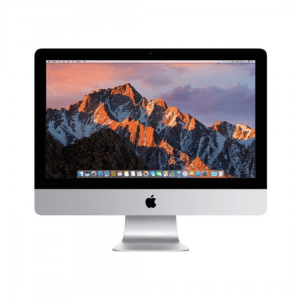

 Unlock your Mac
 Use Apple Pay
 Open password-protected documents
 Make purchases on the Apple TV app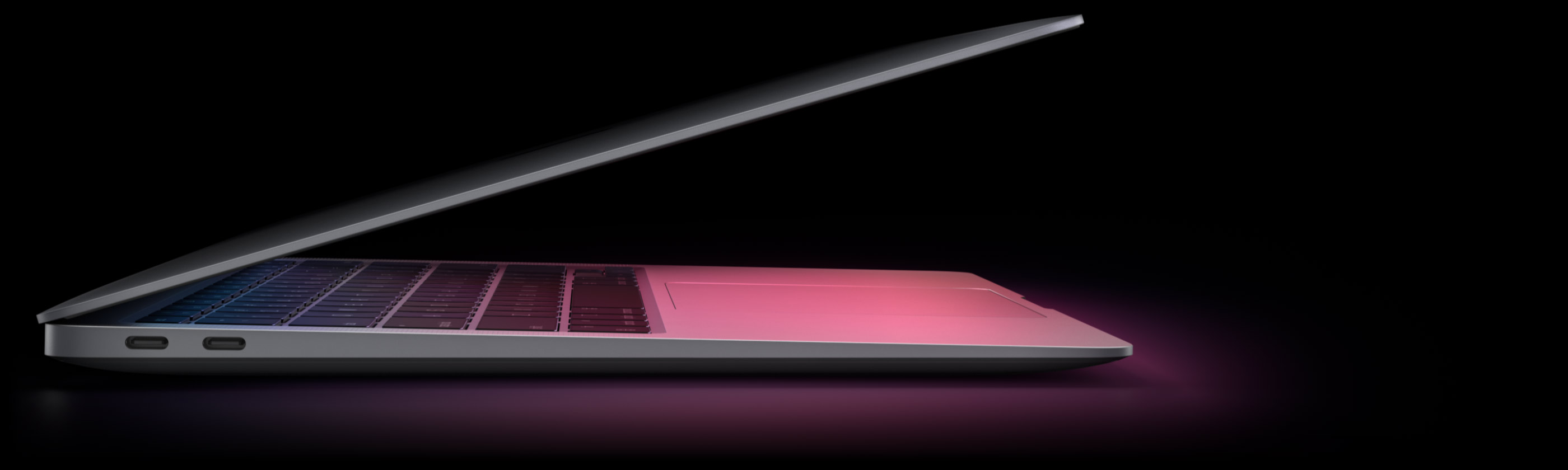


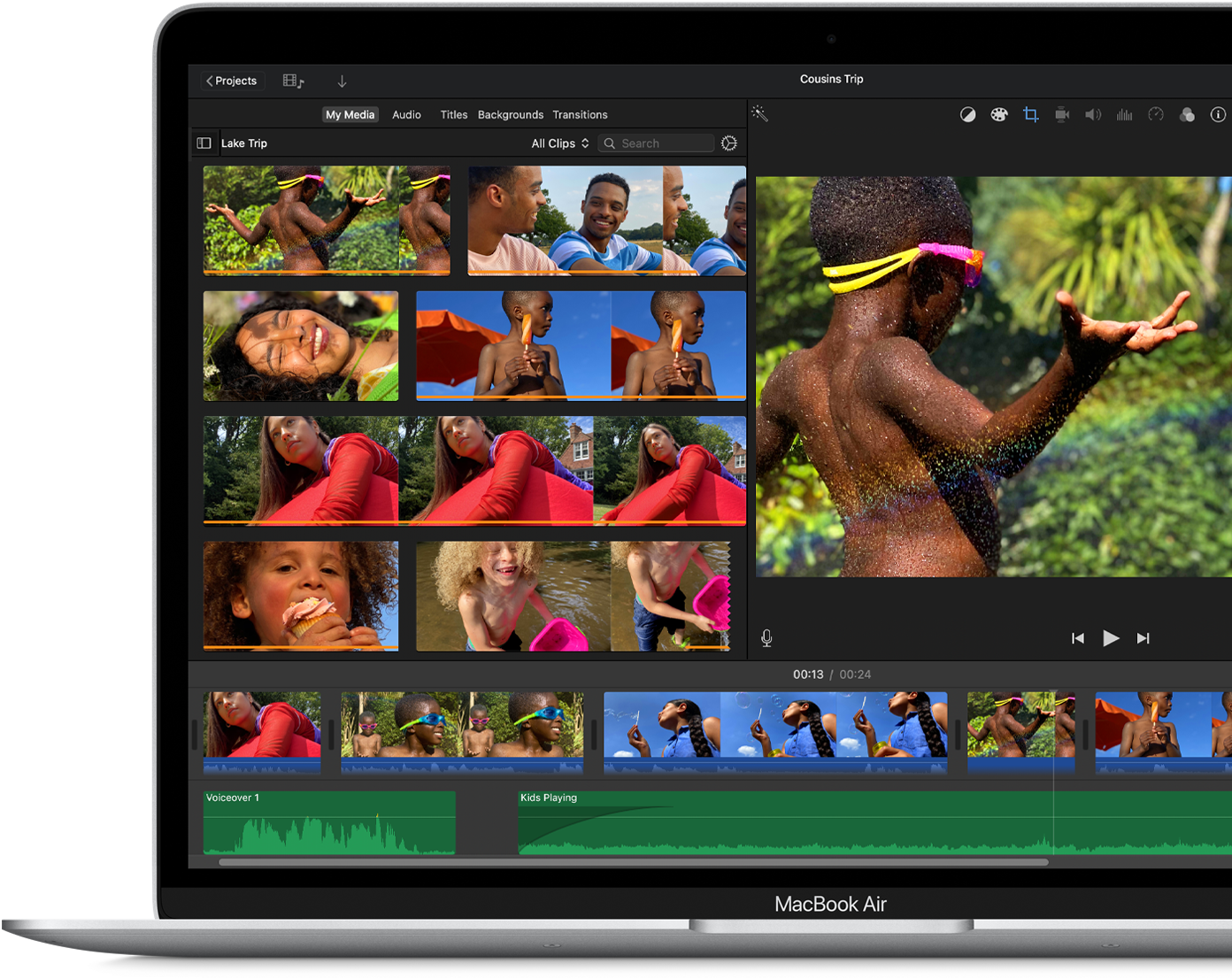


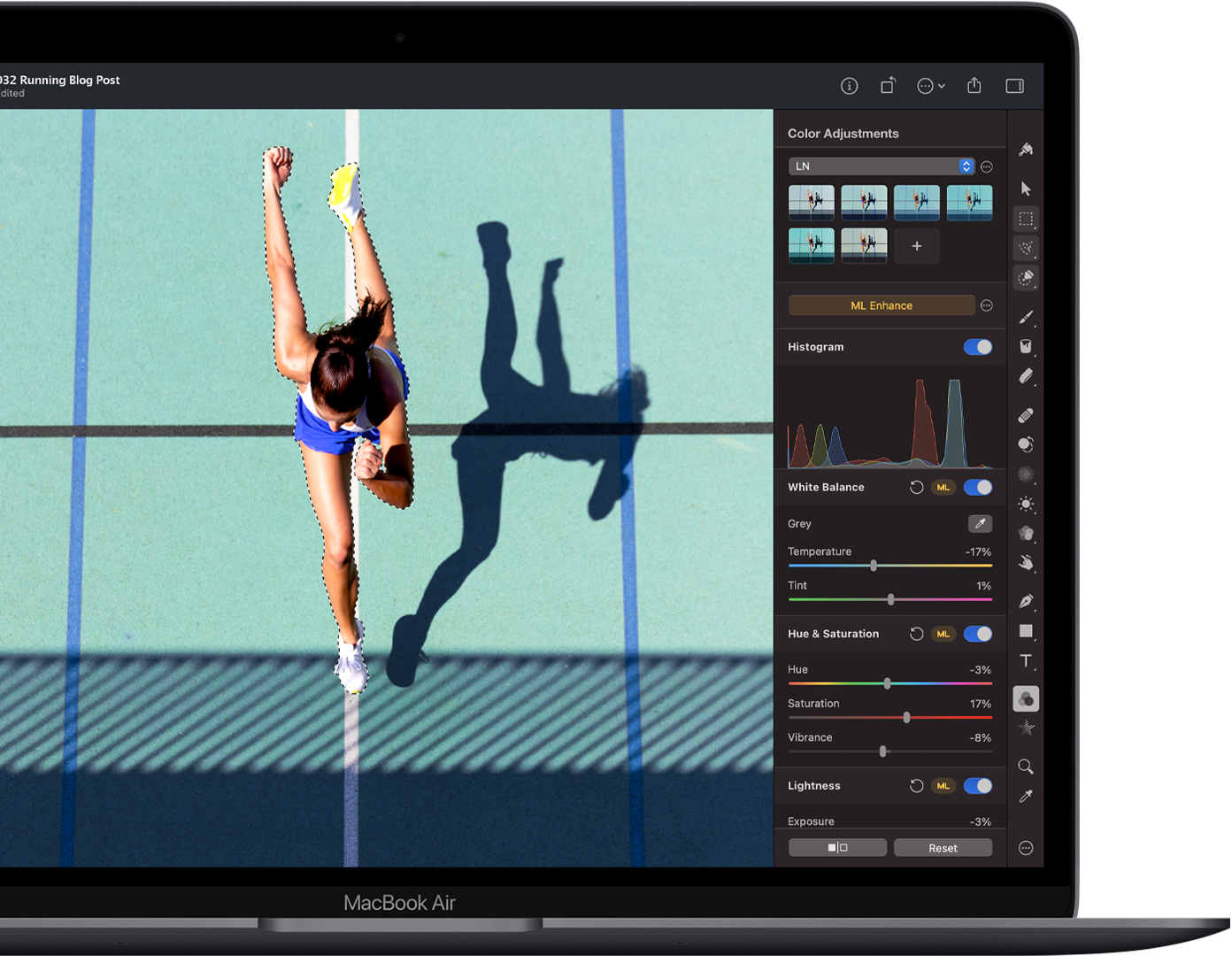
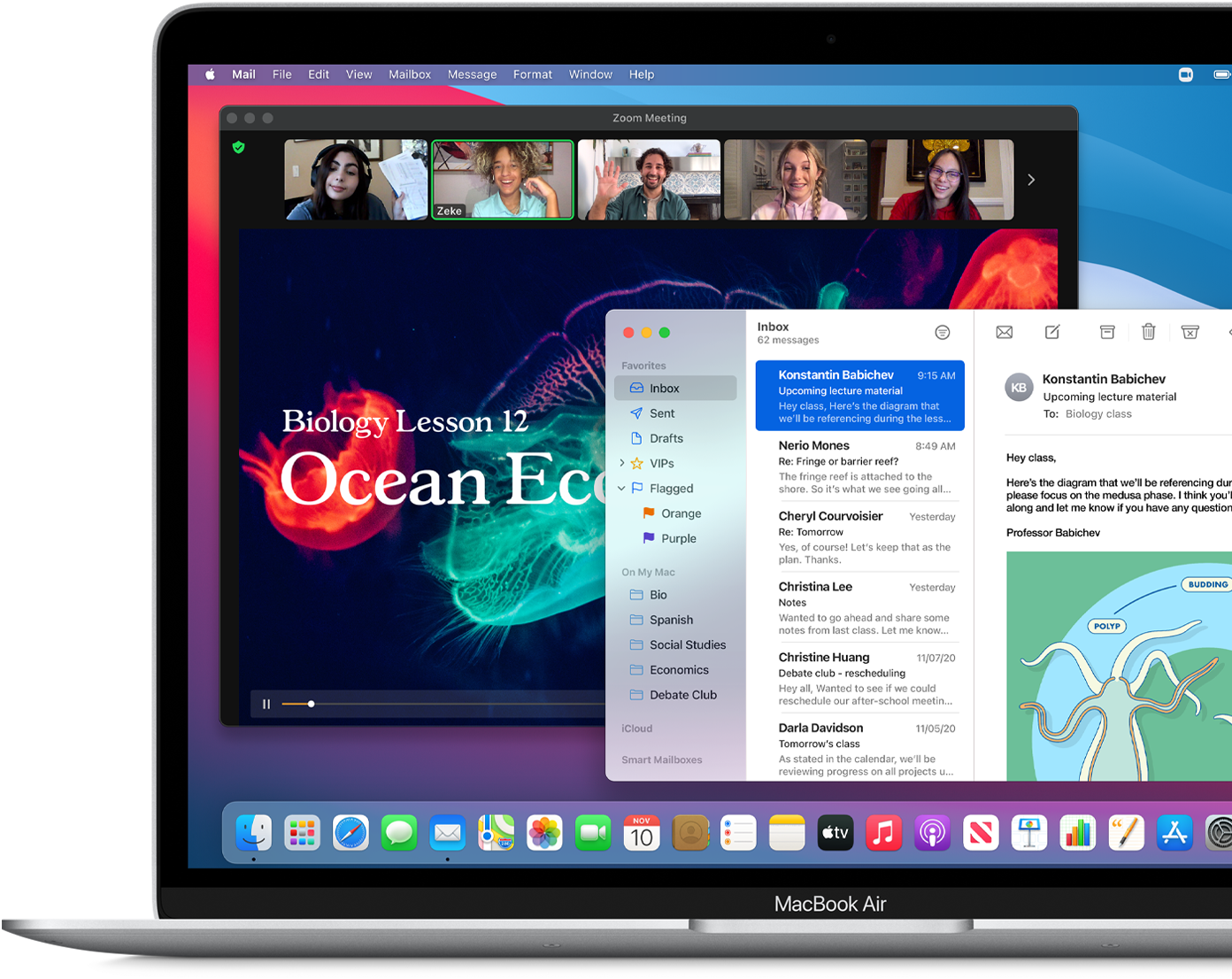







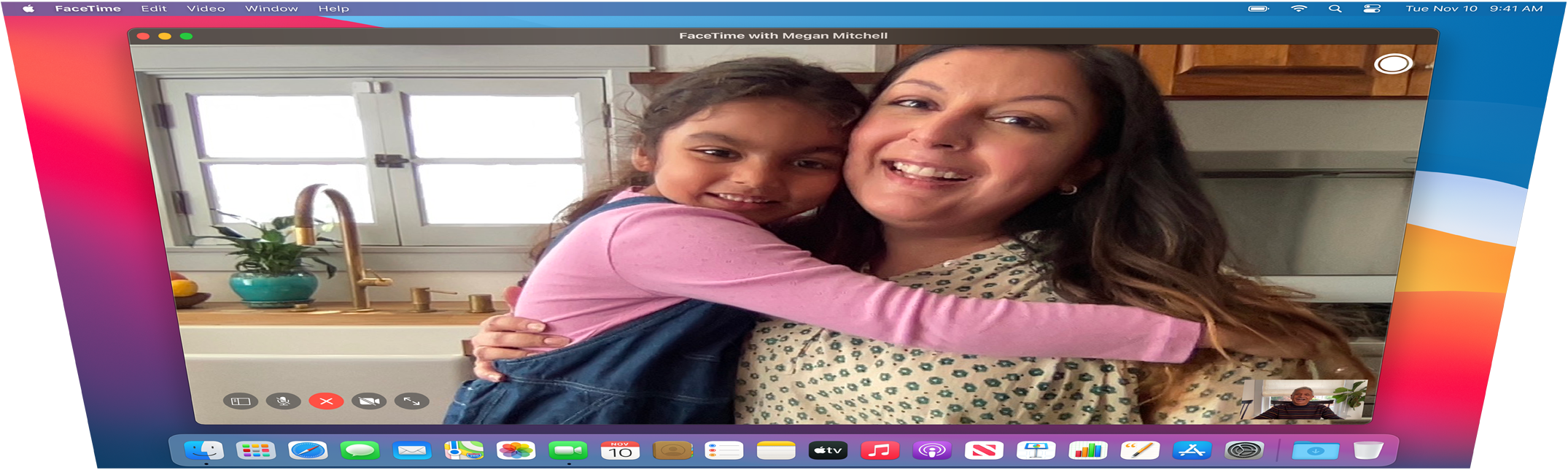
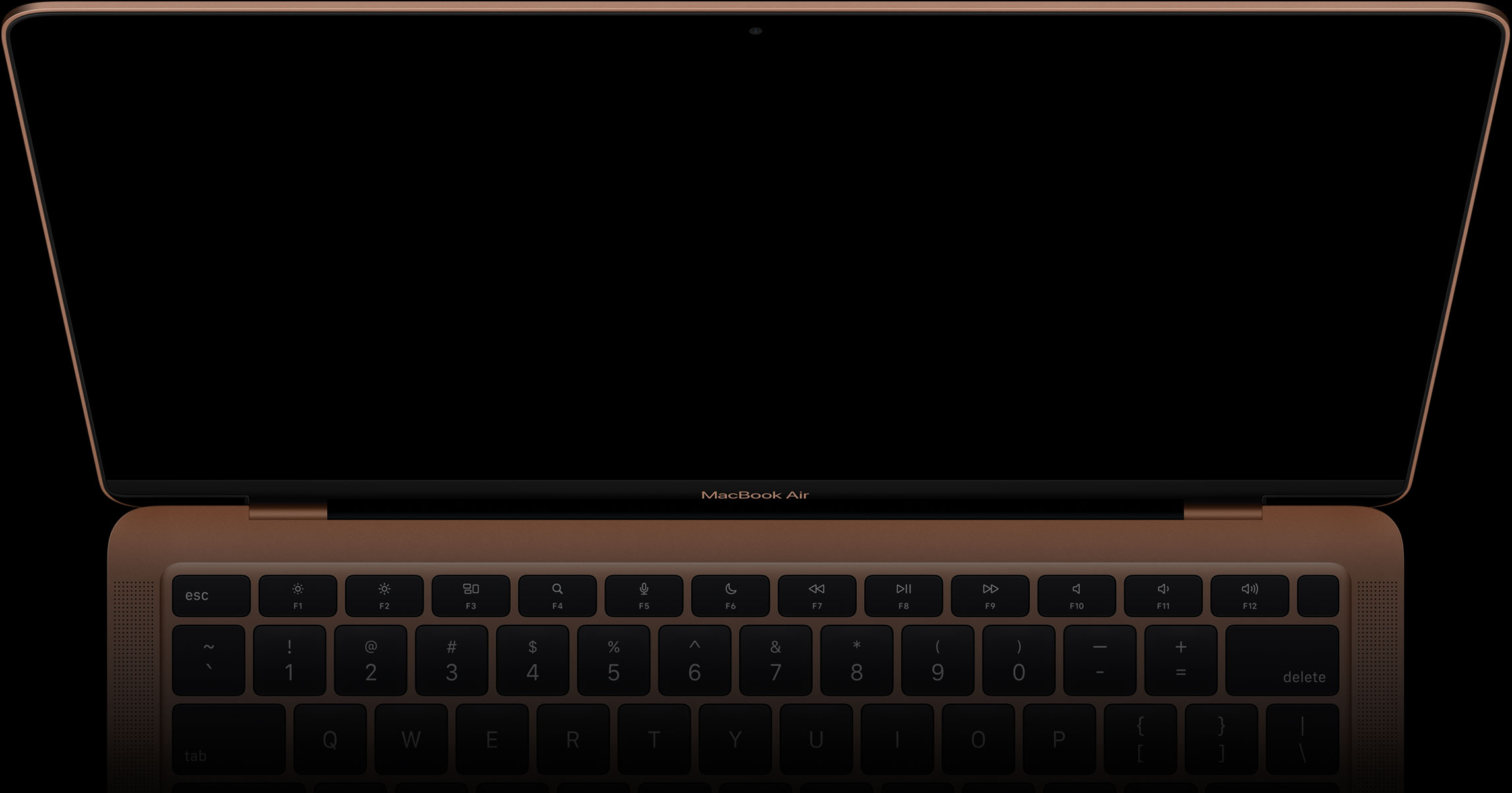


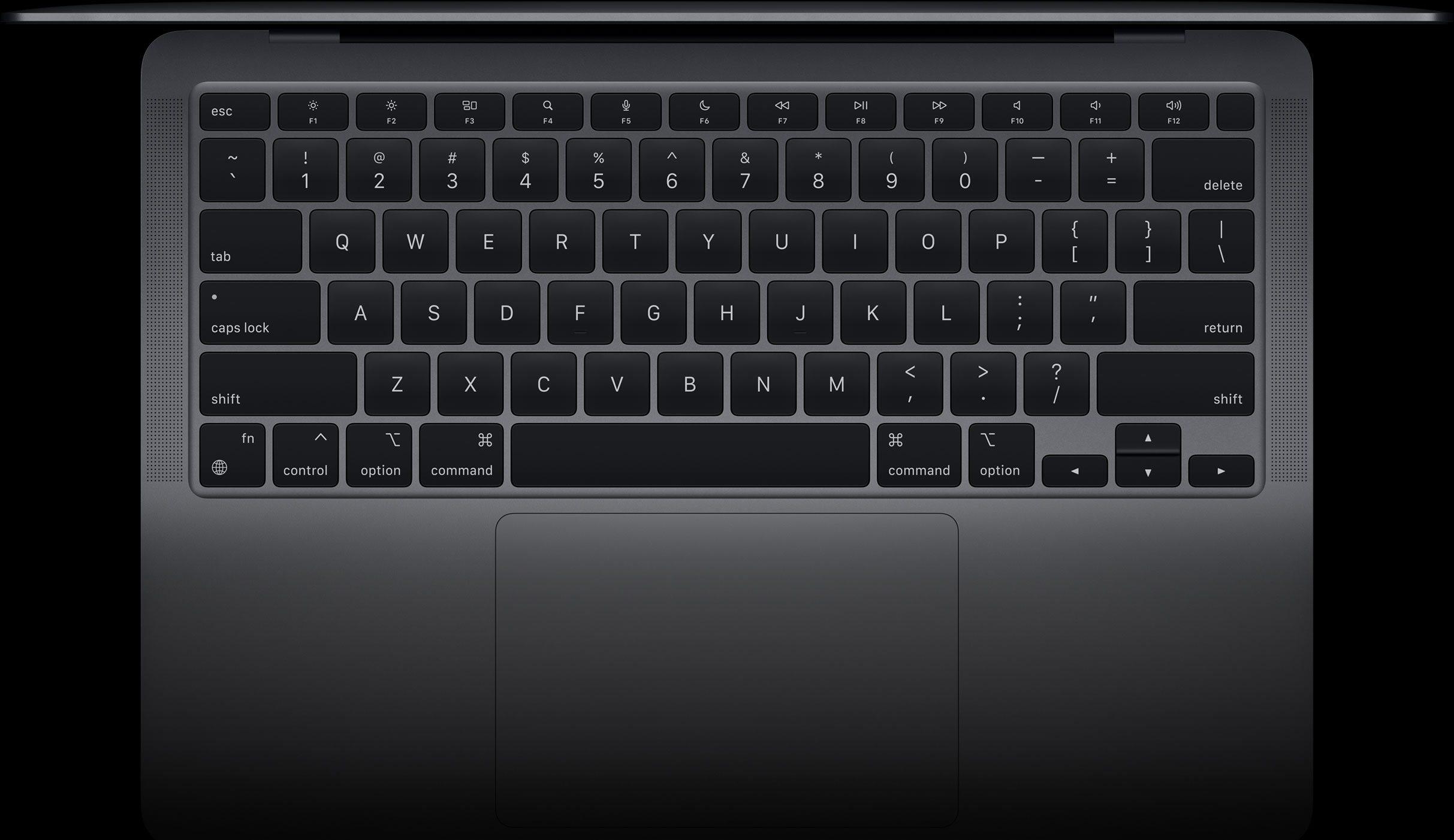




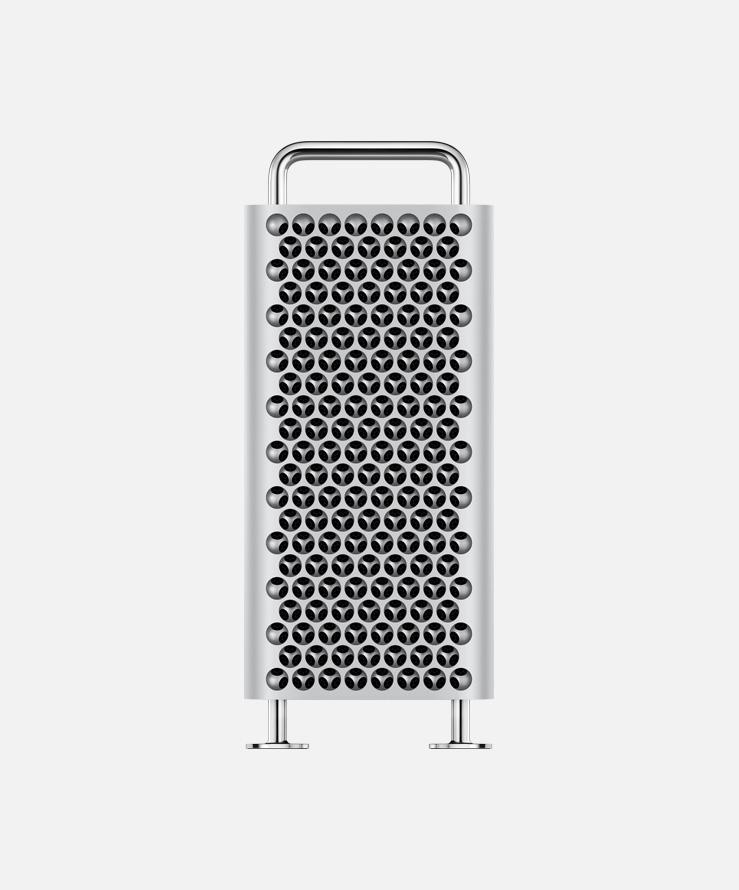
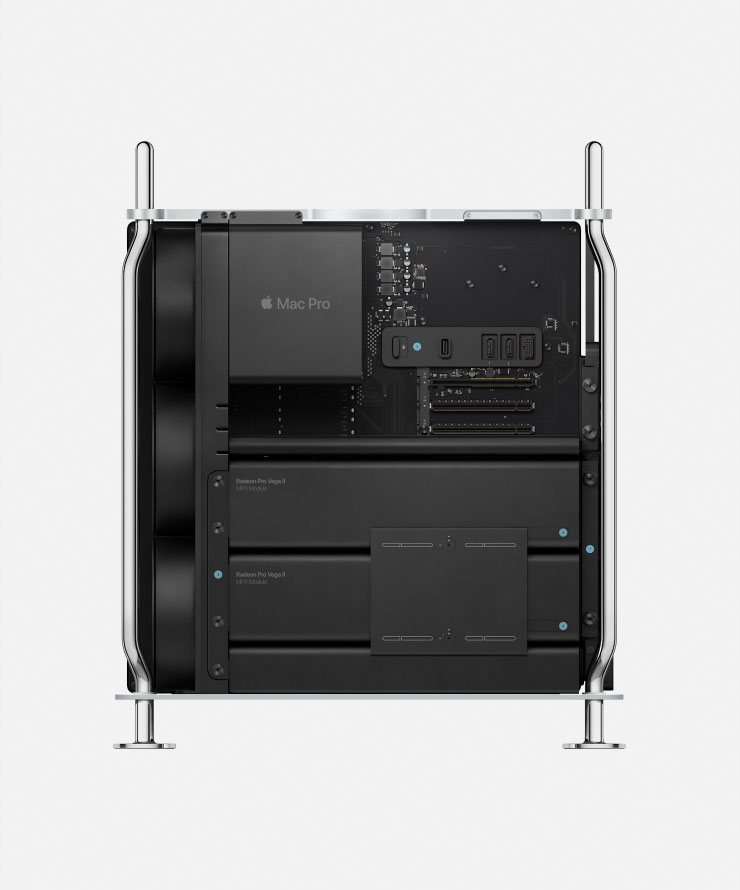
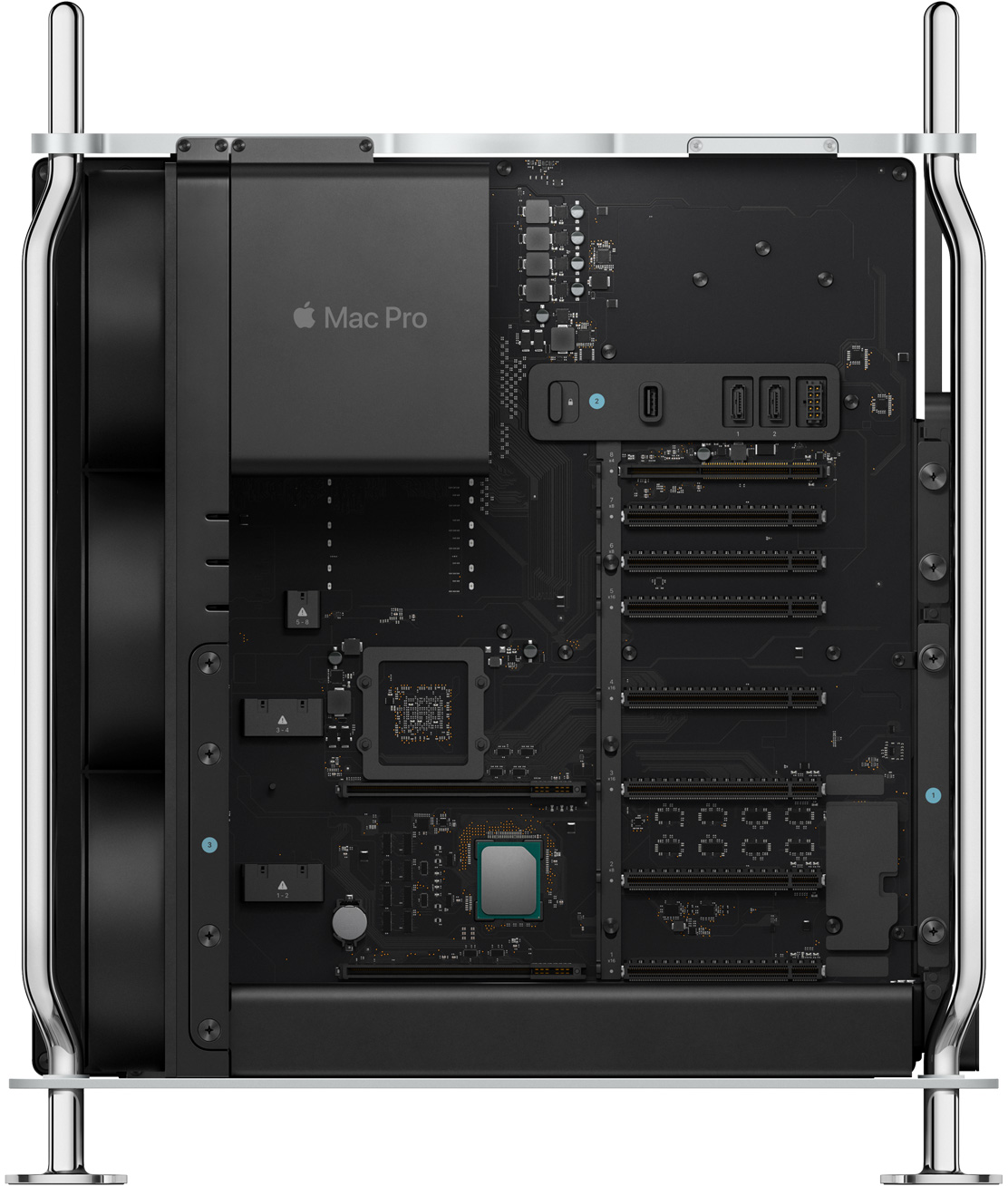
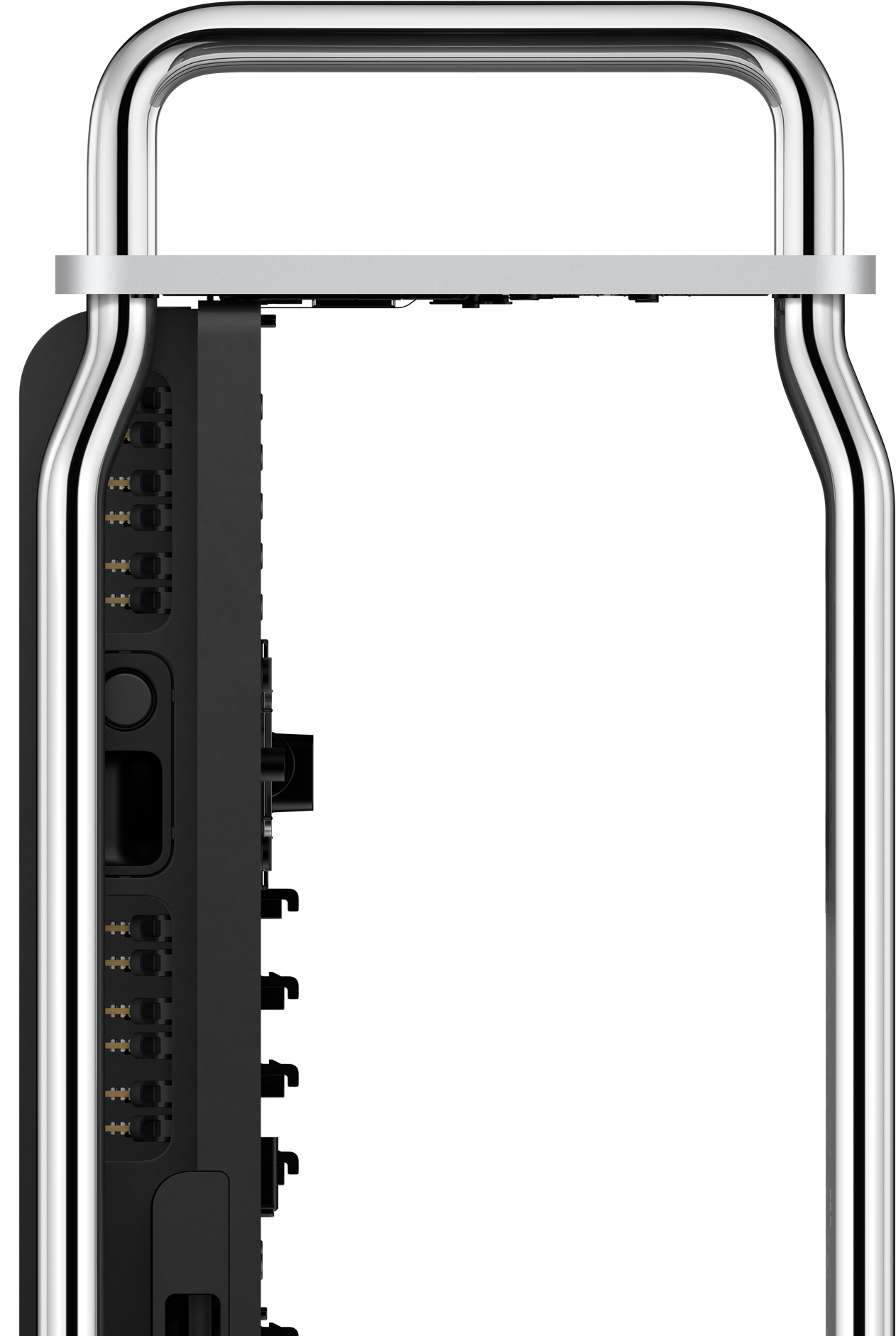
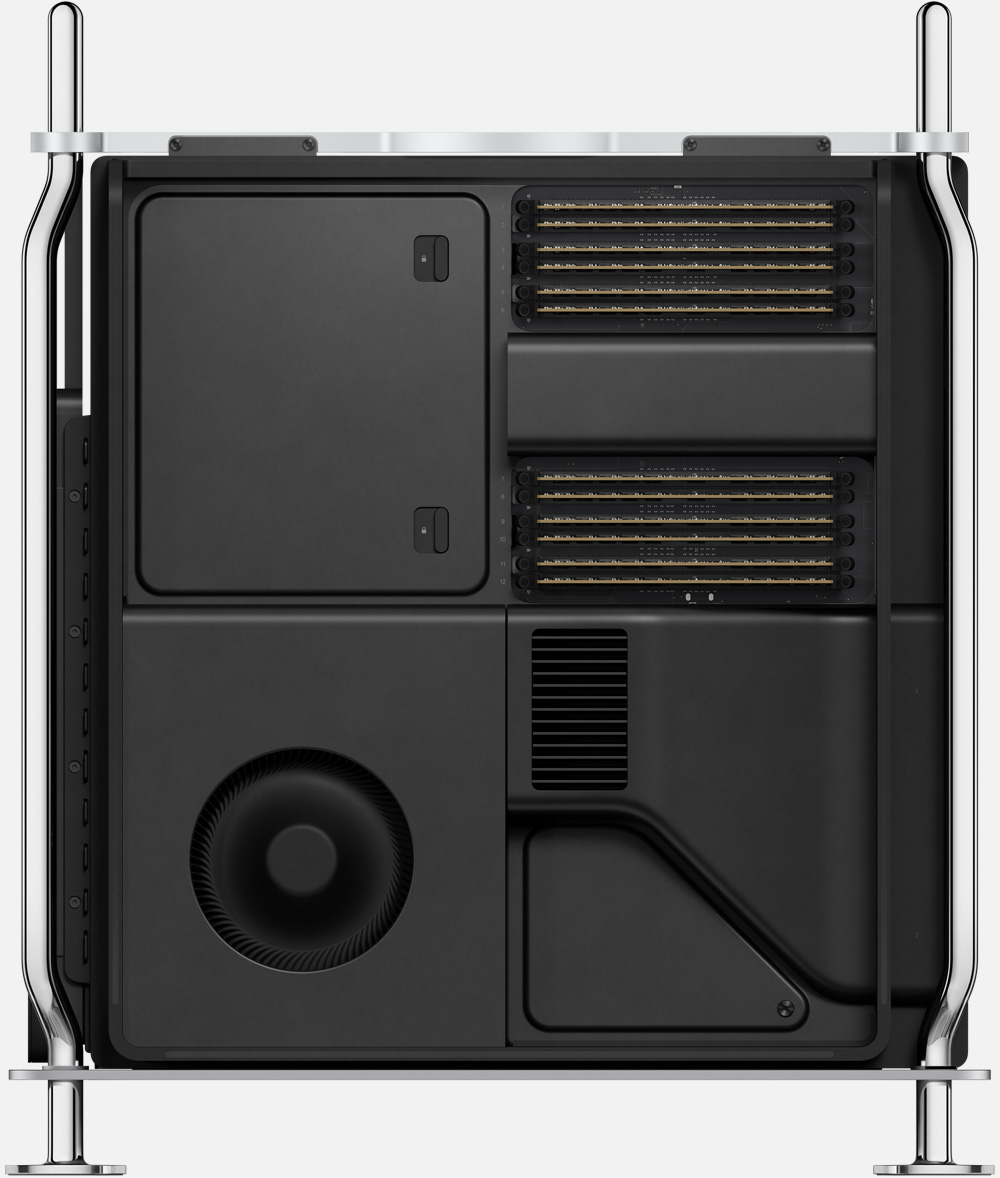
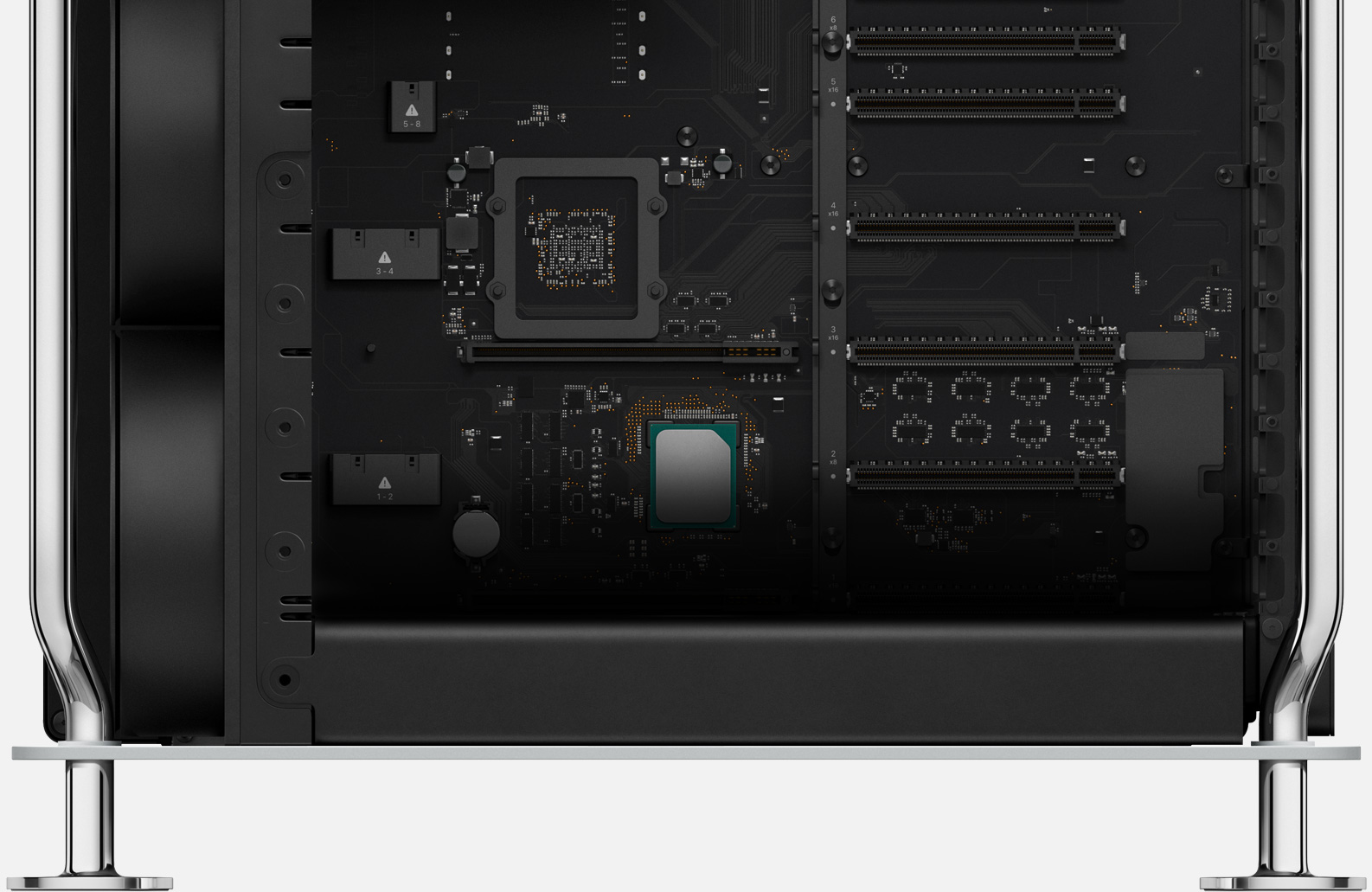
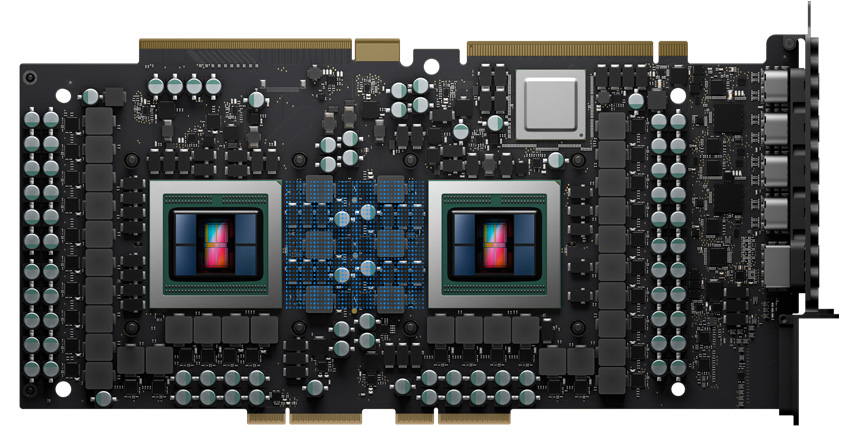
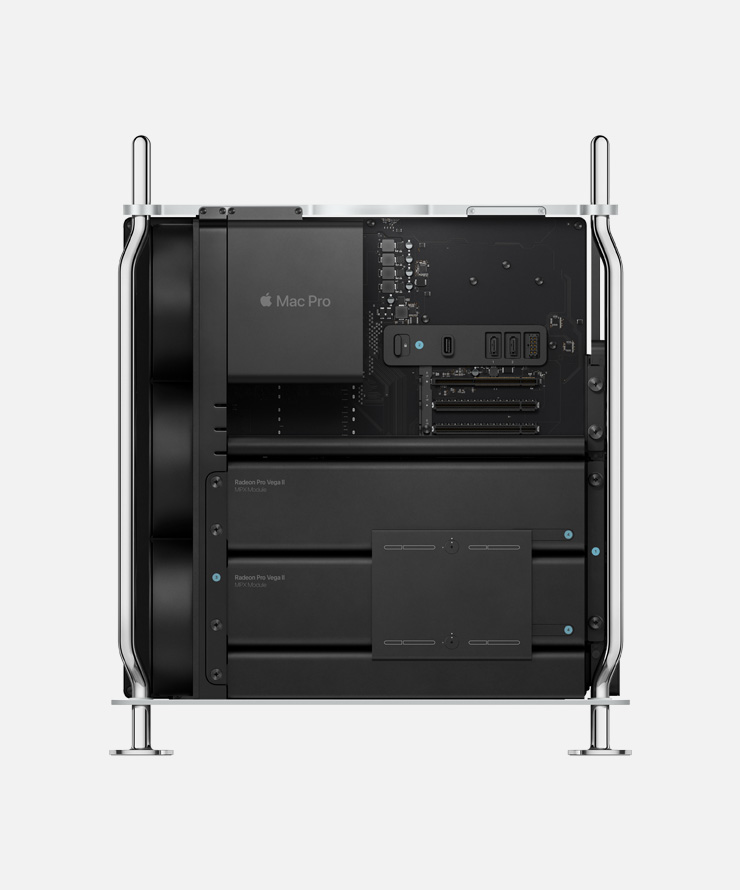
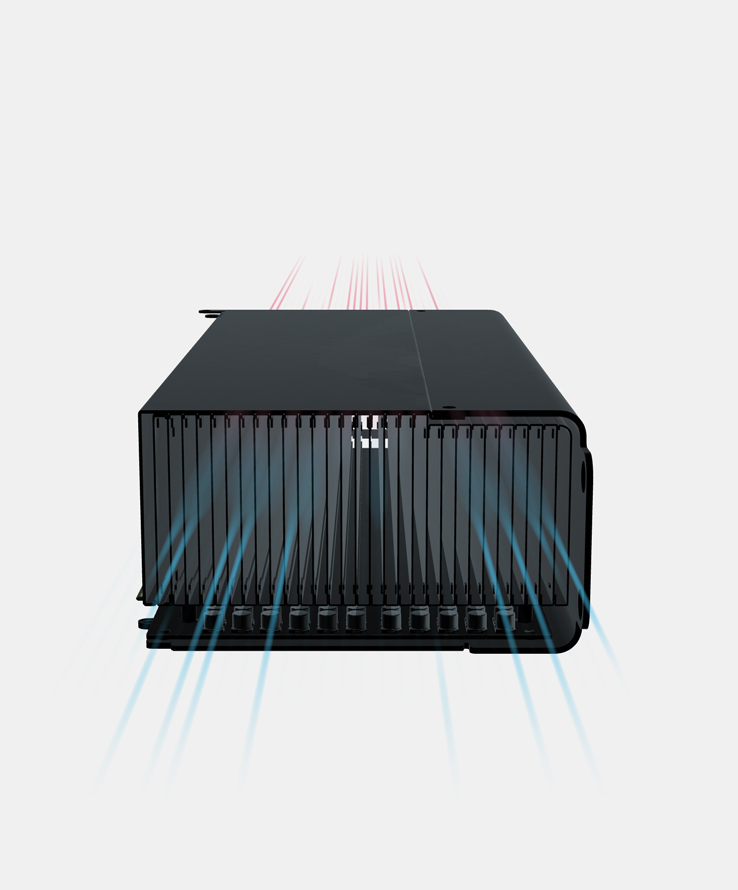
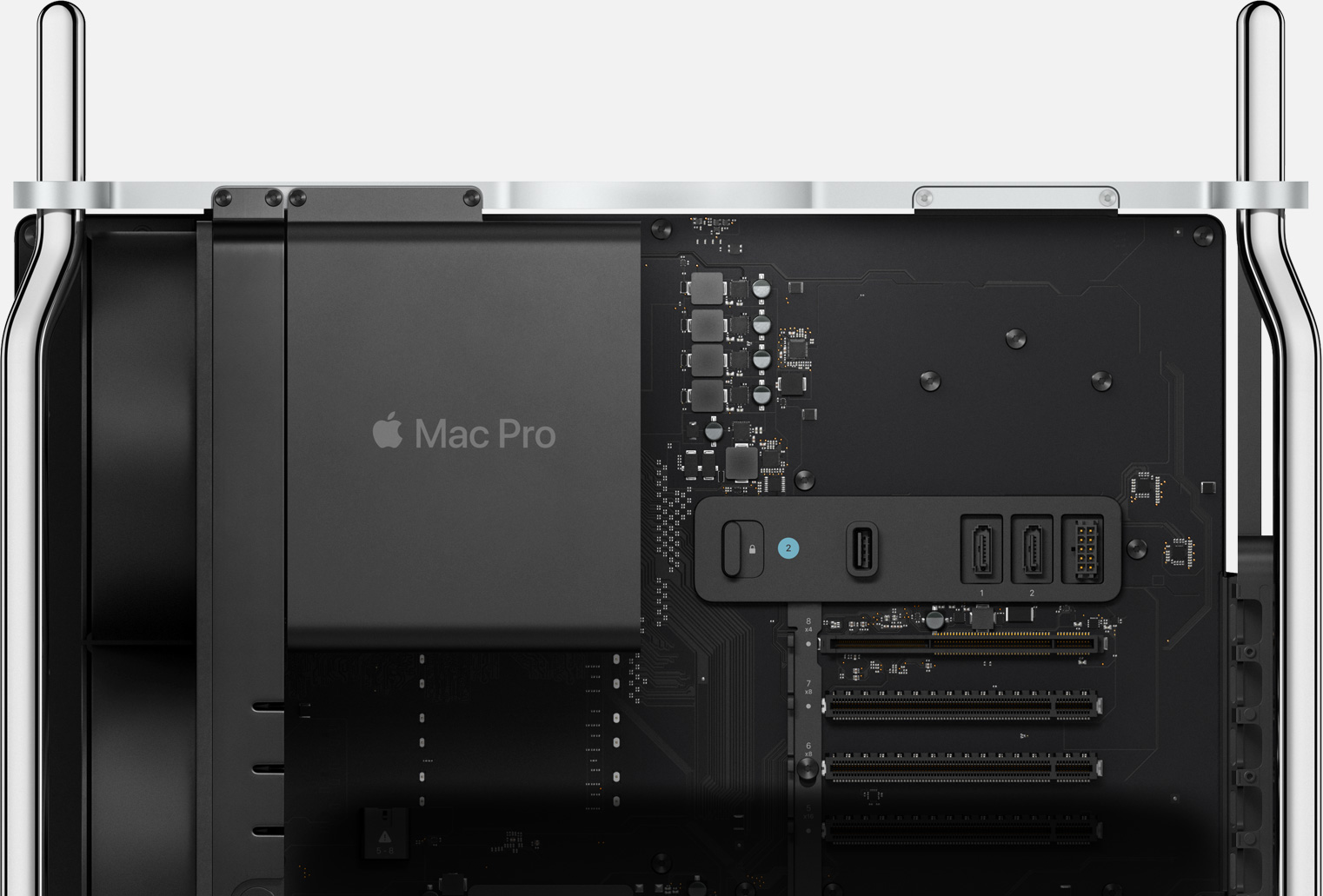
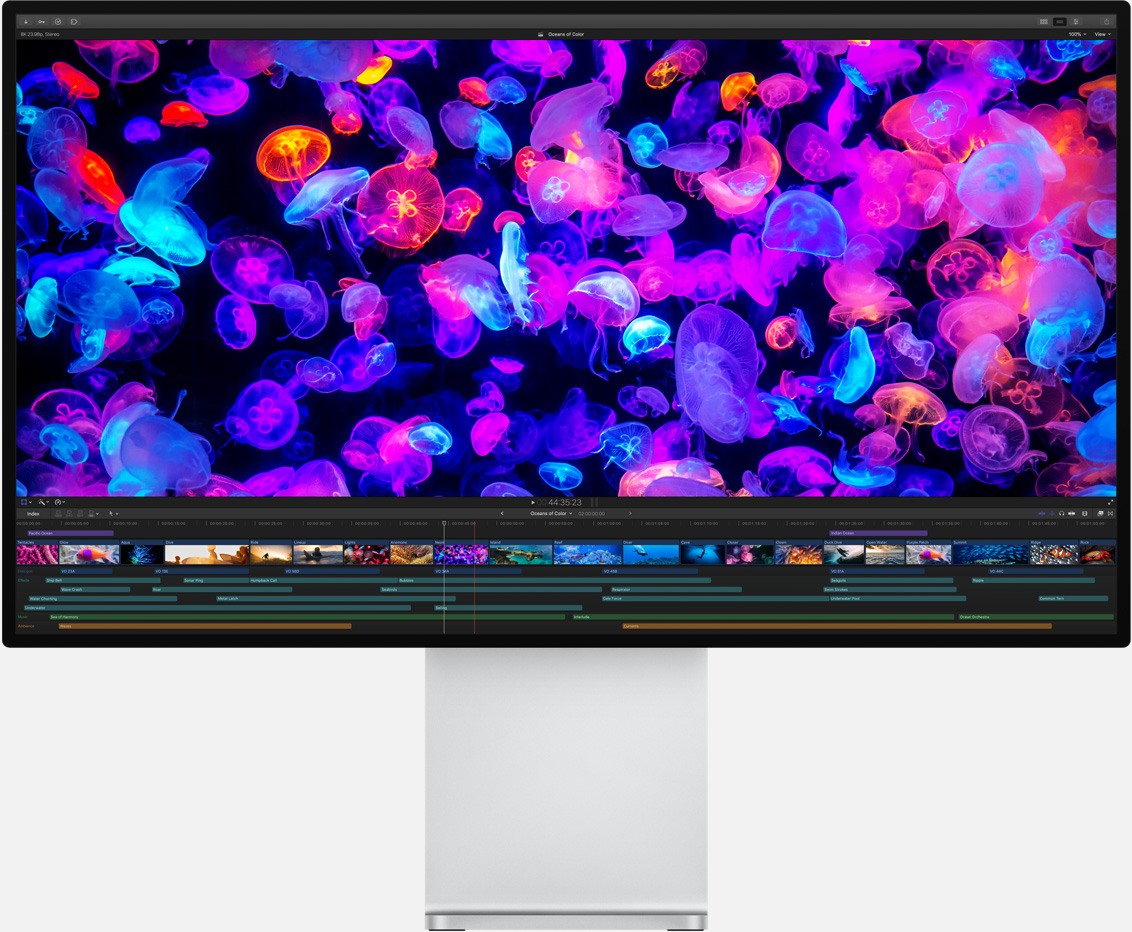
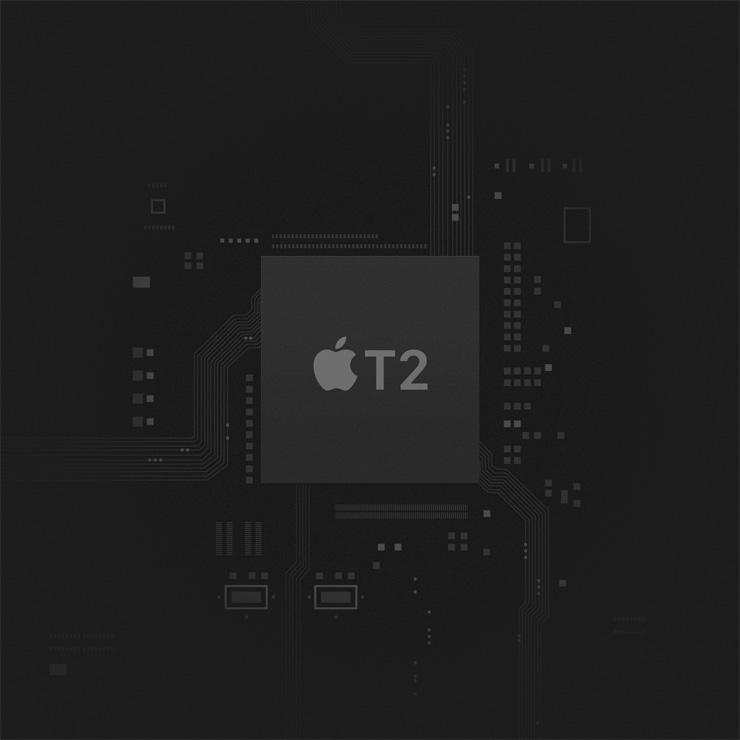
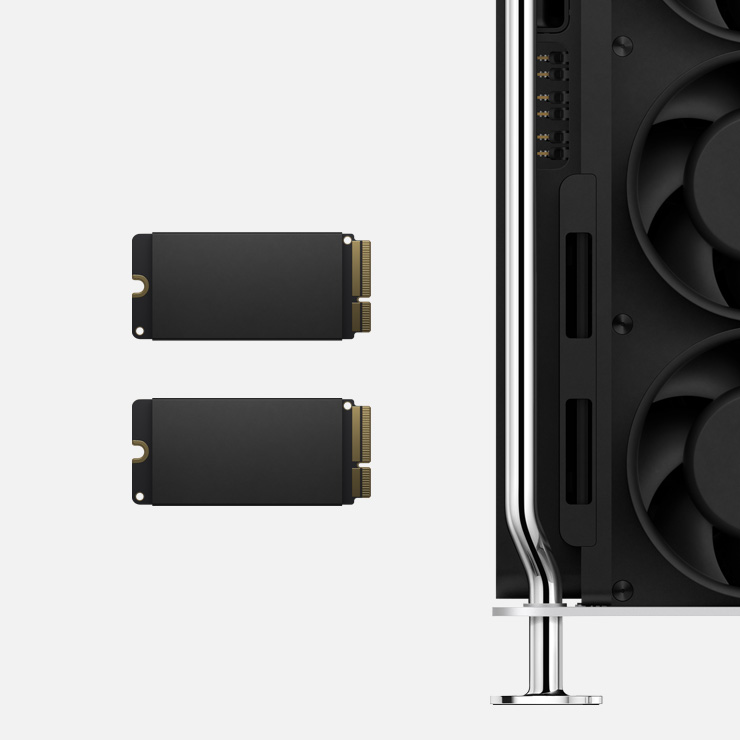
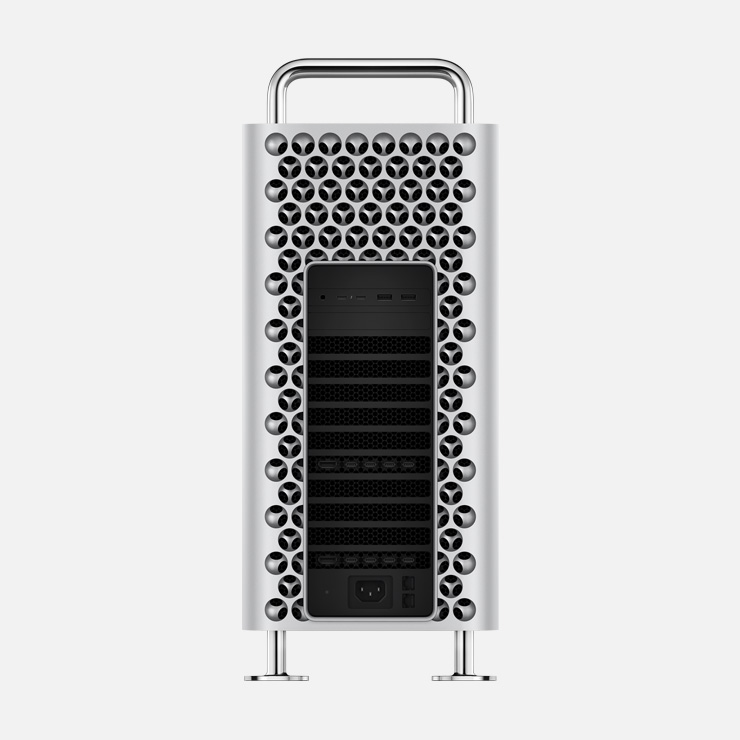
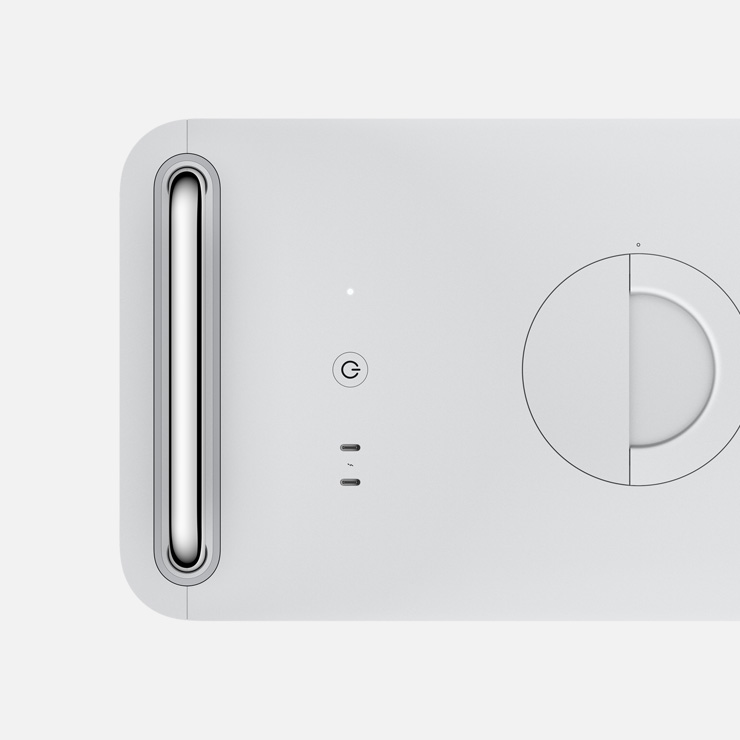
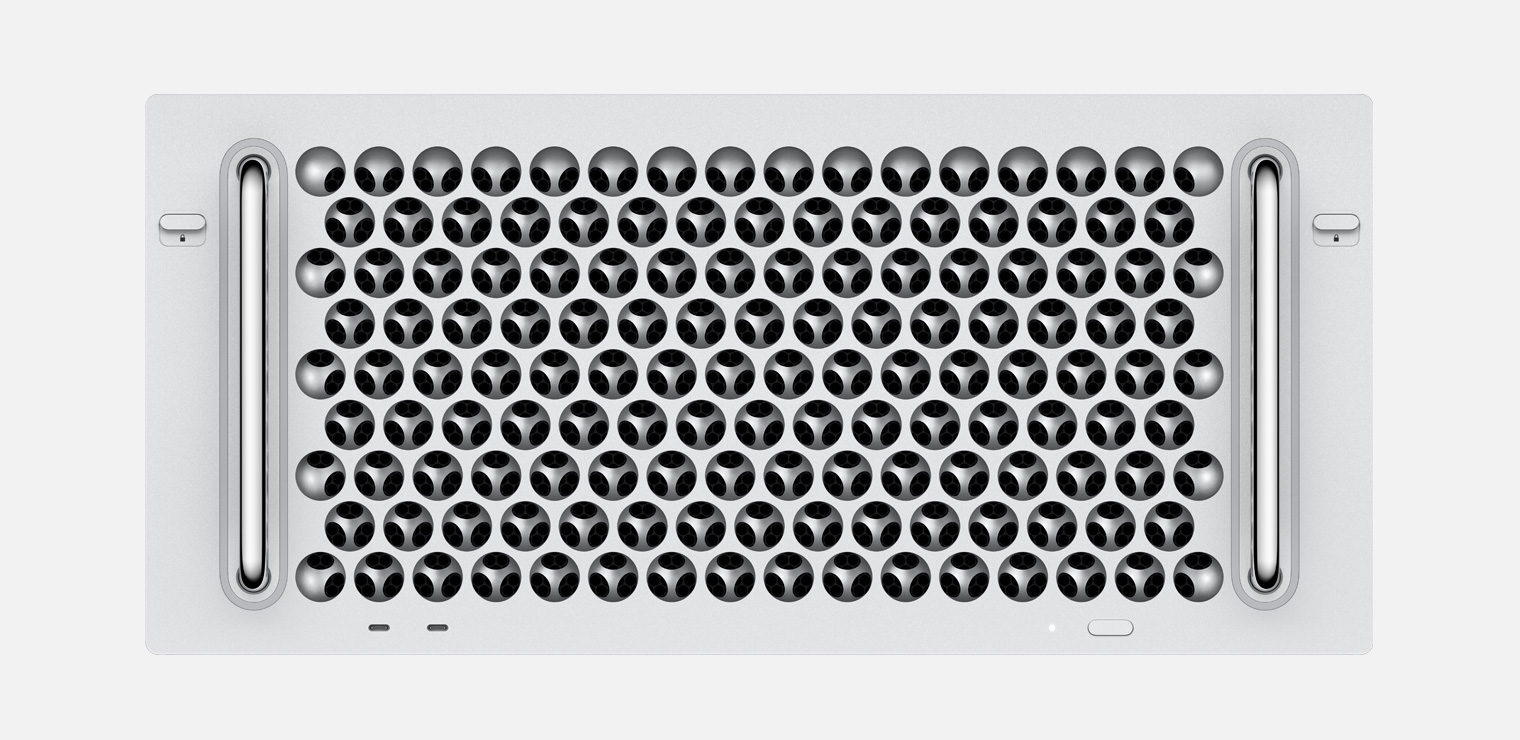
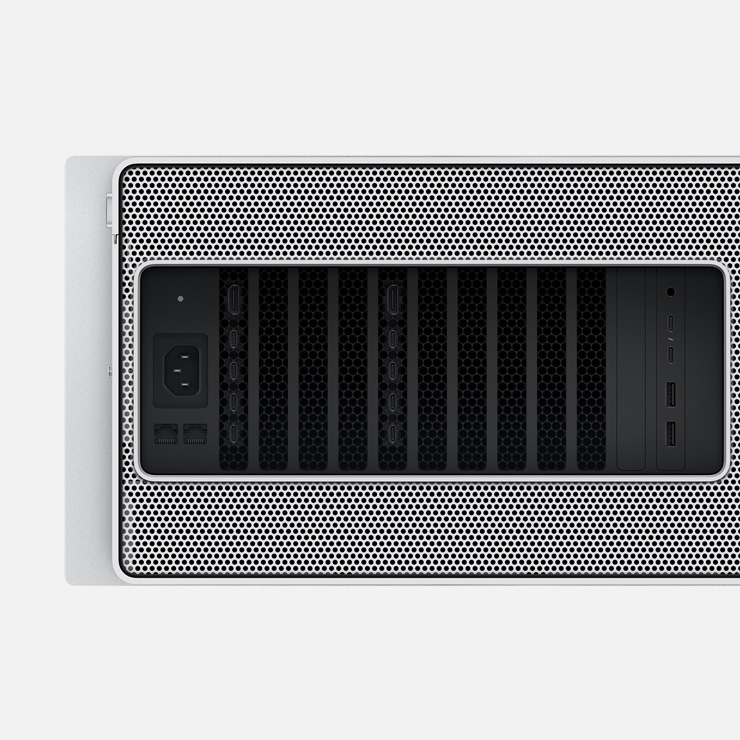
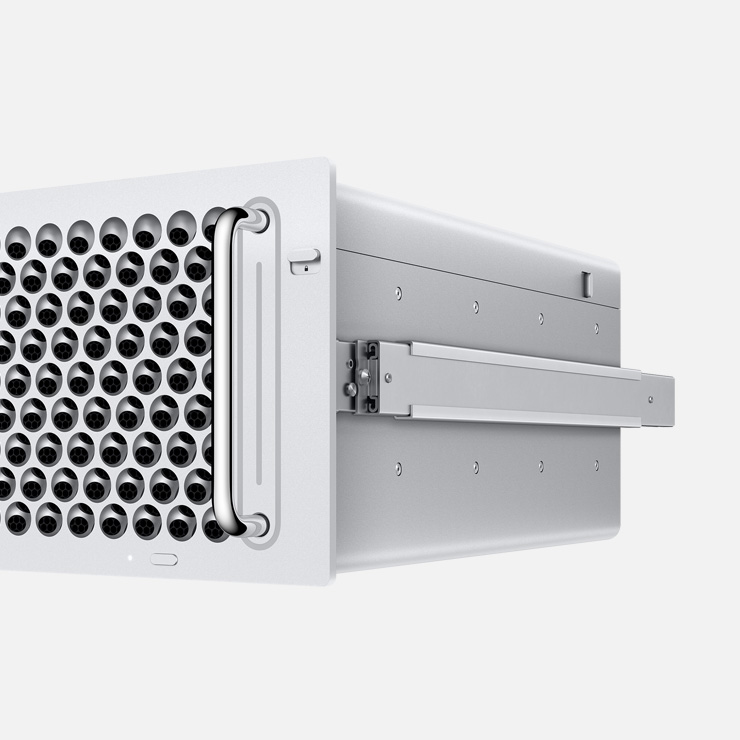
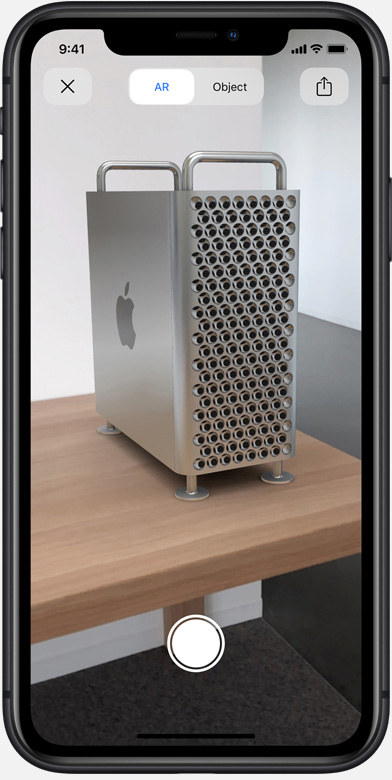









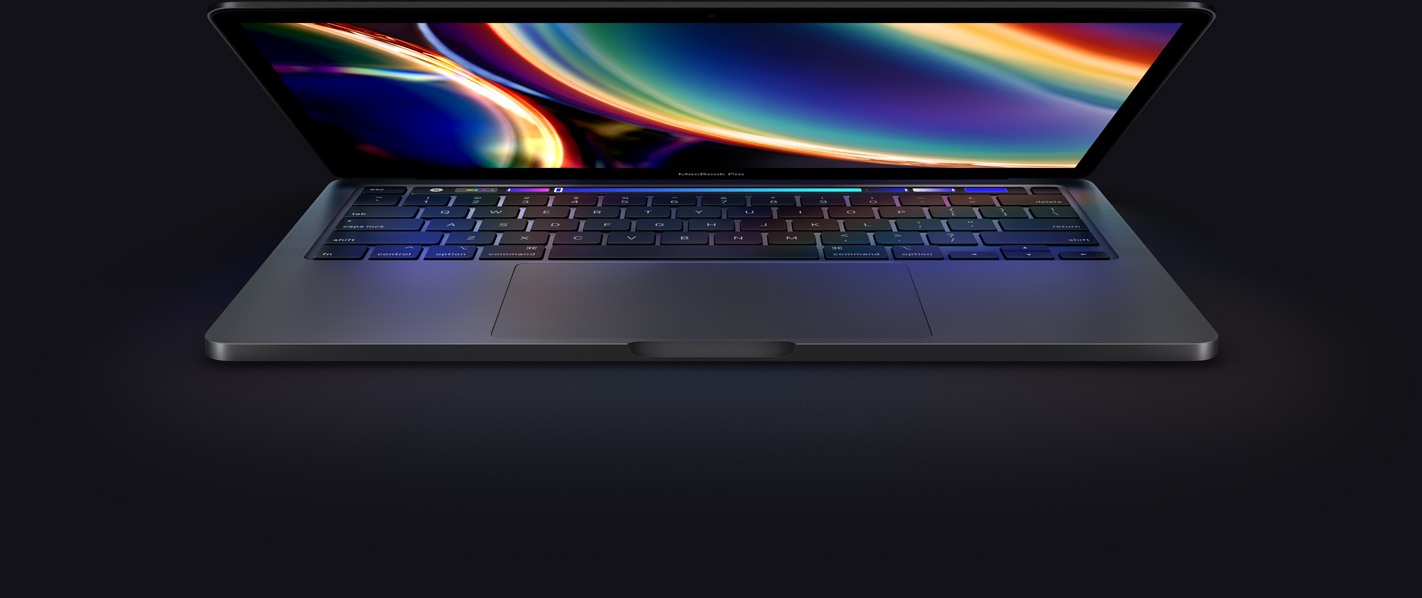
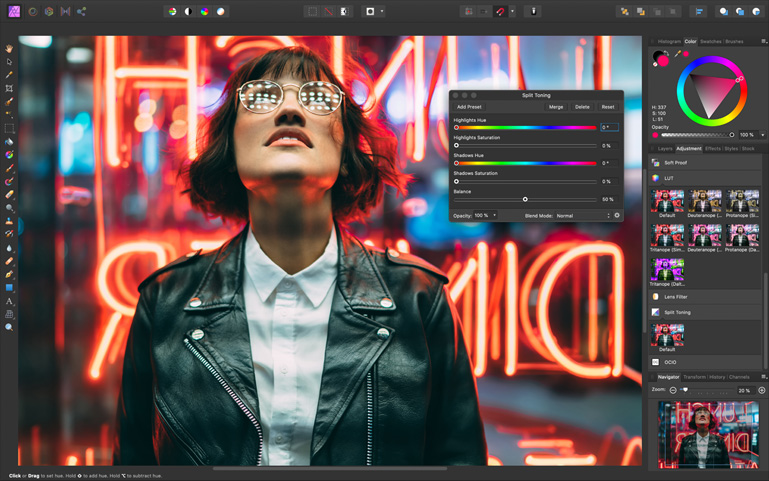
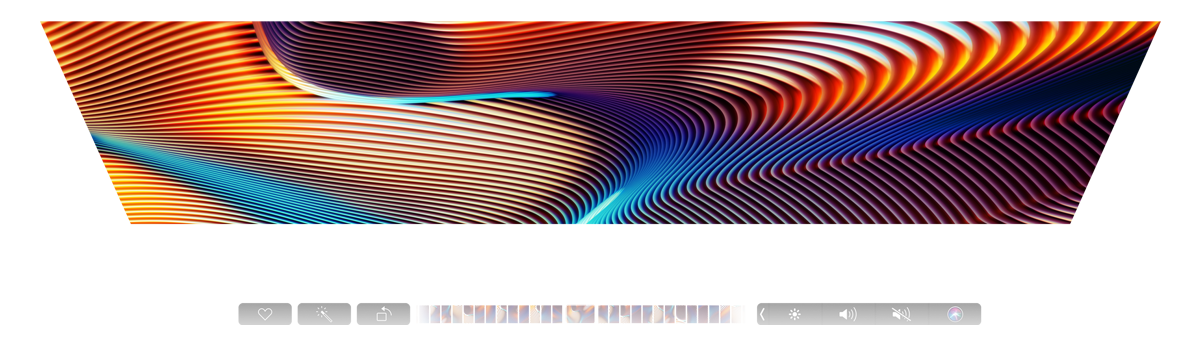
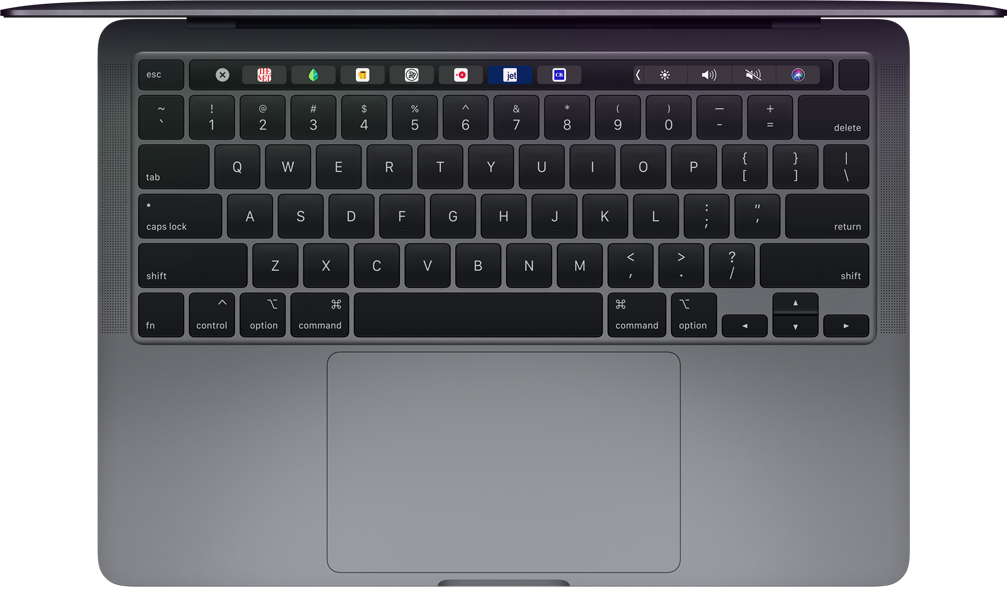
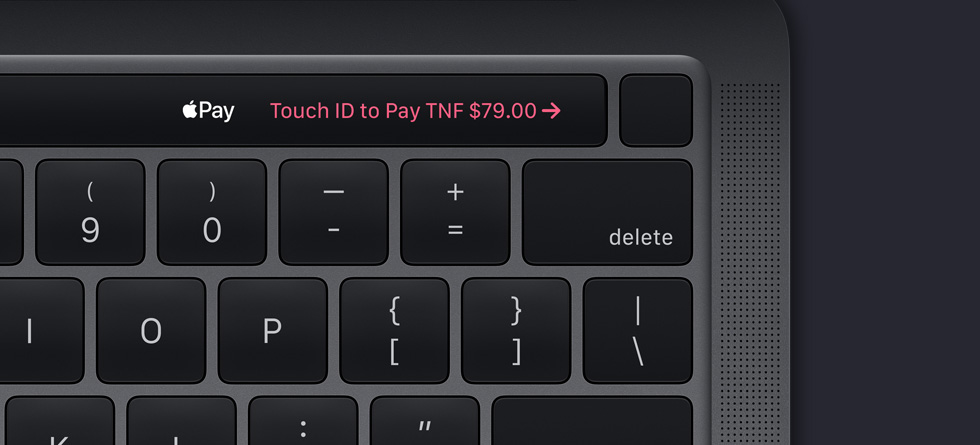


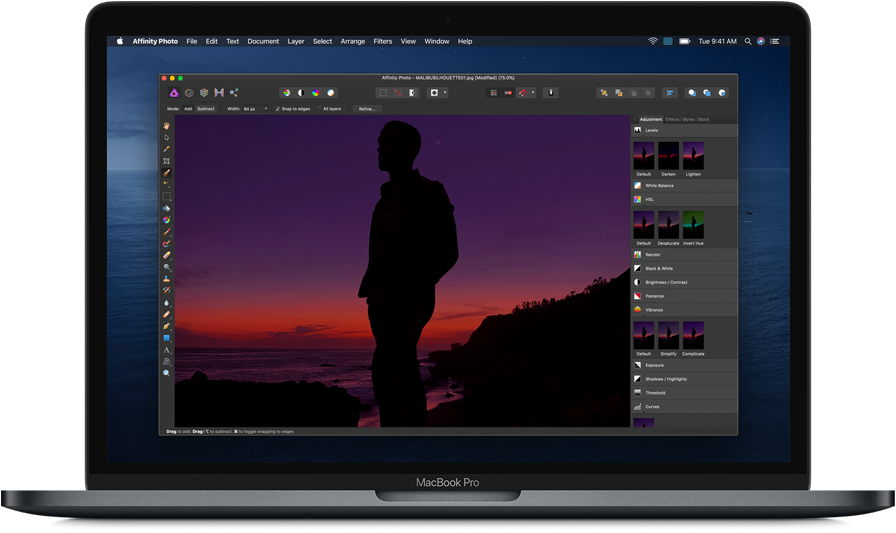
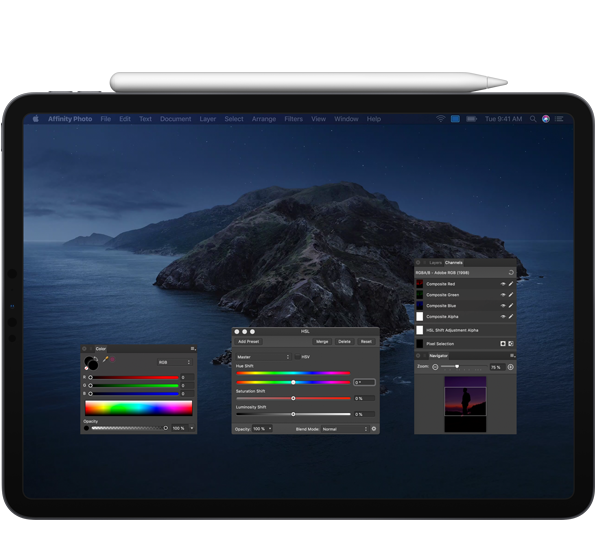
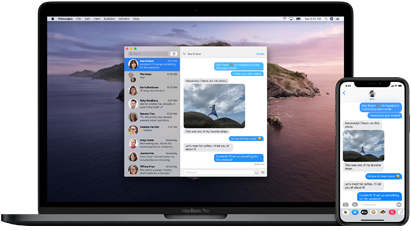
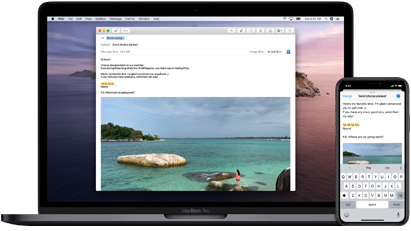



 Final Cut Pro

 Blackmagic Design DaVinci Resolve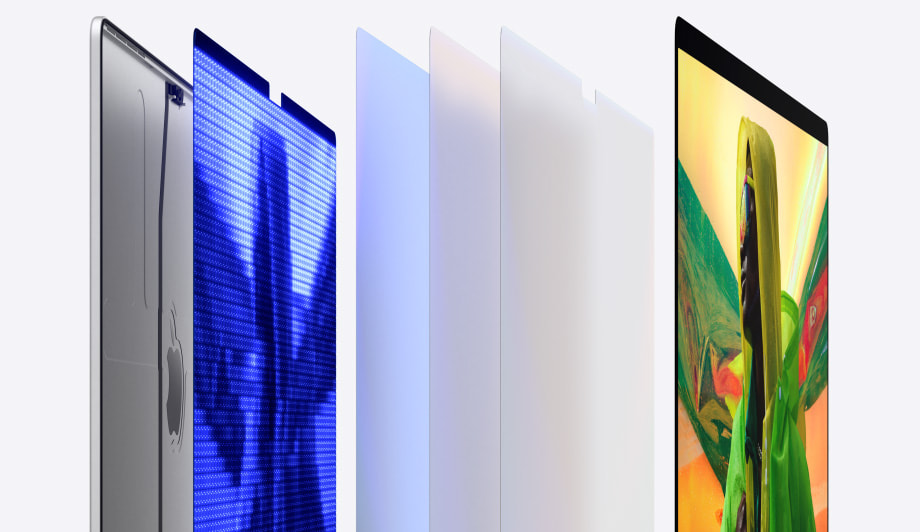

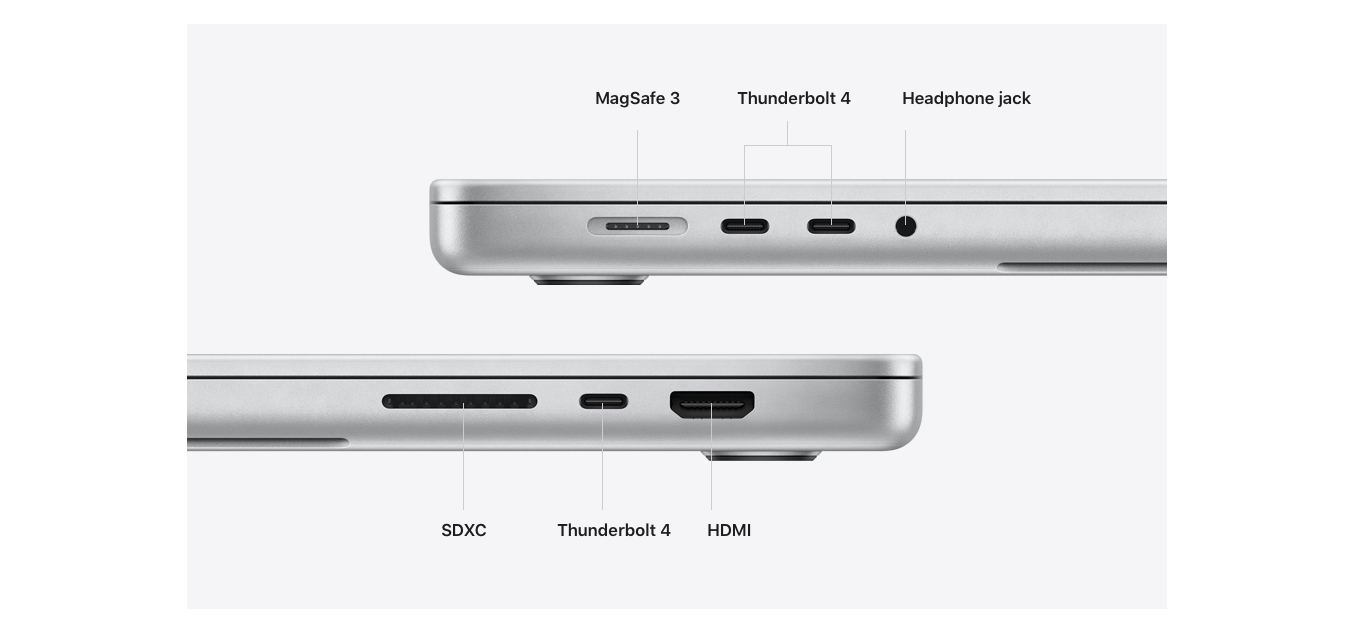

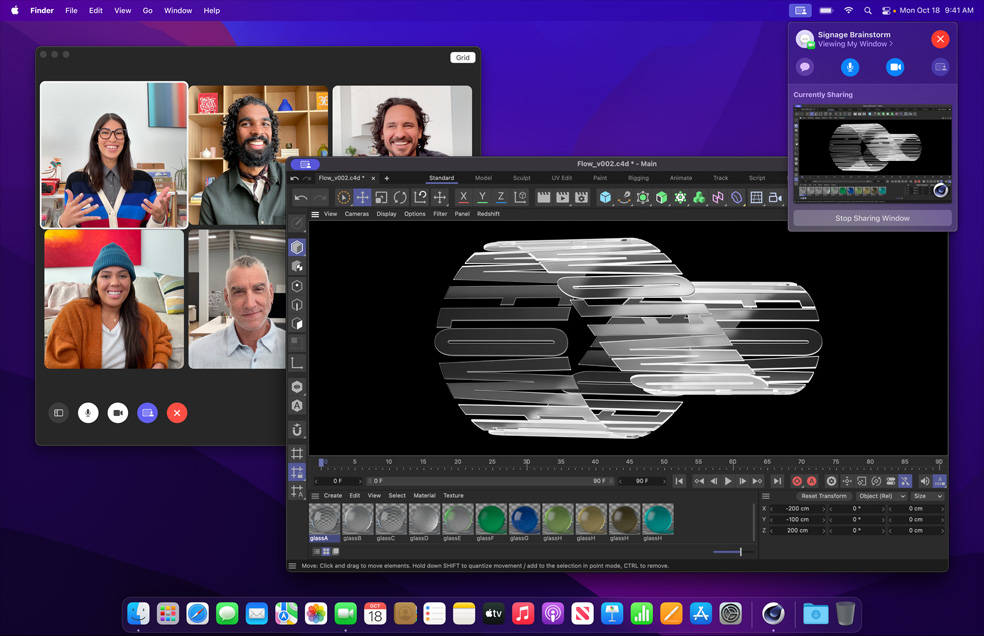


 Specification
 Specification